<?xml version="1.0" encoding="utf-8"?><feed xmlns="http://www.w3.org/2005/Atom" xml:lang="en-US"><generator uri="https://jekyllrb.com/" version="4.1.1">Jekyll</generator><link href="https://nathanorick.com/feed.xml" rel="self" type="application/atom+xml" /><link href="https://nathanorick.com/" rel="alternate" type="text/html" hreflang="en-US" /><updated>2026-11-02T15:16:34-05:00</updated><id>https://nathanorick.com/feed.xml</id><title type="html">Nathan Orick</title><subtitle>A blog _mostly_ about web development and programming.</subtitle><author><name>Nathan Orick</name><email>nathan@nathanorick.com</email></author><entry><title type="html">The 668-Spin Candy Dispenser Recap (Halloween 2026)</title><link href="https://nathanorick.com/halloween-2026-recap/" rel="alternate" type="text/html" title="The 668-Spin Candy Dispenser Recap (Halloween 2026)" /><published>2026-11-02T00:00:00-05:00</published><updated>2026-11-02T15:11:48-05:00</updated><id>https://nathanorick.com/halloween-2026-recap</id><content type="html" xml:base="https://nathanorick.com/halloween-2026-recap/"><![CDATA[<script>
  document.body.setAttribute("data-theme", "dark");
  document.body.setAttribute("data-force-theme", "dark");
</script>
<link rel="stylesheet" href="/halloween-2026-recap/recap.css" />

  <div id="tooltip" class="chart-tooltip" role="status" aria-live="polite"></div>

  <header class="hero">
    <div class="container">
      <div class="hero-badge">🎃 Halloween Night 2026 · Official Machine Telemetry</div>
      <h1>The 668-Spin Candy Dispenser Recap</h1>
      <p class="hero-subtitle">
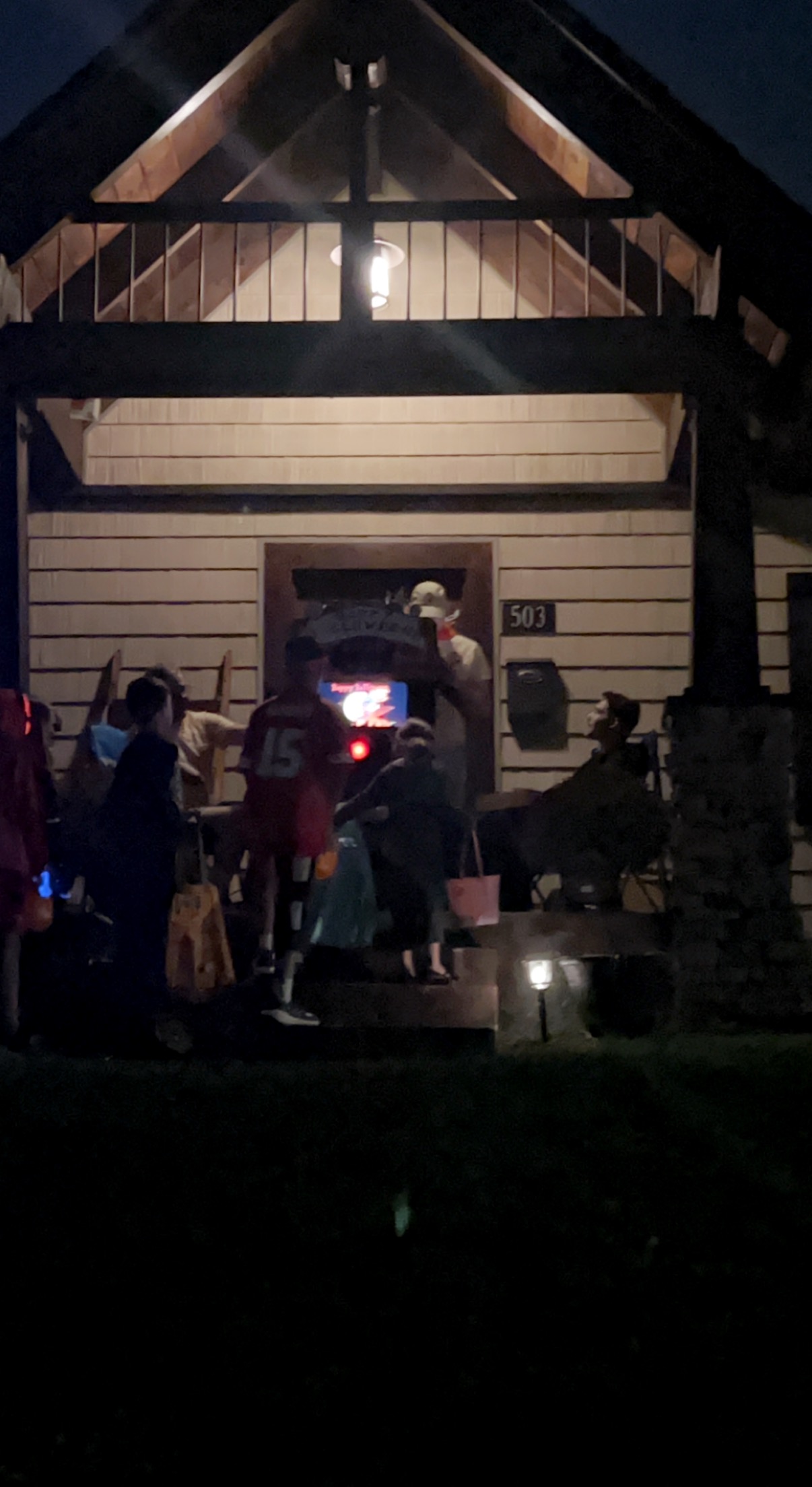
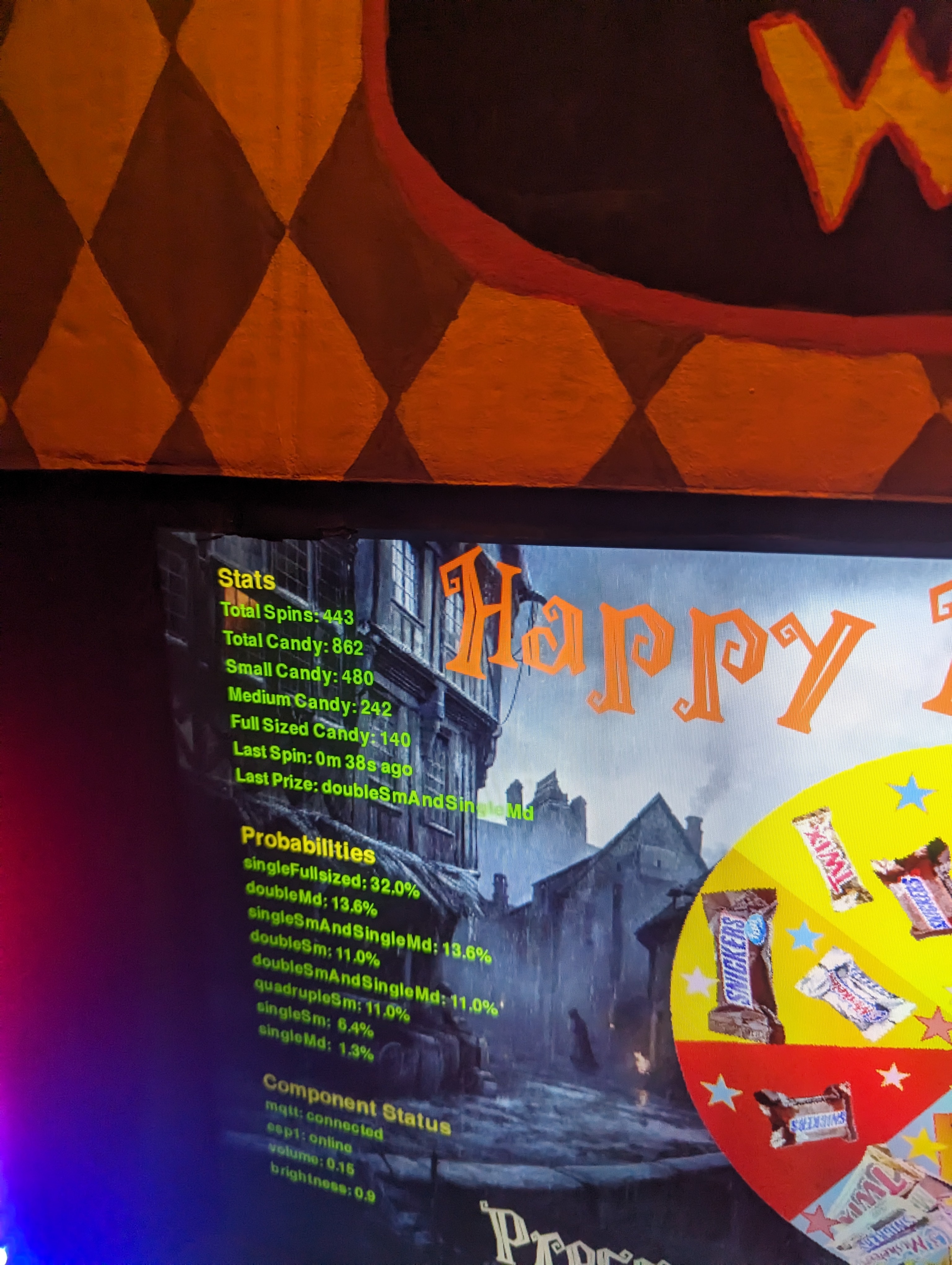
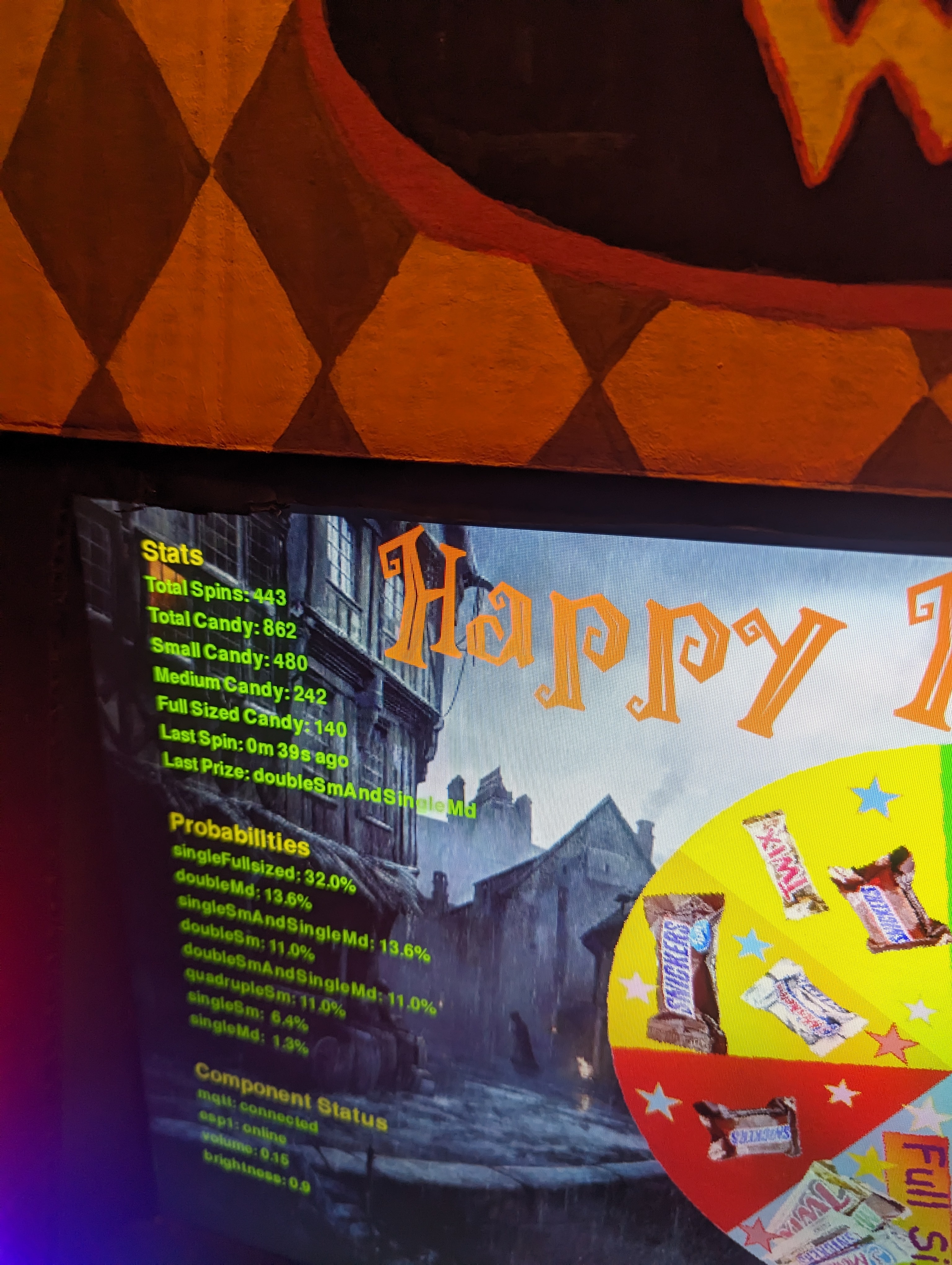
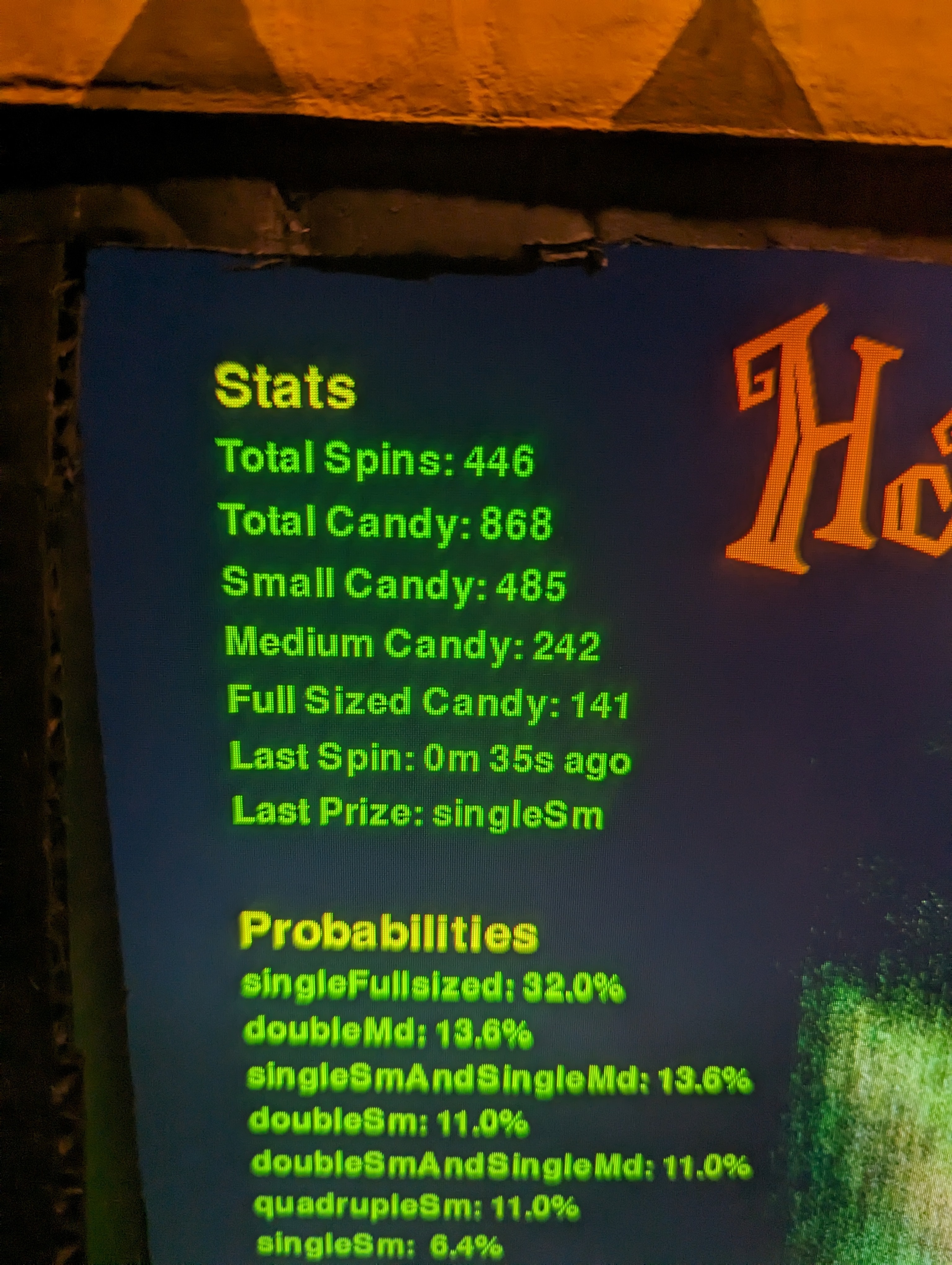
        Every button press, load-cell gram measurement, auger prep cycle, and arcade reveal from our automated Halloween candy machine on October 31, 2026. Over four hours of nonstop trick-or-treating, the machine metered and dropped <strong>76.85 pounds</strong> of candy across a record-breaking <strong>668 physical spins</strong>. For the full hardware, arcade game modes, and firmware breakdown, check out the <a href="/halloween-candy-machine-2026/" style="color:var(--accent-amber); font-weight:600; text-decoration:underline;">2026 Arcade Candy Machine update</a>.
      </p>
      <div class="hero-meta">
        <span>📅 <strong>Date:</strong> Saturday, Oct 31, 2026</span>
        <span>🕔 <strong>First Spin:</strong> 4:59:37 PM</span>
        <span>🕘 <strong>Final Spin:</strong> 9:02:30 PM</span>
        <span>⚡ <strong>Architecture:</strong> Raspberry Pi 4 + Dual ESP32 + HX711 Scale</span>
        <span>💾 <a href="/halloween-2026-recap/2026-halloween.csv" download="2026-halloween.csv" style="color:var(--accent-amber); font-weight:700; text-decoration:none;">Download CSV (73 KB)</a></span>
      </div>
    </div>
  </header>

  <main class="container">
    <!-- Headline KPIs -->
    <section class="kpi-grid" aria-label="Headline Statistics">
      <div class="kpi-card" style="--kpi-color: var(--accent-orange);">
        <div class="kpi-label">Total Physical Spins</div>
        <div class="kpi-value">668</div>
        <div class="kpi-sub">New all-time record · <strong>165.0 spins/hr</strong> avg</div>
      </div>
      <div class="kpi-card" style="--kpi-color: var(--accent-amber);">
        <div class="kpi-label">Total Candy Dispensed</div>
        <div class="kpi-value">76.85 <span style="font-size:1.15rem">lbs</span></div>
        <div class="kpi-sub"><strong>34,857g</strong> actual vs. 76.28 lbs target</div>
      </div>
      <div class="kpi-card" style="--kpi-color: var(--accent-green);">
        <div class="kpi-label">Target Weight Delivery</div>
        <div class="kpi-value">100.7%</div>
        <div class="kpi-sub"><strong>52.2g</strong> avg/spin vs. 51.8g target (+0.7% net)</div>
      </div>
      <div class="kpi-card" style="--kpi-color: var(--accent-purple);">
        <div class="kpi-label">Median Turnaround</div>
        <div class="kpi-value">18.1s</div>
        <div class="kpi-sub"><strong>88.6%</strong> of spins back-to-back (&lt;25s)</div>
      </div>
      <div class="kpi-card" style="--kpi-color: var(--accent-cyan);">
        <div class="kpi-label">Instant Zero-Wait Drops</div>
        <div class="kpi-value">91.2%</div>
        <div class="kpi-sub"><strong>609 / 668</strong> pre-weighed before button press</div>
      </div>
    </section>

    <!-- Chart 1: Chronological Timeline -->
    <section class="section-card">
      <div class="section-header">
        <div>
          <h2 class="section-title">📈 Crowd Flow &amp; Candy Burn Throughout the Night</h2>
          <p class="section-desc">
            After a light trickle between 5:00 and 5:35 PM, a continuous line locked in at <strong>5:40 PM</strong> and ran at the machine's mechanical limit (180–228 spins/hour) for three straight hours. Hover any bar or point to inspect that time slice.
          </p>
        </div>
        <div class="control-group">
          <button class="pill-btn active" data-bucket="15" onclick="setTimelineBucket(15)">15-Min Intervals</button>
          <button class="pill-btn" data-bucket="5" onclick="setTimelineBucket(5)">5-Min High-Res</button>
          <span style="color:var(--text-dim)">|</span>
          <button class="pill-btn active" data-mode="spins" onclick="setTimelineMode('spins')">Spins &amp; Overrides</button>
          <button class="pill-btn" data-mode="lbs" onclick="setTimelineMode('lbs')">Cumulative Candy (lbs)</button>
        </div>
      </div>

      <div class="chart-stage">
        <svg id="timeline-svg" class="chart-svg" viewBox="0 0 1100 370" role="img" aria-label="Timeline chart of spins and candy dispensed over the evening"></svg>
        <div id="timeline-legend" class="chart-legend"></div>
      </div>

      <div class="story-grid">
        <div class="story-card">
          <div class="story-time">4:59 PM – 5:35 PM · Spins #1–34</div>
          <h4>Early Trickle &amp; Hopper Top-Off</h4>
          <p>Only 28 spins occurred before 5:30 PM with 3–6 minute gaps between groups. Early full-hopper head pressure caused brief auger bridging until running the hopper half-full smoothed out the flow.</p>
        </div>
        <div class="story-card">
          <div class="story-time">5:40 PM – 8:25 PM · Spins #35–560</div>
          <h4>The 3-Hour Nonstop Rush</h4>
          <p>With a friend stationed next to the machine coaching trick-or-treaters and keeping the queue moving, the dispenser fired every ~18 seconds for nearly 3 hours without a single 60-second idle pause.</p>
        </div>
        <div class="story-card">
          <div class="story-time">6:45 PM · Spin #233</div>
          <h4>Shifting into Aggressive Gear</h4>
          <p>Having conserved candy early on the balanced profile (20.5 lbs across the first 233 spins), the machine switched to the heavy-hitting <strong>Aggressive</strong> profile to hand out bigger fistfuls of candy.</p>
        </div>
        <div class="story-card">
          <div class="story-time">8:25 PM – 9:02 PM · Spins #561–668</div>
          <h4>Jackpot Frenzy &amp; Bonus Pours</h4>
          <p>To make sure no candy was left behind, we triggered 42 manual XXL/XL jackpots and hand-poured bonus candy directly into the weighing bucket—finishing on Spin #668 as the hopper ran dry at 8.4g!</p>
        </div>
      </div>
    </section>

    <!-- Chart 2: Every Single Spin Scatter Explorer -->
    <section class="section-card">
      <div class="section-header">
        <div>
          <h2 class="section-title">🎯 All 668 Spins: Gram-by-Gram Scatter Explorer</h2>
          <p class="section-desc">
            Every dot below is a real trick-or-treater's spin plotted by time of night and actual measured candy weight (in grams). Filter or color-code by prize tier, game mechanism, or manual jackpot override.
          </p>
        </div>
        <div class="control-group">
          <button class="pill-btn active" data-scolor="tier" onclick="setScatterColor('tier')">Color by Prize Tier</button>
          <button class="pill-btn" data-scolor="manual" onclick="setScatterColor('manual')">Random vs. Manual Override</button>
          <button class="pill-btn" data-scolor="mech" onclick="setScatterColor('mech')">Color by Game Mechanism</button>
        </div>
      </div>

      <div class="chart-stage">
        <svg id="scatter-svg" class="chart-svg" viewBox="0 0 1100 400" role="img" aria-label="Scatter plot of all 668 spins showing actual candy weight in grams across the evening"></svg>
        <div id="scatter-legend" class="chart-legend"></div>
      </div>
    </section>

    <!-- Two Column: Prize Tier Distribution + Two-Stage Buffer & Mechanisms -->
    <div class="grid-2col">
      <section class="section-card" style="margin-bottom: 0;">
        <div class="section-header">
          <div>
            <h2 class="section-title">🍬 Prize Tier Breakdown</h2>
            <p class="section-desc">
              8 prize tiers from the <strong>10g XXXS</strong> pendulum fake-out gag up to the <strong>100g XXL</strong> jackpot. Striped bar segments show operator-triggered manual overrides.
            </p>
          </div>
        </div>
        <div id="tier-list" class="tier-list"></div>
      </section>

      <section class="section-card" style="margin-bottom: 0;">
        <div class="section-header">
          <div>
            <h2 class="section-title">⚙️ Machine Speed &amp; Game Modes</h2>
            <p class="section-desc">
              How the two-stage pre-weighed buffer kept the line moving at 18.1s median turnaround, plus popularity across the four arcade reveal games.
            </p>
          </div>
        </div>
        <div id="pacing-panel"></div>
      </section>
    </div>

    <!-- Fun Highlights & Records -->
    <section class="section-card">
      <div class="section-header">
        <div>
          <h2 class="section-title">🏆 Night Highlights &amp; Quirky Telemetry Records</h2>
          <p class="section-desc"> Memorable moments captured in the load-cell and timing logs from Halloween 2026.</p>
        </div>
      </div>
      <div class="fun-grid">
        <div class="fun-card">
          <div class="fun-icon">🏔️</div>
          <div class="fun-stat">207.5 grams</div>
          <div class="fun-title">Biggest Single Candy Dump</div>
          <p class="fun-desc">Spin <strong>#652</strong> at 8:54:47 PM dropped nearly half a pound (0.46 lbs) of candy in a single chute release during the late-night hand-pour bonus round.</p>
        </div>
        <div class="fun-card">
          <div class="fun-icon">⚡</div>
          <div class="fun-stat">19 Spins / 5 Min</div>
          <div class="fun-title">Fastest 5-Minute Blitz</div>
          <p class="fun-desc">Between <strong>7:40 and 7:45 PM</strong>, the machine hit a <strong>228 spins/hour</strong> pace—serving a new trick-or-treater every 15.8 seconds with a max idle wait of 8.8s.</p>
        </div>
        <div class="fun-card">
          <div class="fun-icon">🔥</div>
          <div class="fun-stat">526 Spins in a Row</div>
          <div class="fun-title">Longest Continuous Line</div>
          <p class="fun-desc">From <strong>5:35 PM to 8:55 PM</strong> (3 hours and 20 minutes), the idle gap between players never once exceeded 42 seconds.</p>
        </div>
        <div class="fun-card">
          <div class="fun-icon">😈</div>
          <div class="fun-stat">3x XXXS Streak</div>
          <div class="fun-title">Triple Pendulum Fake-Out</div>
          <p class="fun-desc">At <strong>6:06–6:07 PM</strong> (Spins <strong>#121, #122, #123</strong>), three trick-or-treaters in a row hit the 0.08-probability 10g XXXS machine-break gag reveal!</p>
        </div>
        <div class="fun-card">
          <div class="fun-icon">🎯</div>
          <div class="fun-stat">0.01g Delta</div>
          <div class="fun-title">Most Precise Scale Pour</div>
          <p class="fun-desc">Spin <strong>#438</strong> at 8:01:30 PM (Tarot Card XS) targeted 30.00g and dispensed <strong>30.0103g</strong>—an error of just one-hundredth of a gram.</p>
        </div>
        <div class="fun-card">
          <div class="fun-icon">🏁</div>
          <div class="fun-stat">8.4g Final Drop</div>
          <div class="fun-title">Empty Hopper at the Buzzer</div>
          <p class="fun-desc">On Spin <strong>#668</strong> at 9:02:30 PM, the auger spun for 16.0s and scraped out the final <strong>8.4 grams</strong> of candy, ending the night with an empty hopper.</p>
        </div>
      </div>
    </section>

    <!-- Full Interactive Spin Log Table -->
    <section class="section-card">
      <div class="section-header">
        <div>
          <h2 class="section-title">📋 Complete 668-Spin Telemetry Explorer</h2>
          <p class="section-desc">
            Search, filter, and inspect every spin from the evening. On smaller screens, rows automatically adapt into readable cards.
          </p>
        </div>
      </div>

      <div class="table-controls">
        <div class="control-group">
          <input type="search" id="search-input" class="filter-input" placeholder="Search spin # or time (e.g. #652, 7:40)..." oninput="renderTable()" aria-label="Search spin number or timestamp" />
          <select id="tier-filter" class="filter-select" onchange="renderTable()" aria-label="Filter by prize tier">
            <option value="all">All Prize Tiers (668)</option>
            <option value="xxl">XXL — 100g (96)</option>
            <option value="xl">XL — 70g (64)</option>
            <option value="lg">LG — 60g (97)</option>
            <option value="md">MD — 50g (123)</option>
            <option value="sm">SM — 40g (106)</option>
            <option value="xs">XS — 30g (90)</option>
            <option value="xxs">XXS — 20g (69)</option>
            <option value="xxxs">XXXS — 10g Gag (23)</option>
          </select>
          <select id="mech-filter" class="filter-select" onchange="renderTable()" aria-label="Filter by reveal mechanism">
            <option value="all">All Games (668)</option>
            <option value="candycorn">Candy Corn Spinner (602)</option>
            <option value="tarot">Tarot Cards (37)</option>
            <option value="slots">Slot Machine (15)</option>
            <option value="plinko">Plinko (14)</option>
          </select>
          <select id="mode-filter" class="filter-select" onchange="renderTable()" aria-label="Filter by spin mode">
            <option value="all">Auto + Manual (668)</option>
            <option value="auto">Random Auto Only (589)</option>
            <option value="manual">Manual Overrides Only (79)</option>
          </select>
        </div>
        <div style="display:flex; align-items:center; gap:0.85rem; flex-wrap:wrap;">
          <div id="table-count" class="mono" style="font-size: 0.84rem; color: var(--text-muted);"></div>
          <a href="/halloween-2026-recap/2026-halloween.csv" download="2026-halloween.csv" class="download-btn" title="Download raw spin data as CSV">
            <svg width="14" height="14" viewBox="0 0 24 24" fill="none" stroke="currentColor" stroke-width="2.5" stroke-linecap="round" stroke-linejoin="round" aria-hidden="true"><path d="M21 15v4a2 2 0 0 1-2 2H5a2 2 0 0 1-2-2v-4"/><polyline points="7 10 12 15 17 10"/><line x1="12" y1="15" x2="12" y2="3"/></svg>
            <span>Download CSV</span>
          </a>
        </div>
      </div>

      <div tabindex="0" role="region" aria-labelledby="spin-log-caption" class="table-wrapper">
        <table>
          <caption id="spin-log-caption">Halloween 2026 physical spin telemetry log (sorted by spin number)</caption>
          <thead>
            <tr>
              <th scope="col">Spin #</th>
              <th scope="col">Time</th>
              <th scope="col">Prize Tier</th>
              <th scope="col">Actual Wt</th>
              <th scope="col">Target Wt</th>
              <th scope="col">Delta</th>
              <th scope="col">Prep / Dump</th>
              <th scope="col">Idle Wait</th>
              <th scope="col">Game</th>
              <th scope="col">Trigger</th>
            </tr>
          </thead>
          <tbody id="spin-table-body"></tbody>
        </table>
      </div>
    </section>
  </main>

  <div class="recap-footer container">
    Built from live HX711 load-cell &amp; pygame event telemetry · Halloween Candy Dispenser 2026
  </div>

<script src="/halloween-2026-recap/recap.js" defer></script>]]></content><author><name>Nathan Orick</name><email>nathan@nathanorick.com</email></author><category term="hardware" /><category term="python" /><category term="home assistant" /><category term="game" /><summary type="html"><![CDATA[Night recap and telemetry analysis of the 668 physical spins and 76.85 lbs of candy dispensed during Halloween 2026.]]></summary><media:thumbnail xmlns:media="http://search.yahoo.com/mrss/" url="https://nathanorick.com/booth_setup_2026.jpg" /><media:content medium="image" url="https://nathanorick.com/booth_setup_2026.jpg" xmlns:media="http://search.yahoo.com/mrss/" /></entry><entry><title type="html">The Candy Machine Goes Full Arcade (2026 Update)</title><link href="https://nathanorick.com/halloween-candy-machine-2026/" rel="alternate" type="text/html" title="The Candy Machine Goes Full Arcade (2026 Update)" /><published>2026-10-31T00:00:00-04:00</published><updated>2026-11-02T15:11:48-05:00</updated><id>https://nathanorick.com/halloween-candy-machine-2026</id><content type="html" xml:base="https://nathanorick.com/halloween-candy-machine-2026/"><![CDATA[<p>We’re now in year five of the Halloween candy machine! Every October, I think I’m just going to pull it out of storage, dust it off, and plug it in. And every October, I end up spending weeks adding completely unnecessary features to it.</p>

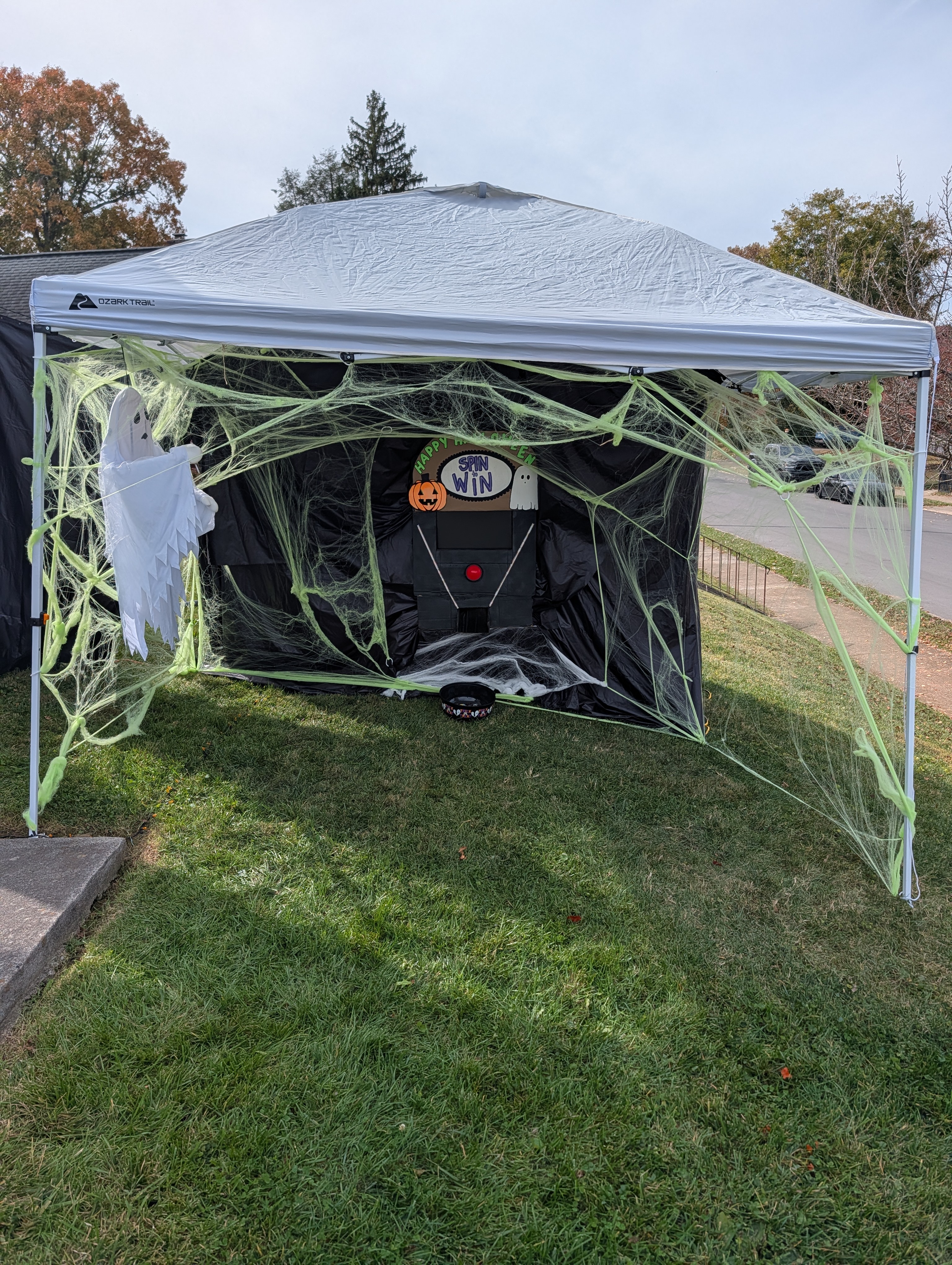
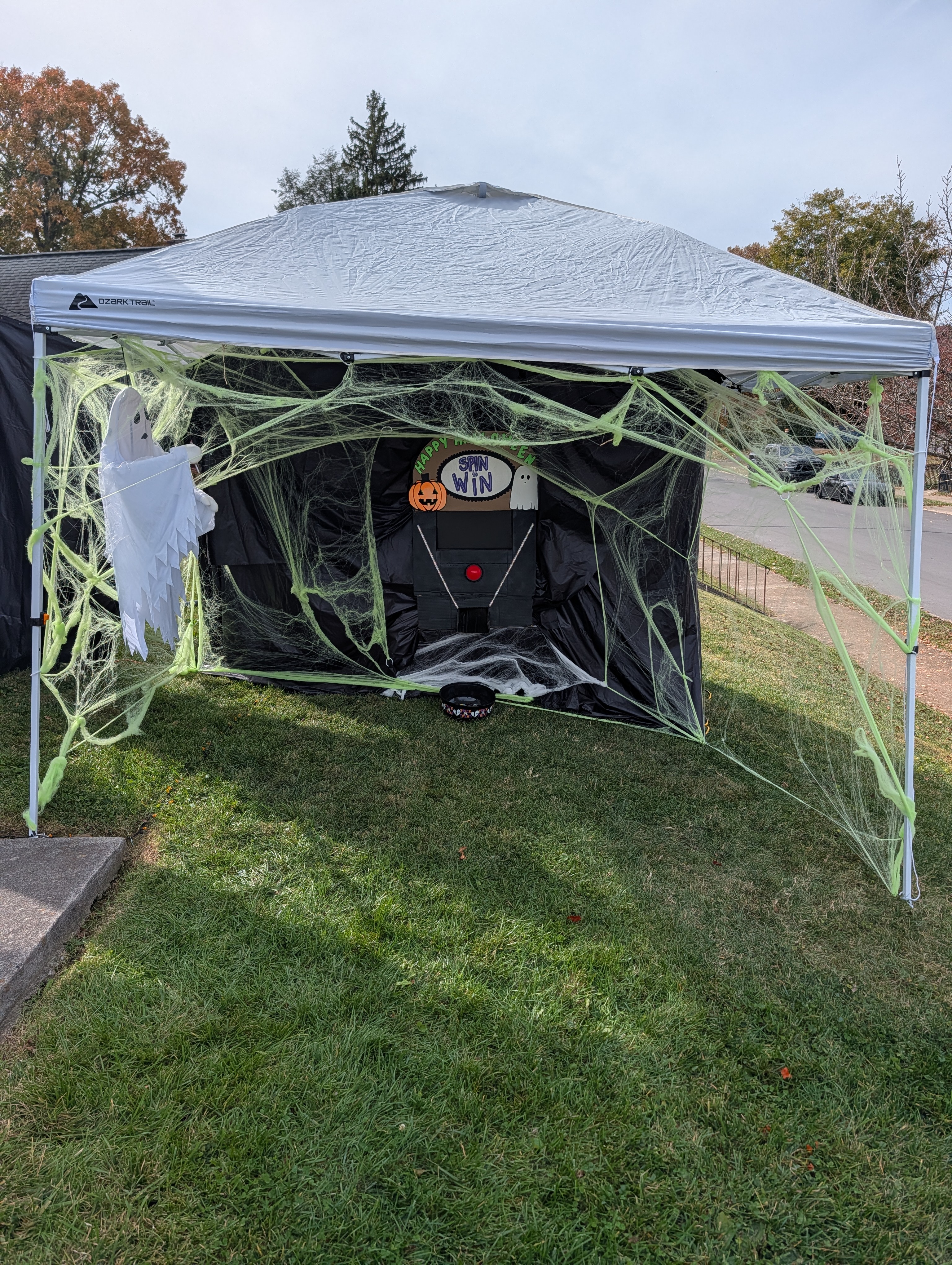
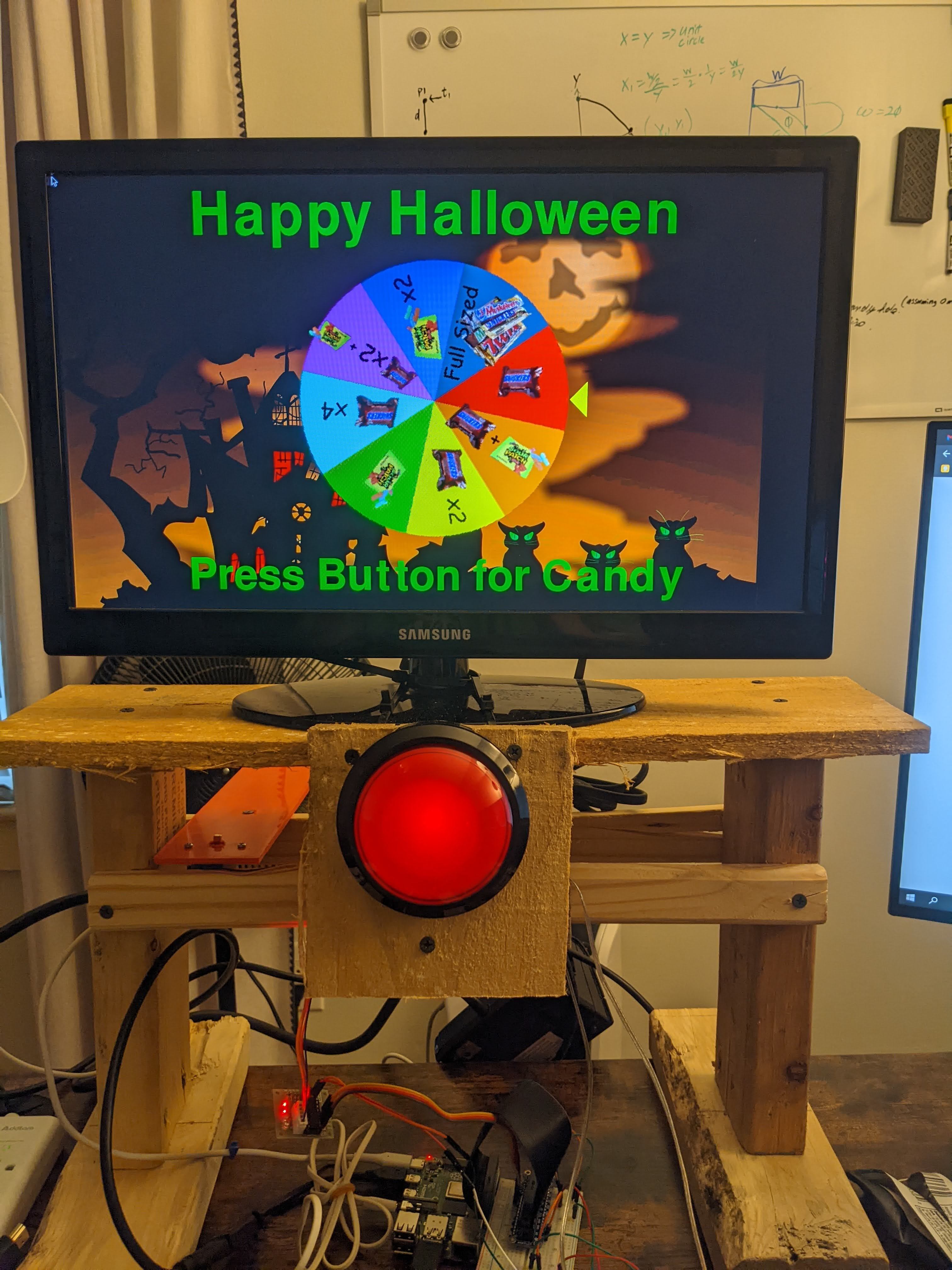
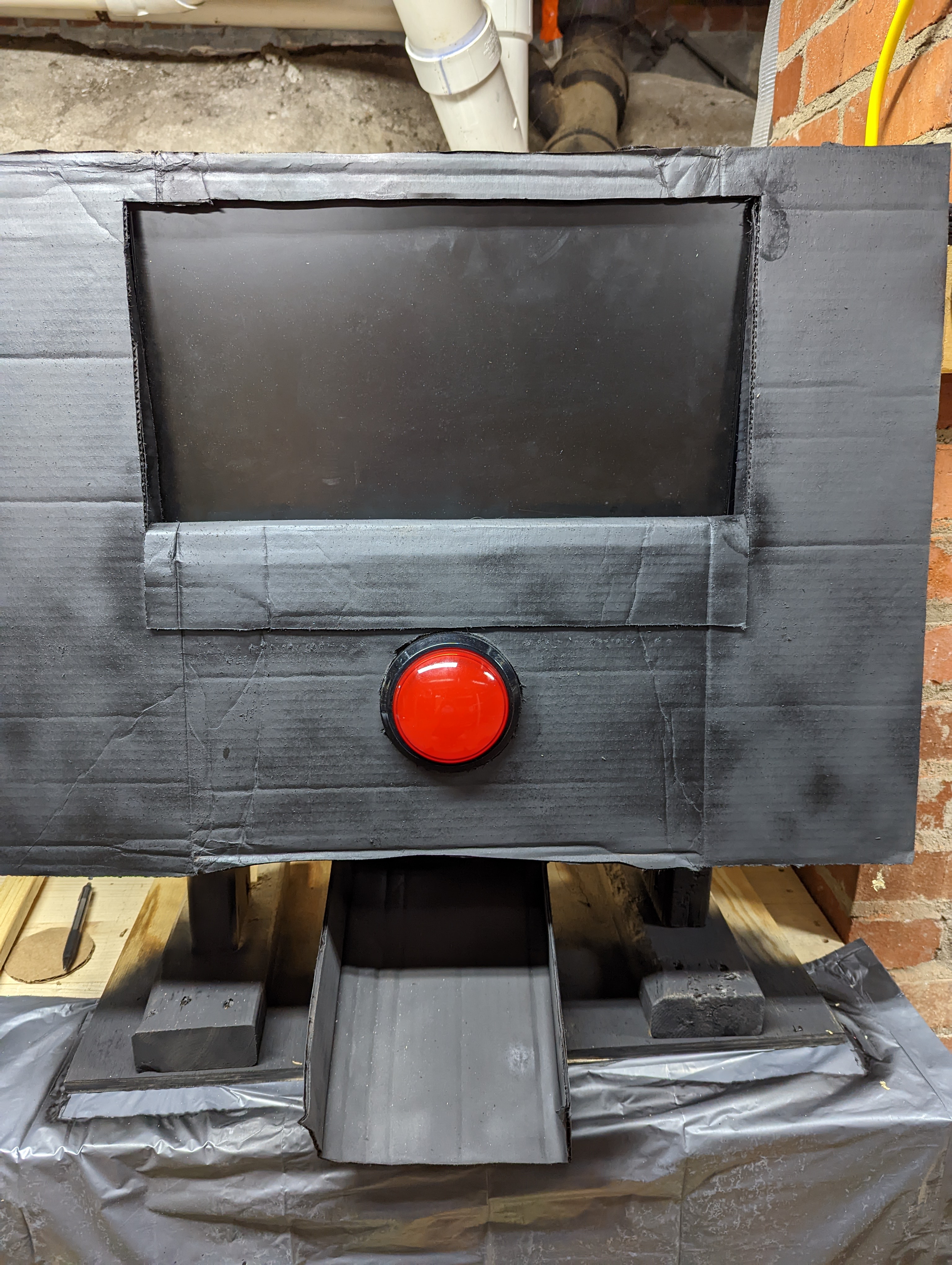
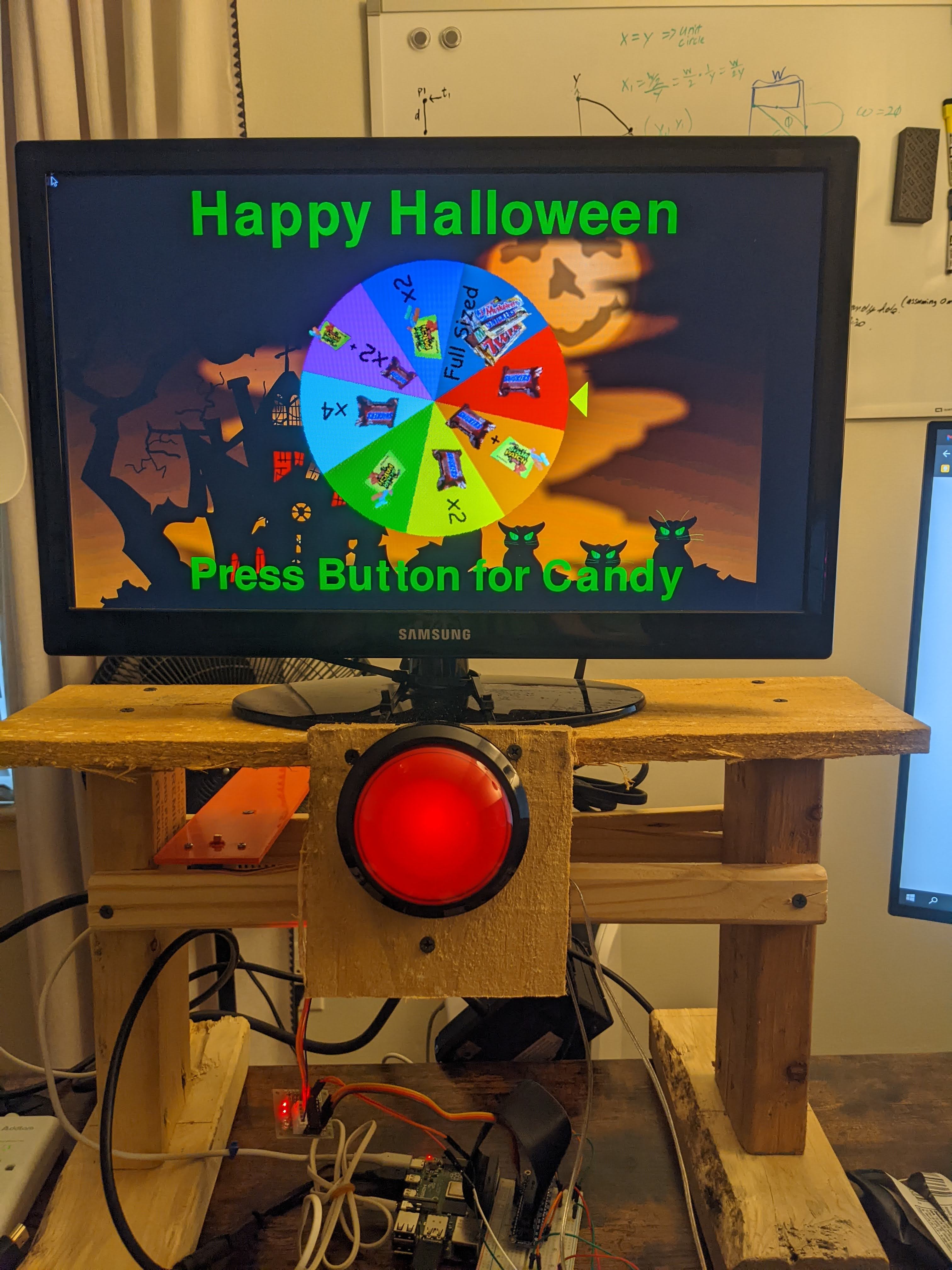
<p>If you haven’t seen the machine before, the short version is: a trick-or-treater walks up, hits a big glowing arcade button, plays a game on screen, and a weight-based hopper/dropper contraption inside dumps that exact amount of candy down a chute into their bucket.</p>

<div class="picture-container " data-full-source="/halloween-candy-machine-2026/booth_setup_2026.jpg">
  <a href="https://nathanorick.com/halloween-candy-machine-2026/booth_setup_2026.jpg">
  <picture>
    <source srcset="/assets/img/optimized/_posts/halloween-candy-machine-2026/booth_setup_2026-400-686ca979c.webp 400w, /assets/img/optimized/_posts/halloween-candy-machine-2026/booth_setup_2026-600-686ca979c.webp 600w, /assets/img/optimized/_posts/halloween-candy-machine-2026/booth_setup_2026-800-686ca979c.webp 800w, /assets/img/optimized/_posts/halloween-candy-machine-2026/booth_setup_2026-1000-686ca979c.webp 1000w" type="image/webp" />
    <source srcset="/assets/img/optimized/_posts/halloween-candy-machine-2026/booth_setup_2026-400-589775c36.jpg 400w, /assets/img/optimized/_posts/halloween-candy-machine-2026/booth_setup_2026-600-589775c36.jpg 600w, /assets/img/optimized/_posts/halloween-candy-machine-2026/booth_setup_2026-800-589775c36.jpg 800w, /assets/img/optimized/_posts/halloween-candy-machine-2026/booth_setup_2026-1000-589775c36.jpg 1000w" type="image/jpeg" />
    <img src="/assets/img/optimized/_posts/halloween-candy-machine-2026/booth_setup_2026-800-589775c36.jpg" alt="The 2026 candy machine booth under a tent covered in glowing green cobwebs" width="3072" height="4080" />
  </picture>
</a>


</div>

<div class="alert alert-primary">
  <b>Candy Machine Series &amp; Updates</b>
  <br />
  This post covers the 2026 pre-Halloween build and feature upgrades. Check out the rest of the series:
  <ul>
    <li><span>
    <a class="link-summary-tooltip" href="/how-i-built-my-halloween-candy-machine/">How I Built My Halloween Candy Machine</a>
    <span class="link-summary-tooltip-content">
        <img class="link-summary-image" src="/how-i-built-my-halloween-candy-machine/halloween-machine.jpg" />
        <span class="link-summary-description">
            I made a machine for dispensing candy to trick-or-treaters this Halloween
        </span>
    </span>
</span> (2022 Original Build)</li>
    <li><span>
    <a class="link-summary-tooltip" href="/updated-halloween-candy-machine/">What's Inside the Candy Machine</a>
    <span class="link-summary-tooltip-content">
        <img class="link-summary-image" src="/updated-halloween-candy-machine/out-of-candy.jpg" />
        <span class="link-summary-description">
            I made a machine for dispensing candy to trick-or-treaters for Halloween. Here are the updates over the last 3 years.
        </span>
    </span>
</span> (2025 Internal Redesign)</li>
    <li><span>
    <a class="link-summary-tooltip" href="/halloween-2026-recap/">The 668-Spin Candy Dispenser Recap (Halloween 2026)</a>
    <span class="link-summary-tooltip-content">
        <img class="link-summary-image" src="/halloween-2026-recap/booth_setup_2026.jpg" />
        <span class="link-summary-description">
            Night recap and telemetry analysis of the 668 physical spins and 76.85 lbs of candy dispensed during Halloween 2026.
        </span>
    </span>
</span> (2026 Halloween Night Telemetry &amp; Data Analysis)</li>
  </ul>
</div>

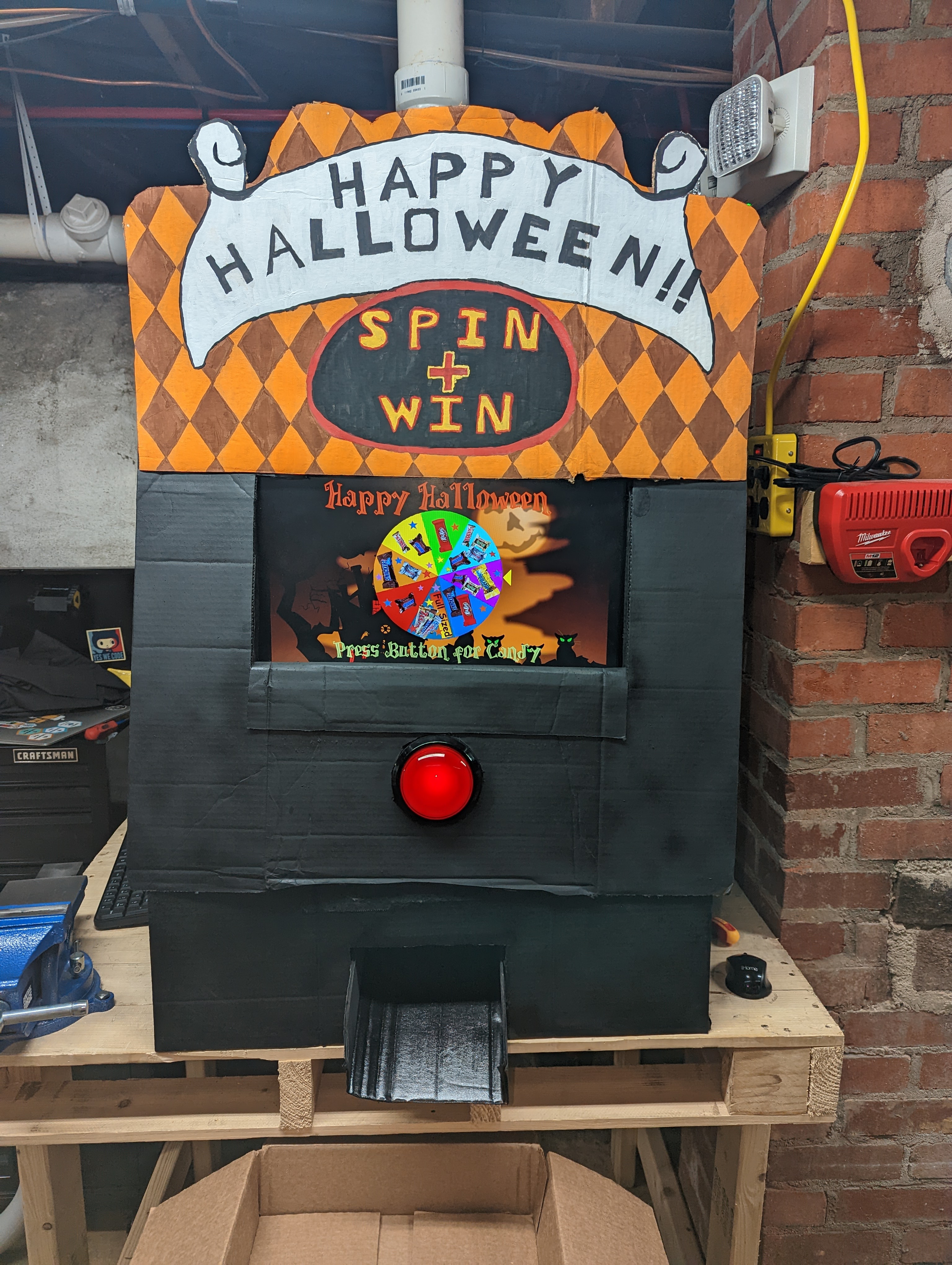
<p>In past years, the machine only had one game (a classic spinning wheel), the crowd waiting in the driveway couldn’t see what was happening up at the booth, and I still had to hover nearby in case the candy jammed or ran low. This year, I went all-in on turning the whole porch into an arcade and making the machine smart enough to run itself.</p>

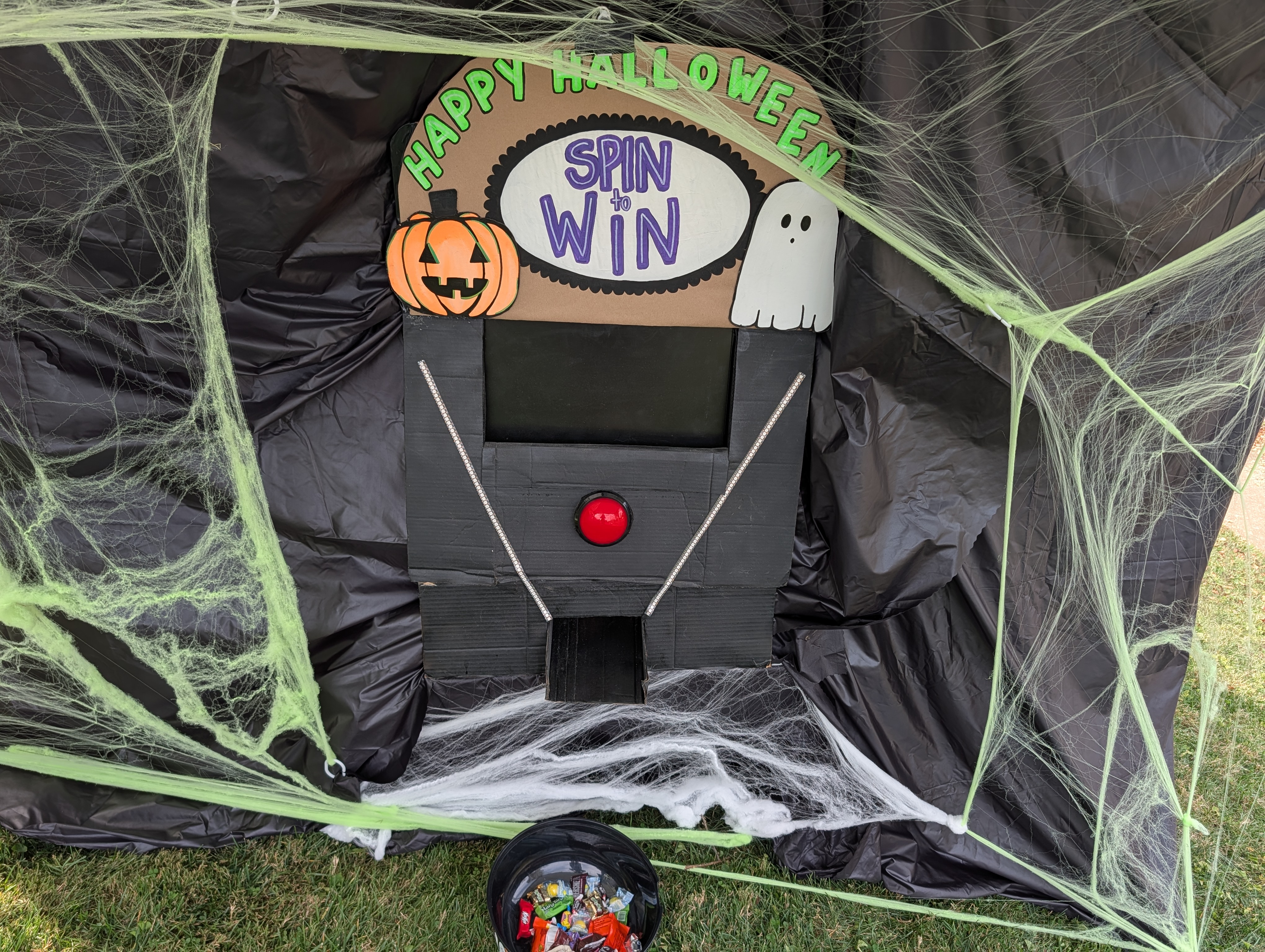
<p>I also got some awesome help with the art this year! Huge shoutout to <a href="https://www.facebook.com/share/1C9isFQJfH/?mibextid=wwXIfr">Sarah Nelson</a> for building our new physical “Spin to Win” sign above the machine—it looks so much cleaner than my old hand-painted cardboard sign from 2022:</p>

<div class="picture-container " data-full-source="/halloween-candy-machine-2026/new_sign_2026.jpg">
  <a href="https://nathanorick.com/halloween-candy-machine-2026/new_sign_2026.jpg">
  <picture>
    <source srcset="/assets/img/optimized/_posts/halloween-candy-machine-2026/new_sign_2026-400-d5f335852.webp 400w, /assets/img/optimized/_posts/halloween-candy-machine-2026/new_sign_2026-600-d5f335852.webp 600w, /assets/img/optimized/_posts/halloween-candy-machine-2026/new_sign_2026-800-d5f335852.webp 800w, /assets/img/optimized/_posts/halloween-candy-machine-2026/new_sign_2026-1000-d5f335852.webp 1000w" type="image/webp" />
    <source srcset="/assets/img/optimized/_posts/halloween-candy-machine-2026/new_sign_2026-400-3fd691408.jpg 400w, /assets/img/optimized/_posts/halloween-candy-machine-2026/new_sign_2026-600-3fd691408.jpg 600w, /assets/img/optimized/_posts/halloween-candy-machine-2026/new_sign_2026-800-3fd691408.jpg 800w, /assets/img/optimized/_posts/halloween-candy-machine-2026/new_sign_2026-1000-3fd691408.jpg 1000w" type="image/jpeg" />
    <img src="/assets/img/optimized/_posts/halloween-candy-machine-2026/new_sign_2026-800-3fd691408.jpg" alt="Close-up of the candy machine featuring the new Happy Halloween Spin to Win sign built by Sarah Nelson" width="4080" height="3072" />
  </picture>
</a>


</div>

<p>And another huge shoutout to my good friend <a href="https://www.linkedin.com/in/jacobscottallen">Jacob Allen</a> for designing the new Candy Corn Spinner! It’s so much easier to understand at a glance compared to our old legacy spinner, which was way too complicated to read quickly while the wheel was spinning.</p>

<p>Here are the highlights of what else is new for 2026.</p>

<hr />

<h2 id="1-five-new-game-modes-plus-subwoofers">1. Five New Game Modes (Plus Subwoofers!)</h2>

<p>For the first four years, every trick-or-treater saw the exact same spinning wheel. Repeat visitors knew the routine by heart, so this year I refactored the display code so I could hot-swap between five different reveal games on the fly—either with a keyboard shortcut or right from my phone.</p>

<p>I also added a subwoofer inside the cabinet with a dedicated low-frequency haptic audio pipeline. Now, when kids rest their hands on the console and hit the button, they physically feel the machine cranking up, the reels clunking into place, and a deep sub-bass rumble when they hit a jackpot.</p>

<h3 id="candy-corn-spinner">Candy Corn Spinner</h3>

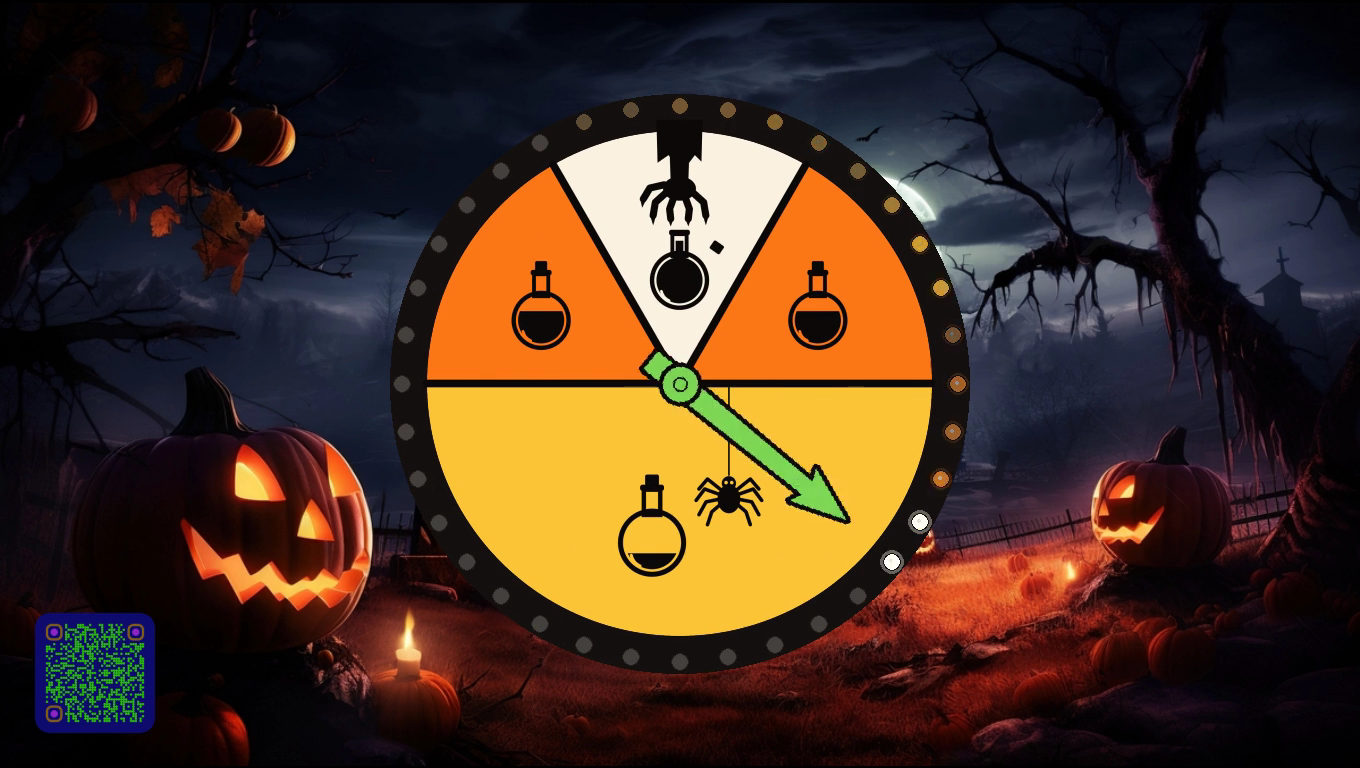
<p>This is the new flagship game for 2026 that Jacob designed. It’s a 4-slice potion wheel shaped like a giant piece of candy corn, surrounded by chasing marquee bulbs.</p>

<div class="picture-container " data-full-source="/halloween-candy-machine-2026/candycorn_jackpot_thumb.png">
  <a href="https://nathanorick.com/halloween-candy-machine-2026/candycorn_jackpot_thumb.png">
  <picture>
    <source srcset="/assets/img/optimized/_posts/halloween-candy-machine-2026/candycorn_jackpot_thumb-400-4d62b221e.webp 400w, /assets/img/optimized/_posts/halloween-candy-machine-2026/candycorn_jackpot_thumb-600-4d62b221e.webp 600w, /assets/img/optimized/_posts/halloween-candy-machine-2026/candycorn_jackpot_thumb-800-4d62b221e.webp 800w, /assets/img/optimized/_posts/halloween-candy-machine-2026/candycorn_jackpot_thumb-1000-4d62b221e.webp 1000w" type="image/webp" />
    <source srcset="/assets/img/optimized/_posts/halloween-candy-machine-2026/candycorn_jackpot_thumb-400-a2722c016.png 400w, /assets/img/optimized/_posts/halloween-candy-machine-2026/candycorn_jackpot_thumb-600-a2722c016.png 600w, /assets/img/optimized/_posts/halloween-candy-machine-2026/candycorn_jackpot_thumb-800-a2722c016.png 800w, /assets/img/optimized/_posts/halloween-candy-machine-2026/candycorn_jackpot_thumb-1000-a2722c016.png 1000w" type="image/png" />
    <img src="/assets/img/optimized/_posts/halloween-candy-machine-2026/candycorn_jackpot_thumb-800-a2722c016.png" alt="Candy Corn Spinner breaking at the top and swinging down like a pendulum" width="1360" height="768" />
  </picture>
</a>


</div>

<p>Because the prize weight is already weighed out before you press the button, the game knows ahead of time where the needle needs to land—which let me program in some fun fakeouts.</p>

<p>My favorite is the <strong>“Broken Motor” gag</strong> when someone rolls the smallest prize (<code class="language-plaintext highlighter-rouge">xxxs</code>). The needle slowly crawls up toward the top jackpot as the suspense music peaks, freezes at the top for a split second, and then “breaks” with a loud metallic snap. The needle goes limp like an unpowered pendulum, swinging back and forth until it settles at the very bottom on the tiny prize while a crowd-groan sound effect plays:</p>

<div class="picture-container gif-container" data-full-source="/halloween-candy-machine-2026/candycorn_broken_motor_gag.gif">
  <picture>
  <source srcset="/assets/img/optimized/_posts/halloween-candy-machine-2026/candycorn_broken_motor_gag-400-db21d0ebb.webp 400w, /assets/img/optimized/_posts/halloween-candy-machine-2026/candycorn_broken_motor_gag-600-db21d0ebb.webp 600w, /assets/img/optimized/_posts/halloween-candy-machine-2026/candycorn_broken_motor_gag-680-db21d0ebb.webp 680w" type="image/webp" />
  <source srcset="/assets/img/optimized/_posts/halloween-candy-machine-2026/candycorn_broken_motor_gag-400-29c5ffa40.gif 400w, /assets/img/optimized/_posts/halloween-candy-machine-2026/candycorn_broken_motor_gag-600-29c5ffa40.gif 600w, /assets/img/optimized/_posts/halloween-candy-machine-2026/candycorn_broken_motor_gag-680-29c5ffa40.gif 680w" type="image/gif" />
  <img src="/assets/img/optimized/_posts/halloween-candy-machine-2026/candycorn_broken_motor_gag-680-29c5ffa40.gif" alt="Candy Corn Spinner breaking at the top and swinging down like a pendulum" width="680" height="384" />
</picture>


  <button class="play-button">
    <img src="/assets/img/play-icon.svg" />
  </button>
  
</div>

<p>Even better: if you <em>actually</em> win the top jackpot, there’s a 25% chance of a <strong>double-fakeout</strong>. It does the exact same broken-motor drop, swings all the way through the bottom, and carries just enough momentum up the other side to snap back into the jackpot slot at the top!</p>

<div class="picture-container gif-container" data-full-source="/halloween-candy-machine-2026/candycorn_jackpot.gif">
  <picture>
  <source srcset="/assets/img/optimized/_posts/halloween-candy-machine-2026/candycorn_jackpot-400-c2aa8967d.webp 400w, /assets/img/optimized/_posts/halloween-candy-machine-2026/candycorn_jackpot-600-c2aa8967d.webp 600w, /assets/img/optimized/_posts/halloween-candy-machine-2026/candycorn_jackpot-680-c2aa8967d.webp 680w" type="image/webp" />
  <source srcset="/assets/img/optimized/_posts/halloween-candy-machine-2026/candycorn_jackpot-400-d9b7b0fb9.gif 400w, /assets/img/optimized/_posts/halloween-candy-machine-2026/candycorn_jackpot-600-d9b7b0fb9.gif 600w, /assets/img/optimized/_posts/halloween-candy-machine-2026/candycorn_jackpot-680-d9b7b0fb9.gif 680w" type="image/gif" />
  <img src="/assets/img/optimized/_posts/halloween-candy-machine-2026/candycorn_jackpot-680-d9b7b0fb9.gif" alt="Candy Corn Spinner landing on the 100g jackpot" width="680" height="384" />
</picture>


  <button class="play-button">
    <img src="/assets/img/play-icon.svg" />
  </button>
  
</div>

<h3 id="pumpkin-plinko">Pumpkin Plinko</h3>

<p>Who doesn’t love Plinko? Since the winning bin at the bottom is predetermined by the candy already sitting on the scale, the game solves the physics path backward so the pumpkin bounces off the pegs, plays little acoustic peg-clacks on every hit, and stages a few near-misses before dropping into the right slot.</p>

<div class="picture-container gif-container" data-full-source="/halloween-candy-machine-2026/pumpkin_plinko.gif">
  <picture>
  <source srcset="/assets/img/optimized/_posts/halloween-candy-machine-2026/pumpkin_plinko-400-bcac30132.webp 400w, /assets/img/optimized/_posts/halloween-candy-machine-2026/pumpkin_plinko-600-bcac30132.webp 600w, /assets/img/optimized/_posts/halloween-candy-machine-2026/pumpkin_plinko-680-bcac30132.webp 680w" type="image/webp" />
  <source srcset="/assets/img/optimized/_posts/halloween-candy-machine-2026/pumpkin_plinko-400-9b8310ddf.gif 400w, /assets/img/optimized/_posts/halloween-candy-machine-2026/pumpkin_plinko-600-9b8310ddf.gif 600w, /assets/img/optimized/_posts/halloween-candy-machine-2026/pumpkin_plinko-680-9b8310ddf.gif 680w" type="image/gif" />
  <img src="/assets/img/optimized/_posts/halloween-candy-machine-2026/pumpkin_plinko-680-9b8310ddf.gif" alt="Pumpkin Plinko bouncing down the pegboard into the jackpot bin" width="680" height="384" />
</picture>


  <button class="play-button">
    <img src="/assets/img/play-icon.svg" />
  </button>
  
</div>

<h3 id="haunted-slot-machine">Haunted Slot Machine</h3>

<p>A three-reel gothic slot machine. The first two reels lock in with a heavy mechanical thud, and if you’re rolling for a jackpot (or a tease), the background music ducks out and the third reel spins extra long with a rising suspense tone before slamming into place.</p>

<div class="picture-container gif-container" data-full-source="/halloween-candy-machine-2026/haunted_slot_machine.gif">
  <picture>
  <source srcset="/assets/img/optimized/_posts/halloween-candy-machine-2026/haunted_slot_machine-400-7991b83a0.webp 400w, /assets/img/optimized/_posts/halloween-candy-machine-2026/haunted_slot_machine-600-7991b83a0.webp 600w, /assets/img/optimized/_posts/halloween-candy-machine-2026/haunted_slot_machine-680-7991b83a0.webp 680w" type="image/webp" />
  <source srcset="/assets/img/optimized/_posts/halloween-candy-machine-2026/haunted_slot_machine-400-e3885e49a.gif 400w, /assets/img/optimized/_posts/halloween-candy-machine-2026/haunted_slot_machine-600-e3885e49a.gif 600w, /assets/img/optimized/_posts/halloween-candy-machine-2026/haunted_slot_machine-680-e3885e49a.gif 680w" type="image/gif" />
  <img src="/assets/img/optimized/_posts/halloween-candy-machine-2026/haunted_slot_machine-680-e3885e49a.gif" alt="Haunted Slot Machine locking in three pumpkins" width="680" height="384" />
</picture>


  <button class="play-button">
    <img src="/assets/img/play-icon.svg" />
  </button>
  
</div>

<h3 id="occult-tarot-cards-of-fate">Occult Tarot Cards of Fate</h3>

<p>Eight tarot cards laid out on an altar with a glowing pendulum gliding back and forth over them. When you hit the button, the pendulum snaps onto a card with an electric crack, and the card levitates and flips over in 3D to reveal your prize.</p>

<div class="picture-container gif-container" data-full-source="/halloween-candy-machine-2026/occult_tarot_cards.gif">
  <picture>
  <source srcset="/assets/img/optimized/_posts/halloween-candy-machine-2026/occult_tarot_cards-400-2d26bd82b.webp 400w, /assets/img/optimized/_posts/halloween-candy-machine-2026/occult_tarot_cards-600-2d26bd82b.webp 600w, /assets/img/optimized/_posts/halloween-candy-machine-2026/occult_tarot_cards-680-2d26bd82b.webp 680w" type="image/webp" />
  <source srcset="/assets/img/optimized/_posts/halloween-candy-machine-2026/occult_tarot_cards-400-9d227843e.gif 400w, /assets/img/optimized/_posts/halloween-candy-machine-2026/occult_tarot_cards-600-9d227843e.gif 600w, /assets/img/optimized/_posts/halloween-candy-machine-2026/occult_tarot_cards-680-9d227843e.gif 680w" type="image/gif" />
  <img src="/assets/img/optimized/_posts/halloween-candy-machine-2026/occult_tarot_cards-680-9d227843e.gif" alt="Occult Tarot Cards flipping over a chosen card" width="680" height="384" />
</picture>


  <button class="play-button">
    <img src="/assets/img/play-icon.svg" />
  </button>
  
</div>

<h3 id="the-classic-wheel">The Classic Wheel</h3>

<p>And of course, I kept the original 360-degree spinning wheel around for nostalgia—complete with a candy rain celebration at the end.</p>

<div class="picture-container gif-container" data-full-source="/halloween-candy-machine-2026/classic_wheel.gif">
  <picture>
  <source srcset="/assets/img/optimized/_posts/halloween-candy-machine-2026/classic_wheel-400-a8cf0f7ba.webp 400w, /assets/img/optimized/_posts/halloween-candy-machine-2026/classic_wheel-600-a8cf0f7ba.webp 600w, /assets/img/optimized/_posts/halloween-candy-machine-2026/classic_wheel-680-a8cf0f7ba.webp 680w" type="image/webp" />
  <source srcset="/assets/img/optimized/_posts/halloween-candy-machine-2026/classic_wheel-400-07f9d5efc.gif 400w, /assets/img/optimized/_posts/halloween-candy-machine-2026/classic_wheel-600-07f9d5efc.gif 600w, /assets/img/optimized/_posts/halloween-candy-machine-2026/classic_wheel-680-07f9d5efc.gif 680w" type="image/gif" />
  <img src="/assets/img/optimized/_posts/halloween-candy-machine-2026/classic_wheel-680-07f9d5efc.gif" alt="The classic prize wheel spinning and raining candy" width="680" height="384" />
</picture>


  <button class="play-button">
    <img src="/assets/img/play-icon.svg" />
  </button>
  
</div>

<hr />

<h2 id="2-a-second-screen-for-the-line">2. A Second Screen for the Line</h2>

<p>As I mentioned in my <span>
    <a class="link-summary-tooltip" href="/updated-halloween-candy-machine/">What’s Inside the Candy Machine</a>
    <span class="link-summary-tooltip-content">
        <img class="link-summary-image" src="/updated-halloween-candy-machine/out-of-candy.jpg" />
        <span class="link-summary-description">
            I made a machine for dispensing candy to trick-or-treaters for Halloween. Here are the updates over the last 3 years.
        </span>
    </span>
</span>, our line gets <em>long</em> on Halloween night. The problem is that when you’re standing 20 feet back in the driveway, you can’t see the screen on the machine to know what people are winning.</p>

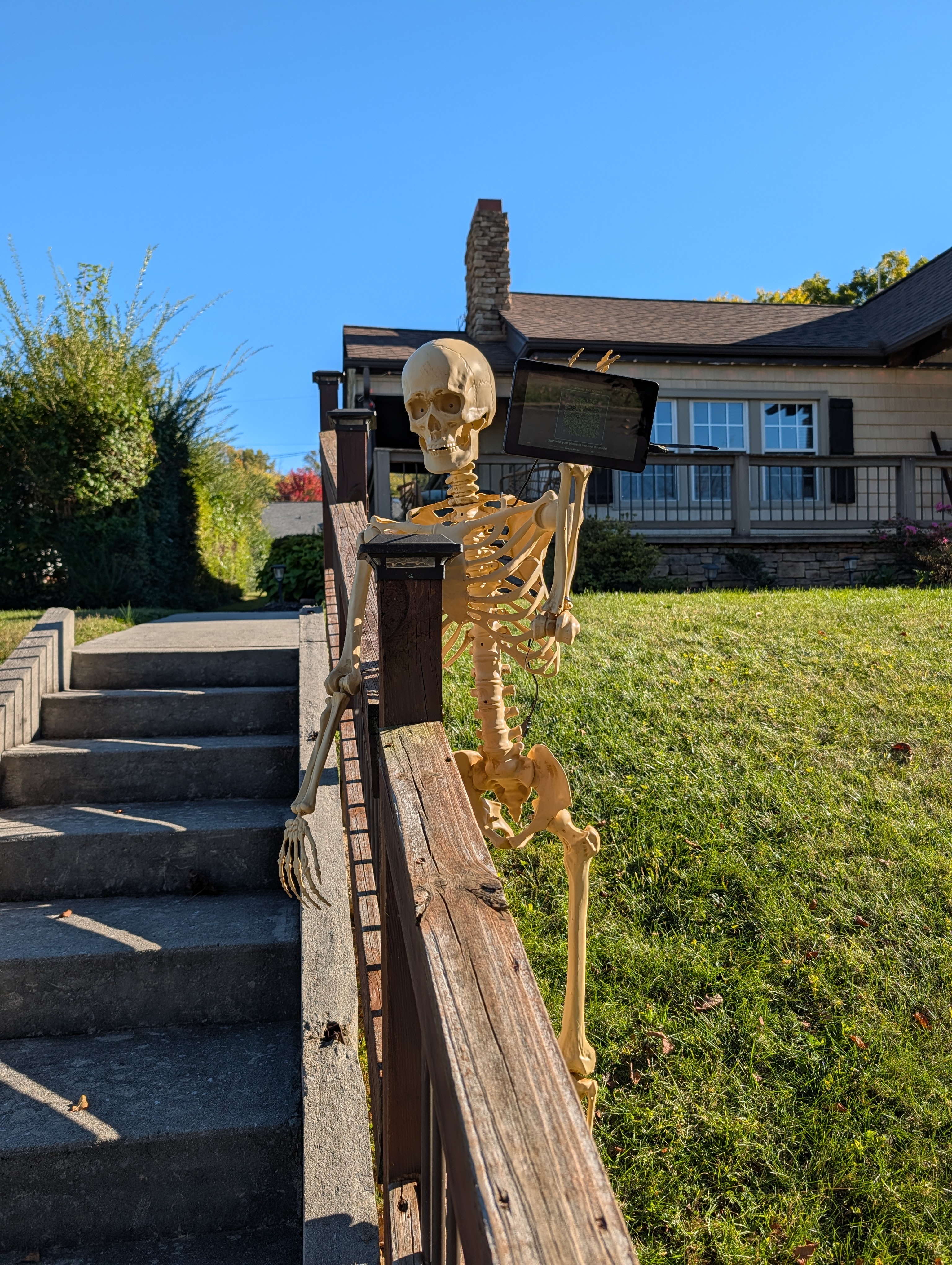
<p>To fix that, I dug up an old 5th-gen Amazon Fire 7 tablet I had laying around and enlisted a plastic skeleton along the walkway railing to hold it up facing the line. Because that tablet is ancient, I wrote a lightweight web app in plain old ES5 Javascript and CSS that connects to the main Raspberry Pi over Server-Sent Events (SSE).</p>

<div class="picture-container " data-full-source="/halloween-candy-machine-2026/skeleton_line_tablet.jpg">
  <a href="https://nathanorick.com/halloween-candy-machine-2026/skeleton_line_tablet.jpg">
  <picture>
    <source srcset="/assets/img/optimized/_posts/halloween-candy-machine-2026/skeleton_line_tablet-400-227699f77.webp 400w, /assets/img/optimized/_posts/halloween-candy-machine-2026/skeleton_line_tablet-600-227699f77.webp 600w, /assets/img/optimized/_posts/halloween-candy-machine-2026/skeleton_line_tablet-800-227699f77.webp 800w, /assets/img/optimized/_posts/halloween-candy-machine-2026/skeleton_line_tablet-1000-227699f77.webp 1000w" type="image/webp" />
    <source srcset="/assets/img/optimized/_posts/halloween-candy-machine-2026/skeleton_line_tablet-400-5a86e41d5.jpg 400w, /assets/img/optimized/_posts/halloween-candy-machine-2026/skeleton_line_tablet-600-5a86e41d5.jpg 600w, /assets/img/optimized/_posts/halloween-candy-machine-2026/skeleton_line_tablet-800-5a86e41d5.jpg 800w, /assets/img/optimized/_posts/halloween-candy-machine-2026/skeleton_line_tablet-1000-5a86e41d5.jpg 1000w" type="image/jpeg" />
    <img src="/assets/img/optimized/_posts/halloween-candy-machine-2026/skeleton_line_tablet-800-5a86e41d5.jpg" alt="A plastic skeleton standing by the walkway steps holding up the Amazon Fire 7 tablet displaying a QR code for the line" width="3072" height="4080" />
  </picture>
</a>


</div>

<p>While people wait in line, the tablet cycles through:</p>
<ul>
  <li><strong>Live stats</strong>: Total pounds of candy dispensed so far and total trick-or-treaters served.</li>
  <li><strong>How to play</strong>: A quick 3-step guide so kids know what to do before they walk up.</li>
  <li><strong>Behind the scenes</strong>: A QR code for curious parents that links right to this blog.</li>
</ul>

<p>The best part is that because it’s hooked up via SSE, the tablet reacts in real time (under 10ms) to what’s happening at the machine. When someone up front hits a jackpot, the line tablet flashes with screen-shaking lightning bolts and announces the win to the whole driveway. Every once in a while, it also throws up a spooky SVG jumpscare just to keep the line on their toes.</p>

<hr />

<h2 id="3-fog-machine--porch-lights">3. Fog Machine &amp; Porch Lights</h2>

<p>Why stop at the cabinet when you can automate the whole porch?</p>

<p>This year I hooked a ground fog machine (with a chiller so the fog stays low to the ground) and our Govee roof eave lights into the game via Home Assistant.</p>

<ul>
  <li><strong>Ambient puffs</strong>: Every 60 seconds while the machine is idle, the fog machine fires a quick 1.5-second puff to keep a layer of mist rolling across the porch.</li>
  <li><strong>Button anticipation blast</strong>: Remember how the machine already knows what you won the moment you press the button? If it sees that you’re about to hit a huge jackpot (or the broken-motor gag), it immediately fires a 3-second blast of fog <em>before the wheel even finishes spinning</em>, covering your feet in mist right as the suspense audio builds.</li>
  <li><strong>Synchronized eave lights</strong>: Alongside the NeoPixel strips on the cabinet itself, the house eave lights dim down to an eerie purple during suspense moments, strobe white like lightning on big wins, and cascade rainbow waves while the candy dumps down the chute.</li>
</ul>

<hr />

<h2 id="4-operationalizing-with-home-assistant">4. Operationalizing with Home Assistant</h2>

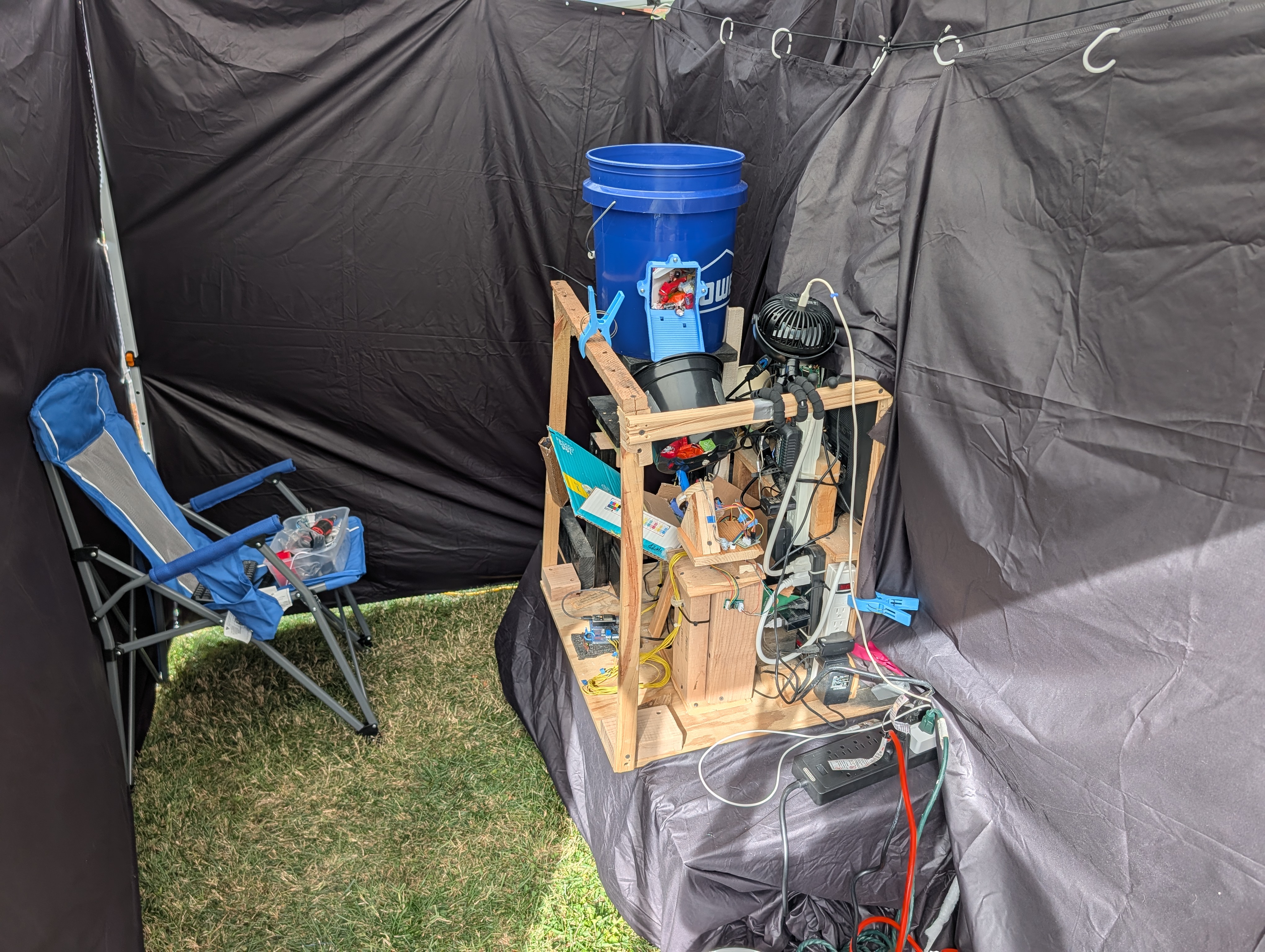
<p>In previous years, I had to babysit the machine pretty closely from a camp chair behind the curtain. If fun-size candy bars formed a bridge inside the bucket, or if the hopper ran completely dry, I wouldn’t know until a kid pressed the button and nothing came out.</p>

<div class="picture-container " data-full-source="/halloween-candy-machine-2026/behind_the_curtain_2026.jpg">
  <a href="https://nathanorick.com/halloween-candy-machine-2026/behind_the_curtain_2026.jpg">
  <picture>
    <source srcset="/assets/img/optimized/_posts/halloween-candy-machine-2026/behind_the_curtain_2026-400-4272bea65.webp 400w, /assets/img/optimized/_posts/halloween-candy-machine-2026/behind_the_curtain_2026-600-4272bea65.webp 600w, /assets/img/optimized/_posts/halloween-candy-machine-2026/behind_the_curtain_2026-800-4272bea65.webp 800w, /assets/img/optimized/_posts/halloween-candy-machine-2026/behind_the_curtain_2026-1000-4272bea65.webp 1000w" type="image/webp" />
    <source srcset="/assets/img/optimized/_posts/halloween-candy-machine-2026/behind_the_curtain_2026-400-64ff6445b.jpg 400w, /assets/img/optimized/_posts/halloween-candy-machine-2026/behind_the_curtain_2026-600-64ff6445b.jpg 600w, /assets/img/optimized/_posts/halloween-candy-machine-2026/behind_the_curtain_2026-800-64ff6445b.jpg 800w, /assets/img/optimized/_posts/halloween-candy-machine-2026/behind_the_curtain_2026-1000-64ff6445b.jpg 1000w" type="image/jpeg" />
    <img src="/assets/img/optimized/_posts/halloween-candy-machine-2026/behind_the_curtain_2026-800-64ff6445b.jpg" alt="Behind the curtain inside the candy machine tent showing the blue hopper bucket, wooden frame, electronics, and an empty camp chair" width="4080" height="3072" />
  </picture>
</a>


</div>

<p>This year, I exposed the whole machine to <strong>Home Assistant over MQTT</strong> (using MQTT auto-discovery) and built a dedicated “Candy Booth” operations dashboard for my phone.</p>

<p>Now, while I’m hanging out in the driveway talking to neighbors, I can pull up Home Assistant to see:</p>
<ul>
  <li><strong>Candy Remaining</strong>: How many pounds are left in the evening budget.</li>
  <li><strong>Projected Runout Time</strong>: Based on the current pace of trick-or-treaters, the exact clock time we’re projected to run out of candy.</li>
  <li><strong>Dispense Accuracy &amp; Prep Times</strong>: How long the hopper is taking to weigh out each prize and its average error percentage.</li>
  <li><strong>Live Overrides</strong>: Buttons to switch the active game mode on the fly, trigger a manual fog blast, tare the scale, run an unclog cycle, or force-dispense candy—all without touching the wireless keyboard.</li>
</ul>

<p>I also set up <strong>push and SMS alerts</strong>. If a single hopper prep cycle takes longer than 15 seconds, my phone gets a <code class="language-plaintext highlighter-rouge">Hopper Warning</code> notification that candy is starting to bridge so I can give the bucket a quick stir before the next kid walks up. And if it actually runs out of candy, the screen switches to a friendly frowny-face pumpkin (“taking a short restock nap”) and texts me to come refill the bucket.</p>

<hr />

<h2 id="5-monte-carlo-simulations--tuning-the-dropper">5. Monte Carlo Simulations &amp; Tuning the Dropper</h2>

<p>Two of the biggest headaches with a weight-based candy machine are:</p>
<ol>
  <li>Making sure you don’t run out of candy at 7:30 PM while kids are still lined up down the block (or end the night with 20 pounds left over).</li>
  <li>Getting an auger in a bucket of irregularly shaped candy bars to quickly and accurately drop <em>just</em> enough candy to hit a target weight without jamming or causing an avalanche.</li>
</ol>

<p>Instead of guessing at prize odds or testing motor speeds by hand on Halloween afternoon, I built an experimentation suite to do the math for me.</p>

<h3 id="monte-carlo-prize-budgeting">Monte Carlo Prize Budgeting</h3>

<p>To dial in the prize distribution, I wrote a script that runs <strong>Monte Carlo simulations</strong> of Halloween night. Given our total candy inventory and expected foot traffic, it simulates thousands of Halloweens across different probability profiles (<code class="language-plaintext highlighter-rouge">default</code>, <code class="language-plaintext highlighter-rouge">balanced_9pm</code>, <code class="language-plaintext highlighter-rouge">conservative_9pm</code>, and <code class="language-plaintext highlighter-rouge">aggressive</code>) and spits out burn-down charts showing when we’ll run out of candy. If it’s a busy year, I can flip to a more conservative profile so every kid still gets a good handful of candy and the bucket lasts right until 9:00 PM.</p>

<h3 id="dropper-tournament--precision-metering">Dropper Tournament &amp; Precision Metering</h3>

<p>On the hardware side, candy isn’t a continuous fluid—a single fun-size chocolate bar weighs around 18–22 grams, and they love to wedge themselves against the hopper wall.</p>

<p>To figure out the best motor programming for the ESP32 controller, I built a calibration harness that runs automated tournaments between different stepper motor pulse profiles across all eight prize tiers, scoring them on speed and accuracy.</p>

<p>Coming out of those experiments, I completely rewrote the hopper firmware:</p>
<ul>
  <li><strong>High-torque half-stepping &amp; net-negative unclogs</strong>: Switching the stepper motor to half-stepping gave it enough torque that jams dropped to <strong>0%</strong> across 500+ test cycles. And if candy ever does bridge up, the new unclog routine backs the motor up <em>more</em> than it steps forward, pulling the bridge apart without accidentally pushing an avalanche of candy over the ledge.</li>
  <li><strong>4-stage proportional metering</strong>: When the scale is far from the target weight (&gt;35g away), it uses fast, coarse strokes. As it gets closer, it shifts down through gentle strokes, creep mode, and finally a “nano-creep” trickle mode that nudges the turntable by just 1.7mm at a time to coax a single piece of candy off the ledge.</li>
  <li><strong>No more “phantom drops”</strong>: We used to have a weird bug where a piece of candy would sit balanced on the very edge of the ledge after a vend, and vibrations from the next kid walking up would shake it loose into the chute early. Moving the motor’s anti-binding relaxation retreat to the <em>start</em> of the next prep cycle (before taring the scale) solved it completely.</li>
</ul>

<p>Between the tournament tuning and the new metering zones, our dispensing accuracy (landing within ±5g of the target) jumped from <strong>~72% last year to 96.8% this year</strong>.</p>

<p><em>(Update: Want to see how it held up in practice? Check out <span>
    <a class="link-summary-tooltip" href="/halloween-2026-recap/">The 668-Spin Candy Dispenser Recap (Halloween 2026)</a>
    <span class="link-summary-tooltip-content">
        <img class="link-summary-image" src="/halloween-2026-recap/booth_setup_2026.jpg" />
        <span class="link-summary-description">
            Night recap and telemetry analysis of the 668 physical spins and 76.85 lbs of candy dispensed during Halloween 2026.
        </span>
    </span>
</span> for our full interactive Halloween night telemetry dashboard, covering all 668 spins and 76+ lbs of candy dropped!)</em></p>

<hr />

<h2 id="bonus-a-full-virtual-cabinet-simulator">Bonus: A Full Virtual Cabinet Simulator</h2>

<p>One last quality-of-life upgrade for myself: testing code changes used to mean hauling the physical machine out or sitting on the floor next to the Raspberry Pi and ESP32s. This year, I built a <code class="language-plaintext highlighter-rouge">--cabinet</code> simulator mode in Pygame that mocks the entire hardware setup on my laptop—complete with virtual NeoPixel strips, 2D candy particle physics falling down the chute, and a simulated load cell bucket.</p>

<h2 id="resources">Resources</h2>

<p>As always, all the code, Home Assistant configs, and simulation scripts are open source:</p>
<ul>
  <li><a href="https://github.com/cnorick/halloween_dispenser_public">Code on GitHub</a></li>
  <li><span>
  <a class="link-summary-tooltip" href="/halloween-2026-recap/">The 668-Spin Candy Dispenser Recap (Halloween 2026)</a>
  <span class="link-summary-tooltip-content">
      <img class="link-summary-image" src="/halloween-2026-recap/booth_setup_2026.jpg" />
      <span class="link-summary-description">
          Night recap and telemetry analysis of the 668 physical spins and 76.85 lbs of candy dispensed during Halloween 2026.
      </span>
  </span>
</span> (Halloween Night 2026 Telemetry &amp; Data Recap)</li>
  <li><span>
  <a class="link-summary-tooltip" href="/how-i-built-my-halloween-candy-machine/">How I Built My Halloween Candy Machine</a>
  <span class="link-summary-tooltip-content">
      <img class="link-summary-image" src="/how-i-built-my-halloween-candy-machine/halloween-machine.jpg" />
      <span class="link-summary-description">
          I made a machine for dispensing candy to trick-or-treaters this Halloween
      </span>
  </span>
</span> (2022 Original Build)</li>
  <li><span>
  <a class="link-summary-tooltip" href="/updated-halloween-candy-machine/">What’s Inside the Candy Machine</a>
  <span class="link-summary-tooltip-content">
      <img class="link-summary-image" src="/updated-halloween-candy-machine/out-of-candy.jpg" />
      <span class="link-summary-description">
          I made a machine for dispensing candy to trick-or-treaters for Halloween. Here are the updates over the last 3 years.
      </span>
  </span>
</span> (2025 Internal Redesign)</li>
</ul>]]></content><author><name>Nathan Orick</name><email>nathan@nathanorick.com</email></author><category term="game" /><category term="hardware" /><category term="python" /><category term="home assistant" /><summary type="html"><![CDATA[Five years in, the Halloween candy machine now features five different games, a fog machine, a second screen for the line, Home Assistant operator dashboards, and Monte Carlo simulations.]]></summary><media:thumbnail xmlns:media="http://search.yahoo.com/mrss/" url="https://nathanorick.com/new_sign_2026.jpg" /><media:content medium="image" url="https://nathanorick.com/new_sign_2026.jpg" xmlns:media="http://search.yahoo.com/mrss/" /></entry><entry><title type="html">What’s Inside the Candy Machine</title><link href="https://nathanorick.com/updated-halloween-candy-machine/" rel="alternate" type="text/html" title="What’s Inside the Candy Machine" /><published>2025-10-15T00:00:00-04:00</published><updated>2026-11-02T15:11:48-05:00</updated><id>https://nathanorick.com/updated-halloween-candy-machine</id><content type="html" xml:base="https://nathanorick.com/updated-halloween-candy-machine/"><![CDATA[<div class="video-container">
  <iframe width="560" height="315" style="max-width: 90vw;" src="https://www.youtube.com/embed/FbSGkrY9YVs" title="YouTube video player" frameborder="0" allow="accelerometer; autoplay; clipboard-write; encrypted-media; gyroscope; picture-in-picture" allowfullscreen=""></iframe>
</div>

<h2 id="were-sooo-popular">We’re SOOO Popular!</h2>

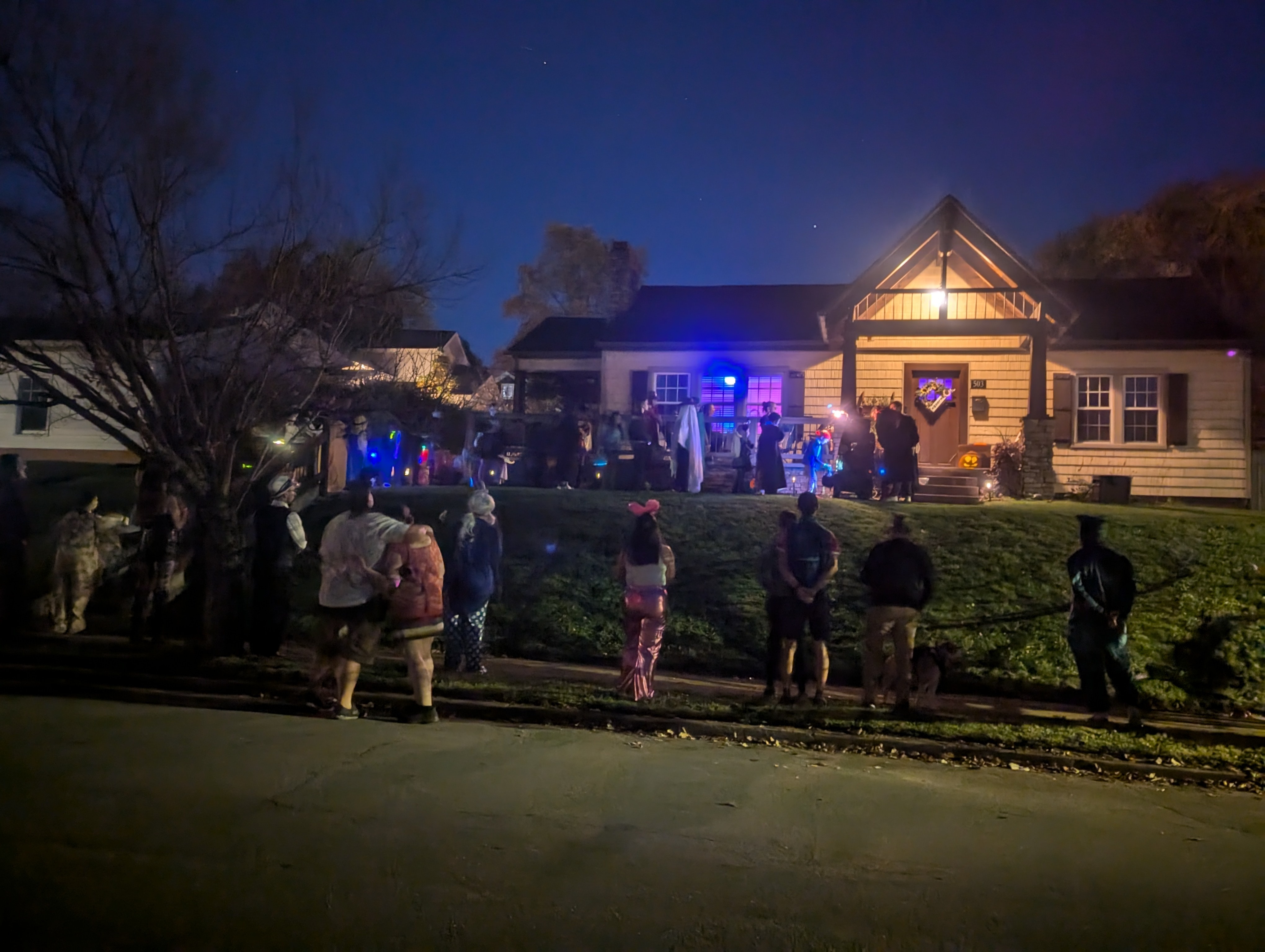
<p>Since its debut in 2022, the candy wheel has been spun over <strong>1200 times</strong>, and then machine has given out nearly <strong>200lbs of candy</strong>! Our line gets so long on Halloween, I’ve started work on a second machine (if I can just find the time to finish it).</p>

<div class="picture-container " data-full-source="/updated-halloween-candy-machine/lines.jpg">
  <a href="https://nathanorick.com/updated-halloween-candy-machine/lines.jpg">
  <picture>
    <source srcset="/assets/img/optimized/_posts/updated-halloween-candy-machine/lines-400-273759243.webp 400w, /assets/img/optimized/_posts/updated-halloween-candy-machine/lines-600-273759243.webp 600w, /assets/img/optimized/_posts/updated-halloween-candy-machine/lines-800-273759243.webp 800w, /assets/img/optimized/_posts/updated-halloween-candy-machine/lines-1000-273759243.webp 1000w" type="image/webp" />
    <source srcset="/assets/img/optimized/_posts/updated-halloween-candy-machine/lines-400-0bc86a1a2.jpg 400w, /assets/img/optimized/_posts/updated-halloween-candy-machine/lines-600-0bc86a1a2.jpg 600w, /assets/img/optimized/_posts/updated-halloween-candy-machine/lines-800-0bc86a1a2.jpg 800w, /assets/img/optimized/_posts/updated-halloween-candy-machine/lines-1000-0bc86a1a2.jpg 1000w" type="image/jpeg" />
    <img src="/assets/img/optimized/_posts/updated-halloween-candy-machine/lines-800-0bc86a1a2.jpg" alt="line on Halloween night" width="4080" height="3072" />
  </picture>
</a>


</div>

<p>Since the first year, I’ve made a lot of changes to the machine. Each year, I find new problems and try to make the machine as reliable as possible.</p>

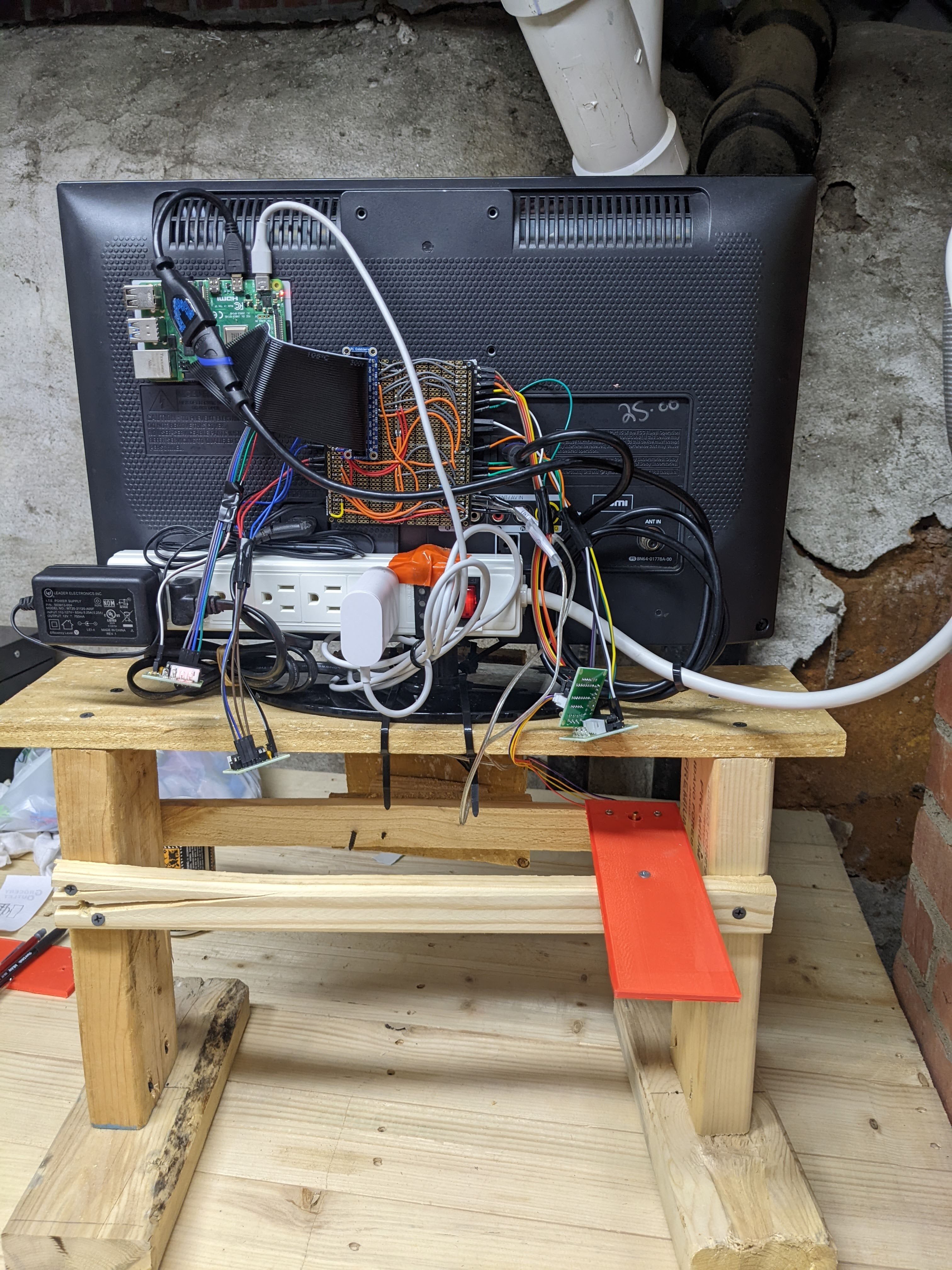
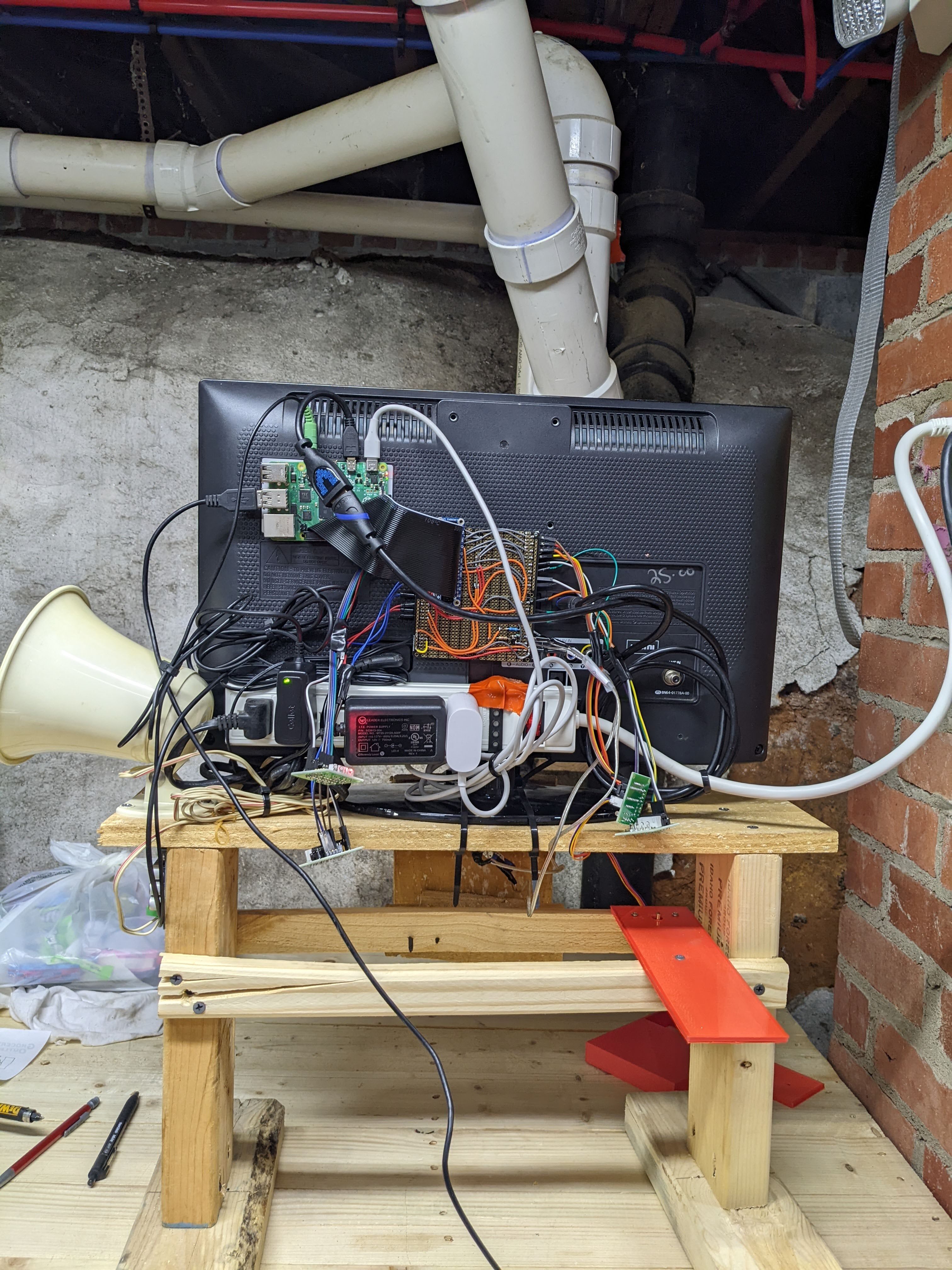
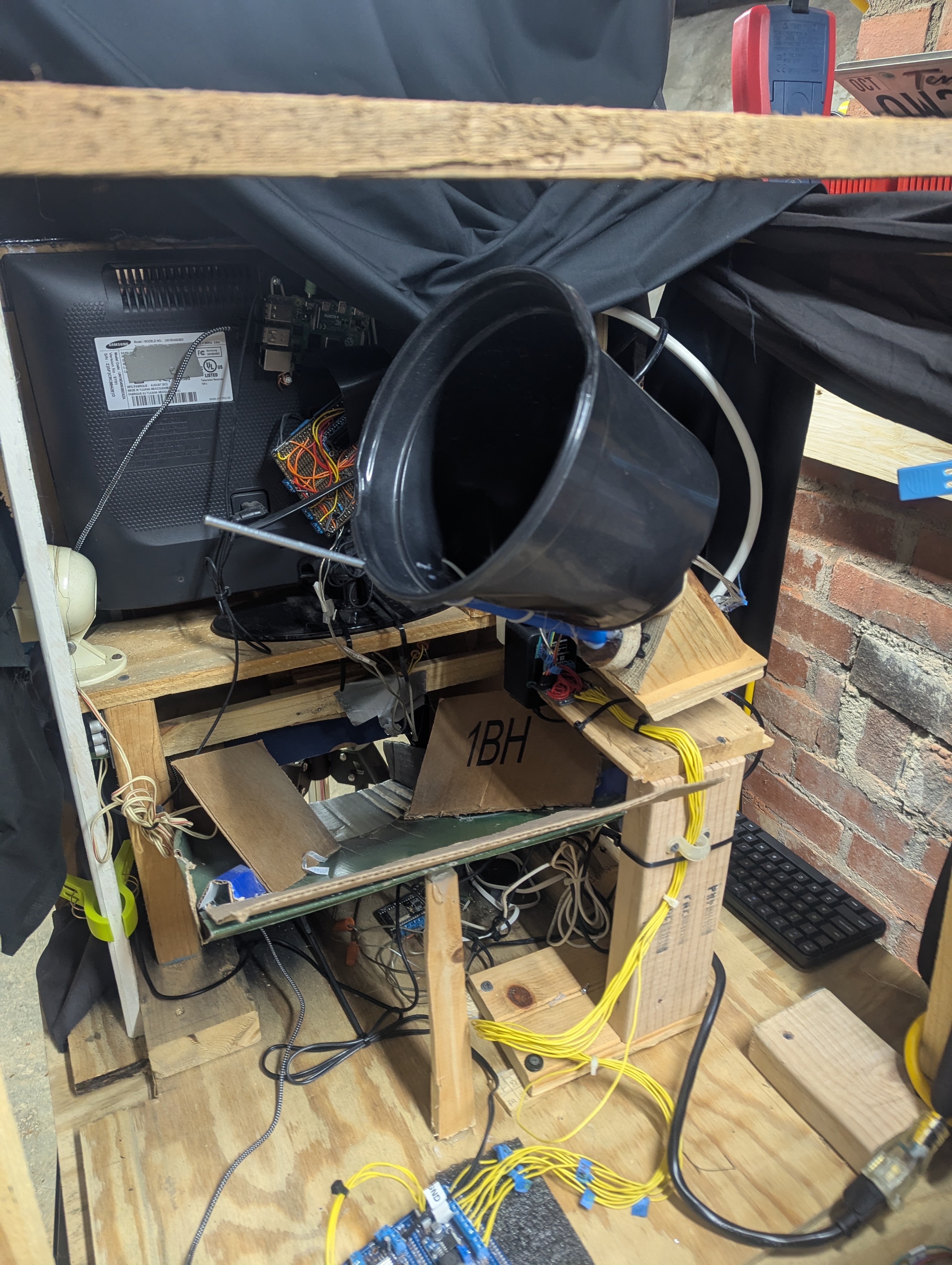
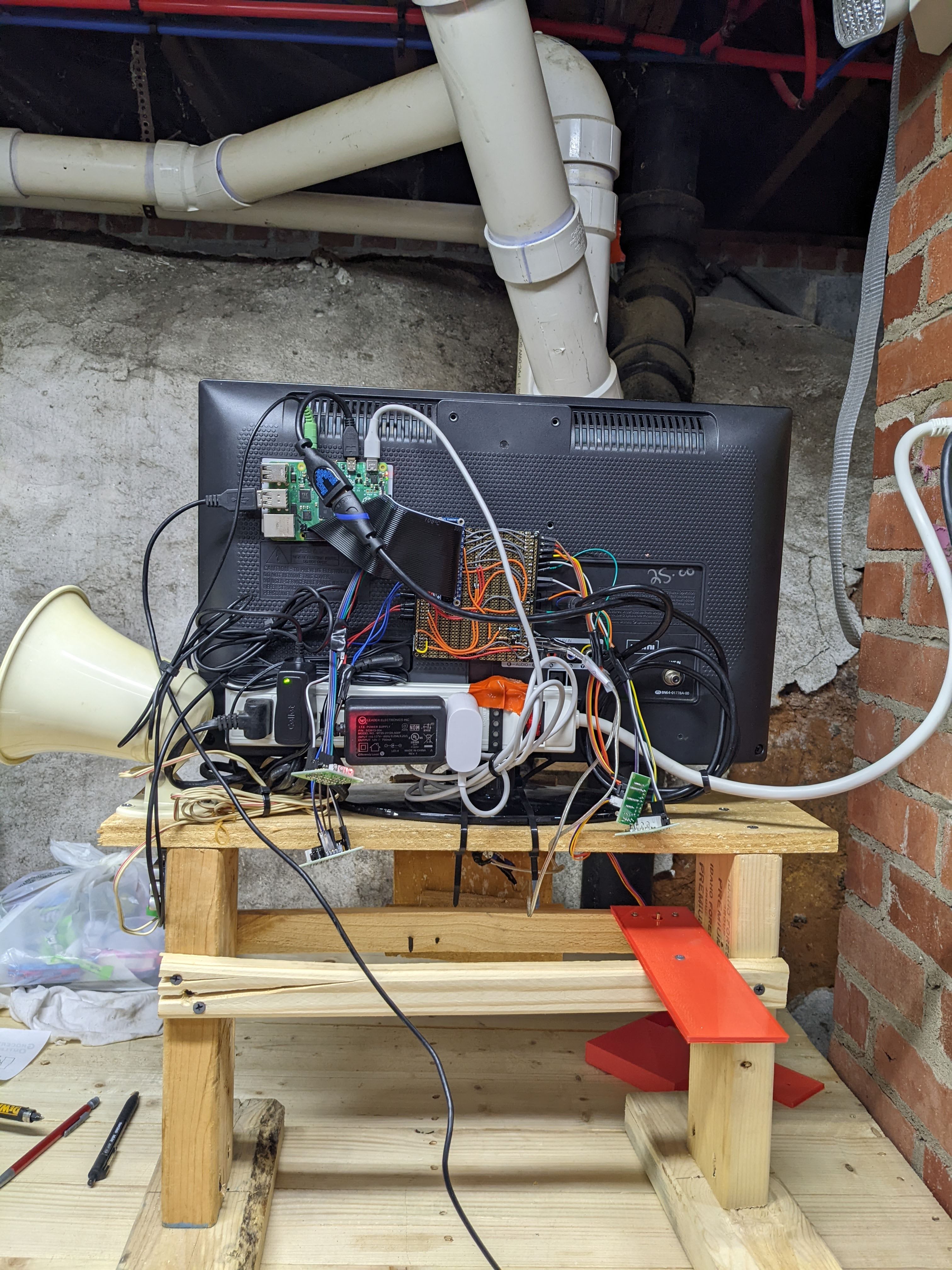
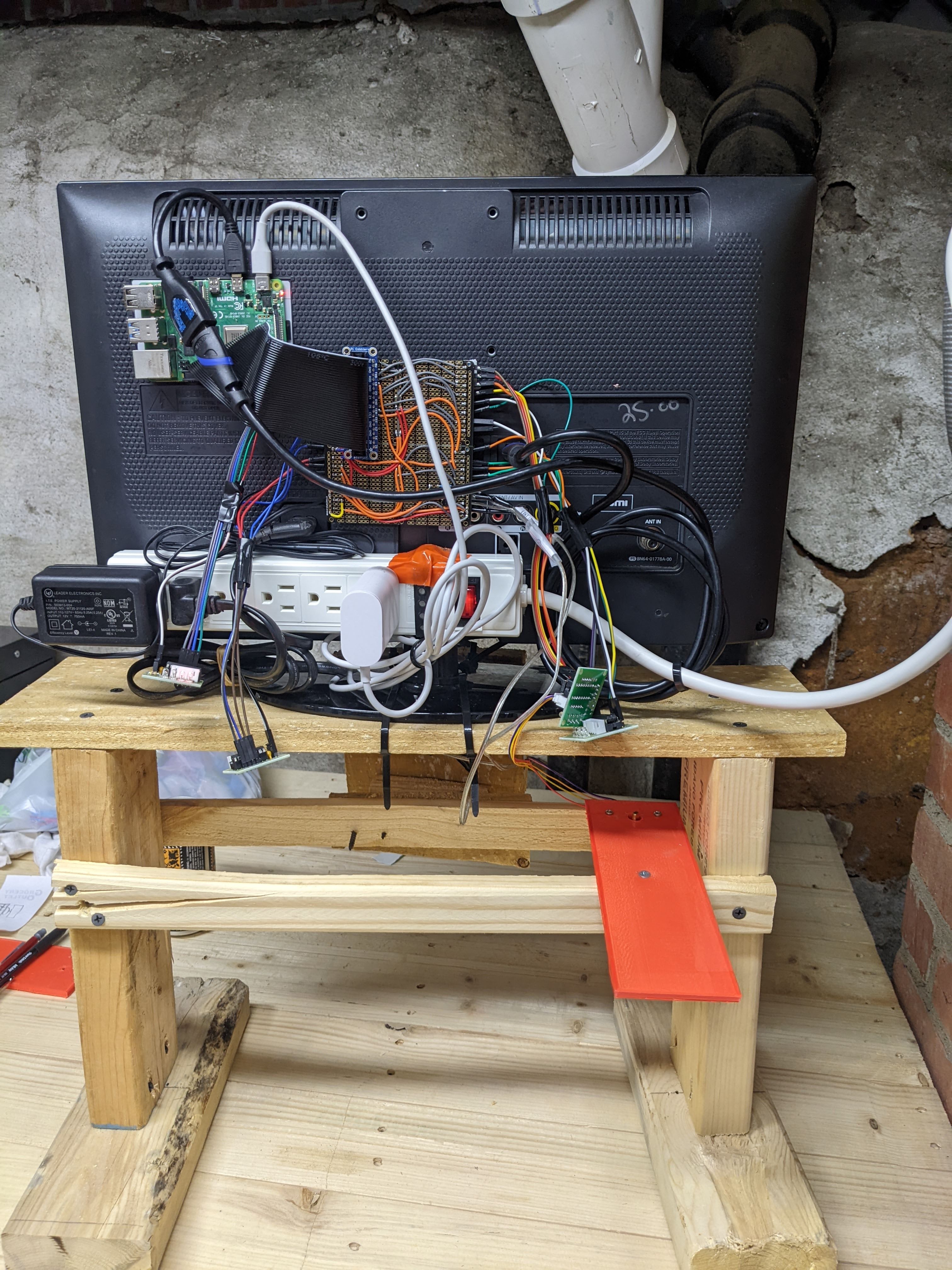
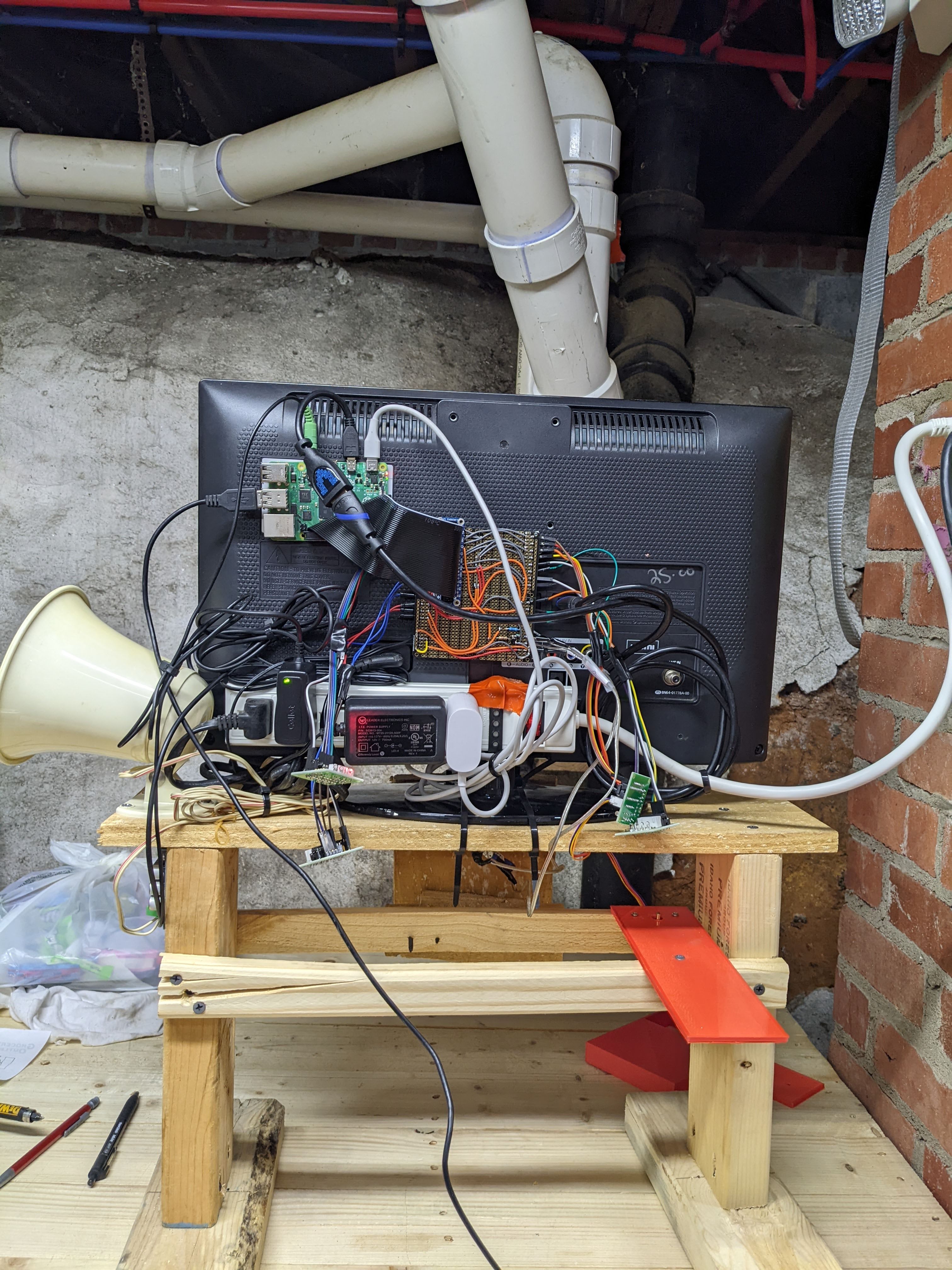
<p>Since the last post, much of the machine has been redesigned. It now features a hopper mechanism that weighs out the candy before dispensing, and all of the electronics/mechanics have been modularized, allowing me to swap out broken parts in a blink.</p>

<p><a href="#gallery">Skip to the gallery</a> to see pictures and videos of the machine’s innards, or read on for more details on how it all works.</p>

<div class="alert alert-primary">
  <b>Note</b>
  <br />
  This is an update on the machine I originally posted about in 2022. Check out the other posts in this series:
  <ul>
    <li><b>2022 Original Build:</b> <span>
    <a class="link-summary-tooltip" href="/how-i-built-my-halloween-candy-machine/">How I Built My Halloween Candy Machine</a>
    <span class="link-summary-tooltip-content">
        <img class="link-summary-image" src="/how-i-built-my-halloween-candy-machine/halloween-machine.jpg" />
        <span class="link-summary-description">
            I made a machine for dispensing candy to trick-or-treaters this Halloween
        </span>
    </span>
</span></li>
    <li><b>2026 Update:</b> <span>
    <a class="link-summary-tooltip" href="/halloween-candy-machine-2026/">The Candy Machine Goes Full Arcade (2026 Update)</a>
    <span class="link-summary-tooltip-content">
        <img class="link-summary-image" src="/halloween-candy-machine-2026/new_sign_2026.jpg" />
        <span class="link-summary-description">
            Five years in, the Halloween candy machine now features five different games, a fog machine, a second screen for the line, Home Assistant operator dashboards, and Monte Carlo simulations.
        </span>
    </span>
</span></li>
  </ul>
</div>

<hr />

<h2 id="new-delivery-mechanism">New Delivery Mechanism</h2>

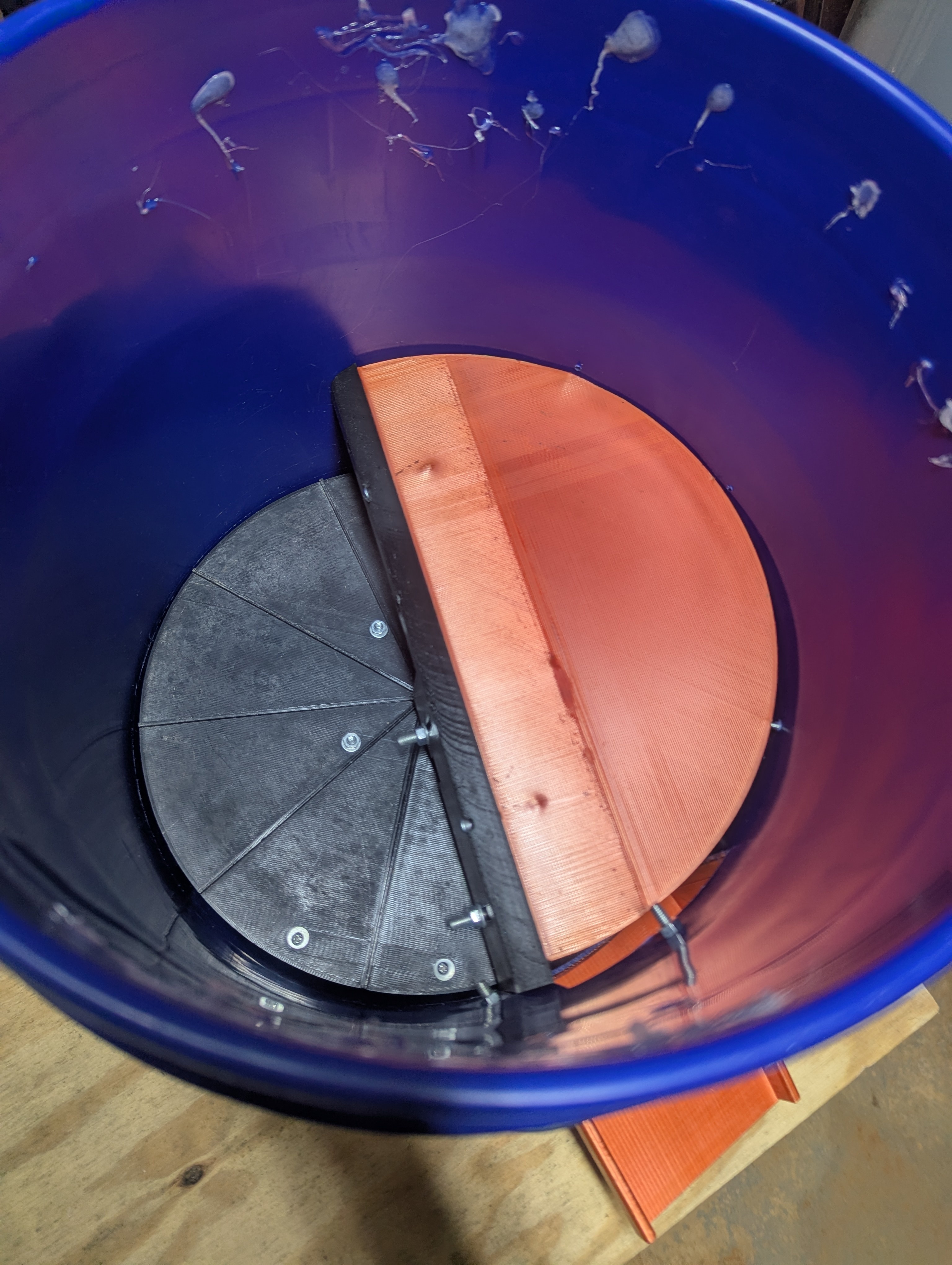
<p>For the first couple years, the candy machine worked by dropping candy out of a PVC pipe with a rotating fan at the bottom, but there were multiple problems with that that design. It was really hard to get the timing of the fan just right to drop only one piece of candy, we could only have a couple different sizes of candies, and we had to constantly stand around and refill the pipes with candy.</p>

<div class="picture-container gif-container" data-full-source="/updated-halloween-candy-machine/fan.gif">
  <picture>
  <source srcset="/assets/img/optimized/_posts/updated-halloween-candy-machine/fan-400-be9ddff0d.webp 400w, /assets/img/optimized/_posts/updated-halloween-candy-machine/fan-600-be9ddff0d.webp 600w, /assets/img/optimized/_posts/updated-halloween-candy-machine/fan-768-be9ddff0d.webp 768w" type="image/webp" />
  <source srcset="/assets/img/optimized/_posts/updated-halloween-candy-machine/fan-400-12a2b765a.gif 400w, /assets/img/optimized/_posts/updated-halloween-candy-machine/fan-600-12a2b765a.gif 600w, /assets/img/optimized/_posts/updated-halloween-candy-machine/fan-768-12a2b765a.gif 768w" type="image/gif" />
  <img src="/assets/img/optimized/_posts/updated-halloween-candy-machine/fan-768-12a2b765a.gif" alt="The Fan" width="768" height="1024" />
</picture>


  <button class="play-button">
    <img src="/assets/img/play-icon.svg" />
  </button>
  
</div>

<p>After year two, I finally got fed up with dealing with the PVC pipe design, so I turned to the Internet for inspiration.</p>

<p>I found a much better design from <a href="https://www.youtube.com/watch?v=NNeSOPg2tVk">Brankly</a>: a Lowes bucket that acts as a hopper and drops candy down a chute. Thankfully, Brankly made all of his 3D models open source, and I was able to copy the design verbatim and just 3D print the parts.</p>

<p>One thing that I wanted to change about his design, though, was that I wanted to dispense more than one piece of candy at a time. In fact, I needed my machine to dispense a wide variety of sizes of candy depending on the prize the trick-or-treater won. So building off Brankly’s design, I also added another part to my machine which I called the dropper.</p>

<div class="picture-container " data-full-source="/updated-halloween-candy-machine/dropper.jpg">
  <a href="https://nathanorick.com/updated-halloween-candy-machine/dropper.jpg">
  <picture>
    <source srcset="/assets/img/optimized/_posts/updated-halloween-candy-machine/dropper-400-f600397fa.webp 400w, /assets/img/optimized/_posts/updated-halloween-candy-machine/dropper-600-f600397fa.webp 600w, /assets/img/optimized/_posts/updated-halloween-candy-machine/dropper-800-f600397fa.webp 800w, /assets/img/optimized/_posts/updated-halloween-candy-machine/dropper-1000-f600397fa.webp 1000w" type="image/webp" />
    <source srcset="/assets/img/optimized/_posts/updated-halloween-candy-machine/dropper-400-b3b401053.jpg 400w, /assets/img/optimized/_posts/updated-halloween-candy-machine/dropper-600-b3b401053.jpg 600w, /assets/img/optimized/_posts/updated-halloween-candy-machine/dropper-800-b3b401053.jpg 800w, /assets/img/optimized/_posts/updated-halloween-candy-machine/dropper-1000-b3b401053.jpg 1000w" type="image/jpeg" />
    <img src="/assets/img/optimized/_posts/updated-halloween-candy-machine/dropper-800-b3b401053.jpg" alt="The Dropper" width="3072" height="4080" />
  </picture>
</a>


</div>

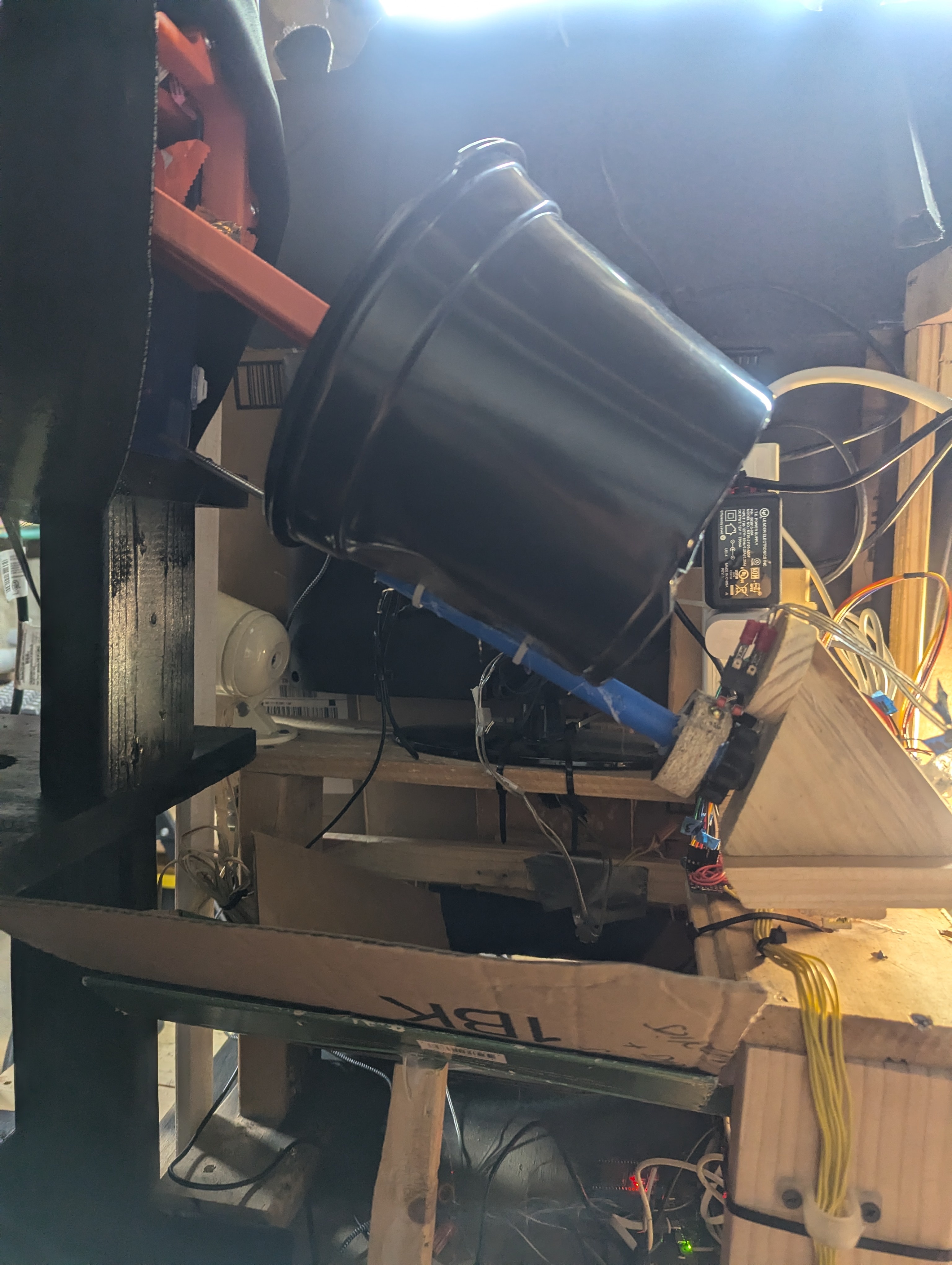
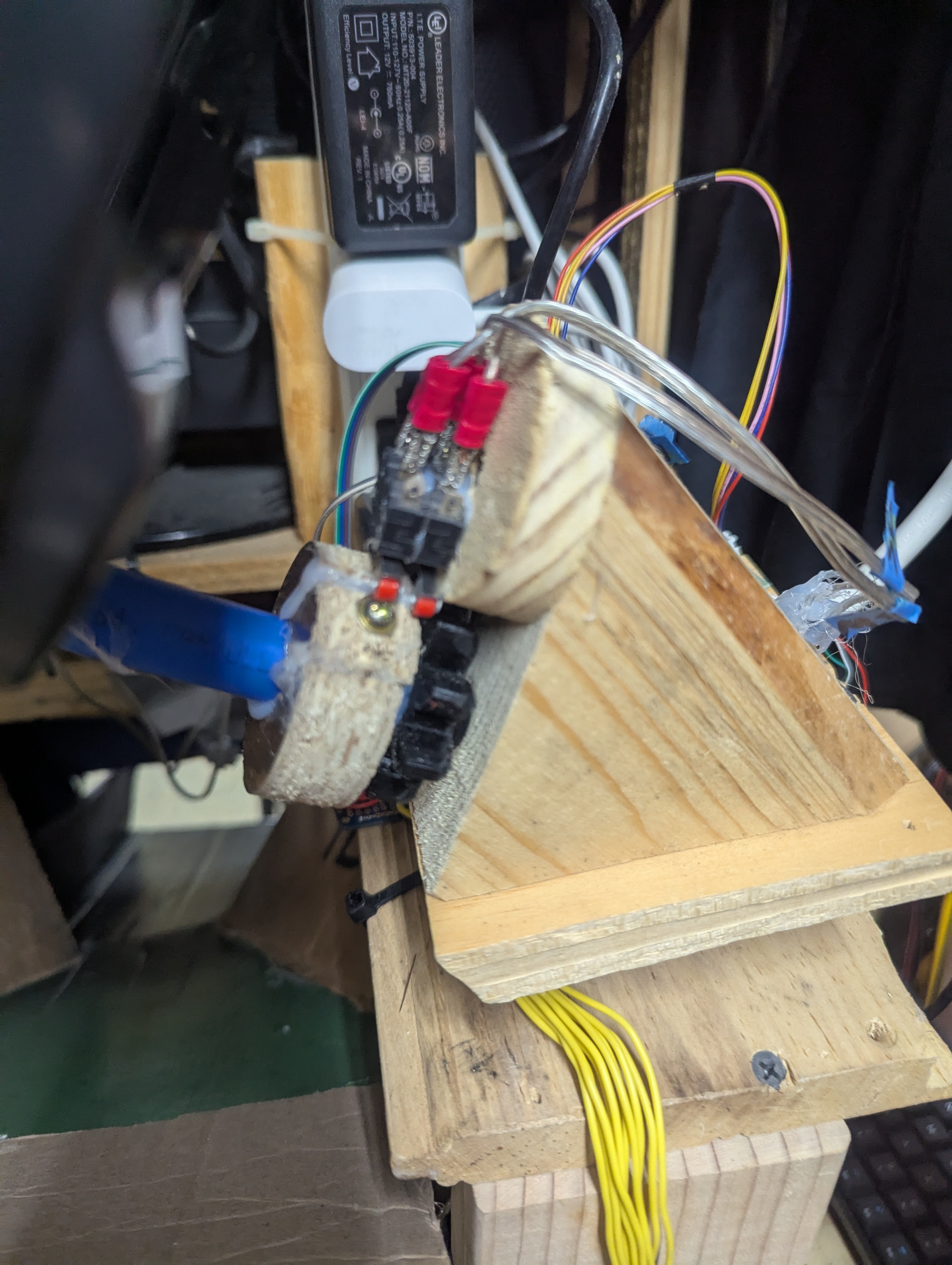
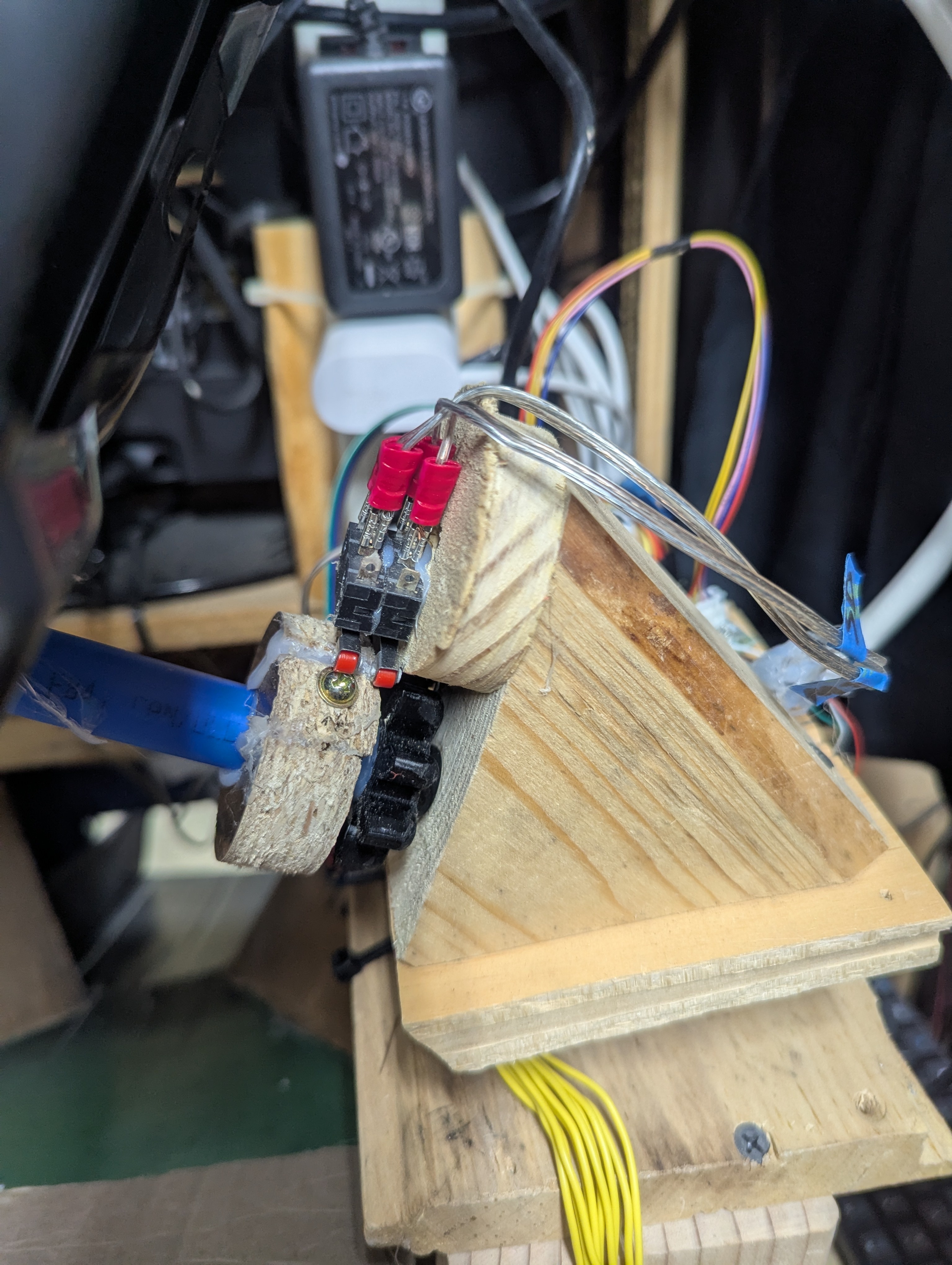
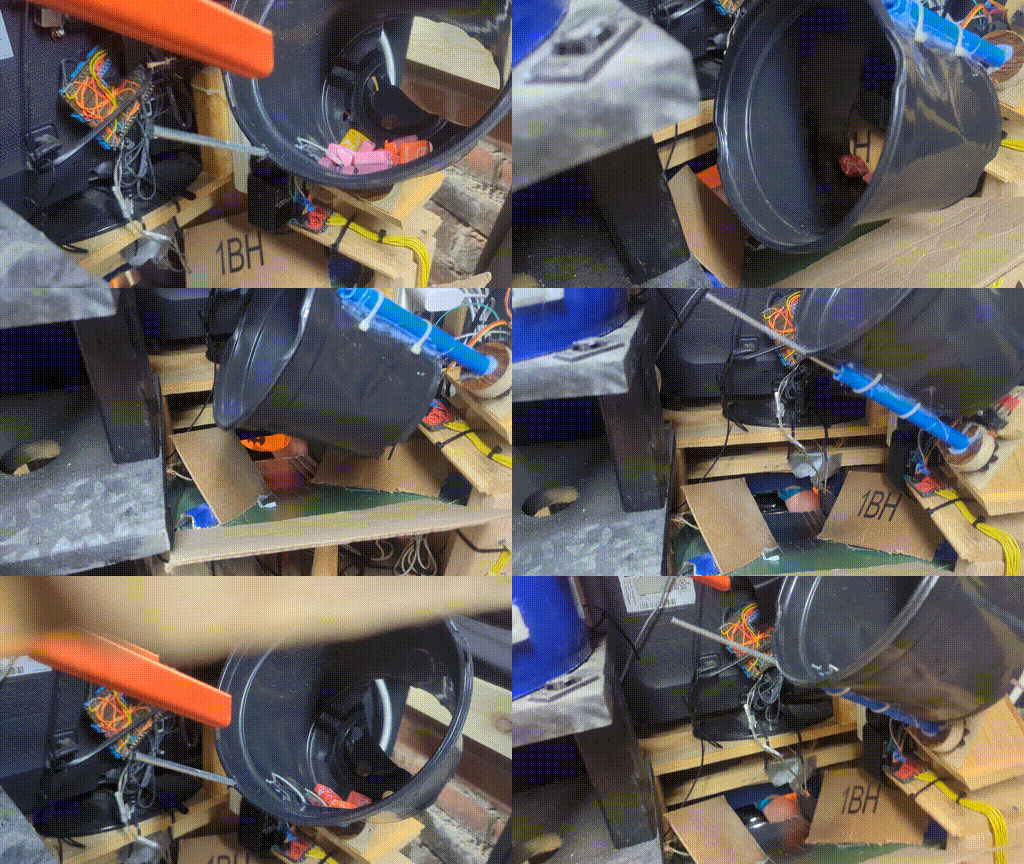
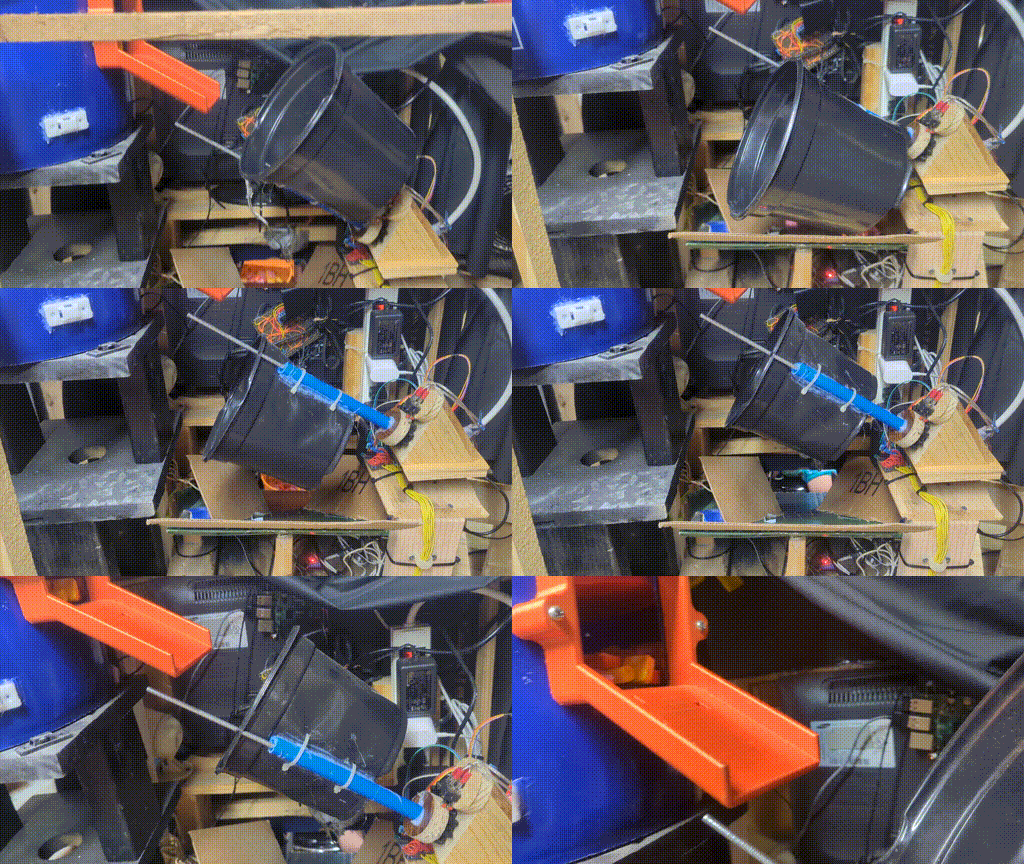
<p>The dropper is simply a small bucket with one side cut out of it and attached at the bottom to a stepper motor. That whole contraption is then set on top of a scale. The hopper drops candy into the dropper which then reports back its current weight. When it’s time for the candy to be dispensed, the motor attached to the dropper just turns the bucket over and dumps out the candy.</p>

<p>It didn’t take a lot of work to start with Brankly’s design, add the dropper, and write some new code to operate the whole thing as a unit.</p>

<h2 id="weight-based-game-logic">Weight-Based Game Logic</h2>

<p>With the addition of the hopper and dropper, I was able to program much more precision into the system. Now, instead of just hoping that the right amount of candy gets dispensed, I can weigh out the precise amount that I want to give away.</p>

<p>Here are all the steps of the game logic:</p>

<ol>
  <li><a href="#1-choose-a-prize">Choose A Prize</a></li>
  <li><a href="#2-hopper-adds-candy-to-the-dropper">Hopper Adds Candy to the Dropper</a></li>
  <li><a href="#3-wait-for-the-button">Wait for the Button</a></li>
  <li><a href="#4-dump-the-candy">Dump the Candy</a></li>
</ol>

<h3 id="1-choose-a-prize">1. Choose A Prize</h3>

<p>Well before the person presses the button, the game logic randomly decides on one of eight prizes based on a preset distribution.</p>

<p><strong>Weight Distributions:</strong></p>

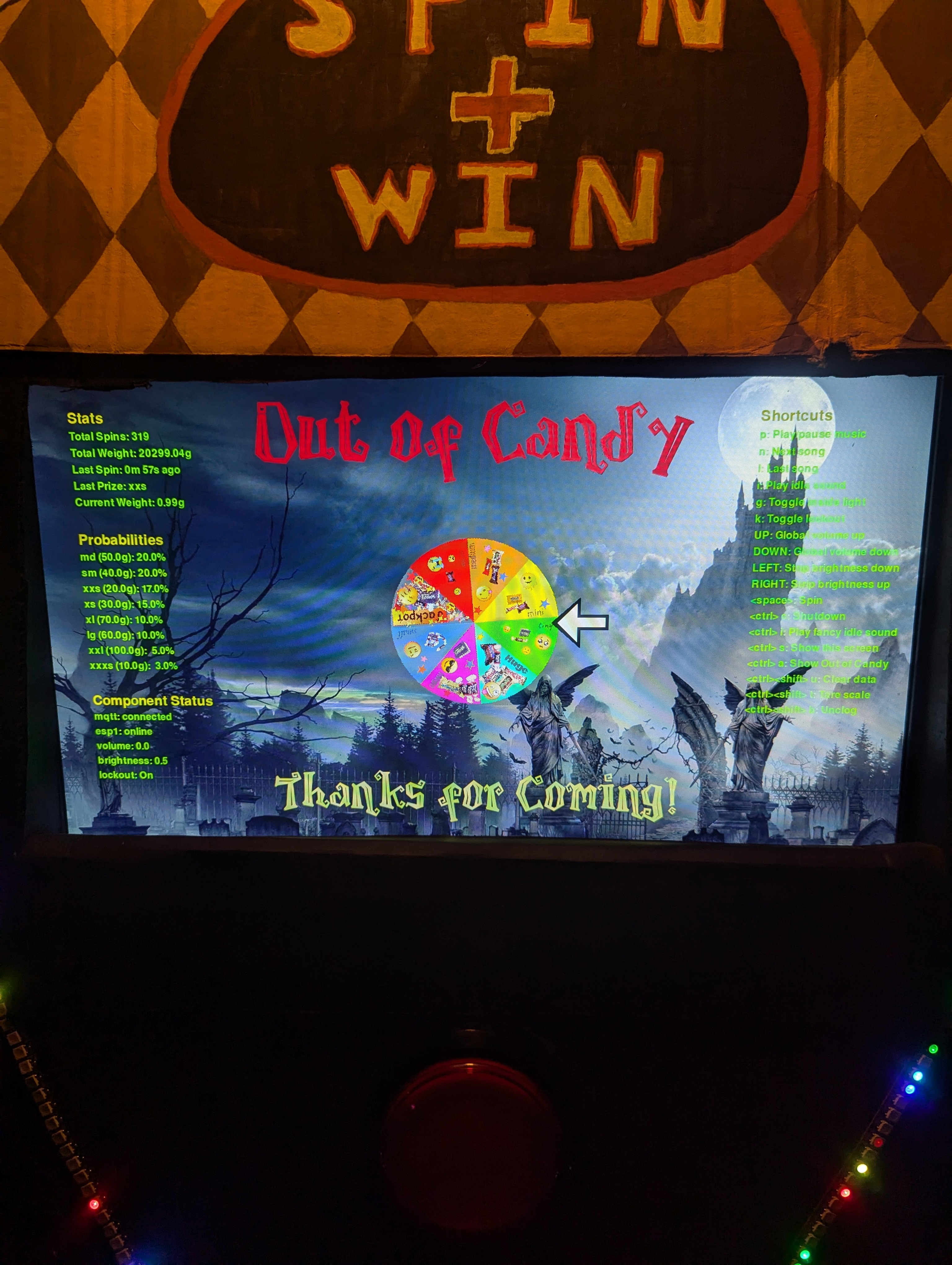
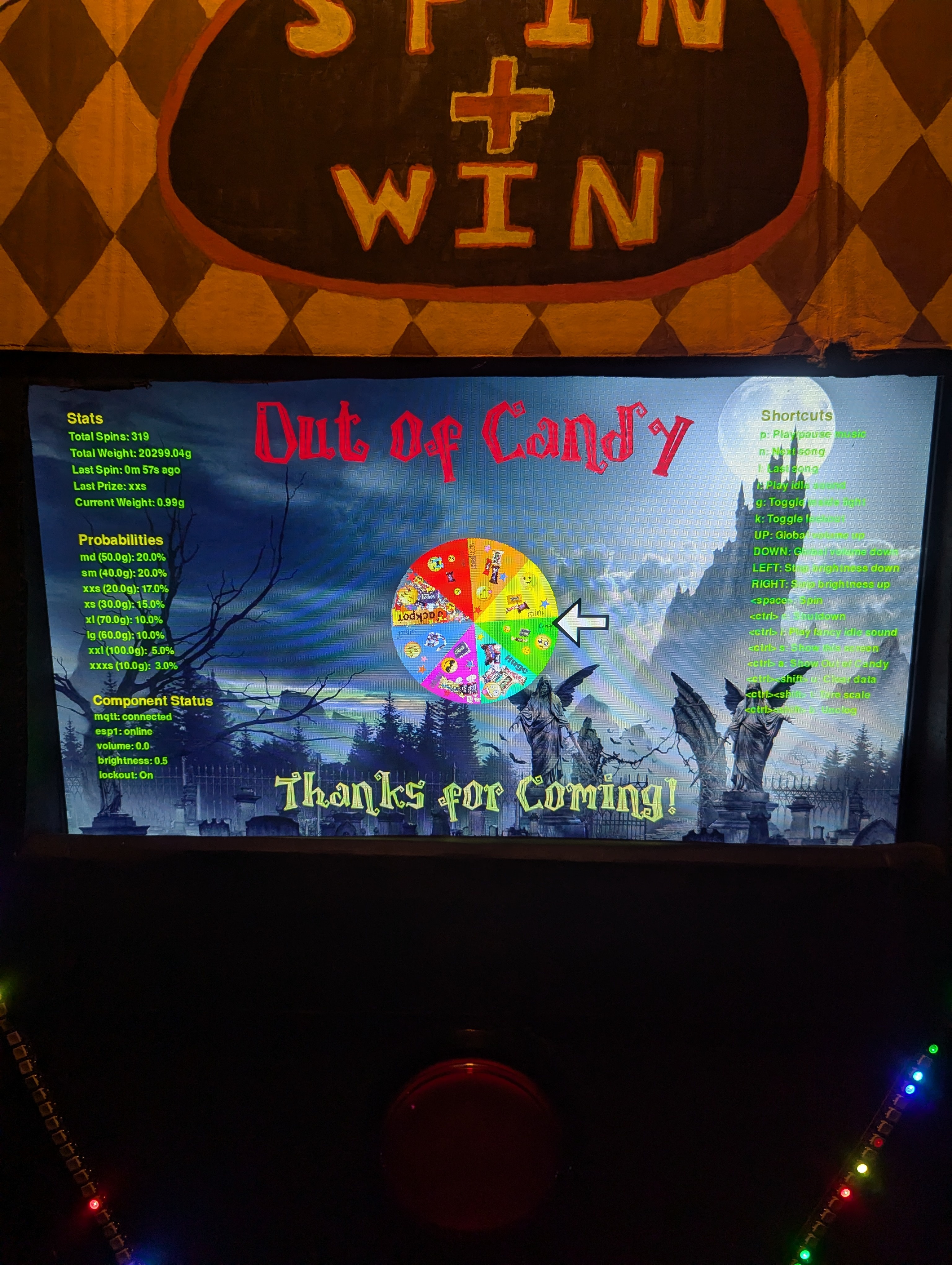
<p>Each year, I tweak the prize weights and the odds of winning any given prize based on how much candy I bought and how many trick-or-treaters we expect to have. That way, I make sure the candy lasts for the whole night and that every kid gets a good pile of candy after waiting so long in line.</p>

<p>Just for example, in 2024, we had 319 trick-or-treaters (lower than previous years), and these were our prize weights and odds of winning each:</p>

<table>
  <thead>
    <tr>
      <th>Prize</th>
      <th>Weight</th>
      <th>Odds</th>
    </tr>
  </thead>
  <tbody>
    <tr>
      <td>xxxs</td>
      <td>10g</td>
      <td>3%</td>
    </tr>
    <tr>
      <td>xxs</td>
      <td>20g</td>
      <td>20%</td>
    </tr>
    <tr>
      <td>xs</td>
      <td>30g</td>
      <td>15%</td>
    </tr>
    <tr>
      <td>sm</td>
      <td>40g</td>
      <td>20%</td>
    </tr>
    <tr>
      <td>md</td>
      <td>50g</td>
      <td>20%</td>
    </tr>
    <tr>
      <td>lg</td>
      <td>60g</td>
      <td>10%</td>
    </tr>
    <tr>
      <td>xl</td>
      <td>70g</td>
      <td>10%</td>
    </tr>
    <tr>
      <td>xxl</td>
      <td>100g</td>
      <td>5%</td>
    </tr>
  </tbody>
</table>

<h3 id="2-hopper-adds-candy-to-the-dropper">2. Hopper Adds Candy to the Dropper</h3>

<div class="picture-container gif-container" data-full-source="/updated-halloween-candy-machine/bucket-spinning.gif">
  <picture>
  <source srcset="/assets/img/optimized/_posts/updated-halloween-candy-machine/bucket-spinning-400-30875bb77.webp 400w, /assets/img/optimized/_posts/updated-halloween-candy-machine/bucket-spinning-512-30875bb77.webp 512w" type="image/webp" />
  <source srcset="/assets/img/optimized/_posts/updated-halloween-candy-machine/bucket-spinning-400-913b62e8d.gif 400w, /assets/img/optimized/_posts/updated-halloween-candy-machine/bucket-spinning-512-913b62e8d.gif 512w" type="image/gif" />
  <img src="/assets/img/optimized/_posts/updated-halloween-candy-machine/bucket-spinning-512-913b62e8d.gif" alt="Turntable at the bottom of the bucket" width="512" height="910" />
</picture>


  <button class="play-button">
    <img src="/assets/img/play-icon.svg" />
  </button>
  
</div>

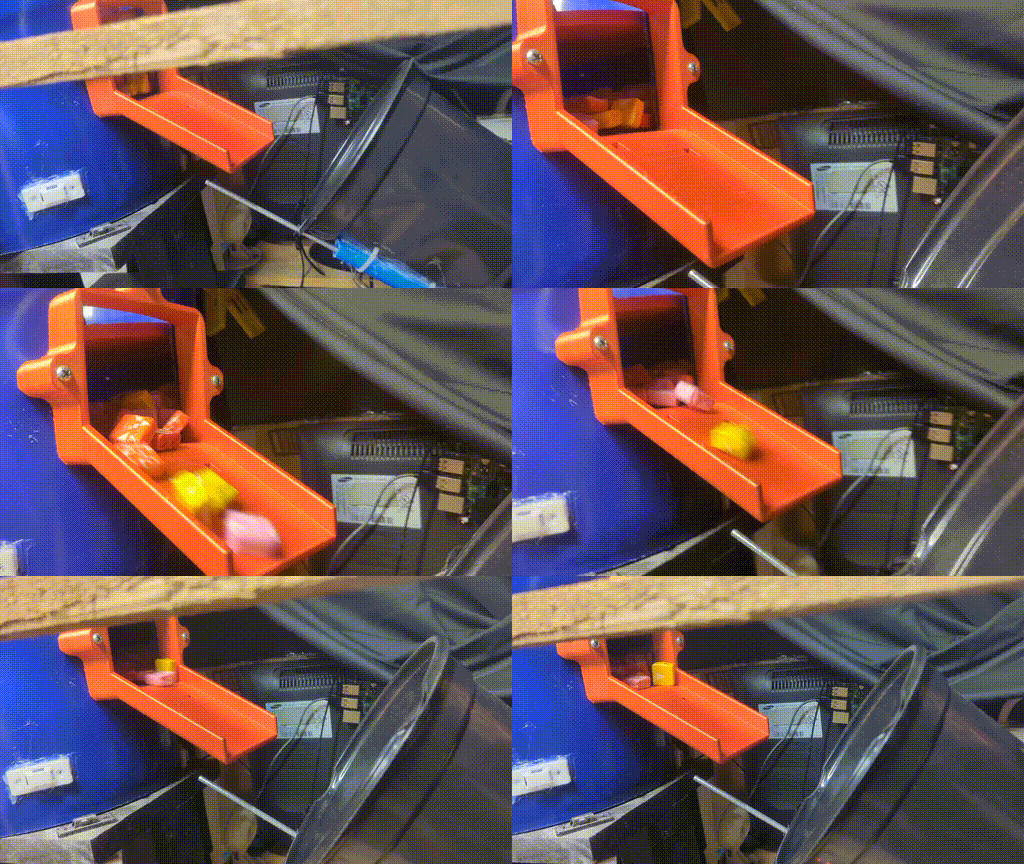
<p>Next, the hopper jumps into action, spinning the turntable in the bottom and dropping candy into the dropper. Every time the turntable moves, the dropper weighs how much candy is already in it and reports back to the controller.</p>

<ul>
  <li>If the current weight is far from the target weight, the hopper spins faster</li>
  <li>If it’s close to the target weight, the hopper spins very slowly, dropping only a few pieces at a time</li>
</ul>

<div class="picture-container gif-container" data-full-source="/updated-halloween-candy-machine/candy-loading.gif">
  <picture>
  <source srcset="/assets/img/optimized/_posts/updated-halloween-candy-machine/candy-loading-400-b5a4e1fb7.webp 400w, /assets/img/optimized/_posts/updated-halloween-candy-machine/candy-loading-512-b5a4e1fb7.webp 512w" type="image/webp" />
  <source srcset="/assets/img/optimized/_posts/updated-halloween-candy-machine/candy-loading-400-339bd1080.gif 400w, /assets/img/optimized/_posts/updated-halloween-candy-machine/candy-loading-512-339bd1080.gif 512w" type="image/gif" />
  <img src="/assets/img/optimized/_posts/updated-halloween-candy-machine/candy-loading-512-339bd1080.gif" alt="Candy loading into the dropper" width="512" height="288" />
</picture>


  <button class="play-button">
    <img src="/assets/img/play-icon.svg" />
  </button>
  
</div>

<h3 id="3-wait-for-the-button">3. Wait for the Button</h3>

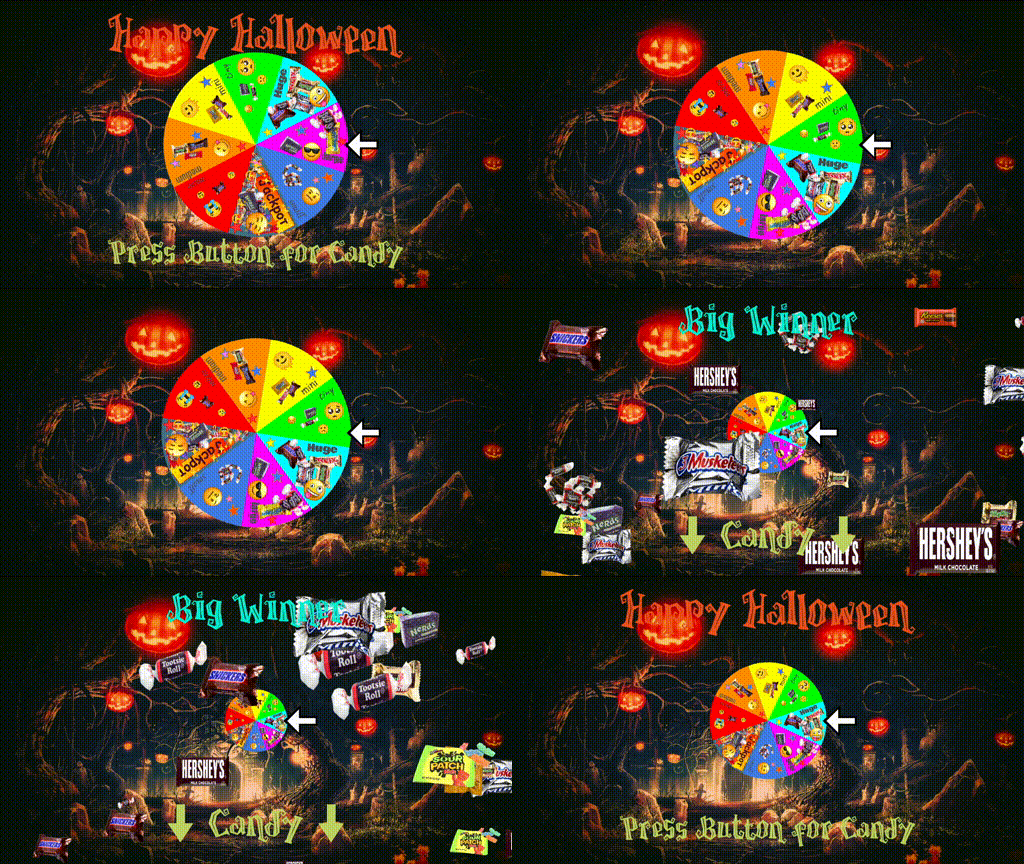
<p>Once the target weight is reached, the hopper stops, and the game waits for the button to be pressed. When the trick-or-treater finally presses the button, the wheel spins, but lands on the already-decided random prize. There is a little variance programmed in so that the wheel doesn’t always land square in the middle of a segment, adding a little suspense when the wheel barely turns enough to make it into the next segment.</p>

<div class="picture-container gif-container" data-full-source="/updated-halloween-candy-machine/wheel-spinning.gif">
  <picture>
  <source srcset="/assets/img/optimized/_posts/updated-halloween-candy-machine/wheel-spinning-400-edbc8edf4.webp 400w, /assets/img/optimized/_posts/updated-halloween-candy-machine/wheel-spinning-512-edbc8edf4.webp 512w" type="image/webp" />
  <source srcset="/assets/img/optimized/_posts/updated-halloween-candy-machine/wheel-spinning-400-683765692.gif 400w, /assets/img/optimized/_posts/updated-halloween-candy-machine/wheel-spinning-512-683765692.gif 512w" type="image/gif" />
  <img src="/assets/img/optimized/_posts/updated-halloween-candy-machine/wheel-spinning-512-683765692.gif" alt="Wheel spinning on screen" width="512" height="288" />
</picture>


  <button class="play-button">
    <img src="/assets/img/play-icon.svg" />
  </button>
  
</div>

<h3 id="4-dump-the-candy">4. Dump the Candy</h3>

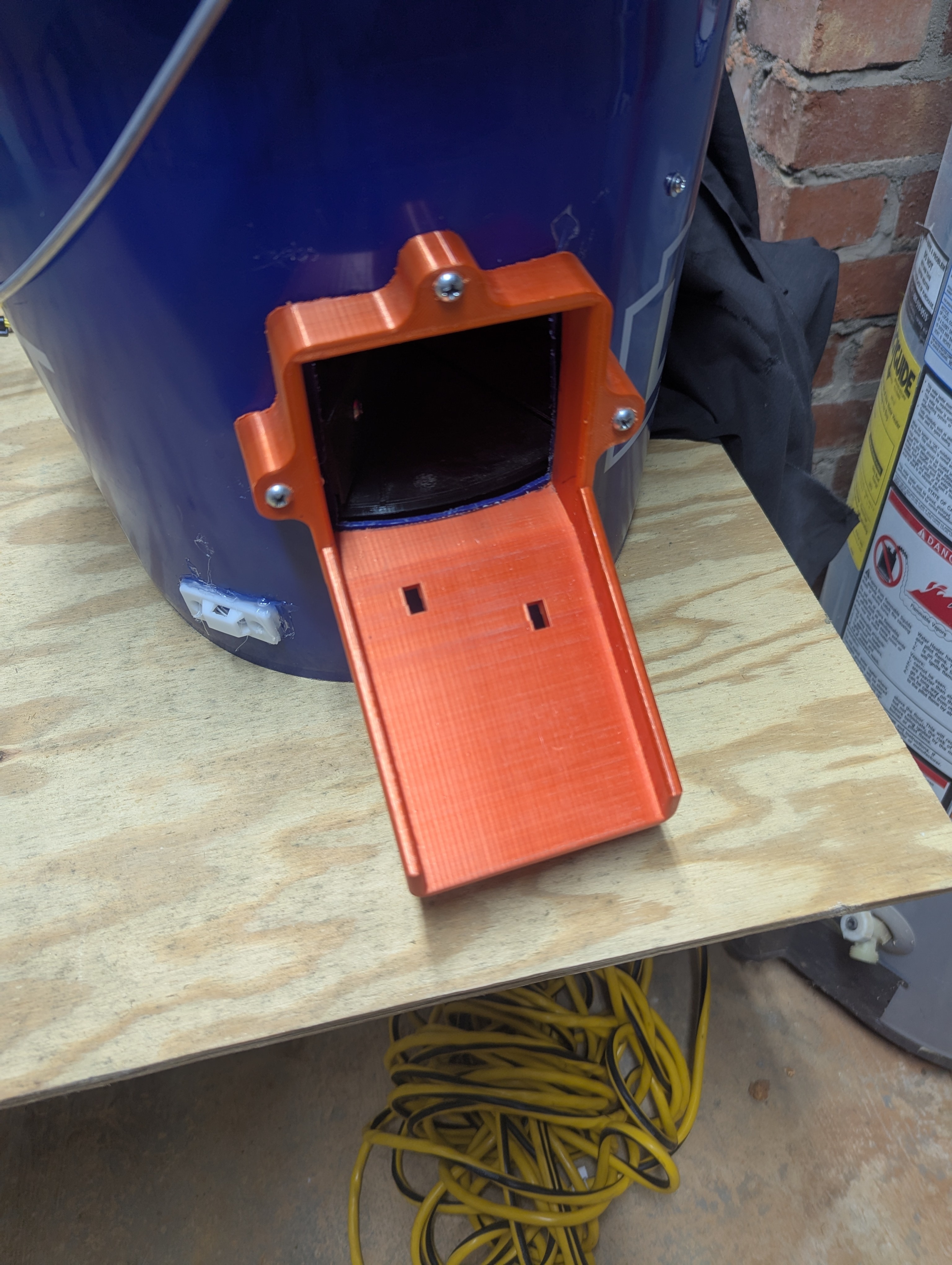
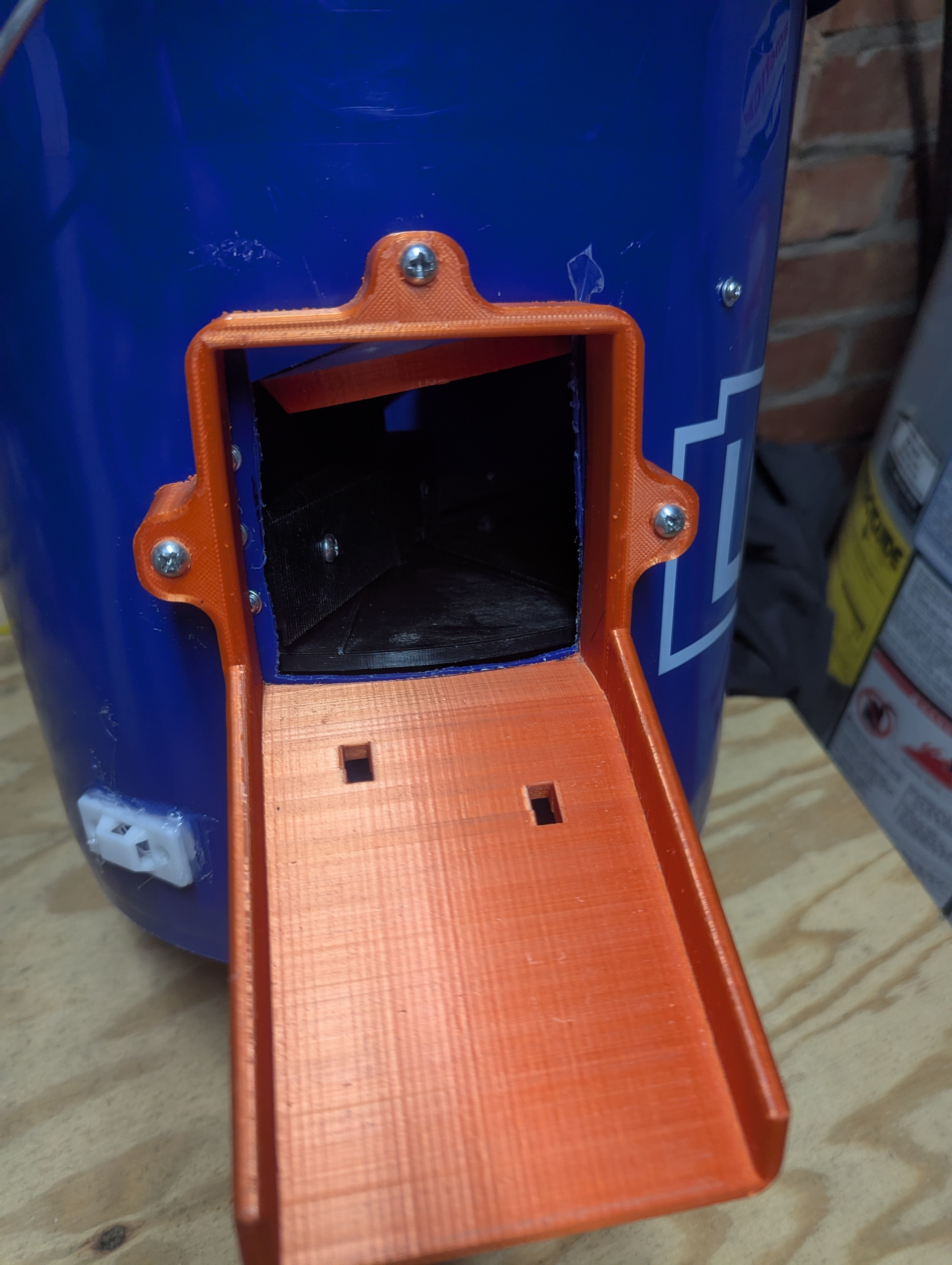
<p>After the screen performs its little show, the light turns on in the chute so that the trick-or-treaters can be ready with their bucket. Finally, the dropper motor flips over the dropper bucket and dumps the candy down the chute and out to the waiting trick-or-treater.</p>

<p>The dropper shakes back and forth a couple times to make sure all the candy is out, then moves back into position. The whole process immediately starts over as the next prize is chosen and the candy is prepped in the dropper.</p>

<div class="picture-container gif-container" data-full-source="/updated-halloween-candy-machine/candy-dropping-inside.gif">
  <picture>
  <source srcset="/assets/img/optimized/_posts/updated-halloween-candy-machine/candy-dropping-inside-400-941eb6622.webp 400w, /assets/img/optimized/_posts/updated-halloween-candy-machine/candy-dropping-inside-512-941eb6622.webp 512w" type="image/webp" />
  <source srcset="/assets/img/optimized/_posts/updated-halloween-candy-machine/candy-dropping-inside-400-261b4ccbe.gif 400w, /assets/img/optimized/_posts/updated-halloween-candy-machine/candy-dropping-inside-512-261b4ccbe.gif 512w" type="image/gif" />
  <img src="/assets/img/optimized/_posts/updated-halloween-candy-machine/candy-dropping-inside-512-261b4ccbe.gif" alt="Candy getting dumped from the dropper" width="512" height="288" />
</picture>


  <button class="play-button">
    <img src="/assets/img/play-icon.svg" />
  </button>
  
</div>
<p><br /></p>
<div class="picture-container gif-container" data-full-source="/updated-halloween-candy-machine/candy-dropping-outside.gif">
  <picture>
  <source srcset="/assets/img/optimized/_posts/updated-halloween-candy-machine/candy-dropping-outside-400-e1bc7de60.webp 400w, /assets/img/optimized/_posts/updated-halloween-candy-machine/candy-dropping-outside-512-e1bc7de60.webp 512w" type="image/webp" />
  <source srcset="/assets/img/optimized/_posts/updated-halloween-candy-machine/candy-dropping-outside-400-530b31f5f.gif 400w, /assets/img/optimized/_posts/updated-halloween-candy-machine/candy-dropping-outside-512-530b31f5f.gif 512w" type="image/gif" />
  <img src="/assets/img/optimized/_posts/updated-halloween-candy-machine/candy-dropping-outside-512-530b31f5f.gif" alt="Candy getting dumped from the dropper - another view" width="512" height="288" />
</picture>


  <button class="play-button">
    <img src="/assets/img/play-icon.svg" />
  </button>
  
</div>

<h2 id="candy-prices">Candy Prices</h2>

<p>A fun little side-effect of this project is that I have a running spreadsheet of the price of candy each year (it’s going up!). But in case you’ve ever wondered, Tootsie Rolls are the cheapest candy by weight (that I have found), plus it’s a bonus that their size is really great for keeping the bucket unclogged when mixed in with bigger candy.</p>

<p>For those interested in tracking candy prices, here is my <a href="https://docs.google.com/spreadsheets/d/1Q2SJouzUs1yUfimDHbYZHr0RAJ5kKu-y-w4hNrqS_fI/edit?usp=sharing">candy price spreadsheet</a>.</p>

<h2 id="modular-design">Modular Design</h2>

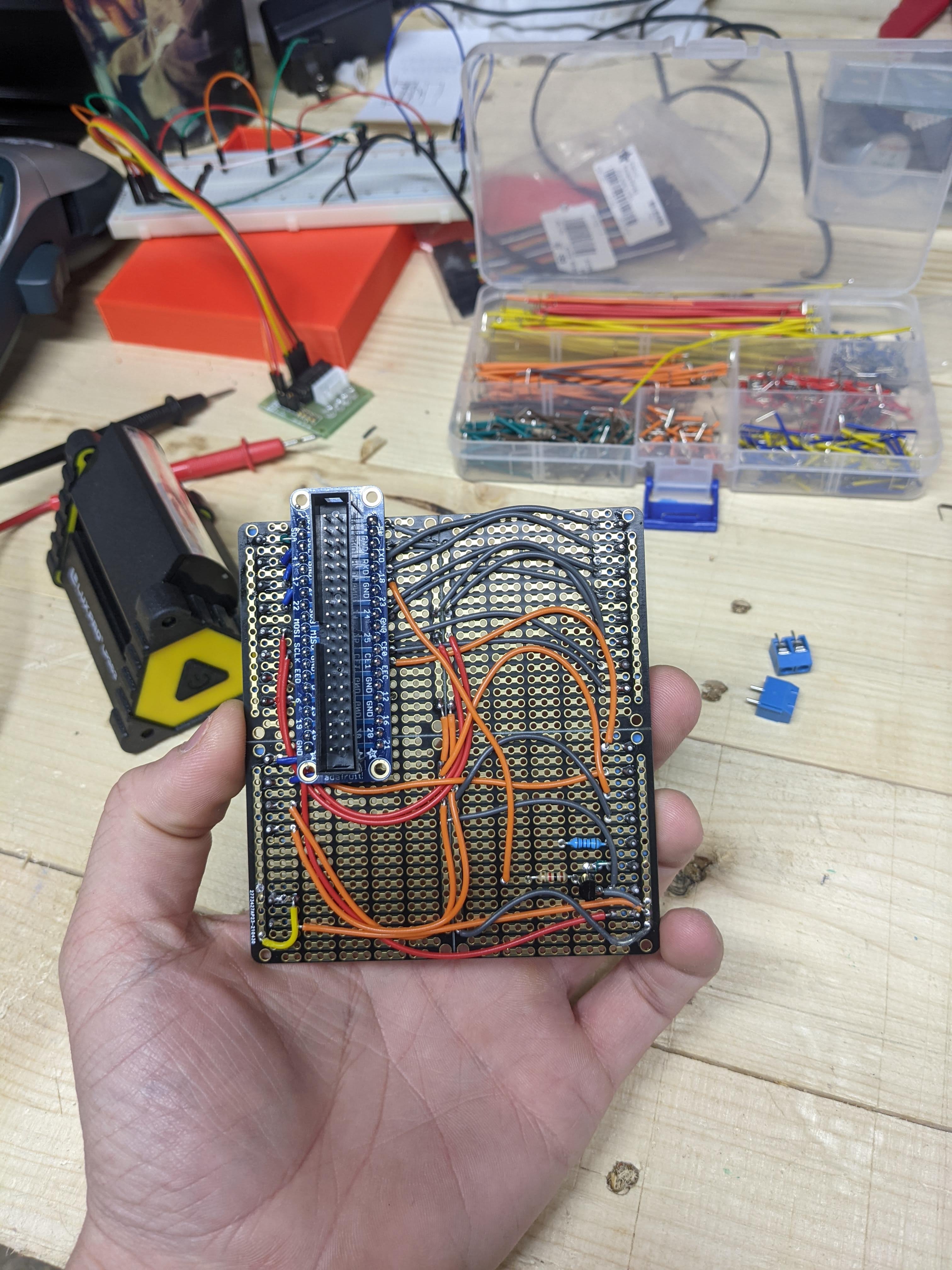
<p>Another thing I learned after the first year: <em>don’t solder everything to one control board!</em> Right after Halloween, I started taking the machine apart and realized I had to desolder nearly every connection to add the new bucket.</p>

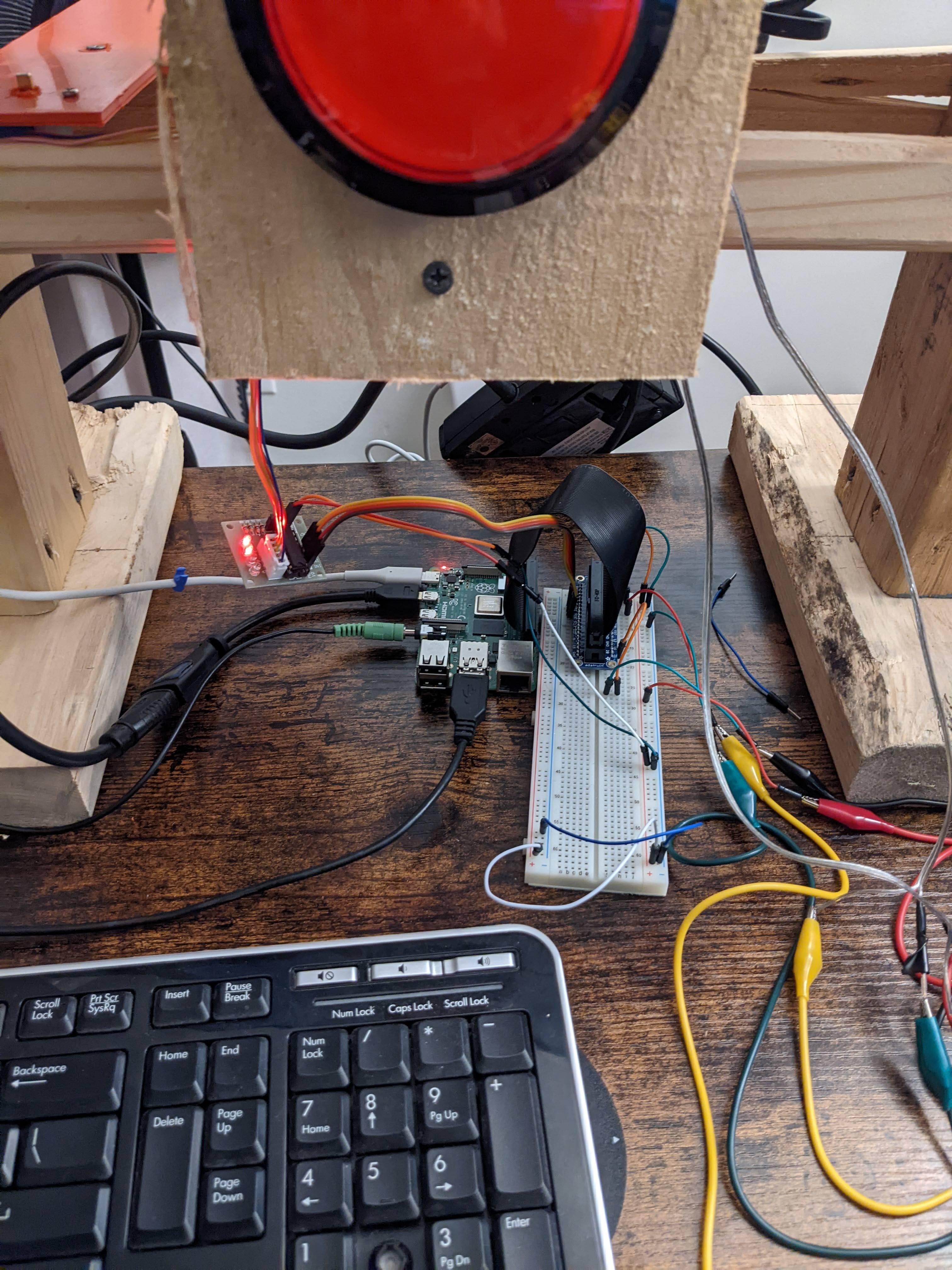
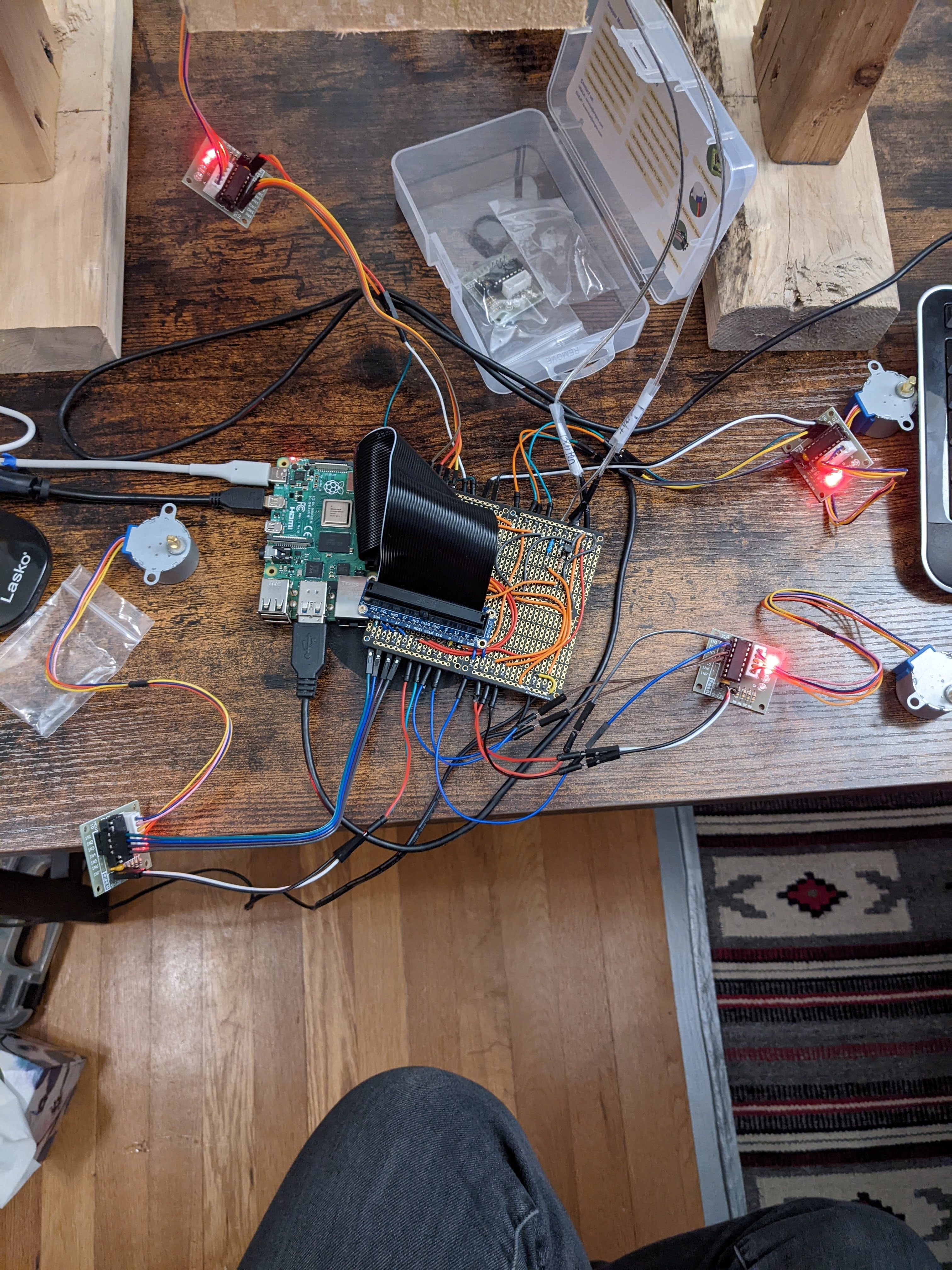
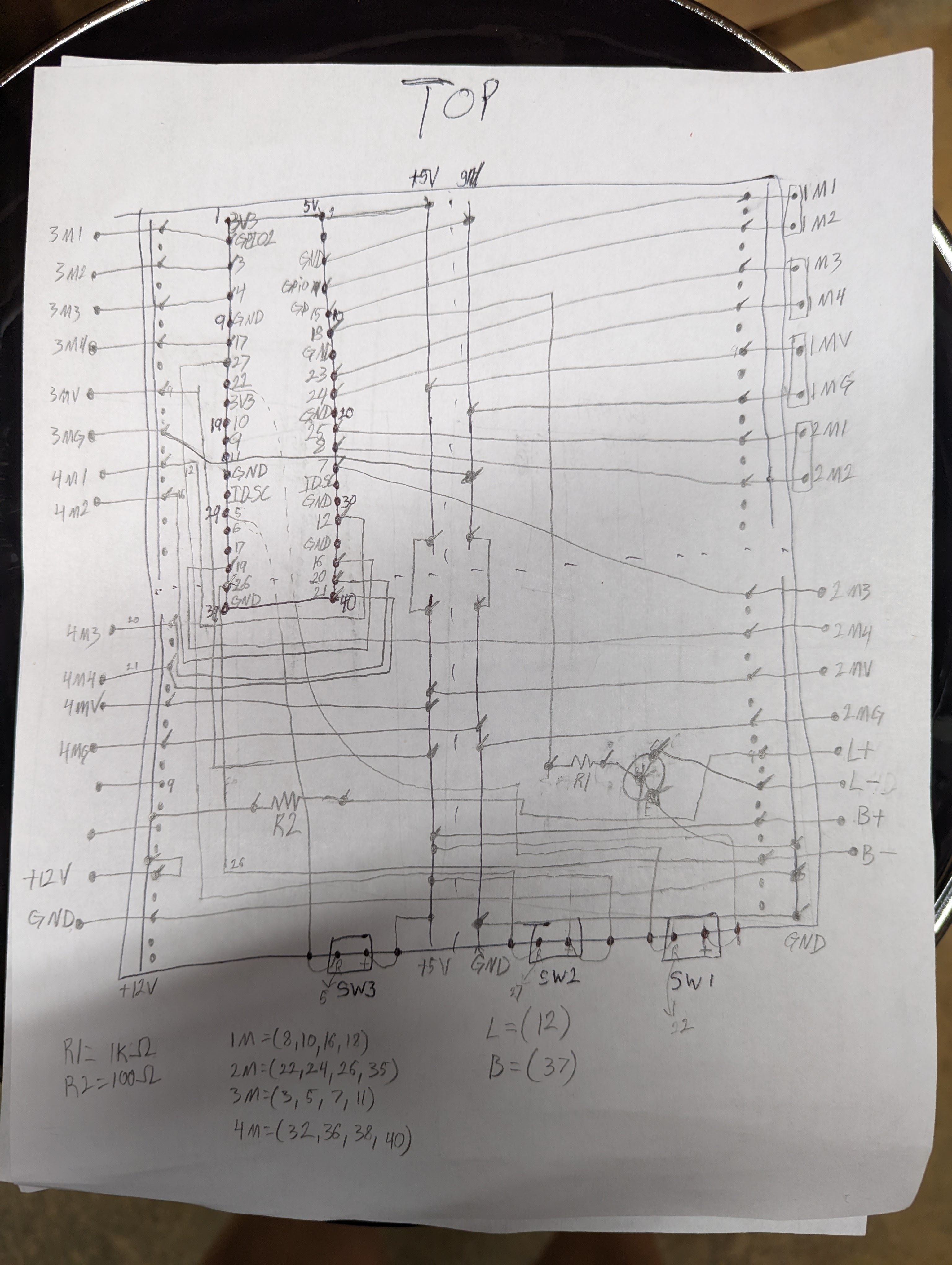
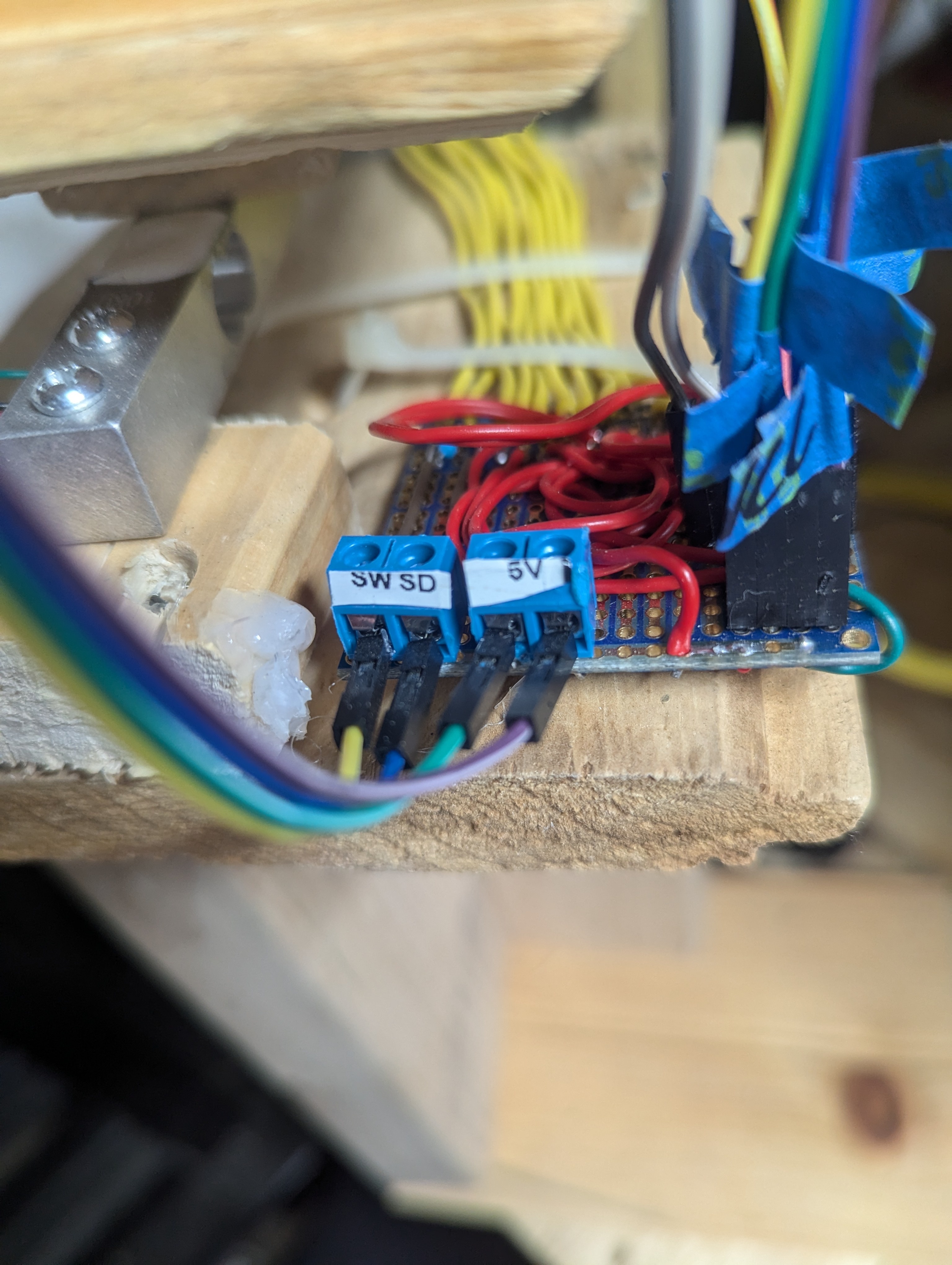
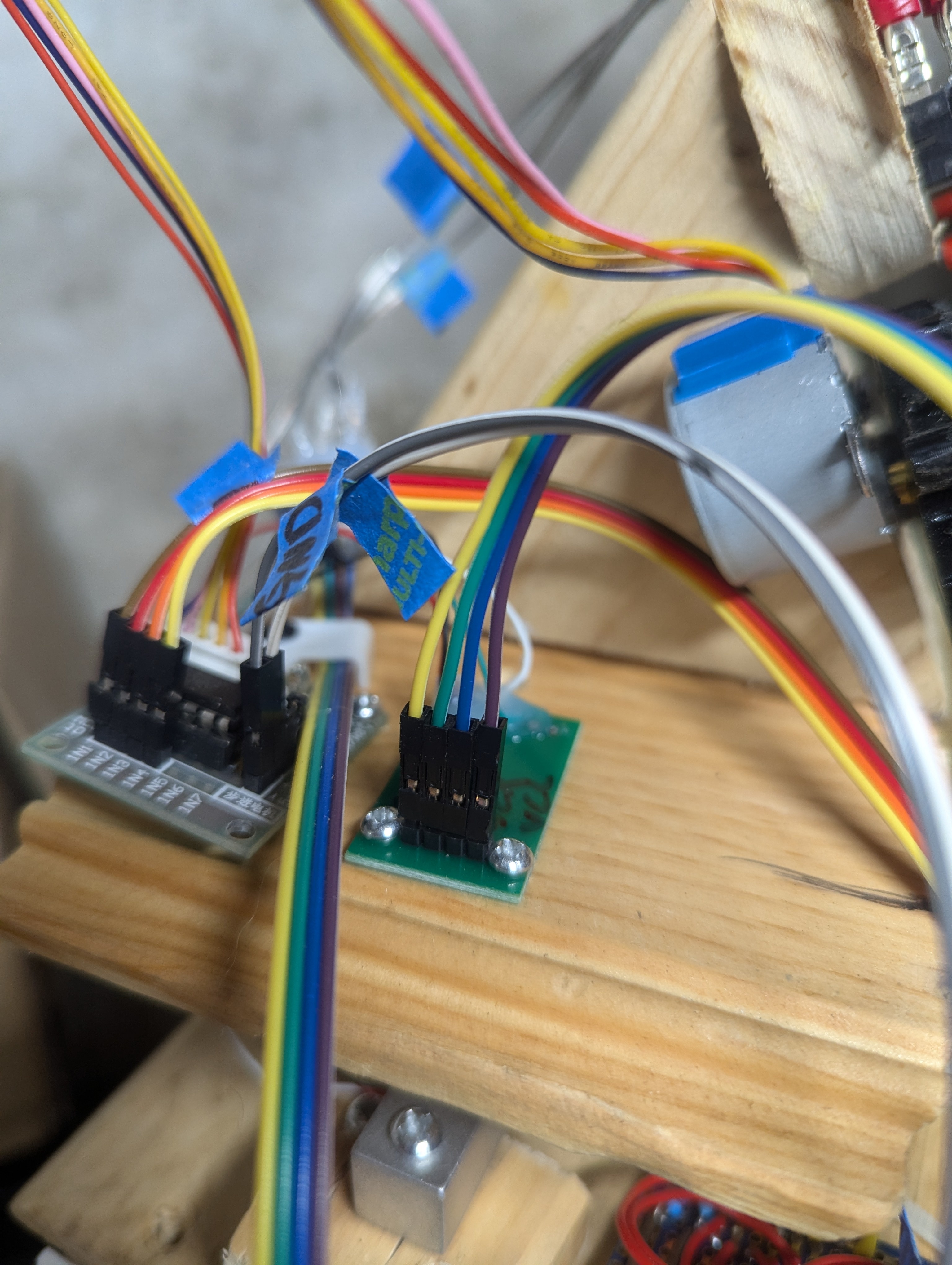
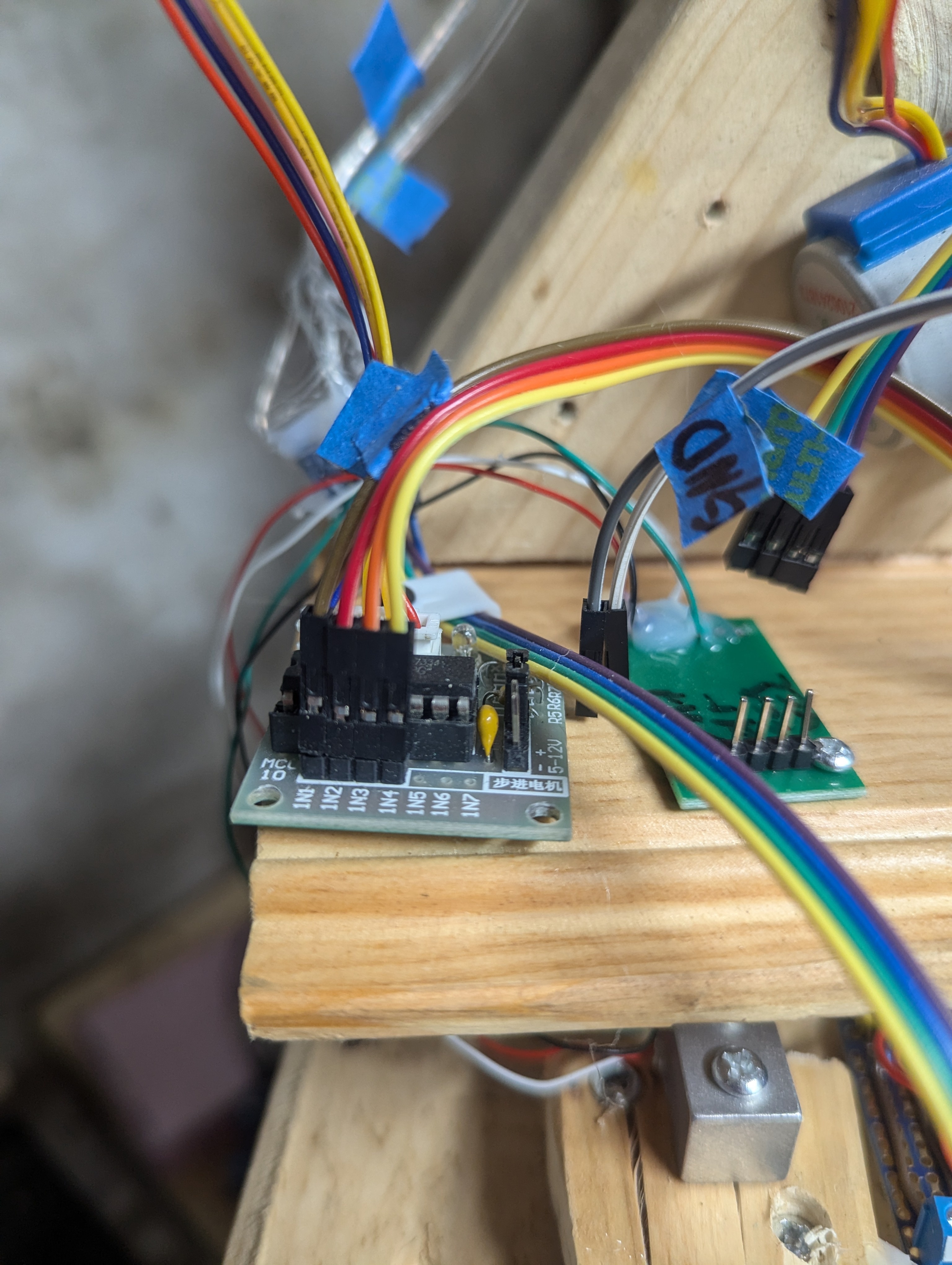
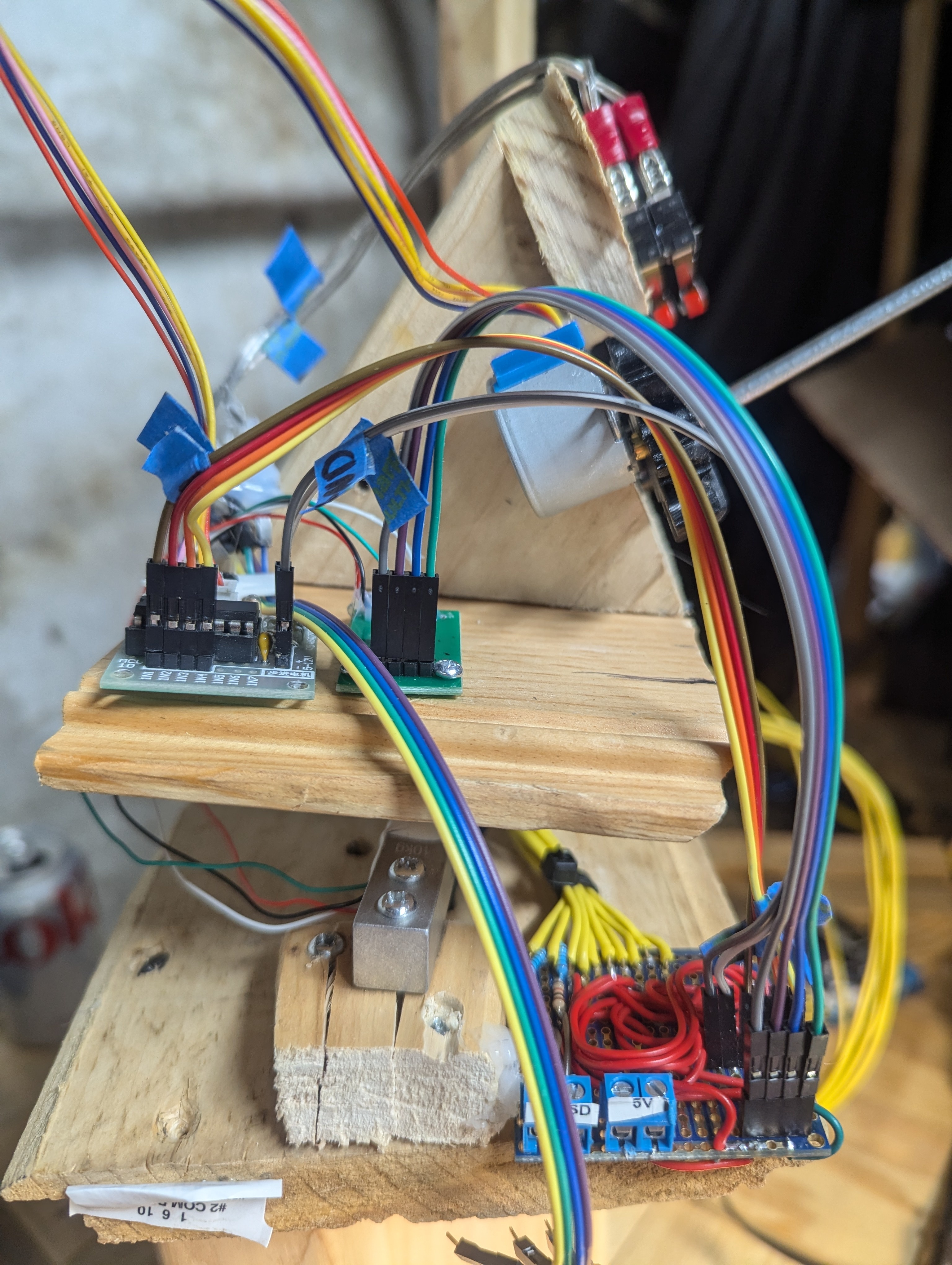
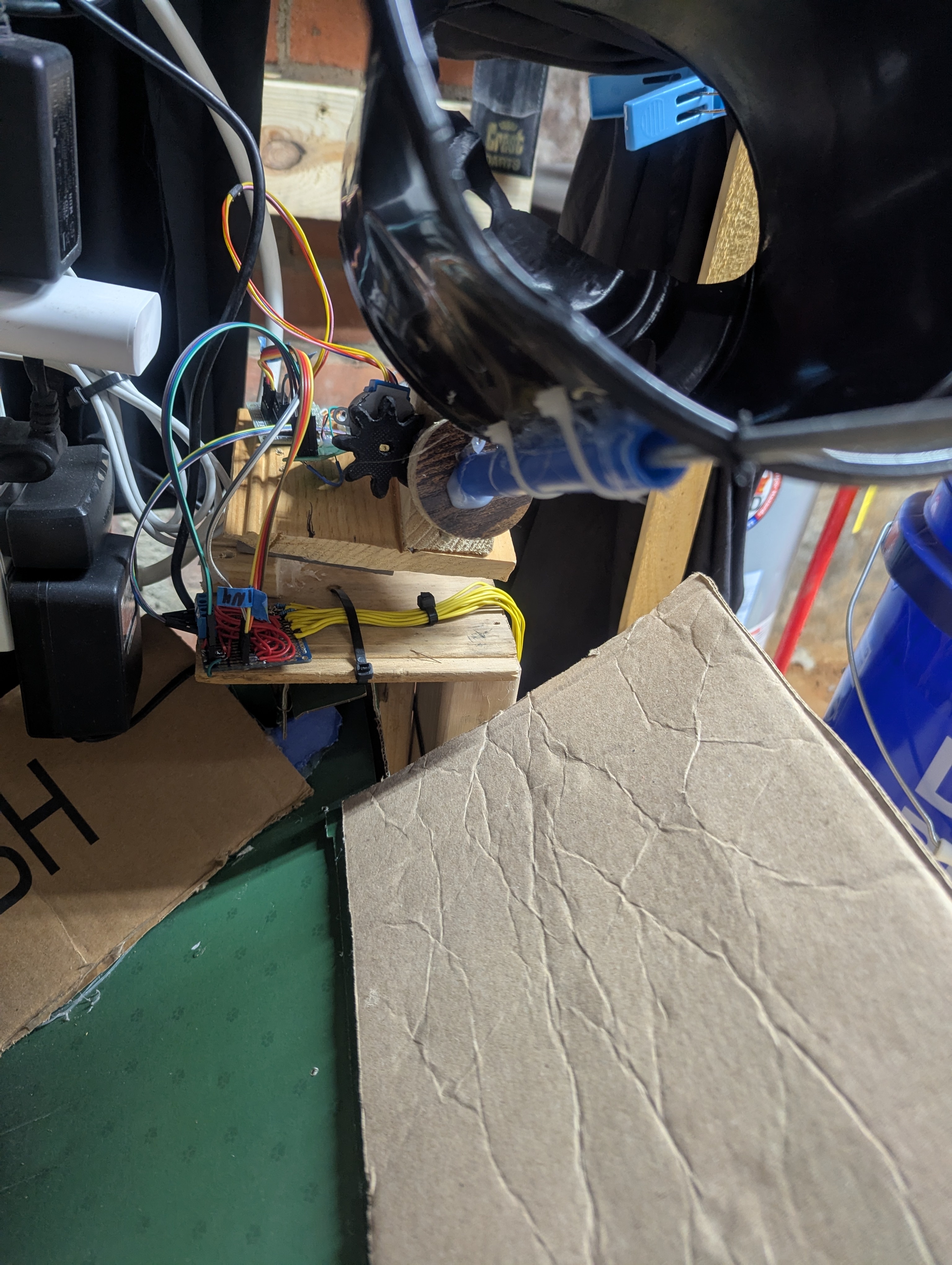
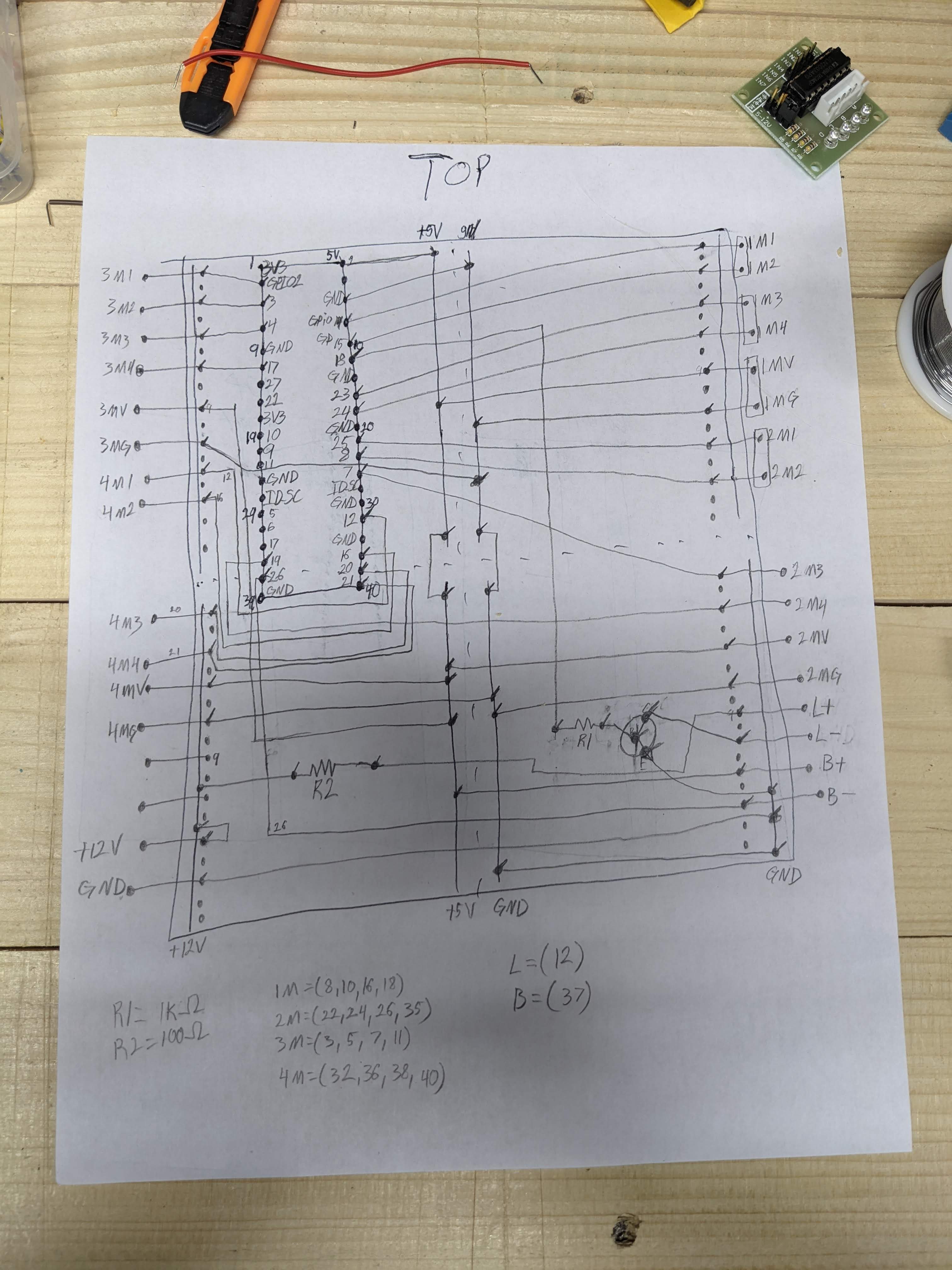
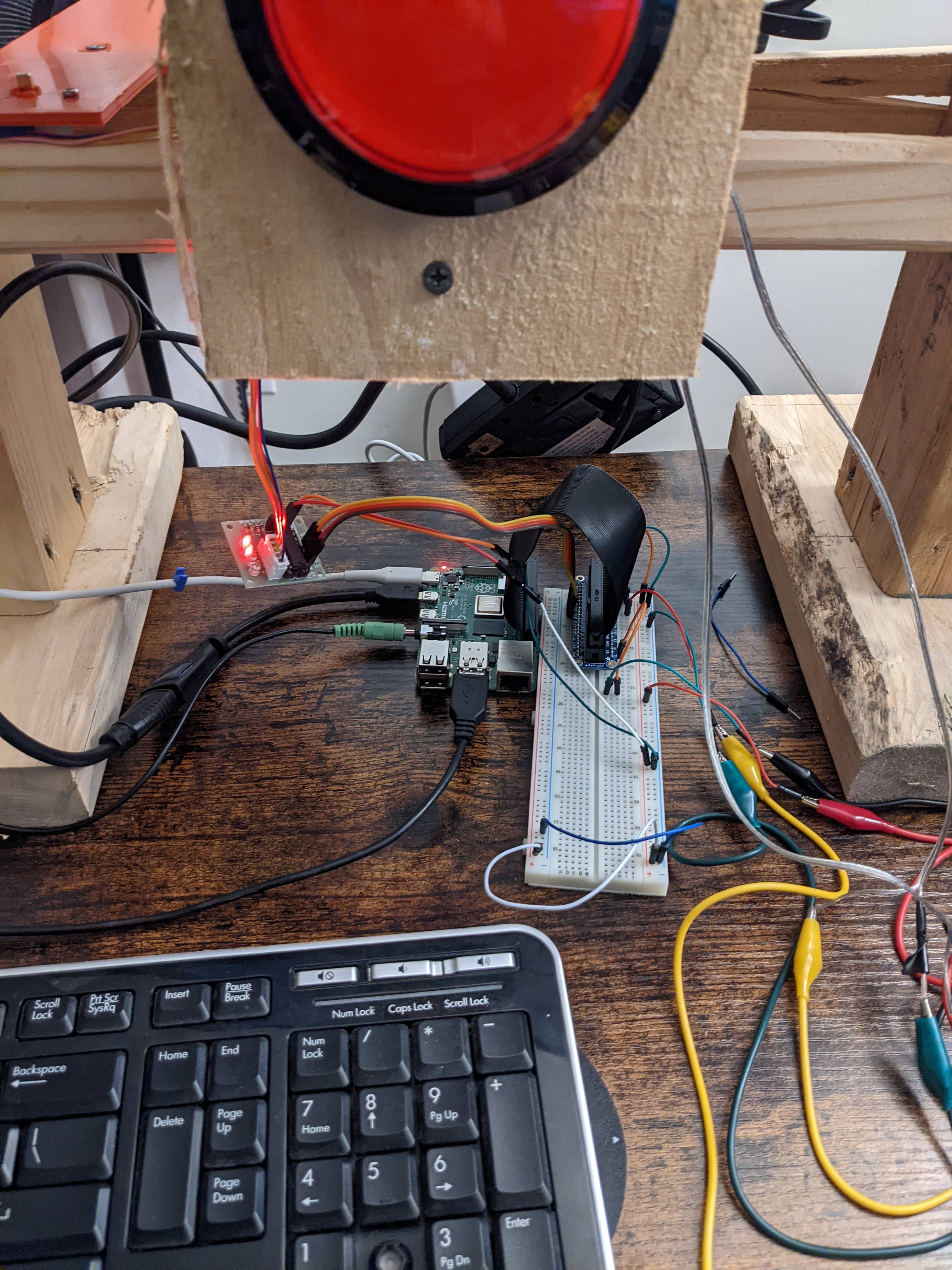
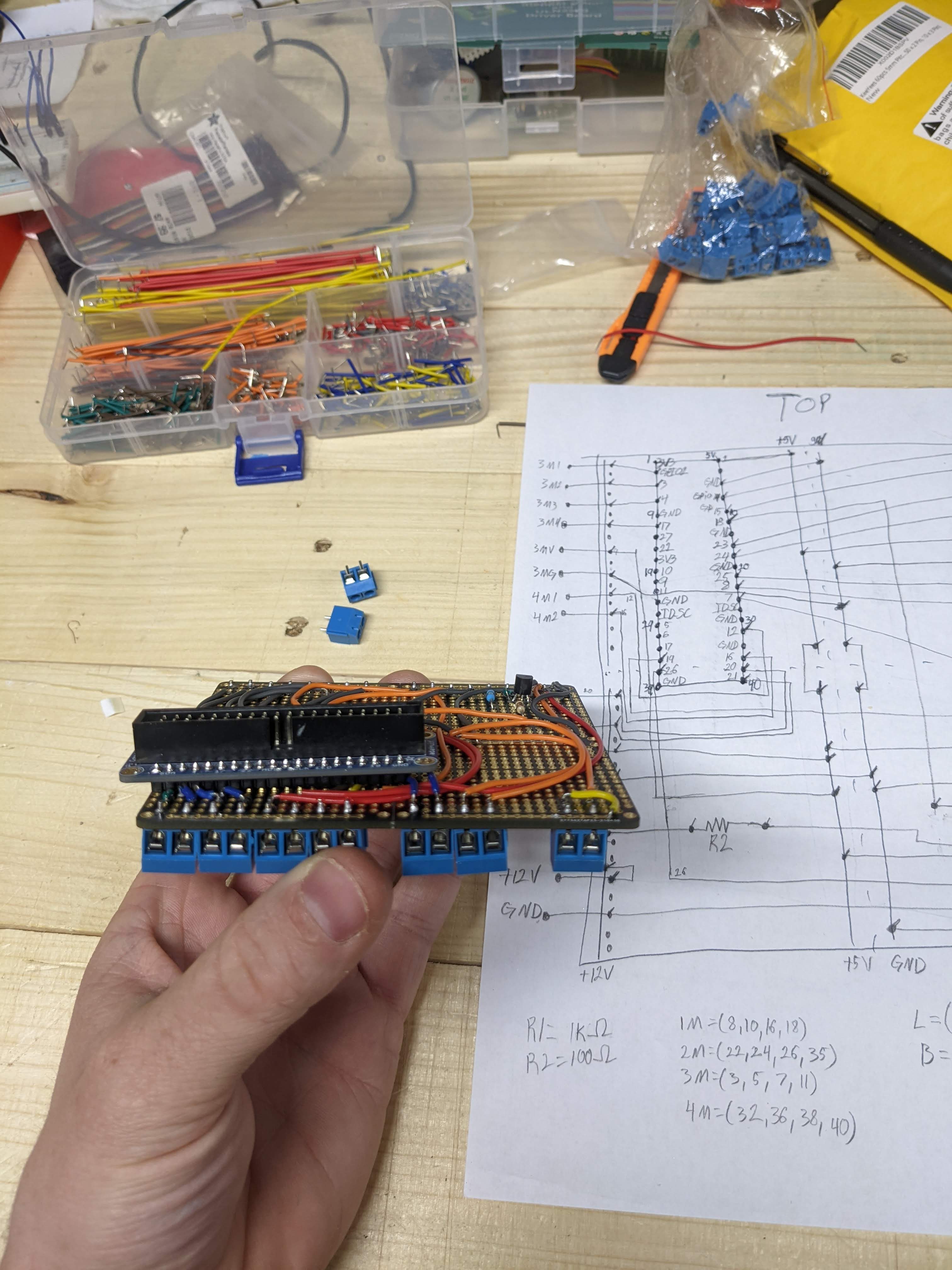
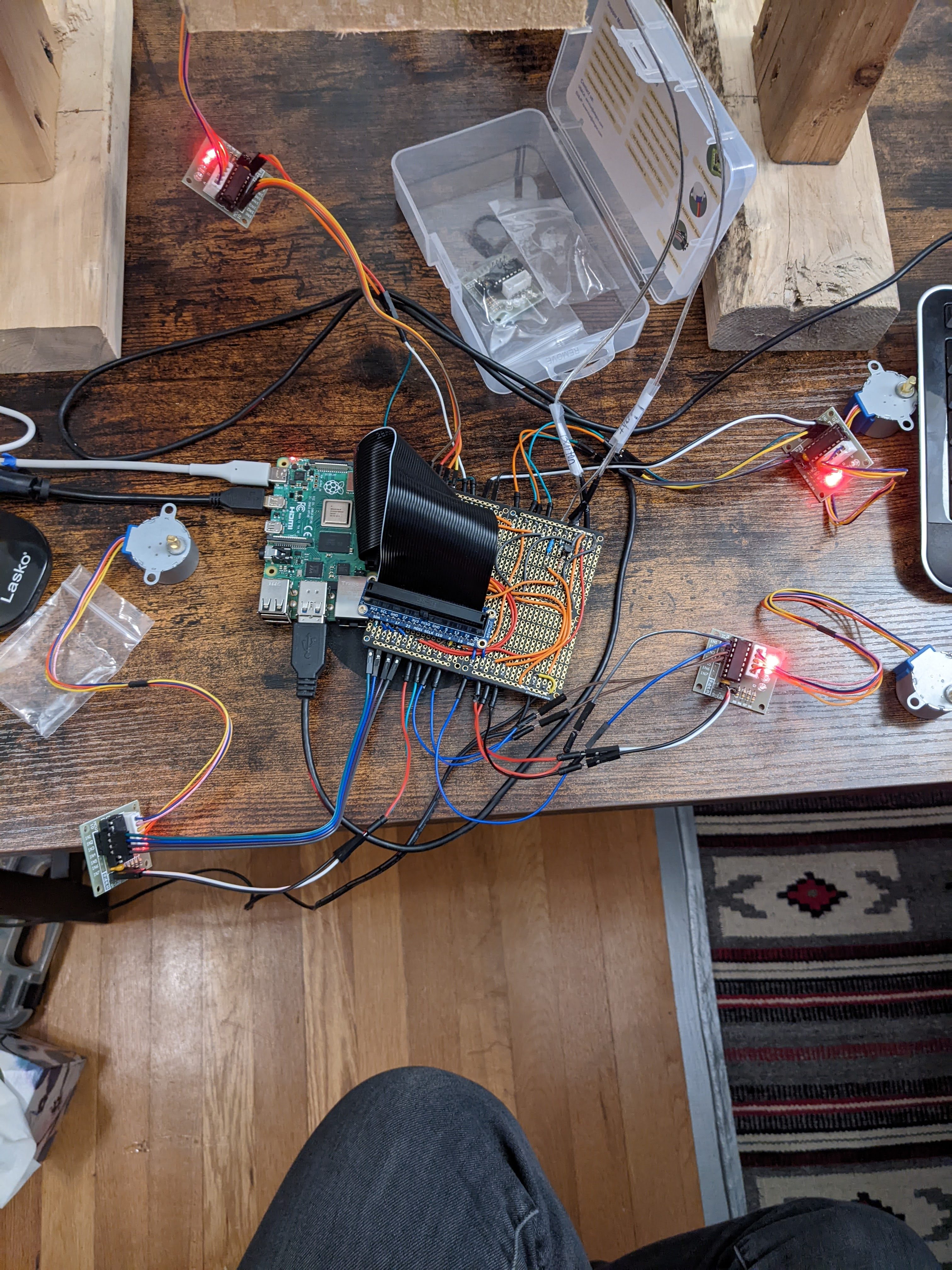
<p>This time around, I have multiple microcontrollers connected to the main Raspberry Pi via USB. This is actually one of things I’m proudest of on this new build! The hopper/dropper combo has it’s own little programming language that is sent over a serial connection from the main controller. The hopper microcontroller can parse the command, and perform all the actions necessary.</p>

<h3 id="the-hopperdropper-controller">The Hopper/Dropper Controller</h3>

<p>Where the main game controller is written in Python and runs on a Raspberry Pi, this module is powered by an ESP32 and written in C++. The setup function empties the dropper and tares the scale, and the main loop listens for messages coming through the serial bus and responds accordingly. The game controller can then send a few basic commands:</p>

<ol>
  <li>Prep <code class="language-plaintext highlighter-rouge">x</code> grams of candy, or</li>
  <li>Dispense what is currently prepped</li>
</ol>

<p>The module also supports some debugging commands like:</p>

<ol>
  <li>Tare the scale</li>
  <li>Unclog the hopper</li>
  <li>Get current weight</li>
  <li>Set scale for voltage divider measurement, or</li>
  <li>Run custom hopper command</li>
</ol>

<p>#5 is particularly useful for fine-tuning how fast or slowly the hopper spins its turntable. I’m able to connect to the controller directly from my laptop and send hopper commands with different stepper speeds, microsteps, pauses, direction changes, etc. Then, I can observe as I work to the particular movements just right.</p>

<h3 id="led-controller">LED controller</h3>

<p>This one is also on an ESP32, but instead of programming it directly, I used <a href="https://esphome.io/">ESPHome</a> (which is a game-changer for the smart home, btw) to quickly configure some scenes with my string LEDs on the front of the machine.</p>

<p>The game controller sends commands to this module to sync the lights with the game sounds and player actions.</p>

<h3 id="final-thoughts">Final Thoughts</h3>

<p>As we get the machine ready for its fourth Halloween, I’m proud of how far it has come in that time! I look forward to seeing how excited all the neighborhood kids are when the candy drops magically into their buckets, and I’m excited for getting to make even more modifications next year!</p>

<h2 id="resources">Resources</h2>

<ul>
  <li><a href="https://github.com/cnorick/halloween_dispenser_public">Code on Github</a></li>
  <li><a href="https://www.youtube.com/watch?v=NNeSOPg2tVk">Brankly’s video that inspired me</a></li>
  <li><a href="https://docs.google.com/spreadsheets/d/1Q2SJouzUs1yUfimDHbYZHr0RAJ5kKu-y-w4hNrqS_fI/edit?usp=sharing">Candy Prices Spreadsheet</a></li>
</ul>

<link rel="stylesheet" href="/assets/css/gallery.css" />

<h2 id="gallery">Gallery</h2>
<div class="gallery">
  
    <div class="picture-container " data-ignore-click="true" data-full-source="/updated-halloween-candy-machine/gallery/0005.jpg">
  <a href="https://nathanorick.com/updated-halloween-candy-machine/gallery/0005.jpg">
  <picture>
    <source srcset="/assets/img/optimized/_posts/updated-halloween-candy-machine/gallery/0005-250-6fd76169a.webp 1.0x" type="image/webp" />
    <source srcset="/assets/img/optimized/_posts/updated-halloween-candy-machine/gallery/0005-250-a896d39aa.jpg 1.0x" type="image/jpeg" />
    <img loading="lazy" src="/assets/img/optimized/_posts/updated-halloween-candy-machine/gallery/0005-250-a896d39aa.jpg" />
  </picture>
</a>


</div>
    
  
    <div class="picture-container " data-ignore-click="true" data-full-source="/updated-halloween-candy-machine/gallery/0006.jpg">
  <a href="https://nathanorick.com/updated-halloween-candy-machine/gallery/0006.jpg">
  <picture>
    <source srcset="/assets/img/optimized/_posts/updated-halloween-candy-machine/gallery/0006-250-2091e7501.webp 1.0x" type="image/webp" />
    <source srcset="/assets/img/optimized/_posts/updated-halloween-candy-machine/gallery/0006-250-4b3c67baf.jpg 1.0x" type="image/jpeg" />
    <img loading="lazy" src="/assets/img/optimized/_posts/updated-halloween-candy-machine/gallery/0006-250-4b3c67baf.jpg" />
  </picture>
</a>


</div>
    
  
    <div class="picture-container gif-container" data-ignore-click="true" data-full-source="/updated-halloween-candy-machine/gallery/0007.gif">
  <a href="https://nathanorick.com/updated-halloween-candy-machine/gallery/0007.gif">
  <picture>
    <source srcset="/assets/img/optimized/_posts/updated-halloween-candy-machine/gallery/0007-250-ec8895b4b.webp 1.0x" type="image/webp" />
    <source srcset="/assets/img/optimized/_posts/updated-halloween-candy-machine/gallery/0007-250-248103dc2.gif 1.0x" type="image/gif" />
    <img loading="lazy" src="/assets/img/optimized/_posts/updated-halloween-candy-machine/gallery/0007-250-248103dc2.gif" />
  </picture>
</a>


  <button class="play-button">
    <img src="/assets/img/play-icon.svg" />
  </button>
  
</div>
    
  
    <div class="picture-container " data-ignore-click="true" data-full-source="/updated-halloween-candy-machine/gallery/0007.jpg">
  <a href="https://nathanorick.com/updated-halloween-candy-machine/gallery/0007.jpg">
  <picture>
    <source srcset="/assets/img/optimized/_posts/updated-halloween-candy-machine/gallery/0007-250-27d734153.webp 1.0x" type="image/webp" />
    <source srcset="/assets/img/optimized/_posts/updated-halloween-candy-machine/gallery/0007-250-5a492eef5.jpg 1.0x" type="image/jpeg" />
    <img loading="lazy" src="/assets/img/optimized/_posts/updated-halloween-candy-machine/gallery/0007-250-5a492eef5.jpg" />
  </picture>
</a>


</div>
    
  
    <div class="picture-container gif-container" data-ignore-click="true" data-full-source="/updated-halloween-candy-machine/gallery/0008.gif">
  <a href="https://nathanorick.com/updated-halloween-candy-machine/gallery/0008.gif">
  <picture>
    <source srcset="/assets/img/optimized/_posts/updated-halloween-candy-machine/gallery/0008-250-82996769c.webp 1.0x" type="image/webp" />
    <source srcset="/assets/img/optimized/_posts/updated-halloween-candy-machine/gallery/0008-250-f32f4bf76.gif 1.0x" type="image/gif" />
    <img loading="lazy" src="/assets/img/optimized/_posts/updated-halloween-candy-machine/gallery/0008-250-f32f4bf76.gif" />
  </picture>
</a>


  <button class="play-button">
    <img src="/assets/img/play-icon.svg" />
  </button>
  
</div>
    
  
    <div class="picture-container " data-ignore-click="true" data-full-source="/updated-halloween-candy-machine/gallery/0008.jpg">
  <a href="https://nathanorick.com/updated-halloween-candy-machine/gallery/0008.jpg">
  <picture>
    <source srcset="/assets/img/optimized/_posts/updated-halloween-candy-machine/gallery/0008-250-2365e09f3.webp 1.0x" type="image/webp" />
    <source srcset="/assets/img/optimized/_posts/updated-halloween-candy-machine/gallery/0008-250-52eeb02f8.jpg 1.0x" type="image/jpeg" />
    <img loading="lazy" src="/assets/img/optimized/_posts/updated-halloween-candy-machine/gallery/0008-250-52eeb02f8.jpg" />
  </picture>
</a>


</div>
    
  
    <div class="picture-container gif-container" data-ignore-click="true" data-full-source="/updated-halloween-candy-machine/gallery/0009.gif">
  <a href="https://nathanorick.com/updated-halloween-candy-machine/gallery/0009.gif">
  <picture>
    <source srcset="/assets/img/optimized/_posts/updated-halloween-candy-machine/gallery/0009-250-bc91b0dd4.webp 1.0x" type="image/webp" />
    <source srcset="/assets/img/optimized/_posts/updated-halloween-candy-machine/gallery/0009-250-e026b6562.gif 1.0x" type="image/gif" />
    <img loading="lazy" src="/assets/img/optimized/_posts/updated-halloween-candy-machine/gallery/0009-250-e026b6562.gif" />
  </picture>
</a>


  <button class="play-button">
    <img src="/assets/img/play-icon.svg" />
  </button>
  
</div>
    
  
    <div class="picture-container " data-ignore-click="true" data-full-source="/updated-halloween-candy-machine/gallery/0009.jpg">
  <a href="https://nathanorick.com/updated-halloween-candy-machine/gallery/0009.jpg">
  <picture>
    <source srcset="/assets/img/optimized/_posts/updated-halloween-candy-machine/gallery/0009-250-e7f747088.webp 1.0x" type="image/webp" />
    <source srcset="/assets/img/optimized/_posts/updated-halloween-candy-machine/gallery/0009-250-27bddba4d.jpg 1.0x" type="image/jpeg" />
    <img loading="lazy" src="/assets/img/optimized/_posts/updated-halloween-candy-machine/gallery/0009-250-27bddba4d.jpg" />
  </picture>
</a>


</div>
    
  
    <div class="picture-container gif-container" data-ignore-click="true" data-full-source="/updated-halloween-candy-machine/gallery/0010.gif">
  <a href="https://nathanorick.com/updated-halloween-candy-machine/gallery/0010.gif">
  <picture>
    <source srcset="/assets/img/optimized/_posts/updated-halloween-candy-machine/gallery/0010-250-67212834f.webp 1.0x" type="image/webp" />
    <source srcset="/assets/img/optimized/_posts/updated-halloween-candy-machine/gallery/0010-250-e42be0085.gif 1.0x" type="image/gif" />
    <img loading="lazy" src="/assets/img/optimized/_posts/updated-halloween-candy-machine/gallery/0010-250-e42be0085.gif" />
  </picture>
</a>


  <button class="play-button">
    <img src="/assets/img/play-icon.svg" />
  </button>
  
</div>
    
  
    <div class="picture-container " data-ignore-click="true" data-full-source="/updated-halloween-candy-machine/gallery/0010.jpg">
  <a href="https://nathanorick.com/updated-halloween-candy-machine/gallery/0010.jpg">
  <picture>
    <source srcset="/assets/img/optimized/_posts/updated-halloween-candy-machine/gallery/0010-250-0beea6b90.webp 1.0x" type="image/webp" />
    <source srcset="/assets/img/optimized/_posts/updated-halloween-candy-machine/gallery/0010-250-955f2eab2.jpg 1.0x" type="image/jpeg" />
    <img loading="lazy" src="/assets/img/optimized/_posts/updated-halloween-candy-machine/gallery/0010-250-955f2eab2.jpg" />
  </picture>
</a>


</div>
    
  
    <div class="picture-container gif-container" data-ignore-click="true" data-full-source="/updated-halloween-candy-machine/gallery/0011.gif">
  <a href="https://nathanorick.com/updated-halloween-candy-machine/gallery/0011.gif">
  <picture>
    <source srcset="/assets/img/optimized/_posts/updated-halloween-candy-machine/gallery/0011-250-98b089cee.webp 1.0x" type="image/webp" />
    <source srcset="/assets/img/optimized/_posts/updated-halloween-candy-machine/gallery/0011-250-72ef3ccc4.gif 1.0x" type="image/gif" />
    <img loading="lazy" src="/assets/img/optimized/_posts/updated-halloween-candy-machine/gallery/0011-250-72ef3ccc4.gif" />
  </picture>
</a>


  <button class="play-button">
    <img src="/assets/img/play-icon.svg" />
  </button>
  
</div>
    
  
    <div class="picture-container " data-ignore-click="true" data-full-source="/updated-halloween-candy-machine/gallery/0011.jpg">
  <a href="https://nathanorick.com/updated-halloween-candy-machine/gallery/0011.jpg">
  <picture>
    <source srcset="/assets/img/optimized/_posts/updated-halloween-candy-machine/gallery/0011-250-4b47e9752.webp 1.0x" type="image/webp" />
    <source srcset="/assets/img/optimized/_posts/updated-halloween-candy-machine/gallery/0011-250-98c726ad8.jpg 1.0x" type="image/jpeg" />
    <img loading="lazy" src="/assets/img/optimized/_posts/updated-halloween-candy-machine/gallery/0011-250-98c726ad8.jpg" />
  </picture>
</a>


</div>
    
  
    <div class="picture-container gif-container" data-ignore-click="true" data-full-source="/updated-halloween-candy-machine/gallery/0012.gif">
  <a href="https://nathanorick.com/updated-halloween-candy-machine/gallery/0012.gif">
  <picture>
    <source srcset="/assets/img/optimized/_posts/updated-halloween-candy-machine/gallery/0012-250-37bc17e74.webp 1.0x" type="image/webp" />
    <source srcset="/assets/img/optimized/_posts/updated-halloween-candy-machine/gallery/0012-250-d1953f5b1.gif 1.0x" type="image/gif" />
    <img loading="lazy" src="/assets/img/optimized/_posts/updated-halloween-candy-machine/gallery/0012-250-d1953f5b1.gif" />
  </picture>
</a>


  <button class="play-button">
    <img src="/assets/img/play-icon.svg" />
  </button>
  
</div>
    
  
    <div class="picture-container " data-ignore-click="true" data-full-source="/updated-halloween-candy-machine/gallery/0012.jpg">
  <a href="https://nathanorick.com/updated-halloween-candy-machine/gallery/0012.jpg">
  <picture>
    <source srcset="/assets/img/optimized/_posts/updated-halloween-candy-machine/gallery/0012-250-6c4e3a2e1.webp 1.0x" type="image/webp" />
    <source srcset="/assets/img/optimized/_posts/updated-halloween-candy-machine/gallery/0012-250-fd70a59ca.jpg 1.0x" type="image/jpeg" />
    <img loading="lazy" src="/assets/img/optimized/_posts/updated-halloween-candy-machine/gallery/0012-250-fd70a59ca.jpg" />
  </picture>
</a>


</div>
    
  
    <div class="picture-container " data-ignore-click="true" data-full-source="/updated-halloween-candy-machine/gallery/0013.jpg">
  <a href="https://nathanorick.com/updated-halloween-candy-machine/gallery/0013.jpg">
  <picture>
    <source srcset="/assets/img/optimized/_posts/updated-halloween-candy-machine/gallery/0013-250-6bbca77df.webp 1.0x" type="image/webp" />
    <source srcset="/assets/img/optimized/_posts/updated-halloween-candy-machine/gallery/0013-250-805042159.jpg 1.0x" type="image/jpeg" />
    <img loading="lazy" src="/assets/img/optimized/_posts/updated-halloween-candy-machine/gallery/0013-250-805042159.jpg" />
  </picture>
</a>


</div>
    
  
    <div class="picture-container " data-ignore-click="true" data-full-source="/updated-halloween-candy-machine/gallery/0014.jpg">
  <a href="https://nathanorick.com/updated-halloween-candy-machine/gallery/0014.jpg">
  <picture>
    <source srcset="/assets/img/optimized/_posts/updated-halloween-candy-machine/gallery/0014-250-dbf63edfb.webp 1.0x" type="image/webp" />
    <source srcset="/assets/img/optimized/_posts/updated-halloween-candy-machine/gallery/0014-250-827490209.jpg 1.0x" type="image/jpeg" />
    <img loading="lazy" src="/assets/img/optimized/_posts/updated-halloween-candy-machine/gallery/0014-250-827490209.jpg" />
  </picture>
</a>


</div>
    
  
    <div class="picture-container " data-ignore-click="true" data-full-source="/updated-halloween-candy-machine/gallery/0015.jpg">
  <a href="https://nathanorick.com/updated-halloween-candy-machine/gallery/0015.jpg">
  <picture>
    <source srcset="/assets/img/optimized/_posts/updated-halloween-candy-machine/gallery/0015-250-6db7efd6c.webp 1.0x" type="image/webp" />
    <source srcset="/assets/img/optimized/_posts/updated-halloween-candy-machine/gallery/0015-250-31bced78f.jpg 1.0x" type="image/jpeg" />
    <img loading="lazy" src="/assets/img/optimized/_posts/updated-halloween-candy-machine/gallery/0015-250-31bced78f.jpg" />
  </picture>
</a>


</div>
    
  
    <div class="picture-container " data-ignore-click="true" data-full-source="/updated-halloween-candy-machine/gallery/0016.jpg">
  <a href="https://nathanorick.com/updated-halloween-candy-machine/gallery/0016.jpg">
  <picture>
    <source srcset="/assets/img/optimized/_posts/updated-halloween-candy-machine/gallery/0016-250-f9f3370f1.webp 1.0x" type="image/webp" />
    <source srcset="/assets/img/optimized/_posts/updated-halloween-candy-machine/gallery/0016-250-c90aa2585.jpg 1.0x" type="image/jpeg" />
    <img loading="lazy" src="/assets/img/optimized/_posts/updated-halloween-candy-machine/gallery/0016-250-c90aa2585.jpg" />
  </picture>
</a>


</div>
    
  
    <div class="picture-container " data-ignore-click="true" data-full-source="/updated-halloween-candy-machine/gallery/0017.jpg">
  <a href="https://nathanorick.com/updated-halloween-candy-machine/gallery/0017.jpg">
  <picture>
    <source srcset="/assets/img/optimized/_posts/updated-halloween-candy-machine/gallery/0017-250-2b20e9a1e.webp 1.0x" type="image/webp" />
    <source srcset="/assets/img/optimized/_posts/updated-halloween-candy-machine/gallery/0017-250-2fb8b70fa.jpg 1.0x" type="image/jpeg" />
    <img loading="lazy" src="/assets/img/optimized/_posts/updated-halloween-candy-machine/gallery/0017-250-2fb8b70fa.jpg" />
  </picture>
</a>


</div>
    
  
    <div class="picture-container " data-ignore-click="true" data-full-source="/updated-halloween-candy-machine/gallery/0018.jpg">
  <a href="https://nathanorick.com/updated-halloween-candy-machine/gallery/0018.jpg">
  <picture>
    <source srcset="/assets/img/optimized/_posts/updated-halloween-candy-machine/gallery/0018-250-ae355b8b3.webp 1.0x" type="image/webp" />
    <source srcset="/assets/img/optimized/_posts/updated-halloween-candy-machine/gallery/0018-250-d2cb41655.jpg 1.0x" type="image/jpeg" />
    <img loading="lazy" src="/assets/img/optimized/_posts/updated-halloween-candy-machine/gallery/0018-250-d2cb41655.jpg" />
  </picture>
</a>


</div>
    
  
    <div class="picture-container " data-ignore-click="true" data-full-source="/updated-halloween-candy-machine/gallery/0019.jpg">
  <a href="https://nathanorick.com/updated-halloween-candy-machine/gallery/0019.jpg">
  <picture>
    <source srcset="/assets/img/optimized/_posts/updated-halloween-candy-machine/gallery/0019-250-fd11b8ab0.webp 1.0x" type="image/webp" />
    <source srcset="/assets/img/optimized/_posts/updated-halloween-candy-machine/gallery/0019-250-0a9c90255.jpg 1.0x" type="image/jpeg" />
    <img loading="lazy" src="/assets/img/optimized/_posts/updated-halloween-candy-machine/gallery/0019-250-0a9c90255.jpg" />
  </picture>
</a>


</div>
    
  
    <div class="picture-container " data-ignore-click="true" data-full-source="/updated-halloween-candy-machine/gallery/0020.jpg">
  <a href="https://nathanorick.com/updated-halloween-candy-machine/gallery/0020.jpg">
  <picture>
    <source srcset="/assets/img/optimized/_posts/updated-halloween-candy-machine/gallery/0020-250-0909ab793.webp 1.0x" type="image/webp" />
    <source srcset="/assets/img/optimized/_posts/updated-halloween-candy-machine/gallery/0020-250-1d65241b3.jpg 1.0x" type="image/jpeg" />
    <img loading="lazy" src="/assets/img/optimized/_posts/updated-halloween-candy-machine/gallery/0020-250-1d65241b3.jpg" />
  </picture>
</a>


</div>
    
  
    <div class="picture-container " data-ignore-click="true" data-full-source="/updated-halloween-candy-machine/gallery/0023.jpg">
  <a href="https://nathanorick.com/updated-halloween-candy-machine/gallery/0023.jpg">
  <picture>
    <source srcset="/assets/img/optimized/_posts/updated-halloween-candy-machine/gallery/0023-250-25aaf321e.webp 1.0x" type="image/webp" />
    <source srcset="/assets/img/optimized/_posts/updated-halloween-candy-machine/gallery/0023-250-36b46e50c.jpg 1.0x" type="image/jpeg" />
    <img loading="lazy" src="/assets/img/optimized/_posts/updated-halloween-candy-machine/gallery/0023-250-36b46e50c.jpg" />
  </picture>
</a>


</div>
    
  
    <div class="picture-container " data-ignore-click="true" data-full-source="/updated-halloween-candy-machine/gallery/0024.jpg">
  <a href="https://nathanorick.com/updated-halloween-candy-machine/gallery/0024.jpg">
  <picture>
    <source srcset="/assets/img/optimized/_posts/updated-halloween-candy-machine/gallery/0024-250-2b4bfb78c.webp 1.0x" type="image/webp" />
    <source srcset="/assets/img/optimized/_posts/updated-halloween-candy-machine/gallery/0024-250-ae649ebea.jpg 1.0x" type="image/jpeg" />
    <img loading="lazy" src="/assets/img/optimized/_posts/updated-halloween-candy-machine/gallery/0024-250-ae649ebea.jpg" />
  </picture>
</a>


</div>
    
  
    <div class="picture-container " data-ignore-click="true" data-full-source="/updated-halloween-candy-machine/gallery/0025.jpg">
  <a href="https://nathanorick.com/updated-halloween-candy-machine/gallery/0025.jpg">
  <picture>
    <source srcset="/assets/img/optimized/_posts/updated-halloween-candy-machine/gallery/0025-250-3a83930af.webp 1.0x" type="image/webp" />
    <source srcset="/assets/img/optimized/_posts/updated-halloween-candy-machine/gallery/0025-250-aea628e7d.jpg 1.0x" type="image/jpeg" />
    <img loading="lazy" src="/assets/img/optimized/_posts/updated-halloween-candy-machine/gallery/0025-250-aea628e7d.jpg" />
  </picture>
</a>


</div>
    
  
    <div class="picture-container " data-ignore-click="true" data-full-source="/updated-halloween-candy-machine/gallery/0026.jpg">
  <a href="https://nathanorick.com/updated-halloween-candy-machine/gallery/0026.jpg">
  <picture>
    <source srcset="/assets/img/optimized/_posts/updated-halloween-candy-machine/gallery/0026-250-0116cb75a.webp 1.0x" type="image/webp" />
    <source srcset="/assets/img/optimized/_posts/updated-halloween-candy-machine/gallery/0026-250-d6b7231bc.jpg 1.0x" type="image/jpeg" />
    <img loading="lazy" src="/assets/img/optimized/_posts/updated-halloween-candy-machine/gallery/0026-250-d6b7231bc.jpg" />
  </picture>
</a>


</div>
    
  
    <div class="picture-container " data-ignore-click="true" data-full-source="/updated-halloween-candy-machine/gallery/0027.jpg">
  <a href="https://nathanorick.com/updated-halloween-candy-machine/gallery/0027.jpg">
  <picture>
    <source srcset="/assets/img/optimized/_posts/updated-halloween-candy-machine/gallery/0027-250-04f02bed2.webp 1.0x" type="image/webp" />
    <source srcset="/assets/img/optimized/_posts/updated-halloween-candy-machine/gallery/0027-250-2778ae0ee.jpg 1.0x" type="image/jpeg" />
    <img loading="lazy" src="/assets/img/optimized/_posts/updated-halloween-candy-machine/gallery/0027-250-2778ae0ee.jpg" />
  </picture>
</a>


</div>
    
  
    <div class="picture-container " data-ignore-click="true" data-full-source="/updated-halloween-candy-machine/gallery/0029.jpg">
  <a href="https://nathanorick.com/updated-halloween-candy-machine/gallery/0029.jpg">
  <picture>
    <source srcset="/assets/img/optimized/_posts/updated-halloween-candy-machine/gallery/0029-250-41fbd8ec0.webp 1.0x" type="image/webp" />
    <source srcset="/assets/img/optimized/_posts/updated-halloween-candy-machine/gallery/0029-250-f55719c56.jpg 1.0x" type="image/jpeg" />
    <img loading="lazy" src="/assets/img/optimized/_posts/updated-halloween-candy-machine/gallery/0029-250-f55719c56.jpg" />
  </picture>
</a>


</div>
    
  
    <div class="picture-container " data-ignore-click="true" data-full-source="/updated-halloween-candy-machine/gallery/0030.jpg">
  <a href="https://nathanorick.com/updated-halloween-candy-machine/gallery/0030.jpg">
  <picture>
    <source srcset="/assets/img/optimized/_posts/updated-halloween-candy-machine/gallery/0030-250-fe9e6088d.webp 1.0x" type="image/webp" />
    <source srcset="/assets/img/optimized/_posts/updated-halloween-candy-machine/gallery/0030-250-259d8f48d.jpg 1.0x" type="image/jpeg" />
    <img loading="lazy" src="/assets/img/optimized/_posts/updated-halloween-candy-machine/gallery/0030-250-259d8f48d.jpg" />
  </picture>
</a>


</div>
    
  
    <div class="picture-container " data-ignore-click="true" data-full-source="/updated-halloween-candy-machine/gallery/0031.jpg">
  <a href="https://nathanorick.com/updated-halloween-candy-machine/gallery/0031.jpg">
  <picture>
    <source srcset="/assets/img/optimized/_posts/updated-halloween-candy-machine/gallery/0031-250-0935fbc56.webp 1.0x" type="image/webp" />
    <source srcset="/assets/img/optimized/_posts/updated-halloween-candy-machine/gallery/0031-250-cd67aa3c8.jpg 1.0x" type="image/jpeg" />
    <img loading="lazy" src="/assets/img/optimized/_posts/updated-halloween-candy-machine/gallery/0031-250-cd67aa3c8.jpg" />
  </picture>
</a>


</div>
    
  
    <div class="picture-container " data-ignore-click="true" data-full-source="/updated-halloween-candy-machine/gallery/0032.jpg">
  <a href="https://nathanorick.com/updated-halloween-candy-machine/gallery/0032.jpg">
  <picture>
    <source srcset="/assets/img/optimized/_posts/updated-halloween-candy-machine/gallery/0032-250-1e533e570.webp 1.0x" type="image/webp" />
    <source srcset="/assets/img/optimized/_posts/updated-halloween-candy-machine/gallery/0032-250-6c5db21f0.jpg 1.0x" type="image/jpeg" />
    <img loading="lazy" src="/assets/img/optimized/_posts/updated-halloween-candy-machine/gallery/0032-250-6c5db21f0.jpg" />
  </picture>
</a>


</div>
    
  
    <div class="picture-container " data-ignore-click="true" data-full-source="/updated-halloween-candy-machine/gallery/0034.jpg">
  <a href="https://nathanorick.com/updated-halloween-candy-machine/gallery/0034.jpg">
  <picture>
    <source srcset="/assets/img/optimized/_posts/updated-halloween-candy-machine/gallery/0034-250-8caf271f6.webp 1.0x" type="image/webp" />
    <source srcset="/assets/img/optimized/_posts/updated-halloween-candy-machine/gallery/0034-250-115a7d481.jpg 1.0x" type="image/jpeg" />
    <img loading="lazy" src="/assets/img/optimized/_posts/updated-halloween-candy-machine/gallery/0034-250-115a7d481.jpg" />
  </picture>
</a>


</div>
    
  
    <div class="picture-container " data-ignore-click="true" data-full-source="/updated-halloween-candy-machine/gallery/0035.jpg">
  <a href="https://nathanorick.com/updated-halloween-candy-machine/gallery/0035.jpg">
  <picture>
    <source srcset="/assets/img/optimized/_posts/updated-halloween-candy-machine/gallery/0035-250-2965bafed.webp 1.0x" type="image/webp" />
    <source srcset="/assets/img/optimized/_posts/updated-halloween-candy-machine/gallery/0035-250-eb8c84812.jpg 1.0x" type="image/jpeg" />
    <img loading="lazy" src="/assets/img/optimized/_posts/updated-halloween-candy-machine/gallery/0035-250-eb8c84812.jpg" />
  </picture>
</a>


</div>
    
  
    <div class="picture-container " data-ignore-click="true" data-full-source="/updated-halloween-candy-machine/gallery/0036.jpg">
  <a href="https://nathanorick.com/updated-halloween-candy-machine/gallery/0036.jpg">
  <picture>
    <source srcset="/assets/img/optimized/_posts/updated-halloween-candy-machine/gallery/0036-250-ce8d215d0.webp 1.0x" type="image/webp" />
    <source srcset="/assets/img/optimized/_posts/updated-halloween-candy-machine/gallery/0036-250-2f98d644f.jpg 1.0x" type="image/jpeg" />
    <img loading="lazy" src="/assets/img/optimized/_posts/updated-halloween-candy-machine/gallery/0036-250-2f98d644f.jpg" />
  </picture>
</a>


</div>
    
  
    <div class="picture-container " data-ignore-click="true" data-full-source="/updated-halloween-candy-machine/gallery/0037.jpg">
  <a href="https://nathanorick.com/updated-halloween-candy-machine/gallery/0037.jpg">
  <picture>
    <source srcset="/assets/img/optimized/_posts/updated-halloween-candy-machine/gallery/0037-250-8f6667dfa.webp 1.0x" type="image/webp" />
    <source srcset="/assets/img/optimized/_posts/updated-halloween-candy-machine/gallery/0037-250-3fc175abd.jpg 1.0x" type="image/jpeg" />
    <img loading="lazy" src="/assets/img/optimized/_posts/updated-halloween-candy-machine/gallery/0037-250-3fc175abd.jpg" />
  </picture>
</a>


</div>
    
  
    <div class="picture-container " data-ignore-click="true" data-full-source="/updated-halloween-candy-machine/gallery/38.JPG">
  <a href="https://nathanorick.com/updated-halloween-candy-machine/gallery/38.JPG">
  <picture>
    <source srcset="/assets/img/optimized/_posts/updated-halloween-candy-machine/gallery/38-250-423436fa3.webp 1.0x" type="image/webp" />
    <source srcset="/assets/img/optimized/_posts/updated-halloween-candy-machine/gallery/38-250-87b6e2b0c.jpg 1.0x" type="image/jpeg" />
    <img loading="lazy" src="/assets/img/optimized/_posts/updated-halloween-candy-machine/gallery/38-250-87b6e2b0c.jpg" />
  </picture>
</a>


</div>
    
  
    <div class="picture-container " data-ignore-click="true" data-full-source="/updated-halloween-candy-machine/gallery/39.jpg">
  <a href="https://nathanorick.com/updated-halloween-candy-machine/gallery/39.jpg">
  <picture>
    <source srcset="/assets/img/optimized/_posts/updated-halloween-candy-machine/gallery/39-250-8e2f2fd83.webp 1.0x" type="image/webp" />
    <source srcset="/assets/img/optimized/_posts/updated-halloween-candy-machine/gallery/39-250-553a65b36.jpg 1.0x" type="image/jpeg" />
    <img loading="lazy" src="/assets/img/optimized/_posts/updated-halloween-candy-machine/gallery/39-250-553a65b36.jpg" />
  </picture>
</a>


</div>
    
  
    <div class="picture-container " data-ignore-click="true" data-full-source="/updated-halloween-candy-machine/gallery/40.jpg">
  <a href="https://nathanorick.com/updated-halloween-candy-machine/gallery/40.jpg">
  <picture>
    <source srcset="/assets/img/optimized/_posts/updated-halloween-candy-machine/gallery/40-250-b2714484a.webp 1.0x" type="image/webp" />
    <source srcset="/assets/img/optimized/_posts/updated-halloween-candy-machine/gallery/40-250-50a1c1651.jpg 1.0x" type="image/jpeg" />
    <img loading="lazy" src="/assets/img/optimized/_posts/updated-halloween-candy-machine/gallery/40-250-50a1c1651.jpg" />
  </picture>
</a>


</div>
    
  
    <div class="picture-container " data-ignore-click="true" data-full-source="/updated-halloween-candy-machine/gallery/41.jpg">
  <a href="https://nathanorick.com/updated-halloween-candy-machine/gallery/41.jpg">
  <picture>
    <source srcset="/assets/img/optimized/_posts/updated-halloween-candy-machine/gallery/41-250-d586bed34.webp 1.0x" type="image/webp" />
    <source srcset="/assets/img/optimized/_posts/updated-halloween-candy-machine/gallery/41-250-c2959b0dc.jpg 1.0x" type="image/jpeg" />
    <img loading="lazy" src="/assets/img/optimized/_posts/updated-halloween-candy-machine/gallery/41-250-c2959b0dc.jpg" />
  </picture>
</a>


</div>
    
  
    <div class="picture-container " data-ignore-click="true" data-full-source="/updated-halloween-candy-machine/gallery/42.jpg">
  <a href="https://nathanorick.com/updated-halloween-candy-machine/gallery/42.jpg">
  <picture>
    <source srcset="/assets/img/optimized/_posts/updated-halloween-candy-machine/gallery/42-250-e8e5f91d3.webp 1.0x" type="image/webp" />
    <source srcset="/assets/img/optimized/_posts/updated-halloween-candy-machine/gallery/42-250-cb2be4949.jpg 1.0x" type="image/jpeg" />
    <img loading="lazy" src="/assets/img/optimized/_posts/updated-halloween-candy-machine/gallery/42-250-cb2be4949.jpg" />
  </picture>
</a>


</div>
    
  
    <div class="picture-container " data-ignore-click="true" data-full-source="/updated-halloween-candy-machine/gallery/43.jpg">
  <a href="https://nathanorick.com/updated-halloween-candy-machine/gallery/43.jpg">
  <picture>
    <source srcset="/assets/img/optimized/_posts/updated-halloween-candy-machine/gallery/43-250-0040f9588.webp 1.0x" type="image/webp" />
    <source srcset="/assets/img/optimized/_posts/updated-halloween-candy-machine/gallery/43-250-af6626ac1.jpg 1.0x" type="image/jpeg" />
    <img loading="lazy" src="/assets/img/optimized/_posts/updated-halloween-candy-machine/gallery/43-250-af6626ac1.jpg" />
  </picture>
</a>


</div>
    
  
    <div class="picture-container " data-ignore-click="true" data-full-source="/updated-halloween-candy-machine/gallery/44.jpg">
  <a href="https://nathanorick.com/updated-halloween-candy-machine/gallery/44.jpg">
  <picture>
    <source srcset="/assets/img/optimized/_posts/updated-halloween-candy-machine/gallery/44-250-30953bc79.webp 1.0x" type="image/webp" />
    <source srcset="/assets/img/optimized/_posts/updated-halloween-candy-machine/gallery/44-250-9f2294fb7.jpg 1.0x" type="image/jpeg" />
    <img loading="lazy" src="/assets/img/optimized/_posts/updated-halloween-candy-machine/gallery/44-250-9f2294fb7.jpg" />
  </picture>
</a>


</div>
    
  
    <div class="picture-container " data-ignore-click="true" data-full-source="/updated-halloween-candy-machine/gallery/45.jpg">
  <a href="https://nathanorick.com/updated-halloween-candy-machine/gallery/45.jpg">
  <picture>
    <source srcset="/assets/img/optimized/_posts/updated-halloween-candy-machine/gallery/45-250-1eaadc7cd.webp 1.0x" type="image/webp" />
    <source srcset="/assets/img/optimized/_posts/updated-halloween-candy-machine/gallery/45-250-3caba5023.jpg 1.0x" type="image/jpeg" />
    <img loading="lazy" src="/assets/img/optimized/_posts/updated-halloween-candy-machine/gallery/45-250-3caba5023.jpg" />
  </picture>
</a>


</div>
    
  
    <div class="picture-container " data-ignore-click="true" data-full-source="/updated-halloween-candy-machine/gallery/46.jpg">
  <a href="https://nathanorick.com/updated-halloween-candy-machine/gallery/46.jpg">
  <picture>
    <source srcset="/assets/img/optimized/_posts/updated-halloween-candy-machine/gallery/46-250-bc45ab5ce.webp 1.0x" type="image/webp" />
    <source srcset="/assets/img/optimized/_posts/updated-halloween-candy-machine/gallery/46-250-a9ecf30df.jpg 1.0x" type="image/jpeg" />
    <img loading="lazy" src="/assets/img/optimized/_posts/updated-halloween-candy-machine/gallery/46-250-a9ecf30df.jpg" />
  </picture>
</a>


</div>
    
  
    <div class="picture-container " data-ignore-click="true" data-full-source="/updated-halloween-candy-machine/gallery/47.jpg">
  <a href="https://nathanorick.com/updated-halloween-candy-machine/gallery/47.jpg">
  <picture>
    <source srcset="/assets/img/optimized/_posts/updated-halloween-candy-machine/gallery/47-250-01b6be971.webp 1.0x" type="image/webp" />
    <source srcset="/assets/img/optimized/_posts/updated-halloween-candy-machine/gallery/47-250-cb2eb7d0c.jpg 1.0x" type="image/jpeg" />
    <img loading="lazy" src="/assets/img/optimized/_posts/updated-halloween-candy-machine/gallery/47-250-cb2eb7d0c.jpg" />
  </picture>
</a>


</div>
    
  
    <div class="picture-container " data-ignore-click="true" data-full-source="/updated-halloween-candy-machine/gallery/48.jpg">
  <a href="https://nathanorick.com/updated-halloween-candy-machine/gallery/48.jpg">
  <picture>
    <source srcset="/assets/img/optimized/_posts/updated-halloween-candy-machine/gallery/48-250-9753ec21c.webp 1.0x" type="image/webp" />
    <source srcset="/assets/img/optimized/_posts/updated-halloween-candy-machine/gallery/48-250-ae7223134.jpg 1.0x" type="image/jpeg" />
    <img loading="lazy" src="/assets/img/optimized/_posts/updated-halloween-candy-machine/gallery/48-250-ae7223134.jpg" />
  </picture>
</a>


</div>
    
  
    <div class="picture-container " data-ignore-click="true" data-full-source="/updated-halloween-candy-machine/gallery/49.jpg">
  <a href="https://nathanorick.com/updated-halloween-candy-machine/gallery/49.jpg">
  <picture>
    <source srcset="/assets/img/optimized/_posts/updated-halloween-candy-machine/gallery/49-250-f600397fa.webp 1.0x" type="image/webp" />
    <source srcset="/assets/img/optimized/_posts/updated-halloween-candy-machine/gallery/49-250-b3b401053.jpg 1.0x" type="image/jpeg" />
    <img loading="lazy" src="/assets/img/optimized/_posts/updated-halloween-candy-machine/gallery/49-250-b3b401053.jpg" />
  </picture>
</a>


</div>
    
  
    <div class="picture-container " data-ignore-click="true" data-full-source="/updated-halloween-candy-machine/gallery/50.jpg">
  <a href="https://nathanorick.com/updated-halloween-candy-machine/gallery/50.jpg">
  <picture>
    <source srcset="/assets/img/optimized/_posts/updated-halloween-candy-machine/gallery/50-250-0e84f7627.webp 1.0x" type="image/webp" />
    <source srcset="/assets/img/optimized/_posts/updated-halloween-candy-machine/gallery/50-250-3dfd1d116.jpg 1.0x" type="image/jpeg" />
    <img loading="lazy" src="/assets/img/optimized/_posts/updated-halloween-candy-machine/gallery/50-250-3dfd1d116.jpg" />
  </picture>
</a>


</div>
    
  
    <div class="picture-container " data-ignore-click="true" data-full-source="/updated-halloween-candy-machine/gallery/51.jpg">
  <a href="https://nathanorick.com/updated-halloween-candy-machine/gallery/51.jpg">
  <picture>
    <source srcset="/assets/img/optimized/_posts/updated-halloween-candy-machine/gallery/51-250-c74fac4ba.webp 1.0x" type="image/webp" />
    <source srcset="/assets/img/optimized/_posts/updated-halloween-candy-machine/gallery/51-250-49284ffae.jpg 1.0x" type="image/jpeg" />
    <img loading="lazy" src="/assets/img/optimized/_posts/updated-halloween-candy-machine/gallery/51-250-49284ffae.jpg" />
  </picture>
</a>


</div>
    
  
    <div class="picture-container " data-ignore-click="true" data-full-source="/updated-halloween-candy-machine/gallery/52.jpg">
  <a href="https://nathanorick.com/updated-halloween-candy-machine/gallery/52.jpg">
  <picture>
    <source srcset="/assets/img/optimized/_posts/updated-halloween-candy-machine/gallery/52-250-88051dc7c.webp 1.0x" type="image/webp" />
    <source srcset="/assets/img/optimized/_posts/updated-halloween-candy-machine/gallery/52-250-9ad2b3044.jpg 1.0x" type="image/jpeg" />
    <img loading="lazy" src="/assets/img/optimized/_posts/updated-halloween-candy-machine/gallery/52-250-9ad2b3044.jpg" />
  </picture>
</a>


</div>
    
  
    <div class="picture-container " data-ignore-click="true" data-full-source="/updated-halloween-candy-machine/gallery/53.jpg">
  <a href="https://nathanorick.com/updated-halloween-candy-machine/gallery/53.jpg">
  <picture>
    <source srcset="/assets/img/optimized/_posts/updated-halloween-candy-machine/gallery/53-250-b488cc521.webp 1.0x" type="image/webp" />
    <source srcset="/assets/img/optimized/_posts/updated-halloween-candy-machine/gallery/53-250-dac401bcd.jpg 1.0x" type="image/jpeg" />
    <img loading="lazy" src="/assets/img/optimized/_posts/updated-halloween-candy-machine/gallery/53-250-dac401bcd.jpg" />
  </picture>
</a>


</div>
    
  
    <div class="picture-container " data-ignore-click="true" data-full-source="/updated-halloween-candy-machine/gallery/54.jpg">
  <a href="https://nathanorick.com/updated-halloween-candy-machine/gallery/54.jpg">
  <picture>
    <source srcset="/assets/img/optimized/_posts/updated-halloween-candy-machine/gallery/54-250-a73a2ebf4.webp 1.0x" type="image/webp" />
    <source srcset="/assets/img/optimized/_posts/updated-halloween-candy-machine/gallery/54-250-a171d5af5.jpg 1.0x" type="image/jpeg" />
    <img loading="lazy" src="/assets/img/optimized/_posts/updated-halloween-candy-machine/gallery/54-250-a171d5af5.jpg" />
  </picture>
</a>


</div>
    
  
    <div class="picture-container " data-ignore-click="true" data-full-source="/updated-halloween-candy-machine/gallery/55.jpg">
  <a href="https://nathanorick.com/updated-halloween-candy-machine/gallery/55.jpg">
  <picture>
    <source srcset="/assets/img/optimized/_posts/updated-halloween-candy-machine/gallery/55-250-ff348e599.webp 1.0x" type="image/webp" />
    <source srcset="/assets/img/optimized/_posts/updated-halloween-candy-machine/gallery/55-250-031127343.jpg 1.0x" type="image/jpeg" />
    <img loading="lazy" src="/assets/img/optimized/_posts/updated-halloween-candy-machine/gallery/55-250-031127343.jpg" />
  </picture>
</a>


</div>
    
  
    <div class="picture-container " data-ignore-click="true" data-full-source="/updated-halloween-candy-machine/gallery/56.jpg">
  <a href="https://nathanorick.com/updated-halloween-candy-machine/gallery/56.jpg">
  <picture>
    <source srcset="/assets/img/optimized/_posts/updated-halloween-candy-machine/gallery/56-250-344287768.webp 1.0x" type="image/webp" />
    <source srcset="/assets/img/optimized/_posts/updated-halloween-candy-machine/gallery/56-250-8b8dcaa91.jpg 1.0x" type="image/jpeg" />
    <img loading="lazy" src="/assets/img/optimized/_posts/updated-halloween-candy-machine/gallery/56-250-8b8dcaa91.jpg" />
  </picture>
</a>


</div>
    
  
    <div class="picture-container " data-ignore-click="true" data-full-source="/updated-halloween-candy-machine/gallery/57.jpg">
  <a href="https://nathanorick.com/updated-halloween-candy-machine/gallery/57.jpg">
  <picture>
    <source srcset="/assets/img/optimized/_posts/updated-halloween-candy-machine/gallery/57-250-aa2a0dd70.webp 1.0x" type="image/webp" />
    <source srcset="/assets/img/optimized/_posts/updated-halloween-candy-machine/gallery/57-250-147c1c119.jpg 1.0x" type="image/jpeg" />
    <img loading="lazy" src="/assets/img/optimized/_posts/updated-halloween-candy-machine/gallery/57-250-147c1c119.jpg" />
  </picture>
</a>


</div>
    
  
    <div class="picture-container " data-ignore-click="true" data-full-source="/updated-halloween-candy-machine/gallery/58.jpg">
  <a href="https://nathanorick.com/updated-halloween-candy-machine/gallery/58.jpg">
  <picture>
    <source srcset="/assets/img/optimized/_posts/updated-halloween-candy-machine/gallery/58-250-b7cd78a8b.webp 1.0x" type="image/webp" />
    <source srcset="/assets/img/optimized/_posts/updated-halloween-candy-machine/gallery/58-250-810865a5e.jpg 1.0x" type="image/jpeg" />
    <img loading="lazy" src="/assets/img/optimized/_posts/updated-halloween-candy-machine/gallery/58-250-810865a5e.jpg" />
  </picture>
</a>


</div>
    
  
    <div class="picture-container " data-ignore-click="true" data-full-source="/updated-halloween-candy-machine/gallery/59.jpg">
  <a href="https://nathanorick.com/updated-halloween-candy-machine/gallery/59.jpg">
  <picture>
    <source srcset="/assets/img/optimized/_posts/updated-halloween-candy-machine/gallery/59-250-c92dfb679.webp 1.0x" type="image/webp" />
    <source srcset="/assets/img/optimized/_posts/updated-halloween-candy-machine/gallery/59-250-6b4adf730.jpg 1.0x" type="image/jpeg" />
    <img loading="lazy" src="/assets/img/optimized/_posts/updated-halloween-candy-machine/gallery/59-250-6b4adf730.jpg" />
  </picture>
</a>


</div>
    
  
    <div class="picture-container " data-ignore-click="true" data-full-source="/updated-halloween-candy-machine/gallery/60.jpg">
  <a href="https://nathanorick.com/updated-halloween-candy-machine/gallery/60.jpg">
  <picture>
    <source srcset="/assets/img/optimized/_posts/updated-halloween-candy-machine/gallery/60-250-64fc5f5a0.webp 1.0x" type="image/webp" />
    <source srcset="/assets/img/optimized/_posts/updated-halloween-candy-machine/gallery/60-250-23ea5d6ee.jpg 1.0x" type="image/jpeg" />
    <img loading="lazy" src="/assets/img/optimized/_posts/updated-halloween-candy-machine/gallery/60-250-23ea5d6ee.jpg" />
  </picture>
</a>


</div>
    
  
    <div class="picture-container " data-ignore-click="true" data-full-source="/updated-halloween-candy-machine/gallery/61.jpg">
  <a href="https://nathanorick.com/updated-halloween-candy-machine/gallery/61.jpg">
  <picture>
    <source srcset="/assets/img/optimized/_posts/updated-halloween-candy-machine/gallery/61-250-5bdd4dce7.webp 1.0x" type="image/webp" />
    <source srcset="/assets/img/optimized/_posts/updated-halloween-candy-machine/gallery/61-250-150fca0ed.jpg 1.0x" type="image/jpeg" />
    <img loading="lazy" src="/assets/img/optimized/_posts/updated-halloween-candy-machine/gallery/61-250-150fca0ed.jpg" />
  </picture>
</a>


</div>
    
  
    <div class="picture-container " data-ignore-click="true" data-full-source="/updated-halloween-candy-machine/gallery/62.jpg">
  <a href="https://nathanorick.com/updated-halloween-candy-machine/gallery/62.jpg">
  <picture>
    <source srcset="/assets/img/optimized/_posts/updated-halloween-candy-machine/gallery/62-250-493653bd2.webp 1.0x" type="image/webp" />
    <source srcset="/assets/img/optimized/_posts/updated-halloween-candy-machine/gallery/62-250-6f049fd5b.jpg 1.0x" type="image/jpeg" />
    <img loading="lazy" src="/assets/img/optimized/_posts/updated-halloween-candy-machine/gallery/62-250-6f049fd5b.jpg" />
  </picture>
</a>


</div>
    
  
    <div class="picture-container " data-ignore-click="true" data-full-source="/updated-halloween-candy-machine/gallery/63.jpg">
  <a href="https://nathanorick.com/updated-halloween-candy-machine/gallery/63.jpg">
  <picture>
    <source srcset="/assets/img/optimized/_posts/updated-halloween-candy-machine/gallery/63-250-1a1808f04.webp 1.0x" type="image/webp" />
    <source srcset="/assets/img/optimized/_posts/updated-halloween-candy-machine/gallery/63-250-a5d87ac09.jpg 1.0x" type="image/jpeg" />
    <img loading="lazy" src="/assets/img/optimized/_posts/updated-halloween-candy-machine/gallery/63-250-a5d87ac09.jpg" />
  </picture>
</a>


</div>
    
  
    <div class="picture-container " data-ignore-click="true" data-full-source="/updated-halloween-candy-machine/gallery/64.jpg">
  <a href="https://nathanorick.com/updated-halloween-candy-machine/gallery/64.jpg">
  <picture>
    <source srcset="/assets/img/optimized/_posts/updated-halloween-candy-machine/gallery/64-250-ab0439e8b.webp 1.0x" type="image/webp" />
    <source srcset="/assets/img/optimized/_posts/updated-halloween-candy-machine/gallery/64-250-7ff457bed.jpg 1.0x" type="image/jpeg" />
    <img loading="lazy" src="/assets/img/optimized/_posts/updated-halloween-candy-machine/gallery/64-250-7ff457bed.jpg" />
  </picture>
</a>


</div>
    
  
    <div class="picture-container gif-container" data-ignore-click="true" data-full-source="/updated-halloween-candy-machine/gallery/bucket-spinning.gif">
  <a href="https://nathanorick.com/updated-halloween-candy-machine/gallery/bucket-spinning.gif">
  <picture>
    <source srcset="/assets/img/optimized/_posts/updated-halloween-candy-machine/gallery/bucket-spinning-250-30875bb77.webp 1.0x" type="image/webp" />
    <source srcset="/assets/img/optimized/_posts/updated-halloween-candy-machine/gallery/bucket-spinning-250-913b62e8d.gif 1.0x" type="image/gif" />
    <img loading="lazy" src="/assets/img/optimized/_posts/updated-halloween-candy-machine/gallery/bucket-spinning-250-913b62e8d.gif" />
  </picture>
</a>


  <button class="play-button">
    <img src="/assets/img/play-icon.svg" />
  </button>
  
</div>
    
  
    <div class="picture-container gif-container" data-ignore-click="true" data-full-source="/updated-halloween-candy-machine/gallery/candy-dropping-inside.gif">
  <a href="https://nathanorick.com/updated-halloween-candy-machine/gallery/candy-dropping-inside.gif">
  <picture>
    <source srcset="/assets/img/optimized/_posts/updated-halloween-candy-machine/gallery/candy-dropping-inside-250-941eb6622.webp 1.0x" type="image/webp" />
    <source srcset="/assets/img/optimized/_posts/updated-halloween-candy-machine/gallery/candy-dropping-inside-250-261b4ccbe.gif 1.0x" type="image/gif" />
    <img loading="lazy" src="/assets/img/optimized/_posts/updated-halloween-candy-machine/gallery/candy-dropping-inside-250-261b4ccbe.gif" />
  </picture>
</a>


  <button class="play-button">
    <img src="/assets/img/play-icon.svg" />
  </button>
  
</div>
    
  
    <div class="picture-container gif-container" data-ignore-click="true" data-full-source="/updated-halloween-candy-machine/gallery/candy-dropping-outside.gif">
  <a href="https://nathanorick.com/updated-halloween-candy-machine/gallery/candy-dropping-outside.gif">
  <picture>
    <source srcset="/assets/img/optimized/_posts/updated-halloween-candy-machine/gallery/candy-dropping-outside-250-e1bc7de60.webp 1.0x" type="image/webp" />
    <source srcset="/assets/img/optimized/_posts/updated-halloween-candy-machine/gallery/candy-dropping-outside-250-530b31f5f.gif 1.0x" type="image/gif" />
    <img loading="lazy" src="/assets/img/optimized/_posts/updated-halloween-candy-machine/gallery/candy-dropping-outside-250-530b31f5f.gif" />
  </picture>
</a>


  <button class="play-button">
    <img src="/assets/img/play-icon.svg" />
  </button>
  
</div>
    
  
    <div class="picture-container gif-container" data-ignore-click="true" data-full-source="/updated-halloween-candy-machine/gallery/candy-loading.gif">
  <a href="https://nathanorick.com/updated-halloween-candy-machine/gallery/candy-loading.gif">
  <picture>
    <source srcset="/assets/img/optimized/_posts/updated-halloween-candy-machine/gallery/candy-loading-250-b5a4e1fb7.webp 1.0x" type="image/webp" />
    <source srcset="/assets/img/optimized/_posts/updated-halloween-candy-machine/gallery/candy-loading-250-339bd1080.gif 1.0x" type="image/gif" />
    <img loading="lazy" src="/assets/img/optimized/_posts/updated-halloween-candy-machine/gallery/candy-loading-250-339bd1080.gif" />
  </picture>
</a>


  <button class="play-button">
    <img src="/assets/img/play-icon.svg" />
  </button>
  
</div>
    
  
    <div class="picture-container gif-container" data-ignore-click="true" data-full-source="/updated-halloween-candy-machine/gallery/wheel-spinning.gif">
  <a href="https://nathanorick.com/updated-halloween-candy-machine/gallery/wheel-spinning.gif">
  <picture>
    <source srcset="/assets/img/optimized/_posts/updated-halloween-candy-machine/gallery/wheel-spinning-250-edbc8edf4.webp 1.0x" type="image/webp" />
    <source srcset="/assets/img/optimized/_posts/updated-halloween-candy-machine/gallery/wheel-spinning-250-683765692.gif 1.0x" type="image/gif" />
    <img loading="lazy" src="/assets/img/optimized/_posts/updated-halloween-candy-machine/gallery/wheel-spinning-250-683765692.gif" />
  </picture>
</a>


  <button class="play-button">
    <img src="/assets/img/play-icon.svg" />
  </button>
  
</div>
    
  
</div>]]></content><author><name>Nathan Orick</name><email>nathan@nathanorick.com</email></author><category term="game" /><category term="hardware" /><category term="python" /><summary type="html"><![CDATA[I made a machine for dispensing candy to trick-or-treaters for Halloween. Here are the updates over the last 3 years.]]></summary><media:thumbnail xmlns:media="http://search.yahoo.com/mrss/" url="https://nathanorick.com/out-of-candy.jpg" /><media:content medium="image" url="https://nathanorick.com/out-of-candy.jpg" xmlns:media="http://search.yahoo.com/mrss/" /></entry><entry><title type="html">Detecting Visitors with Home Assistant by Counting Devices on the Guest Network</title><link href="https://nathanorick.com/detecting-visitors-in-home-assistant/" rel="alternate" type="text/html" title="Detecting Visitors with Home Assistant by Counting Devices on the Guest Network" /><published>2024-07-29T00:00:00-04:00</published><updated>2026-11-02T15:11:48-05:00</updated><id>https://nathanorick.com/detecting-visitors-in-home-assistant</id><content type="html" xml:base="https://nathanorick.com/detecting-visitors-in-home-assistant/"><![CDATA[<p>My Home Assistant instance has grown pretty complex over the years. Many of the automations that run regularly are great when it’s just my wife and me, but they are less than perfect when people are visiting. I created a <code class="language-plaintext highlighter-rouge">Visitor Mode</code> <code class="language-plaintext highlighter-rouge">input_boolean</code> to turn off automations unfriendly to visitors, but up until now, it’s been hard to remember to turn that on when someone comes over.</p>

<p>Now, my guests just have to join the WiFi network and Home Assistant can automatically turn on <code class="language-plaintext highlighter-rouge">Visitor Mode</code>.</p>

<p><strong>tldr;</strong> I created a custom service on a Raspberry Pi to query my router and get a count of devices connected to the guest network. The service publishes the count to an MQTT topic that Home Assistant can read, then Home Assistant can run automations based on that count. Only guests use the guest network. All my devices are on a separate one.</p>

<h3 id="historical-solutions">Historical Solutions</h3>

<p>I’ve attempted to handle automatic guest mode in many different ways in the past. All of which have fallen short in one way or another.</p>

<h4 id="known-macs">Known MACs</h4>

<p>My first solution to the visitor problem was pretty straightforward. I used Home Assistant’s <a href="https://www.home-assistant.io/integrations/device_tracker/">Device Tracker</a> along with my router to see if any “Known Visitors” were online. I kept a list <code class="language-plaintext highlighter-rouge">Device Tracker</code>s made with friends devices’ MAC address that I pulled from my router once they logged in the first time. Then, any time one my friends joined the wifi network, their <code class="language-plaintext highlighter-rouge">Device Tracker</code> changed location, and <code class="language-plaintext highlighter-rouge">Visitor Mode</code> was activated in HA.</p>

<p>Unfortunately for me (but fortunately for peoples’ privacy), iOS 14 turned on <a href="https://en.wikipedia.org/wiki/IOS_14#Wi-Fi_MAC_address_randomization">MAC address randomization by default</a> in 2020. This caused my friends’ phones to provide the router a brand new MAC address every time they joined the network. This solution no longer worked.</p>

<h4 id="visitor-events-on-google-calendar">Visitor Events on Google Calendar</h4>

<p>I’ve also added my Google Calendar to Home Assistant, and in the past, I’ve added special calendar events when I knew visitors were coming over. But the problem with this is that I don’t always know ahead of time when people are visiting or remember to add to the calendar at all. It has the same manual intervention problem as finding and flipping the <code class="language-plaintext highlighter-rouge">Visitor Mode</code> switch.</p>

<h4 id="automatic-guest-login">Automatic Guest Login</h4>

<p>I actually still use this solution along with my new one. I wrote a blog post about it a while back: <span>
    <a class="link-summary-tooltip" href="/ha-automatic-guest-login/">The Completely Frictionless Way to Let Guests Use Home Assistant</a>
    <span class="link-summary-tooltip-content">
        <img class="link-summary-image" src="/ha-automatic-guest-login/redirect_page.png" />
        <span class="link-summary-description">
            Don’t make guests download the home assistant app and use log in with guest credentials. Let this Add-On do all the hard work and just share a QR code.
        </span>
    </span>
</span>. The post goes into much more detail, but in summary, the benefit that it has over the new solution is that it also logs the guest into Home Assistant so that they can access things they need like public lights or the thermostat.</p>

<h3 id="how-it-works">How it Works</h3>

<p>Now, I have a new MQTT sensor that tells me the number of guests at my house.</p>

<div class="picture-container " data-full-source="/detecting-visitors-in-home-assistant/device-page.png">
  <a href="https://nathanorick.com/detecting-visitors-in-home-assistant/device-page.png">
  <picture>
    <source srcset="/assets/img/optimized/_posts/detecting-visitors-in-home-assistant/device-page-400-ddbbe7fd7.webp 400w, /assets/img/optimized/_posts/detecting-visitors-in-home-assistant/device-page-600-ddbbe7fd7.webp 600w, /assets/img/optimized/_posts/detecting-visitors-in-home-assistant/device-page-800-ddbbe7fd7.webp 800w, /assets/img/optimized/_posts/detecting-visitors-in-home-assistant/device-page-1000-ddbbe7fd7.webp 1000w" type="image/webp" />
    <source srcset="/assets/img/optimized/_posts/detecting-visitors-in-home-assistant/device-page-400-8039af5d6.png 400w, /assets/img/optimized/_posts/detecting-visitors-in-home-assistant/device-page-600-8039af5d6.png 600w, /assets/img/optimized/_posts/detecting-visitors-in-home-assistant/device-page-800-8039af5d6.png 800w, /assets/img/optimized/_posts/detecting-visitors-in-home-assistant/device-page-1000-8039af5d6.png 1000w" type="image/png" />
    <img src="/assets/img/optimized/_posts/detecting-visitors-in-home-assistant/device-page-800-8039af5d6.png" alt="Device Page" width="2048" height="1194" />
  </picture>
</a>


</div>

<p>Basically here is the flow for knowing that I have guests at my house:</p>

<ol>
  <li>Guests log in to a special WiFi SSID that is only for guests (none my devices use this network)</li>
  <li>The <code class="language-plaintext highlighter-rouge">Omada-Checker</code> service running on a Raspberry Pi polls my <a href="https://www.tp-link.com/us/support/download/omada-software-controller/">Omada Software Controller</a> API for the number of devices on the guest network</li>
  <li>The <code class="language-plaintext highlighter-rouge">Omada-Checker</code> service updates an MQTT topic with the new number of guests</li>
  <li>A Home Assistant automation sees that number change, and sends a notification to my wife and me</li>
  <li>We have the option to click an <a href="https://companion.home-assistant.io/docs/notifications/actionable-notifications/">actionable notification</a> to turn on <code class="language-plaintext highlighter-rouge">Visitor Mode</code> (sometimes if someone drops by for just a second, we don’t want it to turn on automatically)</li>
  <li>When the person leaves, we get another notification that the guest count has dropped back to zero along with another actionable notification to turn of <code class="language-plaintext highlighter-rouge">Visitor Mode</code></li>
</ol>

<p>There, of course, is the (mostly boilerplate) MQTT client code as well as the Omada client code, but the main business logic is simply this:</p>

<div class="language-javascript highlighter-rouge"><div class="highlight"><pre class="highlight"><code><span class="k">async</span> <span class="kd">function</span> <span class="nx">getData</span><span class="p">()</span> <span class="p">{</span>
  <span class="kd">const</span> <span class="nx">clients</span> <span class="o">=</span> <span class="k">await</span> <span class="nx">omada</span><span class="p">.</span><span class="nx">getAllClients</span><span class="p">(</span><span class="nx">siteId</span><span class="p">);</span>
  <span class="kd">const</span> <span class="nx">numGuests</span> <span class="o">=</span> <span class="nx">clients</span><span class="p">.</span><span class="nx">filter</span><span class="p">((</span><span class="nx">c</span><span class="p">)</span> <span class="o">=&gt;</span> <span class="nx">c</span><span class="p">.</span><span class="nx">ssid</span> <span class="o">===</span> <span class="nx">guestSsidName</span><span class="p">).</span><span class="nx">length</span><span class="p">;</span>
  <span class="k">return</span> <span class="p">{</span> <span class="nx">numGuests</span> <span class="p">};</span>
<span class="p">}</span>
</code></pre></div></div>

<h3 id="get-the-code">Get the Code</h3>

<p>Most people probably don’t use Omada in their home network, but many other routers/access points expose similar APIs that can be used. I’ve published the <a href="https://github.com/cnorick/omada-guest-network-checker">Omada-Checker code to Github</a> for others to copy or to get ideas from. At the least, the MQTT code would be pretty easily reusable.</p>]]></content><author><name>Nathan Orick</name><email>nathan@nathanorick.com</email></author><category term="home assistant" /><category term="visitors" /><category term="smart home" /><category term="raspberry pi" /><summary type="html"><![CDATA[How I use Guest Networks, a Raspberry Pi, and MQTT to enable Visitor Mode in Home Assistant]]></summary><media:thumbnail xmlns:media="http://search.yahoo.com/mrss/" url="https://nathanorick.com/device-page.png" /><media:content medium="image" url="https://nathanorick.com/device-page.png" xmlns:media="http://search.yahoo.com/mrss/" /></entry><entry><title type="html">Coffee Cupping and Craft Coffee</title><link href="https://nathanorick.com/coffee/" rel="alternate" type="text/html" title="Coffee Cupping and Craft Coffee" /><published>2024-07-10T00:00:00-04:00</published><updated>2026-11-02T15:11:48-05:00</updated><id>https://nathanorick.com/coffee</id><content type="html" xml:base="https://nathanorick.com/coffee/"><![CDATA[<p>A supplement to my group coffee cupping and presentation. The post covers a brief history of coffee, how to brew good-tasting coffee, and how to taste and maximize enjoyment of coffee.</p>

<div class="picture-container " data-full-source="/coffee/coffee.png">
  <a href="https://nathanorick.com/coffee/coffee.png">
  <picture>
    <source srcset="/assets/img/optimized/_posts/coffee/coffee-400-9f3cbf1a6.webp 400w, /assets/img/optimized/_posts/coffee/coffee-600-9f3cbf1a6.webp 600w, /assets/img/optimized/_posts/coffee/coffee-800-9f3cbf1a6.webp 800w, /assets/img/optimized/_posts/coffee/coffee-1000-9f3cbf1a6.webp 1000w" type="image/webp" />
    <source srcset="/assets/img/optimized/_posts/coffee/coffee-400-7d4c99fe8.png 400w, /assets/img/optimized/_posts/coffee/coffee-600-7d4c99fe8.png 600w, /assets/img/optimized/_posts/coffee/coffee-800-7d4c99fe8.png 800w, /assets/img/optimized/_posts/coffee/coffee-1000-7d4c99fe8.png 1000w" type="image/png" />
    <img src="/assets/img/optimized/_posts/coffee/coffee-800-7d4c99fe8.png" alt="Demo of my welcome page" width="2961" height="1974" />
  </picture>
</a>


</div>

<h2 id="what-is-coffee-cupping">What is Coffee Cupping</h2>

<ul>
  <li>A specific way of brewing/tasting coffee</li>
  <li>Eliminates variables that may affect flavor such as brew method</li>
  <li>Many people in the coffee industry cup coffee along the supply chain to understand the beans
    <ul>
      <li>Roasters do it to decide what notes to list on the bags</li>
      <li>Cafes do it to decide what coffees to serve</li>
    </ul>
  </li>
  <li>See <a href="#references">References</a> for a link to the cupping guide</li>
</ul>

<h2 id="three-waves-of-coffee">Three Waves of Coffee</h2>

<table>
  <thead>
    <tr>
      <th>Wave</th>
      <th>Aka</th>
      <th>Brands</th>
      <th>Packaging</th>
      <th>Flavor</th>
      <th>Species</th>
    </tr>
  </thead>
  <tbody>
    <tr>
      <td>1</td>
      <td>Commodity Coffee</td>
      <td>Folgers, Maxwell House, Green Mountain</td>
      <td>“premium”, “gourmet”, pre-ground</td>
      <td>Super dark, bitter</td>
      <td>Robustica</td>
    </tr>
    <tr>
      <td>2</td>
      <td>Specialty Coffee</td>
      <td>Starbucks, Peets, Caribou</td>
      <td>Slight recognition of the country of origin</td>
      <td>Fairly dark, bitter coffee</td>
      <td>Arabica</td>
    </tr>
    <tr>
      <td>3</td>
      <td>Craft Coffee</td>
      <td>Smaller/local roasters</td>
      <td>Specific origin, tasting notes, roast process, roast date</td>
      <td>Light and medium roasts from fruity to nutty to chocolatey, etc.</td>
      <td>Arabica, sub-species</td>
    </tr>
  </tbody>
</table>

<h3 id="wave-1">Wave 1</h3>

<ul>
  <li>Aka: Commodity Coffee</li>
  <li>Brands: Folgers, Maxwell House, Green Mountain</li>
  <li>Packaging: “premium”, “gourmet”, pre-ground</li>
  <li>Flavor: super dark, bitter</li>
  <li>Species: Robustica</li>
  <li>History:
    <ul>
      <li>Coffee became popular in the US after the Boston Tea Party (1773)
        <ul>
          <li>The Government encouraged citizens to stop buying tea, so they turned to coffee</li>
        </ul>
      </li>
      <li>The first wave started in the 1800s
        <ul>
          <li>The US was consuming a quarter of the world’s coffee production</li>
          <li>Giants like Maxwell House and Folgers grew to prominence</li>
          <li>At this point, market share was more important to them than quality</li>
        </ul>
      </li>
      <li>First wave coffee was bought and sold on commodity markets like wheat, sugar, etc.</li>
    </ul>
  </li>
</ul>

<h3 id="wave-2">Wave 2</h3>

<ul>
  <li>Aka: Specialty Coffee</li>
  <li>Brands: Starbucks, Peets, Caribou</li>
  <li>Packaging: Slight recognition of the country of origin</li>
  <li>Flavor: Fairly dark, bitter coffee</li>
  <li>Species: Arabica</li>
  <li>History:
    <ul>
      <li>By the late 1900’s, people we’re getting tired of boring commodity coffee</li>
      <li>Places like Peets and Starbucks started, instead, to focus more on quality and community
        <ul>
          <li>Peets opened in 1966</li>
          <li>Starbucks opened in 1971</li>
        </ul>
      </li>
      <li>Used higher-quality Arabica beans instead of the more bitter Robustica</li>
      <li>Started publishing country of origin on bags
        <ul>
          <li>Instead of buying from commodity markets, they often contract directly with producers</li>
        </ul>
      </li>
      <li>Made coffee more interesting, but didn’t really change the roasting. It was still very dark</li>
      <li>Began focusing more on the experience of the coffee over quality
        <ul>
          <li>Starbucks infamously over-roasts their beans for consistency’s sake</li>
        </ul>
      </li>
    </ul>
  </li>
</ul>

<h3 id="wave-3">Wave 3</h3>

<ul>
  <li>aka: Craft Coffee</li>
  <li>Brands: Smaller/local roasters</li>
  <li>Packaging: Specific origin (sometimes down to the farm), tasting notes, roast process, roast date</li>
  <li>Flavor: Artisanal, light and medium roasts from fruity to nutty to chocolatey
    <ul>
      <li>Single origin coffee flavors are affected by what other fruits may be grown next to them</li>
    </ul>
  </li>
  <li>Species: Arabica
    <ul>
      <li>Many varietals: Typica, Bourbon, Heirloom, Arabica/Robusta hybrids</li>
    </ul>
  </li>
  <li>History:
    <ul>
      <li>In the 1980’s a small community starting playing with new styles of roasting/brewing that was highly focused on the beans</li>
      <li>In 1982, the Specialty Coffee Association of America was founded
        <ul>
          <li>Gave a platform to this new style of roasting/brewing</li>
        </ul>
      </li>
      <li>Not as well-defined as specialty coffee
        <ul>
          <li>Many third-wave coffee producers/roasters/cafes call themselves “specialty coffee”</li>
          <li>Has a general focus on the ethics of coffee and coffee as a craft</li>
        </ul>
      </li>
    </ul>
  </li>
</ul>

<h2 id="brewing-craft-coffee">Brewing Craft Coffee</h2>

<p>The goal with brew methods is to extract the good tasting stuff from coffee into the water while leaving behind the bad tasting stuff.</p>

<h3 id="coffee-compounds">Coffee Compounds</h3>

<p>These are some of the things that may make it into your cup</p>
<ul>
  <li>Insoluble oils
    <ul>
      <li>More visible when brewed without paper filters</li>
      <li>Affects the mouthfeel; oily cups are described as “creamy” or “buttery”</li>
    </ul>
  </li>
  <li>Soluble gasses
    <ul>
      <li>Main contributor to aroma</li>
      <li>Different gasses are released at different temperatures; coffee smells different as it cools</li>
    </ul>
  </li>
  <li>Insoluble solids
    <ul>
      <li>Large protein molecules or tiny pieces of grounds (“fines”)</li>
      <li>Affects the mouthfeel; many solids =&gt; “gritty”</li>
    </ul>
  </li>
  <li>Soluble solids
    <ul>
      <li>Determine how sweet, salty bitter, sour, or savory the coffee is</li>
      <li>Naming a few:
        <ul>
          <li>Fruity acids</li>
          <li>Maillard compounds</li>
          <li>Browning sugars/caramels</li>
          <li>Dry distillates</li>
        </ul>
      </li>
    </ul>
  </li>
</ul>

<h3 id="strength-and-yield">Strength and Yield</h3>

<ul>
  <li>Strength: measure of total dissolved coffee solids (TDCS)
    <ul>
      <li>or, the amount of soluble solids in the coffee =&gt; the more flavor compounds dissolved in a cup</li>
      <li>Usually measured in percentage</li>
      <li>Technically speaking, the more TDCS, the <em>stronger</em> the cup
        <ul>
          <li>People usually use “strong” to describe the flavor or the perceived caffeine content</li>
          <li>“Strong” technically refers to the <em>body</em> of the cup
            <ul>
              <li>A strong cup may feel thick on your tongue</li>
              <li>A weak cup may feel thin, more like water</li>
            </ul>
          </li>
        </ul>
      </li>
      <li>1% is generally weak; 2% is generally strong</li>
    </ul>
  </li>
  <li>Yield: measure of extraction
    <ul>
      <li>or, the amount of material the water has removed from the grounds</li>
      <li>Can be measured by weighing the grounds and water beforehand, and the extracted coffee afterwards</li>
      <li>Max possible: ~30%</li>
      <li>Good tasting: 18% - 22%</li>
    </ul>
  </li>
</ul>

<h3 id="blooming">Blooming</h3>

<ul>
  <li>The roasting process introduces CO2 into the beans
    <ul>
      <li>This is good for the whole bean in packaging</li>
      <li>Helps preserve the freshness of the roasted beans</li>
    </ul>
  </li>
  <li>The CO2 is not good for the final cup
    <ul>
      <li>It makes the coffee bitter and acts as a barrier between the grounds and the water; the water can’t extract the good stuff</li>
    </ul>
  </li>
  <li>So when brewing, we wait for the CO2 to dissipate before continuing
    <ul>
      <li>You’ll observe the grounds sort of expand or “bloom” kind of like a dough</li>
    </ul>
  </li>
</ul>

<h3 id="how-to-affect-flavor-briefly">How to Affect Flavor, Briefly</h3>

<p>Without getting into the weeds, the following are things you can change about your brew method to affect the flavor:</p>

<ul>
  <li>Brew Ratio: amount of coffee and water you use
    <ul>
      <li>The more coffee you start with, the more compounds available to end up in your cup</li>
    </ul>
  </li>
  <li>Grind Size/Contact Time
    <ul>
      <li>Fine =&gt; more surface area, faster extraction; slows flow rate; more contact time; be careful of over-extraction</li>
      <li>Course =&gt; less surface area, slower extraction; faster flow; less contact time; be careful of under-extraction</li>
    </ul>
  </li>
  <li>Water Quality</li>
  <li>Water Temperature</li>
  <li>Pour method</li>
</ul>

<h3 id="advice">Advice</h3>

<ul>
  <li>Measure everything
    <ul>
      <li>Weigh your grounds and water</li>
      <li>Check your water temperature</li>
      <li>Time your bloom/brew</li>
    </ul>
  </li>
  <li>Take notes
    <ul>
      <li>Write down your roast, method, brew ratio, grind size, timing, and flavor notes</li>
      <li>Adjust the next time you brew</li>
    </ul>
  </li>
  <li>Buy a burr grinder</li>
</ul>

<h2 id="buying-craft-coffee">Buying Craft Coffee</h2>

<ul>
  <li>Look for local or small/independently owned roasters</li>
  <li>Local =&gt; super fresh</li>
  <li>Check that the bag lists most of the following (listed in order of importance):
    <ul>
      <li>Roast Date</li>
      <li>Country of Origin</li>
      <li>Roast Intensity</li>
      <li>Flavor Notes</li>
      <li>Ethics/Story of the Beans</li>
    </ul>
  </li>
  <li>List of local roasters I know of:
    <ul>
      <li><a href="https://pikehousejc.com/">Pike House</a></li>
      <li><a href="https://www.overmountaincoffee.com/">Over-Mountain Coffee Roasters</a></li>
      <li><a href="https://www.oldgoatcoffeeroasters.com/">Old Goat Coffee Roasters</a></li>
      <li><a href="https://www.laspalmas.cafe/">Las Palmas</a></li>
      <li>Check out the Johnson City Farmer’s Market; roasters often set up there</li>
      <li><a href="https://www.pieresmarketplace.com/">Piere’s Marketplace</a> usually has local roasts</li>
    </ul>
  </li>
  <li>The big four (you can’t really go wrong with their beans)
    <ul>
      <li><a href="https://www.stumptowncoffee.com/">Stumptown</a> (Portland Oregon)</li>
      <li><a href="https://www.intelligentsia.com/">Intelligentsia</a> (Chicago, Illinois)</li>
      <li><a href="https://bluebottlecoffee.com/">Blue Bottle</a> (Oakland, California)</li>
      <li><a href="https://counterculturecoffee.com/">Counter Culture</a> (Durham, North Carolina)</li>
    </ul>
  </li>
</ul>

<h2 id="tasting">Tasting</h2>

<p>It’s important to remember that taste is subjective and is based on many factors like preference, personal experience, and genetics (does cilantro taste like soap?). When tasting coffee, it’s not about being “right” in picking out the correct notes or being perfectly precise in your descriptions of the flavors.</p>

<p>The point of tasting is to find out what you like and don’t like in coffee so that you can increase your overall enjoyment of it. Intently tasting and enjoying coffee can be thought of as a form of mindfulness. You’re able to bring your mind into your body and focus on your senses and what you’re feeling in this moment.</p>

<h3 id="flavors">Flavors</h3>

<p>Following are some flavors you can think about while tasting your coffee.</p>

<h4 id="perceived-acidity">(Perceived) Acidity</h4>
<ul>
  <li>On the pH scale, coffee isn’t all that acidic (pH ~5)</li>
  <li>There are some acids in coffee that also show up in fruit, e.g. citric acid, malic acid</li>
  <li>As you taste, think about these descriptors:
    <ul>
      <li>fruity, juicy, bright, lively, crisp, refreshing</li>
    </ul>
  </li>
</ul>

<h4 id="perceived-sweetness">(Perceived) Sweetness</h4>
<ul>
  <li>Not exactly the same as actual sugar in coffee</li>
  <li>Sometimes the molecules in coffee can leave the impression of something sweet
    <ul>
      <li>e.g. some coffees are described as chocolatey because they leave the impression of chocolate</li>
    </ul>
  </li>
</ul>

<h4 id="bitterness">Bitterness</h4>
<ul>
  <li>Coffee is inherently bitter</li>
  <li>If you like coffee in general, but one cup seems extra bitter, you might be tasting sourness</li>
  <li>Sour vs. Bitter confusion:
    <ul>
      <li>The “bitter” taste could actually be sourness; consider whether it makes you want to pucker your lips like eating a lemon</li>
      <li>The taste could actually be astringency; consider whether it dries out your mouth like alcohol or tea</li>
    </ul>
  </li>
</ul>

<h3 id="mouthfeel">Mouthfeel</h3>

<h4 id="body">Body</h4>

<ul>
  <li>Strong coffee will feel thick or muddy
    <ul>
      <li>May leave a film on your tongue</li>
    </ul>
  </li>
  <li>Weak coffee feels more like water
    <ul>
      <li>Nothing lingers on your tongue</li>
    </ul>
  </li>
  <li>Some people compare the body of coffee to the thickness/thinness of different milks (skim vs. 2% vs whole)</li>
  <li>Heavy or light are sometimes used to describe the same thing</li>
  <li>To experiment with body, try the same roast in a french press and with a brew method with a paper filter</li>
</ul>

<h4 id="oiliness">Oiliness</h4>

<ul>
  <li>Generally the type of filter you use contributes most to oiliness
    <ul>
      <li>Paper filters will capture the oils</li>
    </ul>
  </li>
  <li>The more oil, the thicker or more “buttery” the coffee feels on your tongue</li>
</ul>

<h4 id="astringency">Astringency</h4>

<ul>
  <li>Describes the drying feeling you feel on your tongue</li>
  <li>Red wine and tea give you this sensation</li>
  <li>Often confused for bitterness</li>
  <li>Too much astringency usually caused by over-extraction</li>
</ul>

<h2 id="references">References</h2>

<ul>
  <li><a href="https://docs.google.com/document/d/1AXwJmZbu3H-gg6ou5ySWsd1nVpKQXxr5arOCWRjxhKA/edit?usp=sharing">Nathan’s Cupping Guide</a></li>
  <li><a href="https://www.youtube.com/watch?v=cSEgP4VNynQ">James Hoffmann Cupping Video</a></li>
  <li><a href="https://www.amazon.com/Craft-Coffee-Manual-Brewing-Better/dp/1572842334">Craft Coffee: A Manual: Brewing a Better Cup at Home</a></li>
</ul>]]></content><author><name>Nathan Orick</name><email>nathan@nathanorick.com</email></author><category term="coffee" /><category term="cupping" /><summary type="html"><![CDATA[I share some notes on how to brew coffee and how to taste coffee]]></summary><media:thumbnail xmlns:media="http://search.yahoo.com/mrss/" url="https://nathanorick.com/coffee.png" /><media:content medium="image" url="https://nathanorick.com/coffee.png" xmlns:media="http://search.yahoo.com/mrss/" /></entry><entry><title type="html">Automating “The Neighbours” at the 60th Venice Art Biennale</title><link href="https://nathanorick.com/automating-the-neighbours-venice-biennale/" rel="alternate" type="text/html" title="Automating “The Neighbours” at the 60th Venice Art Biennale" /><published>2024-05-15T00:00:00-04:00</published><updated>2026-11-02T15:11:48-05:00</updated><id>https://nathanorick.com/automating-the-neighbours-venice-biennale</id><content type="html" xml:base="https://nathanorick.com/automating-the-neighbours-venice-biennale/"><![CDATA[<p>Earlier this year, I had the privilege of serving as the technology lead for <a href="https://theneighbours.org/about"><em>The Neighbours</em></a>, an interactive multimedia installation selected to represent Bulgaria at the <strong>60th International Art Exhibition – La Biennale di Venezia (2024)</strong>.</p>

<p>Created by artist-researchers Krasimira Butseva, Julian Chehirian, and Lilia Topouzova (and curated by Vasil Elenov), the exhibition is a powerful exploration of memory, trauma, and state violence. It excavates the silenced histories of survivors from Bulgaria’s socialist era (1945–1989), when political dissidents, artists, peasants, and religious minorities were subjected to forced labor camps and persecution.</p>

<p>The installation recreates three domestic spaces—a <strong>Living Room</strong> (voices of those who spoke out), a <strong>Bedroom</strong> (testimonies shared for the first time), and a <strong>Kitchen</strong> (the wordless laments of those permanently silenced)—blending ambient sound, multi-channel video projections, and physical artifacts recovered directly from former camp sites (such as Belene and Lovech).</p>

<div class="picture-container " data-full-source="/automating-the-neighbours-venice-biennale/installation-room.jpg">
  <a href="https://nathanorick.com/automating-the-neighbours-venice-biennale/installation-room.jpg">
  <picture>
    <source srcset="/assets/img/optimized/_posts/the-neighbours/installation-room-400-dd346e5d2.webp 400w, /assets/img/optimized/_posts/the-neighbours/installation-room-600-dd346e5d2.webp 600w, /assets/img/optimized/_posts/the-neighbours/installation-room-800-dd346e5d2.webp 800w, /assets/img/optimized/_posts/the-neighbours/installation-room-1000-dd346e5d2.webp 1000w" type="image/webp" />
    <source srcset="/assets/img/optimized/_posts/the-neighbours/installation-room-400-9e4e561a8.jpg 400w, /assets/img/optimized/_posts/the-neighbours/installation-room-600-9e4e561a8.jpg 600w, /assets/img/optimized/_posts/the-neighbours/installation-room-800-9e4e561a8.jpg 800w, /assets/img/optimized/_posts/the-neighbours/installation-room-1000-9e4e561a8.jpg 1000w" type="image/jpeg" />
    <img src="/assets/img/optimized/_posts/the-neighbours/installation-room-800-9e4e561a8.jpg" alt="The Neighbours installation setup at Sala Tiziano in Venice, showing domestic furniture, lighting, and CRT TV" width="1500" height="2000" />
  </picture>
</a>


</div>

<p>My task was to design, build, and deploy the entire physical orchestration and media streaming infrastructure. When visitors walk through the rooms, or according to scheduled exhibition routines, physical events trigger automatically: lights switch on and off, ambient audio streams, video feeds align across rooms, sewing machines turn on, record players start spinning, and vintage CRT TVs flicker to life.</p>

<p>The biggest challenge? <strong>I was doing all of this remotely, multiple time zones away in North America, while the installation was being built and staged on site in Europe.</strong></p>

<p>In this post, I’ll break down how I engineered a bulletproof Home Assistant orchestration layer, created custom Raspberry Pi media streaming software from scratch, and kept the exhibition running reliably from thousands of miles away.</p>

<hr />

<h2 id="the-remote-setup-strategy">The Remote Setup Strategy</h2>

<p>Building software for physical hardware when you aren’t physically in the room with the devices is notoriously difficult. If a Raspberry Pi fails to boot, a Wi-Fi module loses its lease, or a display drops signal, you can’t just walk across the floor and flip a switch.</p>

<p>I worked closely with co-creator <strong>Julian Chehirian</strong>, who handled on-site hardware positioning, cabling, and mounting. To bridge the geographic gap, we established a remote management pipeline before deploying to Venice:</p>

<ol>
  <li><strong>NordVPN Meshnet &amp; SSH Tunnels</strong>: We configured each Pi and control node to join a secure peer-to-peer Meshnet. I set up SSH reverse port forwarding (using custom ports like <code class="language-plaintext highlighter-rouge">53210</code>) so I could terminal into any device on the local network regardless of NAT or router firewalls.</li>
  <li><strong>Remote Home Assistant Instance</strong>: Home Assistant was deployed locally on site, with remote access enabled so I could configure automations, inspect device registries, and view execution traces in real time.</li>
  <li><strong>Headless Boot Pre-Configuration</strong>: I pre-configured custom Raspberry Pi OS images with set hostnames and network parameters so Julian could simply flash an SD card, insert it into a new Pi, plug in power, and watch it connect to our control network.</li>
</ol>

<div class="picture-container " data-full-source="/automating-the-neighbours-venice-biennale/ha-streamer-setup.jpg">
  <a href="https://nathanorick.com/automating-the-neighbours-venice-biennale/ha-streamer-setup.jpg">
  <picture>
    <source srcset="/assets/img/optimized/_posts/the-neighbours/ha-streamer-setup-400-5e8ac97f7.webp 400w, /assets/img/optimized/_posts/the-neighbours/ha-streamer-setup-600-5e8ac97f7.webp 600w, /assets/img/optimized/_posts/the-neighbours/ha-streamer-setup-800-5e8ac97f7.webp 800w, /assets/img/optimized/_posts/the-neighbours/ha-streamer-setup-1000-5e8ac97f7.webp 1000w" type="image/webp" />
    <source srcset="/assets/img/optimized/_posts/the-neighbours/ha-streamer-setup-400-18b6d4687.jpg 400w, /assets/img/optimized/_posts/the-neighbours/ha-streamer-setup-600-18b6d4687.jpg 600w, /assets/img/optimized/_posts/the-neighbours/ha-streamer-setup-800-18b6d4687.jpg 800w, /assets/img/optimized/_posts/the-neighbours/ha-streamer-setup-1000-18b6d4687.jpg 1000w" type="image/jpeg" />
    <img src="/assets/img/optimized/_posts/the-neighbours/ha-streamer-setup-800-18b6d4687.jpg" alt="Home Assistant interface showing the custom setup dialog for registering a Raspberry Pi streamer" width="1090" height="734" />
  </picture>
</a>


</div>

<hr />

<h2 id="custom-raspberry-pi-streaming-software">Custom Raspberry Pi Streaming Software</h2>

<p>Early on in planning, off-the-shelf streaming solutions like Google Chromecasts and Android TV sticks were tested, but they quickly proved unusable for a high-traffic museum environment. Chromecasts randomly display unwanted splash screens, suffer from frame drops over busy Wi-Fi networks, and don’t recover gracefully from hard power cycles.</p>

<p>To solve this, I wrote a custom, open-source streaming application tailored specifically for Raspberry Pis: <a href="https://github.com/cnorick/the-neighbours-automation"><strong><code class="language-plaintext highlighter-rouge">the-neighbours-automation</code></strong></a>.</p>

<div class="picture-container " data-full-source="/automating-the-neighbours-venice-biennale/streamer-state-api.jpg">
  <a href="https://nathanorick.com/automating-the-neighbours-venice-biennale/streamer-state-api.jpg">
  <picture>
    <source srcset="/assets/img/optimized/_posts/the-neighbours/streamer-state-api-400-23aec0a08.webp 400w, /assets/img/optimized/_posts/the-neighbours/streamer-state-api-600-23aec0a08.webp 600w, /assets/img/optimized/_posts/the-neighbours/streamer-state-api-800-23aec0a08.webp 800w, /assets/img/optimized/_posts/the-neighbours/streamer-state-api-945-23aec0a08.webp 945w" type="image/webp" />
    <source srcset="/assets/img/optimized/_posts/the-neighbours/streamer-state-api-400-cd8af2990.jpg 400w, /assets/img/optimized/_posts/the-neighbours/streamer-state-api-600-cd8af2990.jpg 600w, /assets/img/optimized/_posts/the-neighbours/streamer-state-api-800-cd8af2990.jpg 800w, /assets/img/optimized/_posts/the-neighbours/streamer-state-api-945-cd8af2990.jpg 945w" type="image/jpeg" />
    <img src="/assets/img/optimized/_posts/the-neighbours/streamer-state-api-800-cd8af2990.jpg" alt="Mobile browser screenshot displaying JSON state response from a Raspberry Pi streamer's HTTP admin endpoint on port 50000" width="945" height="2048" />
  </picture>
</a>


</div>

<h4 id="key-architectural-decisions">Key Architectural Decisions</h4>

<ol>
  <li><strong>Local Media Pre-Caching (<code class="language-plaintext highlighter-rouge">filesync.py</code>)</strong>: 
Exhibition spaces are notoriously hostile to Wi-Fi. With hundreds of visitors carrying smartphones, wireless spectrum becomes heavily congested. To eliminate streaming stutter, an Nginx server runs on the local network as the central media repository. On boot (and periodically on a schedule), each Pi streamer checks the Nginx server directory, compares local file hashes/sizes, and downloads missing or updated media files directly to its high-speed SD card. Media is <strong>played locally from disk</strong>, making playback 100% immune to network drops once downloaded.</li>
  <li><strong>VLC Engine via <code class="language-plaintext highlighter-rouge">libvlc</code></strong>: 
The application uses Python bindings for <a href="https://www.videolan.org/vlc/">VLC (<code class="language-plaintext highlighter-rouge">libvlc</code>)</a> embedded inside a Tkinter window frame. This combination provided hardware-accelerated decoding, clean fullscreen transitions, and zero-flicker video loops.</li>
  <li><strong>Multi-Threaded HTTP Admin API (<code class="language-plaintext highlighter-rouge">app.py</code>)</strong>: 
Each Pi runs a Lightweight Flask web server hosted by Waitress on port <code class="language-plaintext highlighter-rouge">50000</code>. Exposing endpoints like <code class="language-plaintext highlighter-rouge">/state</code> allowed us to inspect player status, volume, loaded media, disk space, and peer network status directly from a browser or via Home Assistant.</li>
  <li><strong>Thread-Safe Event Pipeline (<code class="language-plaintext highlighter-rouge">VideoControllerEventService</code>)</strong>: 
Because Flask HTTP handling and Tkinter/VLC rendering run on separate operating system threads, I created an event queue service (<code class="language-plaintext highlighter-rouge">VideoControllerEventService</code>) to bridge HTTP control events into the main Tkinter event loop safely without UI freezing or race conditions.</li>
</ol>

<hr />

<h2 id="handling-diverse-physical-displays-projectors-to-vintage-crt-tvs">Handling Diverse Physical Displays: Projectors to Vintage CRT TVs</h2>

<p>The installation features an eclectic mix of display technologies, each presenting its own hardware quirks:</p>

<ul>
  <li><strong>Multi-Channel Audio Speakers</strong>: Dedicated Pis acting as audio-only endpoints connected to speakers and sound transducers hidden inside domestic objects.</li>
  <li><strong>4K Projectors</strong>: High-definition video projections requiring GPU memory tuning (<code class="language-plaintext highlighter-rouge">gpu_mem=128</code>) and swap file adjustments (<code class="language-plaintext highlighter-rouge">CONF_MAXSWAP=2048</code>) on 1GB Raspberry Pi 4 models to handle heavy 4K media playback without dropping frames. We also encountered Energy Star / DPMS power-saving timeouts on certain 1080p projectors that caused them to drop input signals; disarming DPMS via <code class="language-plaintext highlighter-rouge">xset -dpms</code> and <code class="language-plaintext highlighter-rouge">xset dpms 0 0 0</code> resolved the issue.</li>
  <li><strong>Vintage CRT TVs over 3.5mm Analog Composite</strong>: Did you know Raspberry Pis support analog composite video output right out of the box through their 3.5mm audio/video jack?</li>
</ul>

<div class="picture-container " data-full-source="/automating-the-neighbours-venice-biennale/crt-no-signal.jpg">
  <a href="https://nathanorick.com/automating-the-neighbours-venice-biennale/crt-no-signal.jpg">
  <picture>
    <source srcset="/assets/img/optimized/_posts/the-neighbours/crt-no-signal-400-4b3a8c429.webp 400w, /assets/img/optimized/_posts/the-neighbours/crt-no-signal-600-4b3a8c429.webp 600w, /assets/img/optimized/_posts/the-neighbours/crt-no-signal-800-4b3a8c429.webp 800w, /assets/img/optimized/_posts/the-neighbours/crt-no-signal-1000-4b3a8c429.webp 1000w" type="image/webp" />
    <source srcset="/assets/img/optimized/_posts/the-neighbours/crt-no-signal-400-9a1ff5d70.jpg 400w, /assets/img/optimized/_posts/the-neighbours/crt-no-signal-600-9a1ff5d70.jpg 600w, /assets/img/optimized/_posts/the-neighbours/crt-no-signal-800-9a1ff5d70.jpg 800w, /assets/img/optimized/_posts/the-neighbours/crt-no-signal-1000-9a1ff5d70.jpg 1000w" type="image/jpeg" />
    <img src="/assets/img/optimized/_posts/the-neighbours/crt-no-signal-800-9a1ff5d70.jpg" alt="Vintage Sony Trinitron CRT TV displaying color bars and NO SIGNAL text during composite video setup" width="1080" height="1920" />
  </picture>
</a>


</div>

<p>Connecting Pis to retro Sony Trinitron CRT TVs via 3.5mm composite cables (<code class="language-plaintext highlighter-rouge">video=Composite-1:720x576@50ie</code>) added a fascinating twist. On the Raspberry Pi 4, enabling analog composite output forces the internal CPU clock cycle to scale down—a hardware quirk that initially caused video lagging because the GUI update loop was CPU-bound. Refactoring our video controller to minimize CPU dependency in the render loop restored buttery-smooth playback even on vintage analog CRTs.</p>

<hr />

<h2 id="the-custom-home-assistant-integration">The Custom Home Assistant Integration</h2>

<p>To tie all the individual streamers into a unified control panel, I developed a custom Home Assistant component: <a href="https://github.com/cnorick/the-neighbours-automation/tree/main/ha-integration"><strong><code class="language-plaintext highlighter-rouge">rpi_streamer</code></strong></a>.</p>

<div class="picture-container " data-full-source="/automating-the-neighbours-venice-biennale/ha-integration-entries.jpg">
  <a href="https://nathanorick.com/automating-the-neighbours-venice-biennale/ha-integration-entries.jpg">
  <picture>
    <source srcset="/assets/img/optimized/_posts/the-neighbours/ha-integration-entries-400-c14ab7236.webp 400w, /assets/img/optimized/_posts/the-neighbours/ha-integration-entries-600-c14ab7236.webp 600w, /assets/img/optimized/_posts/the-neighbours/ha-integration-entries-800-c14ab7236.webp 800w, /assets/img/optimized/_posts/the-neighbours/ha-integration-entries-945-c14ab7236.webp 945w" type="image/webp" />
    <source srcset="/assets/img/optimized/_posts/the-neighbours/ha-integration-entries-400-bd3b7b2bd.jpg 400w, /assets/img/optimized/_posts/the-neighbours/ha-integration-entries-600-bd3b7b2bd.jpg 600w, /assets/img/optimized/_posts/the-neighbours/ha-integration-entries-800-bd3b7b2bd.jpg 800w, /assets/img/optimized/_posts/the-neighbours/ha-integration-entries-945-bd3b7b2bd.jpg 945w" type="image/jpeg" />
    <img src="/assets/img/optimized/_posts/the-neighbours/ha-integration-entries-800-bd3b7b2bd.jpg" alt="Home Assistant settings page listing all fifteen active RPI Media Streamer integration entries" width="945" height="2048" />
  </picture>
</a>


</div>

<p>This integration allows Home Assistant to automatically discover and register every Raspberry Pi streamer on the network as a standard <code class="language-plaintext highlighter-rouge">media_player</code> entity. From the HA dashboard or automations, we could:</p>
<ul>
  <li>Send <code class="language-plaintext highlighter-rouge">media_player.play_media</code> service calls specifying the target video/audio filename (e.g. <code class="language-plaintext highlighter-rouge">Nikola_intro.mp4</code>, <code class="language-plaintext highlighter-rouge">Water.wav</code>).</li>
  <li>Monitor real-time player states (<code class="language-plaintext highlighter-rouge">playing</code>, <code class="language-plaintext highlighter-rouge">idle</code>, <code class="language-plaintext highlighter-rouge">offline</code>).</li>
  <li>Adjust output volume level per room or per device.</li>
  <li>Audit network connection health across all 15+ streaming nodes simultaneously.</li>
</ul>

<hr />

<h2 id="failsafe-orchestration--self-healing-watchdogs">Failsafe Orchestration &amp; Self-Healing Watchdogs</h2>

<p>An art installation in a prestigious pavilion cannot afford to freeze midway through a sequence when thousands of Biennale attendees are passing through.</p>

<p>To ensure maximum uptime, I structured our automations around several key resilience patterns:</p>

<div class="picture-container " data-full-source="/automating-the-neighbours-venice-biennale/ha-bedroom-dashboard.jpg">
  <a href="https://nathanorick.com/automating-the-neighbours-venice-biennale/ha-bedroom-dashboard.jpg">
  <picture>
    <source srcset="/assets/img/optimized/_posts/the-neighbours/ha-bedroom-dashboard-400-bc9cdb385.webp 400w, /assets/img/optimized/_posts/the-neighbours/ha-bedroom-dashboard-600-bc9cdb385.webp 600w, /assets/img/optimized/_posts/the-neighbours/ha-bedroom-dashboard-788-bc9cdb385.webp 788w" type="image/webp" />
    <source srcset="/assets/img/optimized/_posts/the-neighbours/ha-bedroom-dashboard-400-fefc2a108.jpg 400w, /assets/img/optimized/_posts/the-neighbours/ha-bedroom-dashboard-600-fefc2a108.jpg 600w, /assets/img/optimized/_posts/the-neighbours/ha-bedroom-dashboard-788-fefc2a108.jpg 788w" type="image/jpeg" />
    <img src="/assets/img/optimized/_posts/the-neighbours/ha-bedroom-dashboard-788-fefc2a108.jpg" alt="Home Assistant dashboard for the Bedroom room, showing controls for bed lamp, cosmetic light, sewing machine switch, and record player" width="788" height="862" />
  </picture>
</a>


</div>

<h4 id="1-fault-tolerant-action-chains-continue_on_error-true">1. Fault-Tolerant Action Chains (<code class="language-plaintext highlighter-rouge">continue_on_error: true</code>)</h4>
<p>If a single physical switch or media player encounters a momentary glitch, we don’t want the entire room sequence to abort. Adding <code class="language-plaintext highlighter-rouge">continue_on_error: true</code> to individual YAML actions ensures that a transient failure in one device doesn’t stop subsequent lighting or audio actions from executing.</p>

<h4 id="2-guarded-state-waits-wait_for_template">2. Guarded State Waits (<code class="language-plaintext highlighter-rouge">wait_for_template</code>)</h4>
<p>Instead of relying on hardcoded delay sleeps between steps, automations use <code class="language-plaintext highlighter-rouge">wait_for_template</code> with strict timeout bounds (e.g. 5 seconds). The system verifies that a device has successfully transitioned state before firing dependent actions.</p>

<h4 id="3-automatic-retry-loops-repeat-until">3. Automatic Retry Loops (<code class="language-plaintext highlighter-rouge">repeat until</code>)</h4>
<p>By combining <code class="language-plaintext highlighter-rouge">continue_on_error</code> with <code class="language-plaintext highlighter-rouge">repeat until</code> blocks, Home Assistant continuously re-attempts error-prone service calls until the hardware responds successfully.</p>

<div class="picture-container " data-full-source="/automating-the-neighbours-venice-biennale/ha-automation-trace.jpg">
  <a href="https://nathanorick.com/automating-the-neighbours-venice-biennale/ha-automation-trace.jpg">
  <picture>
    <source srcset="/assets/img/optimized/_posts/the-neighbours/ha-automation-trace-400-388bd016d.webp 400w, /assets/img/optimized/_posts/the-neighbours/ha-automation-trace-600-388bd016d.webp 600w, /assets/img/optimized/_posts/the-neighbours/ha-automation-trace-800-388bd016d.webp 800w, /assets/img/optimized/_posts/the-neighbours/ha-automation-trace-1000-388bd016d.webp 1000w" type="image/webp" />
    <source srcset="/assets/img/optimized/_posts/the-neighbours/ha-automation-trace-400-3a0968de4.jpg 400w, /assets/img/optimized/_posts/the-neighbours/ha-automation-trace-600-3a0968de4.jpg 600w, /assets/img/optimized/_posts/the-neighbours/ha-automation-trace-800-3a0968de4.jpg 800w, /assets/img/optimized/_posts/the-neighbours/ha-automation-trace-1000-3a0968de4.jpg 1000w" type="image/jpeg" />
    <img src="/assets/img/optimized/_posts/the-neighbours/ha-automation-trace-800-3a0968de4.jpg" alt="Home Assistant automation execution trace showing step-by-step sequencing for the Bedroom room sequence" width="1342" height="1452" />
  </picture>
</a>


</div>

<h4 id="4-short-running-event-chains-neighbours-custom">4. Short-Running Event Chains (<code class="language-plaintext highlighter-rouge">neighbours-custom</code>)</h4>
<p>Rather than running one giant, fragile 20-minute automation script, I broke the exhibition timeline into short, atomic automation blocks. Each block triggers the next by firing custom event IDs (<code class="language-plaintext highlighter-rouge">neighbours-custom</code> -&gt; <code class="language-plaintext highlighter-rouge">step-1-done</code> -&gt; <code class="language-plaintext highlighter-rouge">step-2</code>). This keeps memory overhead minimal, prevents script collisions, and makes debugging straightforward through HA execution traces.</p>

<h4 id="5-automated-health-alerts--monitoring-watchdogs">5. Automated Health Alerts &amp; Monitoring Watchdogs</h4>
<p>I created background watchdog scripts that monitored the custom event pipeline. If an expected step did not fire within its designated time window—indicating a stalled script or offline hardware—the system instantly generated alert notifications. Alerts were sent directly to me, Julian, and our on-site gallery contact so any anomaly could be addressed immediately.</p>

<hr />

<h2 id="final-thoughts--results">Final Thoughts &amp; Results</h2>

<p>Seeing <em>The Neighbours</em> open at the 60th Venice Art Biennale was an incredible experience. After months of late-night remote debugging sessions, network tuning, and software iterations, the entire physical tech infrastructure ran seamlessly throughout the exhibition.</p>

<div class="picture-container " data-full-source="/automating-the-neighbours-venice-biennale/projection-test.jpg">
  <a href="https://nathanorick.com/automating-the-neighbours-venice-biennale/projection-test.jpg">
  <picture>
    <source srcset="/assets/img/optimized/_posts/the-neighbours/projection-test-400-a34e63fd4.webp 400w, /assets/img/optimized/_posts/the-neighbours/projection-test-600-a34e63fd4.webp 600w, /assets/img/optimized/_posts/the-neighbours/projection-test-800-a34e63fd4.webp 800w, /assets/img/optimized/_posts/the-neighbours/projection-test-1000-a34e63fd4.webp 1000w" type="image/webp" />
    <source srcset="/assets/img/optimized/_posts/the-neighbours/projection-test-400-c851bf6bd.jpg 400w, /assets/img/optimized/_posts/the-neighbours/projection-test-600-c851bf6bd.jpg 600w, /assets/img/optimized/_posts/the-neighbours/projection-test-800-c851bf6bd.jpg 800w, /assets/img/optimized/_posts/the-neighbours/projection-test-1000-c851bf6bd.jpg 1000w" type="image/jpeg" />
    <img src="/assets/img/optimized/_posts/the-neighbours/projection-test-800-c851bf6bd.jpg" alt="Projection test of tree foliage inside the installation room" width="2000" height="1500" />
  </picture>
</a>


</div>

<p>Building this system taught me a lot about designing for high reliability in remote IoT environments. Decoupling media playback from live network availability, creating fault-tolerant automation loops, and maintaining remote management pipelines are practices I’ll definitely be bringing to future hardware projects.</p>

<p>If you’d like to dive deeper into the code, check out the open-source repository on GitHub or explore the links below!</p>

<div class="link-row">
  <a href="https://theneighbours.org/about">Official Site</a>
  <a href="https://github.com/cnorick/the-neighbours-automation">GitHub Repo</a>
  <a href="/projects/the-neighbours/">Project Entry</a>
</div>]]></content><author><name>Nathan Orick</name><email>nathan@nathanorick.com</email></author><category term="home assistant" /><category term="hardware" /><category term="python" /><category term="iot" /><category term="raspberry pi" /><summary type="html"><![CDATA[How I built a resilient IoT orchestration system and custom Raspberry Pi media streaming software for an interactive art installation at the 60th Venice Art Biennale—from thousands of miles away.]]></summary><media:thumbnail xmlns:media="http://search.yahoo.com/mrss/" url="https://nathanorick.com/installation-room.jpg" /><media:content medium="image" url="https://nathanorick.com/installation-room.jpg" xmlns:media="http://search.yahoo.com/mrss/" /></entry><entry><title type="html">How I Built My Halloween Candy Machine</title><link href="https://nathanorick.com/how-i-built-my-halloween-candy-machine/" rel="alternate" type="text/html" title="How I Built My Halloween Candy Machine" /><published>2022-10-30T00:00:00-04:00</published><updated>2026-11-02T15:11:48-05:00</updated><id>https://nathanorick.com/how-i-built-my-halloween-candy-machine</id><content type="html" xml:base="https://nathanorick.com/how-i-built-my-halloween-candy-machine/"><![CDATA[<p>Our neighborhood is very popular on Halloween, so last year, we found ourselves completely under-prepared when we ran out of candy within an hour. Of course, we couldn’t stay at our house and face trick-or-treaters with no candy, so we decided, instead, to go for a walk.</p>

<p>As we walked on Halloween night, one thing we kept seeing was folks sitting on their porches dropping candy to kids through PVC pipes. Since the pandemic was still going strong, this allowed them to give out candy while staying distanced from others. Watching how much the kids loved the novelty of candy being dropped through a pipe sparked an idea for me. What if I automated the whole candy-giving-out process and sort of turned it into a game? After a full year of designing and building, I finally finished this machine to do just that.</p>

<div class="video-container">
  <iframe width="560" height="315" style="max-width: 90vw;" src="https://www.youtube.com/embed/fchGsu-fy-E" title="YouTube video player" frameborder="0" allow="accelerometer; autoplay; clipboard-write; encrypted-media; gyroscope; picture-in-picture" allowfullscreen=""></iframe>
</div>

<p>In this post, I’ll break down the steps I took to create this machine. If you’re interested in the details of how it works (it’s super neat, btw!), read on. But if you like visuals better, <strong><a href="#gallery">skip to the gallery</a></strong> to see a visual record of my progress.</p>

<div class="alert alert-primary">
  <b>Updates</b>
  <br />
  <ul>
    <li><b>2025:</b> <span>
    <a class="link-summary-tooltip" href="/updated-halloween-candy-machine/">What's Inside the Candy Machine</a>
    <span class="link-summary-tooltip-content">
        <img class="link-summary-image" src="/updated-halloween-candy-machine/out-of-candy.jpg" />
        <span class="link-summary-description">
            I made a machine for dispensing candy to trick-or-treaters for Halloween. Here are the updates over the last 3 years.
        </span>
    </span>
</span></li>
    <li><b>2026:</b> <span>
    <a class="link-summary-tooltip" href="/halloween-candy-machine-2026/">The Candy Machine Goes Full Arcade (2026 Update)</a>
    <span class="link-summary-tooltip-content">
        <img class="link-summary-image" src="/halloween-candy-machine-2026/new_sign_2026.jpg" />
        <span class="link-summary-description">
            Five years in, the Halloween candy machine now features five different games, a fog machine, a second screen for the line, Home Assistant operator dashboards, and Monte Carlo simulations.
        </span>
    </span>
</span></li>
  </ul>
</div>

<hr />

<h2 id="hardware">Hardware</h2>
<p>As a software developer, the hardest part of this whole thing was designing and creating the physical components – that’s <em>all</em> the physical parts, not just the circuitry. The real challenge, the thing I spent the majority of my time on, was designing a physical mechanism to reliably and consistently deliver the same amount of candy every time it’s activated.</p>

<h3 id="delivery-mechanism">Delivery Mechanism</h3>
<p>For months, I pursued an idea that just didn’t work out, trying to fine-tune something that just couldn’t work (you can see some of the videos and images of the failed design <a href="#gallery">in the gallery below</a>).
Then, right as I was about to give up for good, my wife gave me a great suggestion: use a fan.</p>

<p>The idea is actually pretty straight-forward. You just load candy into a PVC pipe mounted at an angle and block the end with a fan blade that can be moved by a motor. Here is my first iteration of this idea in action:</p>
<div class="picture-container gif-container" data-full-source="/how-i-built-my-halloween-candy-machine/fan.gif">
  <picture>
  <source srcset="/assets/img/optimized/_posts/how-i-built-my-halloween-candy-machine/fan-400-be9ddff0d.webp 400w, /assets/img/optimized/_posts/how-i-built-my-halloween-candy-machine/fan-600-be9ddff0d.webp 600w, /assets/img/optimized/_posts/how-i-built-my-halloween-candy-machine/fan-768-be9ddff0d.webp 768w" type="image/webp" />
  <source srcset="/assets/img/optimized/_posts/how-i-built-my-halloween-candy-machine/fan-400-12a2b765a.gif 400w, /assets/img/optimized/_posts/how-i-built-my-halloween-candy-machine/fan-600-12a2b765a.gif 600w, /assets/img/optimized/_posts/how-i-built-my-halloween-candy-machine/fan-768-12a2b765a.gif 768w" type="image/gif" />
  <img src="/assets/img/optimized/_posts/how-i-built-my-halloween-candy-machine/fan-768-12a2b765a.gif" alt="Gif of fan running to distribute candy" width="768" height="1024" />
</picture>


  <button class="play-button">
    <img src="/assets/img/play-icon.svg" />
  </button>
  
</div>
<p><br /></p>
<div class="picture-container " data-full-source="/how-i-built-my-halloween-candy-machine/fan-diagram.jpg">
  <a href="https://nathanorick.com/how-i-built-my-halloween-candy-machine/fan-diagram.jpg">
  <picture>
    <source srcset="/assets/img/optimized/_posts/how-i-built-my-halloween-candy-machine/fan-diagram-400-ae1c37723.webp 400w, /assets/img/optimized/_posts/how-i-built-my-halloween-candy-machine/fan-diagram-600-ae1c37723.webp 600w, /assets/img/optimized/_posts/how-i-built-my-halloween-candy-machine/fan-diagram-627-ae1c37723.webp 627w" type="image/webp" />
    <source srcset="/assets/img/optimized/_posts/how-i-built-my-halloween-candy-machine/fan-diagram-400-e72f9568e.jpg 400w, /assets/img/optimized/_posts/how-i-built-my-halloween-candy-machine/fan-diagram-600-e72f9568e.jpg 600w, /assets/img/optimized/_posts/how-i-built-my-halloween-candy-machine/fan-diagram-627-e72f9568e.jpg 627w" type="image/jpeg" />
    <img src="/assets/img/optimized/_posts/how-i-built-my-halloween-candy-machine/fan-diagram-627-e72f9568e.jpg" alt="Whiteboard drawing of the dimensions of the fan. It includes measurements in inches and degrees" width="627" height="404" />
  </picture>
</a>


</div>

<p>It was also important to get the angle of the PVC pipes just right. If they were too low, the candy couldn’t overcome friction to slide past the fan, but if it was too high, too many pieces of candy would fall at once.
To speed up the process of finding the correct angle as well as to allow for adjustments in the future, I bought a pack of adjustable furniture feet on Amazon. I was able to mount the pipes on these feet, then adjust the heights of the pipes by turning a screw.</p>
<div class="picture-container " data-full-source="/how-i-built-my-halloween-candy-machine/furniture-leg.jpg">
  <a href="https://nathanorick.com/how-i-built-my-halloween-candy-machine/furniture-leg.jpg">
  <picture>
    <source srcset="/assets/img/optimized/_posts/how-i-built-my-halloween-candy-machine/furniture-leg-400-389b84b4a.webp 400w, /assets/img/optimized/_posts/how-i-built-my-halloween-candy-machine/furniture-leg-600-389b84b4a.webp 600w, /assets/img/optimized/_posts/how-i-built-my-halloween-candy-machine/furniture-leg-800-389b84b4a.webp 800w, /assets/img/optimized/_posts/how-i-built-my-halloween-candy-machine/furniture-leg-1000-389b84b4a.webp 1000w" type="image/webp" />
    <source srcset="/assets/img/optimized/_posts/how-i-built-my-halloween-candy-machine/furniture-leg-400-da10e22f1.jpg 400w, /assets/img/optimized/_posts/how-i-built-my-halloween-candy-machine/furniture-leg-600-da10e22f1.jpg 600w, /assets/img/optimized/_posts/how-i-built-my-halloween-candy-machine/furniture-leg-800-da10e22f1.jpg 800w, /assets/img/optimized/_posts/how-i-built-my-halloween-candy-machine/furniture-leg-1000-da10e22f1.jpg 1000w" type="image/jpeg" />
    <img src="/assets/img/optimized/_posts/how-i-built-my-halloween-candy-machine/furniture-leg-800-da10e22f1.jpg" alt="PVC pipe mounted on the furniture feet. The foot is glued to the side of the pipe with an extendible base extending downward. There is an allen wrench in the leg" width="3072" height="4080" />
  </picture>
</a>


</div>

<h3 id="motors-and-circuits">Motors and Circuits</h3>
<p>The entire system runs on a Raspberry PI 4. There are five main components:</p>
<ol>
  <li>The monitor – just connected to the rpi via HDMI</li>
  <li>The button – a switch connected to a single GPIO input pin and a PWM light connected to a GPIO output</li>
  <li>The motors – four (only three are used) stepper motors connected to drivers connected to GPIO on the rpi</li>
  <li>The microswitches – Attached to each fan to determine the fan’s position; attached to GPIO inputs</li>
  <li>The speaker – a small horn speaker connected to an amplifier on a separate power source connected to the rpi 3.5mm pin</li>
</ol>

<h3 id="button">Button</h3>
<p>I found this button on <a href="https://www.adafruit.com/product/1185">adafruit</a> and it’s fantastic. It was super simple to wire up, and I think it really catches the eye when you first look at the machine</p>

<h3 id="motors--microswitches">Motors / Microswitches</h3>
<p>The hard thing about stepper motors is you have no way of knowing what position they are in at any given time. You <em>can</em> control how far they spin and try keep track of their current position that way. BUT, if something ever momentarily blocks them from spinning,
your recorded position in the software will be wrong.</p>

<p>To fix this, I redesigned my fan to have little bumps on the shaft. Then, I mounted a microswitch under the fan with the actuator touching the shaft. So now, when the fan spins, the bumps on the fan’s shaft activate the microswitch, telling the Raspberry PI whether or not one of the blades is blocking the candy from sliding out of the pipe.</p>
<div class="picture-container gif-container" data-full-source="/how-i-built-my-halloween-candy-machine/microswitch.gif">
  <picture>
  <source srcset="/assets/img/optimized/_posts/how-i-built-my-halloween-candy-machine/microswitch-400-f9618f957.webp 400w, /assets/img/optimized/_posts/how-i-built-my-halloween-candy-machine/microswitch-600-f9618f957.webp 600w, /assets/img/optimized/_posts/how-i-built-my-halloween-candy-machine/microswitch-768-f9618f957.webp 768w" type="image/webp" />
  <source srcset="/assets/img/optimized/_posts/how-i-built-my-halloween-candy-machine/microswitch-400-6a478d3ce.gif 400w, /assets/img/optimized/_posts/how-i-built-my-halloween-candy-machine/microswitch-600-6a478d3ce.gif 600w, /assets/img/optimized/_posts/how-i-built-my-halloween-candy-machine/microswitch-768-6a478d3ce.gif 768w" type="image/gif" />
  <img src="/assets/img/optimized/_posts/how-i-built-my-halloween-candy-machine/microswitch-768-6a478d3ce.gif" alt="Gif of fan running and activating the microswitch mounted under it" width="768" height="1024" />
</picture>


  <button class="play-button">
    <img src="/assets/img/play-icon.svg" />
  </button>
  
</div>

<h3 id="hardware-circuit">Hardware Circuit</h3>
<p>I’m certainly not a expert at circuit design, so don’t judge my work. This project was complicated enough that I drew up a simple diagram before I soldered everything together on a perfboard, just so I wouldn’t lose track of where everything was supposed to connect.</p>
<div class="picture-container " data-full-source="/how-i-built-my-halloween-candy-machine/circuit-diagram.jpg">
  <a href="https://nathanorick.com/how-i-built-my-halloween-candy-machine/circuit-diagram.jpg">
  <picture>
    <source srcset="/assets/img/optimized/_posts/how-i-built-my-halloween-candy-machine/circuit-diagram-400-a71eeae4d.webp 400w, /assets/img/optimized/_posts/how-i-built-my-halloween-candy-machine/circuit-diagram-600-a71eeae4d.webp 600w, /assets/img/optimized/_posts/how-i-built-my-halloween-candy-machine/circuit-diagram-800-a71eeae4d.webp 800w, /assets/img/optimized/_posts/how-i-built-my-halloween-candy-machine/circuit-diagram-1000-a71eeae4d.webp 1000w" type="image/webp" />
    <source srcset="/assets/img/optimized/_posts/how-i-built-my-halloween-candy-machine/circuit-diagram-400-75f7a58c2.jpg 400w, /assets/img/optimized/_posts/how-i-built-my-halloween-candy-machine/circuit-diagram-600-75f7a58c2.jpg 600w, /assets/img/optimized/_posts/how-i-built-my-halloween-candy-machine/circuit-diagram-800-75f7a58c2.jpg 800w, /assets/img/optimized/_posts/how-i-built-my-halloween-candy-machine/circuit-diagram-1000-75f7a58c2.jpg 1000w" type="image/jpeg" />
    <img src="/assets/img/optimized/_posts/how-i-built-my-halloween-candy-machine/circuit-diagram-800-75f7a58c2.jpg" alt="A circuit diagram including the button, the motors, and the rpi" width="1260" height="760" />
  </picture>
</a>


</div>
<p><br /></p>
<div class="picture-container " data-full-source="/how-i-built-my-halloween-candy-machine/hand-drawn-circuit.jpg">
  <a href="https://nathanorick.com/how-i-built-my-halloween-candy-machine/hand-drawn-circuit.jpg">
  <picture>
    <source srcset="/assets/img/optimized/_posts/how-i-built-my-halloween-candy-machine/hand-drawn-circuit-400-92e38bd97.webp 400w, /assets/img/optimized/_posts/how-i-built-my-halloween-candy-machine/hand-drawn-circuit-600-92e38bd97.webp 600w, /assets/img/optimized/_posts/how-i-built-my-halloween-candy-machine/hand-drawn-circuit-800-92e38bd97.webp 800w, /assets/img/optimized/_posts/how-i-built-my-halloween-candy-machine/hand-drawn-circuit-1000-92e38bd97.webp 1000w" type="image/webp" />
    <source srcset="/assets/img/optimized/_posts/how-i-built-my-halloween-candy-machine/hand-drawn-circuit-400-6eeb59942.jpg 400w, /assets/img/optimized/_posts/how-i-built-my-halloween-candy-machine/hand-drawn-circuit-600-6eeb59942.jpg 600w, /assets/img/optimized/_posts/how-i-built-my-halloween-candy-machine/hand-drawn-circuit-800-6eeb59942.jpg 800w, /assets/img/optimized/_posts/how-i-built-my-halloween-candy-machine/hand-drawn-circuit-1000-6eeb59942.jpg 1000w" type="image/jpeg" />
    <img src="/assets/img/optimized/_posts/how-i-built-my-halloween-candy-machine/hand-drawn-circuit-800-6eeb59942.jpg" alt="A hand-drawn circuit diagram to help lay the circuit out on the perfboard" width="3024" height="4032" />
  </picture>
</a>


</div>
<p><br /></p>
<div class="picture-container " data-full-source="/how-i-built-my-halloween-candy-machine/perfboard.jpg">
  <a href="https://nathanorick.com/how-i-built-my-halloween-candy-machine/perfboard.jpg">
  <picture>
    <source srcset="/assets/img/optimized/_posts/how-i-built-my-halloween-candy-machine/perfboard-400-65f7ec85f.webp 400w, /assets/img/optimized/_posts/how-i-built-my-halloween-candy-machine/perfboard-600-65f7ec85f.webp 600w, /assets/img/optimized/_posts/how-i-built-my-halloween-candy-machine/perfboard-800-65f7ec85f.webp 800w, /assets/img/optimized/_posts/how-i-built-my-halloween-candy-machine/perfboard-1000-65f7ec85f.webp 1000w" type="image/webp" />
    <source srcset="/assets/img/optimized/_posts/how-i-built-my-halloween-candy-machine/perfboard-400-47cfc8365.jpg 400w, /assets/img/optimized/_posts/how-i-built-my-halloween-candy-machine/perfboard-600-47cfc8365.jpg 600w, /assets/img/optimized/_posts/how-i-built-my-halloween-candy-machine/perfboard-800-47cfc8365.jpg 800w, /assets/img/optimized/_posts/how-i-built-my-halloween-candy-machine/perfboard-1000-47cfc8365.jpg 1000w" type="image/jpeg" />
    <img src="/assets/img/optimized/_posts/how-i-built-my-halloween-candy-machine/perfboard-800-47cfc8365.jpg" alt="The finished perfboard" width="3024" height="4032" />
  </picture>
</a>


</div>

<p>After finishing the perfboard and testing all of the hardware, I created a stand out of scrap wood, mounted the monitor to the stand, then hid all of the electronics by taping/glueing them behind the monitor.</p>
<div class="picture-container " data-full-source="/how-i-built-my-halloween-candy-machine/mounted-hardware.jpg">
  <a href="https://nathanorick.com/how-i-built-my-halloween-candy-machine/mounted-hardware.jpg">
  <picture>
    <source srcset="/assets/img/optimized/_posts/how-i-built-my-halloween-candy-machine/mounted-hardware-400-185a3610b.webp 400w, /assets/img/optimized/_posts/how-i-built-my-halloween-candy-machine/mounted-hardware-600-185a3610b.webp 600w, /assets/img/optimized/_posts/how-i-built-my-halloween-candy-machine/mounted-hardware-800-185a3610b.webp 800w, /assets/img/optimized/_posts/how-i-built-my-halloween-candy-machine/mounted-hardware-1000-185a3610b.webp 1000w" type="image/webp" />
    <source srcset="/assets/img/optimized/_posts/how-i-built-my-halloween-candy-machine/mounted-hardware-400-069c1f7de.jpg 400w, /assets/img/optimized/_posts/how-i-built-my-halloween-candy-machine/mounted-hardware-600-069c1f7de.jpg 600w, /assets/img/optimized/_posts/how-i-built-my-halloween-candy-machine/mounted-hardware-800-069c1f7de.jpg 800w, /assets/img/optimized/_posts/how-i-built-my-halloween-candy-machine/mounted-hardware-1000-069c1f7de.jpg 1000w" type="image/jpeg" />
    <img src="/assets/img/optimized/_posts/how-i-built-my-halloween-candy-machine/mounted-hardware-800-069c1f7de.jpg" alt="The jumble of wires and electronics glued to the back of a monitor that is mounted on a wooden stand" width="3024" height="4032" />
  </picture>
</a>


</div>

<h2 id="software">Software</h2>
<p>Of course, this part came much more naturally to me. As I was originally researching for the project, I found out that most Raspberry Pis have a really handy, free, video game development library called <a href="https://www.pygame.org">pygame</a> already installed. Admittedly, there’s not much “game” to this machine,
by pygame helped a ton by providing ready-to-use APIs for things like drawing to the screen, handling input events, and playing music and sound.</p>

<p>I won’t go into detail here about how the code works, but if you’re interested, definitely check out the project on <a href="https://github.com/cnorick/halloween_dispenser_public">github</a>. It’s a bit messy, but there are some really cool
things going on – I created my own pub-sub service to better organize events, and did some concurrent programming to run the motors without blocking the game loop.</p>

<h2 id="finishing-touches">Finishing Touches</h2>
<p>After a ton of testing and tweaking, I set out to make the old thing look just a little less ugly. I mounted both the monitor stand and the PVC holder to a single piece of plywood, then started cutting some cardboard.
I created a facade with a cut-out for the screen and the button to hide all of the internals. Then, I started painting everything black.</p>
<div class="picture-container " data-full-source="/how-i-built-my-halloween-candy-machine/facade.jpg">
  <a href="https://nathanorick.com/how-i-built-my-halloween-candy-machine/facade.jpg">
  <picture>
    <source srcset="/assets/img/optimized/_posts/how-i-built-my-halloween-candy-machine/facade-400-47f0dca3a.webp 400w, /assets/img/optimized/_posts/how-i-built-my-halloween-candy-machine/facade-600-47f0dca3a.webp 600w, /assets/img/optimized/_posts/how-i-built-my-halloween-candy-machine/facade-800-47f0dca3a.webp 800w, /assets/img/optimized/_posts/how-i-built-my-halloween-candy-machine/facade-1000-47f0dca3a.webp 1000w" type="image/webp" />
    <source srcset="/assets/img/optimized/_posts/how-i-built-my-halloween-candy-machine/facade-400-76ba1017a.jpg 400w, /assets/img/optimized/_posts/how-i-built-my-halloween-candy-machine/facade-600-76ba1017a.jpg 600w, /assets/img/optimized/_posts/how-i-built-my-halloween-candy-machine/facade-800-76ba1017a.jpg 800w, /assets/img/optimized/_posts/how-i-built-my-halloween-candy-machine/facade-1000-76ba1017a.jpg 1000w" type="image/jpeg" />
    <img src="/assets/img/optimized/_posts/how-i-built-my-halloween-candy-machine/facade-800-76ba1017a.jpg" alt="The front of the machine covered with a black piece of cardboard with cutouts for the button and the screen" width="3072" height="4080" />
  </picture>
</a>


</div>

<p>With the facade finished, I made a small wooden frame for the back, and covered everything else up with black fabric, leaving myself a flap to open if something were to go wrong with the hardware on Halloween night.</p>
<div class="picture-container " data-full-source="/how-i-built-my-halloween-candy-machine/fabric.jpg">
  <a href="https://nathanorick.com/how-i-built-my-halloween-candy-machine/fabric.jpg">
  <picture>
    <source srcset="/assets/img/optimized/_posts/how-i-built-my-halloween-candy-machine/fabric-400-580dc505e.webp 400w, /assets/img/optimized/_posts/how-i-built-my-halloween-candy-machine/fabric-600-580dc505e.webp 600w, /assets/img/optimized/_posts/how-i-built-my-halloween-candy-machine/fabric-800-580dc505e.webp 800w, /assets/img/optimized/_posts/how-i-built-my-halloween-candy-machine/fabric-1000-580dc505e.webp 1000w" type="image/webp" />
    <source srcset="/assets/img/optimized/_posts/how-i-built-my-halloween-candy-machine/fabric-400-550f5eeab.jpg 400w, /assets/img/optimized/_posts/how-i-built-my-halloween-candy-machine/fabric-600-550f5eeab.jpg 600w, /assets/img/optimized/_posts/how-i-built-my-halloween-candy-machine/fabric-800-550f5eeab.jpg 800w, /assets/img/optimized/_posts/how-i-built-my-halloween-candy-machine/fabric-1000-550f5eeab.jpg 1000w" type="image/jpeg" />
    <img src="/assets/img/optimized/_posts/how-i-built-my-halloween-candy-machine/fabric-800-550f5eeab.jpg" alt="The facade has now been removed, and the rest of the machine is covered with black fabric" width="3072" height="4080" />
  </picture>
</a>


</div>

<p>After prettifying the outside, I took some time to add some quality-of-life improvements to the software. I bought a wireless keyboard to have handy while the machine is running.
I set up keyboard shortcuts to spin the wheel, to lower and raise the music volume, to skip or repeat songs, and just in case candy were to get stuck on Halloween, I added
shortcuts to manually activate each motor. Each one has a regular mode that spins like normal to drop extra candy, as well as a slow mode that provides more torque in case there is ever
something blocking the fan.</p>

<p>Also, related to software, I did a a little work in systemd on the PI to have the game start on boot. That way, you just need to plug it in to get started.</p>

<h2 id="final-thoughts">Final Thoughts</h2>
<p>This was certainly the largest scoped project I’ve ever taken on. I had to learn quite a few new skills (3D design is not easy) and throw away multiple ideas through trial-and-error. But in the end,
I think it was worth all the work.</p>

<p>Definitely check out the image gallery and other resources below, and if you have any ideas of what I should add for next year, let me know in the comments at the bottom of the page.</p>

<h2 id="resources">Resources</h2>
<ul>
  <li><a href="https://github.com/cnorick/halloween_dispenser_public">Code on Github</a></li>
  <li><a href="https://www.thingiverse.com/thing:5563815">3D models on Thingiverse</a></li>
</ul>

<link rel="stylesheet" href="/assets/css/gallery.css" />

<h2 id="gallery">Gallery</h2>
<div class="gallery">
  
    <div class="picture-container gif-container" data-ignore-click="true" data-full-source="/how-i-built-my-halloween-candy-machine/gallery/0001.gif">
  <a href="https://nathanorick.com/how-i-built-my-halloween-candy-machine/gallery/0001.gif">
  <picture>
    <source srcset="/assets/img/optimized/_posts/how-i-built-my-halloween-candy-machine/gallery/0001-250-f057b699b.webp 1.0x" type="image/webp" />
    <source srcset="/assets/img/optimized/_posts/how-i-built-my-halloween-candy-machine/gallery/0001-250-6602fafef.gif 1.0x" type="image/gif" />
    <img loading="lazy" src="/assets/img/optimized/_posts/how-i-built-my-halloween-candy-machine/gallery/0001-250-6602fafef.gif" />
  </picture>
</a>


  <button class="play-button">
    <img src="/assets/img/play-icon.svg" />
  </button>
  
</div>
    
  
    <div class="picture-container " data-ignore-click="true" data-full-source="/how-i-built-my-halloween-candy-machine/gallery/0001.jpg">
  <a href="https://nathanorick.com/how-i-built-my-halloween-candy-machine/gallery/0001.jpg">
  <picture>
    <source srcset="/assets/img/optimized/_posts/how-i-built-my-halloween-candy-machine/gallery/0001-250-18825e35b.webp 1.0x" type="image/webp" />
    <source srcset="/assets/img/optimized/_posts/how-i-built-my-halloween-candy-machine/gallery/0001-250-67d4bcf0d.jpg 1.0x" type="image/jpeg" />
    <img loading="lazy" src="/assets/img/optimized/_posts/how-i-built-my-halloween-candy-machine/gallery/0001-250-67d4bcf0d.jpg" />
  </picture>
</a>


</div>
    
  
    <div class="picture-container gif-container" data-ignore-click="true" data-full-source="/how-i-built-my-halloween-candy-machine/gallery/0002.gif">
  <a href="https://nathanorick.com/how-i-built-my-halloween-candy-machine/gallery/0002.gif">
  <picture>
    <source srcset="/assets/img/optimized/_posts/how-i-built-my-halloween-candy-machine/gallery/0002-250-095affa0e.webp 1.0x" type="image/webp" />
    <source srcset="/assets/img/optimized/_posts/how-i-built-my-halloween-candy-machine/gallery/0002-250-2f9559c22.gif 1.0x" type="image/gif" />
    <img loading="lazy" src="/assets/img/optimized/_posts/how-i-built-my-halloween-candy-machine/gallery/0002-250-2f9559c22.gif" />
  </picture>
</a>


  <button class="play-button">
    <img src="/assets/img/play-icon.svg" />
  </button>
  
</div>
    
  
    <div class="picture-container " data-ignore-click="true" data-full-source="/how-i-built-my-halloween-candy-machine/gallery/0002.jpg">
  <a href="https://nathanorick.com/how-i-built-my-halloween-candy-machine/gallery/0002.jpg">
  <picture>
    <source srcset="/assets/img/optimized/_posts/how-i-built-my-halloween-candy-machine/gallery/0002-250-3815d3bda.webp 1.0x" type="image/webp" />
    <source srcset="/assets/img/optimized/_posts/how-i-built-my-halloween-candy-machine/gallery/0002-250-5429ac32c.jpg 1.0x" type="image/jpeg" />
    <img loading="lazy" src="/assets/img/optimized/_posts/how-i-built-my-halloween-candy-machine/gallery/0002-250-5429ac32c.jpg" />
  </picture>
</a>


</div>
    
  
    <div class="picture-container gif-container" data-ignore-click="true" data-full-source="/how-i-built-my-halloween-candy-machine/gallery/0003.gif">
  <a href="https://nathanorick.com/how-i-built-my-halloween-candy-machine/gallery/0003.gif">
  <picture>
    <source srcset="/assets/img/optimized/_posts/how-i-built-my-halloween-candy-machine/gallery/0003-250-d33fd03d4.webp 1.0x" type="image/webp" />
    <source srcset="/assets/img/optimized/_posts/how-i-built-my-halloween-candy-machine/gallery/0003-250-7b24aced9.gif 1.0x" type="image/gif" />
    <img loading="lazy" src="/assets/img/optimized/_posts/how-i-built-my-halloween-candy-machine/gallery/0003-250-7b24aced9.gif" />
  </picture>
</a>


  <button class="play-button">
    <img src="/assets/img/play-icon.svg" />
  </button>
  
</div>
    
  
    <div class="picture-container " data-ignore-click="true" data-full-source="/how-i-built-my-halloween-candy-machine/gallery/0003.jpg">
  <a href="https://nathanorick.com/how-i-built-my-halloween-candy-machine/gallery/0003.jpg">
  <picture>
    <source srcset="/assets/img/optimized/_posts/how-i-built-my-halloween-candy-machine/gallery/0003-250-51d2b62b6.webp 1.0x" type="image/webp" />
    <source srcset="/assets/img/optimized/_posts/how-i-built-my-halloween-candy-machine/gallery/0003-250-3d734431a.jpg 1.0x" type="image/jpeg" />
    <img loading="lazy" src="/assets/img/optimized/_posts/how-i-built-my-halloween-candy-machine/gallery/0003-250-3d734431a.jpg" />
  </picture>
</a>


</div>
    
  
    <div class="picture-container gif-container" data-ignore-click="true" data-full-source="/how-i-built-my-halloween-candy-machine/gallery/0004.gif">
  <a href="https://nathanorick.com/how-i-built-my-halloween-candy-machine/gallery/0004.gif">
  <picture>
    <source srcset="/assets/img/optimized/_posts/how-i-built-my-halloween-candy-machine/gallery/0004-250-fd391ba89.webp 1.0x" type="image/webp" />
    <source srcset="/assets/img/optimized/_posts/how-i-built-my-halloween-candy-machine/gallery/0004-250-b4287a2ca.gif 1.0x" type="image/gif" />
    <img loading="lazy" src="/assets/img/optimized/_posts/how-i-built-my-halloween-candy-machine/gallery/0004-250-b4287a2ca.gif" />
  </picture>
</a>


  <button class="play-button">
    <img src="/assets/img/play-icon.svg" />
  </button>
  
</div>
    
  
    <div class="picture-container " data-ignore-click="true" data-full-source="/how-i-built-my-halloween-candy-machine/gallery/0004.jpg">
  <a href="https://nathanorick.com/how-i-built-my-halloween-candy-machine/gallery/0004.jpg">
  <picture>
    <source srcset="/assets/img/optimized/_posts/how-i-built-my-halloween-candy-machine/gallery/0004-250-b784d57e7.webp 1.0x" type="image/webp" />
    <source srcset="/assets/img/optimized/_posts/how-i-built-my-halloween-candy-machine/gallery/0004-250-56c09cf2b.jpg 1.0x" type="image/jpeg" />
    <img loading="lazy" src="/assets/img/optimized/_posts/how-i-built-my-halloween-candy-machine/gallery/0004-250-56c09cf2b.jpg" />
  </picture>
</a>


</div>
    
  
    <div class="picture-container gif-container" data-ignore-click="true" data-full-source="/how-i-built-my-halloween-candy-machine/gallery/0005.gif">
  <a href="https://nathanorick.com/how-i-built-my-halloween-candy-machine/gallery/0005.gif">
  <picture>
    <source srcset="/assets/img/optimized/_posts/how-i-built-my-halloween-candy-machine/gallery/0005-250-f1a6673a9.webp 1.0x" type="image/webp" />
    <source srcset="/assets/img/optimized/_posts/how-i-built-my-halloween-candy-machine/gallery/0005-250-83d2a7c48.gif 1.0x" type="image/gif" />
    <img loading="lazy" src="/assets/img/optimized/_posts/how-i-built-my-halloween-candy-machine/gallery/0005-250-83d2a7c48.gif" />
  </picture>
</a>


  <button class="play-button">
    <img src="/assets/img/play-icon.svg" />
  </button>
  
</div>
    
  
    <div class="picture-container " data-ignore-click="true" data-full-source="/how-i-built-my-halloween-candy-machine/gallery/0005.jpg">
  <a href="https://nathanorick.com/how-i-built-my-halloween-candy-machine/gallery/0005.jpg">
  <picture>
    <source srcset="/assets/img/optimized/_posts/how-i-built-my-halloween-candy-machine/gallery/0005-250-1710784d0.webp 1.0x" type="image/webp" />
    <source srcset="/assets/img/optimized/_posts/how-i-built-my-halloween-candy-machine/gallery/0005-250-1ac749646.jpg 1.0x" type="image/jpeg" />
    <img loading="lazy" src="/assets/img/optimized/_posts/how-i-built-my-halloween-candy-machine/gallery/0005-250-1ac749646.jpg" />
  </picture>
</a>


</div>
    
  
    <div class="picture-container gif-container" data-ignore-click="true" data-full-source="/how-i-built-my-halloween-candy-machine/gallery/0006.gif">
  <a href="https://nathanorick.com/how-i-built-my-halloween-candy-machine/gallery/0006.gif">
  <picture>
    <source srcset="/assets/img/optimized/_posts/how-i-built-my-halloween-candy-machine/gallery/0006-250-29b8ae809.webp 1.0x" type="image/webp" />
    <source srcset="/assets/img/optimized/_posts/how-i-built-my-halloween-candy-machine/gallery/0006-250-ddfa9a5c9.gif 1.0x" type="image/gif" />
    <img loading="lazy" src="/assets/img/optimized/_posts/how-i-built-my-halloween-candy-machine/gallery/0006-250-ddfa9a5c9.gif" />
  </picture>
</a>


  <button class="play-button">
    <img src="/assets/img/play-icon.svg" />
  </button>
  
</div>
    
  
    <div class="picture-container " data-ignore-click="true" data-full-source="/how-i-built-my-halloween-candy-machine/gallery/0006.jpg">
  <a href="https://nathanorick.com/how-i-built-my-halloween-candy-machine/gallery/0006.jpg">
  <picture>
    <source srcset="/assets/img/optimized/_posts/how-i-built-my-halloween-candy-machine/gallery/0006-250-d16bf945d.webp 1.0x" type="image/webp" />
    <source srcset="/assets/img/optimized/_posts/how-i-built-my-halloween-candy-machine/gallery/0006-250-9f940632e.jpg 1.0x" type="image/jpeg" />
    <img loading="lazy" src="/assets/img/optimized/_posts/how-i-built-my-halloween-candy-machine/gallery/0006-250-9f940632e.jpg" />
  </picture>
</a>


</div>
    
  
    <div class="picture-container gif-container" data-ignore-click="true" data-full-source="/how-i-built-my-halloween-candy-machine/gallery/0007.gif">
  <a href="https://nathanorick.com/how-i-built-my-halloween-candy-machine/gallery/0007.gif">
  <picture>
    <source srcset="/assets/img/optimized/_posts/how-i-built-my-halloween-candy-machine/gallery/0007-250-ec8895b4b.webp 1.0x" type="image/webp" />
    <source srcset="/assets/img/optimized/_posts/how-i-built-my-halloween-candy-machine/gallery/0007-250-248103dc2.gif 1.0x" type="image/gif" />
    <img loading="lazy" src="/assets/img/optimized/_posts/how-i-built-my-halloween-candy-machine/gallery/0007-250-248103dc2.gif" />
  </picture>
</a>


  <button class="play-button">
    <img src="/assets/img/play-icon.svg" />
  </button>
  
</div>
    
  
    <div class="picture-container " data-ignore-click="true" data-full-source="/how-i-built-my-halloween-candy-machine/gallery/0007.jpg">
  <a href="https://nathanorick.com/how-i-built-my-halloween-candy-machine/gallery/0007.jpg">
  <picture>
    <source srcset="/assets/img/optimized/_posts/how-i-built-my-halloween-candy-machine/gallery/0007-250-1c5483088.webp 1.0x" type="image/webp" />
    <source srcset="/assets/img/optimized/_posts/how-i-built-my-halloween-candy-machine/gallery/0007-250-b39f26937.jpg 1.0x" type="image/jpeg" />
    <img loading="lazy" src="/assets/img/optimized/_posts/how-i-built-my-halloween-candy-machine/gallery/0007-250-b39f26937.jpg" />
  </picture>
</a>


</div>
    
  
    <div class="picture-container gif-container" data-ignore-click="true" data-full-source="/how-i-built-my-halloween-candy-machine/gallery/0008.gif">
  <a href="https://nathanorick.com/how-i-built-my-halloween-candy-machine/gallery/0008.gif">
  <picture>
    <source srcset="/assets/img/optimized/_posts/how-i-built-my-halloween-candy-machine/gallery/0008-250-82996769c.webp 1.0x" type="image/webp" />
    <source srcset="/assets/img/optimized/_posts/how-i-built-my-halloween-candy-machine/gallery/0008-250-f32f4bf76.gif 1.0x" type="image/gif" />
    <img loading="lazy" src="/assets/img/optimized/_posts/how-i-built-my-halloween-candy-machine/gallery/0008-250-f32f4bf76.gif" />
  </picture>
</a>


  <button class="play-button">
    <img src="/assets/img/play-icon.svg" />
  </button>
  
</div>
    
  
    <div class="picture-container " data-ignore-click="true" data-full-source="/how-i-built-my-halloween-candy-machine/gallery/0008.jpg">
  <a href="https://nathanorick.com/how-i-built-my-halloween-candy-machine/gallery/0008.jpg">
  <picture>
    <source srcset="/assets/img/optimized/_posts/how-i-built-my-halloween-candy-machine/gallery/0008-250-4fc1874d1.webp 1.0x" type="image/webp" />
    <source srcset="/assets/img/optimized/_posts/how-i-built-my-halloween-candy-machine/gallery/0008-250-fecc752a6.jpg 1.0x" type="image/jpeg" />
    <img loading="lazy" src="/assets/img/optimized/_posts/how-i-built-my-halloween-candy-machine/gallery/0008-250-fecc752a6.jpg" />
  </picture>
</a>


</div>
    
  
    <div class="picture-container gif-container" data-ignore-click="true" data-full-source="/how-i-built-my-halloween-candy-machine/gallery/0009.gif">
  <a href="https://nathanorick.com/how-i-built-my-halloween-candy-machine/gallery/0009.gif">
  <picture>
    <source srcset="/assets/img/optimized/_posts/how-i-built-my-halloween-candy-machine/gallery/0009-250-bc91b0dd4.webp 1.0x" type="image/webp" />
    <source srcset="/assets/img/optimized/_posts/how-i-built-my-halloween-candy-machine/gallery/0009-250-e026b6562.gif 1.0x" type="image/gif" />
    <img loading="lazy" src="/assets/img/optimized/_posts/how-i-built-my-halloween-candy-machine/gallery/0009-250-e026b6562.gif" />
  </picture>
</a>


  <button class="play-button">
    <img src="/assets/img/play-icon.svg" />
  </button>
  
</div>
    
  
    <div class="picture-container " data-ignore-click="true" data-full-source="/how-i-built-my-halloween-candy-machine/gallery/0009.jpg">
  <a href="https://nathanorick.com/how-i-built-my-halloween-candy-machine/gallery/0009.jpg">
  <picture>
    <source srcset="/assets/img/optimized/_posts/how-i-built-my-halloween-candy-machine/gallery/0009-250-e16edef45.webp 1.0x" type="image/webp" />
    <source srcset="/assets/img/optimized/_posts/how-i-built-my-halloween-candy-machine/gallery/0009-250-6612ca1e1.jpg 1.0x" type="image/jpeg" />
    <img loading="lazy" src="/assets/img/optimized/_posts/how-i-built-my-halloween-candy-machine/gallery/0009-250-6612ca1e1.jpg" />
  </picture>
</a>


</div>
    
  
    <div class="picture-container gif-container" data-ignore-click="true" data-full-source="/how-i-built-my-halloween-candy-machine/gallery/0010.gif">
  <a href="https://nathanorick.com/how-i-built-my-halloween-candy-machine/gallery/0010.gif">
  <picture>
    <source srcset="/assets/img/optimized/_posts/how-i-built-my-halloween-candy-machine/gallery/0010-250-67212834f.webp 1.0x" type="image/webp" />
    <source srcset="/assets/img/optimized/_posts/how-i-built-my-halloween-candy-machine/gallery/0010-250-e42be0085.gif 1.0x" type="image/gif" />
    <img loading="lazy" src="/assets/img/optimized/_posts/how-i-built-my-halloween-candy-machine/gallery/0010-250-e42be0085.gif" />
  </picture>
</a>


  <button class="play-button">
    <img src="/assets/img/play-icon.svg" />
  </button>
  
</div>
    
  
    <div class="picture-container " data-ignore-click="true" data-full-source="/how-i-built-my-halloween-candy-machine/gallery/0010.jpg">
  <a href="https://nathanorick.com/how-i-built-my-halloween-candy-machine/gallery/0010.jpg">
  <picture>
    <source srcset="/assets/img/optimized/_posts/how-i-built-my-halloween-candy-machine/gallery/0010-250-24e70f328.webp 1.0x" type="image/webp" />
    <source srcset="/assets/img/optimized/_posts/how-i-built-my-halloween-candy-machine/gallery/0010-250-b26d8979a.jpg 1.0x" type="image/jpeg" />
    <img loading="lazy" src="/assets/img/optimized/_posts/how-i-built-my-halloween-candy-machine/gallery/0010-250-b26d8979a.jpg" />
  </picture>
</a>


</div>
    
  
    <div class="picture-container gif-container" data-ignore-click="true" data-full-source="/how-i-built-my-halloween-candy-machine/gallery/0011.gif">
  <a href="https://nathanorick.com/how-i-built-my-halloween-candy-machine/gallery/0011.gif">
  <picture>
    <source srcset="/assets/img/optimized/_posts/how-i-built-my-halloween-candy-machine/gallery/0011-250-98b089cee.webp 1.0x" type="image/webp" />
    <source srcset="/assets/img/optimized/_posts/how-i-built-my-halloween-candy-machine/gallery/0011-250-72ef3ccc4.gif 1.0x" type="image/gif" />
    <img loading="lazy" src="/assets/img/optimized/_posts/how-i-built-my-halloween-candy-machine/gallery/0011-250-72ef3ccc4.gif" />
  </picture>
</a>


  <button class="play-button">
    <img src="/assets/img/play-icon.svg" />
  </button>
  
</div>
    
  
    <div class="picture-container " data-ignore-click="true" data-full-source="/how-i-built-my-halloween-candy-machine/gallery/0011.jpg">
  <a href="https://nathanorick.com/how-i-built-my-halloween-candy-machine/gallery/0011.jpg">
  <picture>
    <source srcset="/assets/img/optimized/_posts/how-i-built-my-halloween-candy-machine/gallery/0011-250-81bc3a0cd.webp 1.0x" type="image/webp" />
    <source srcset="/assets/img/optimized/_posts/how-i-built-my-halloween-candy-machine/gallery/0011-250-e5f30fc67.jpg 1.0x" type="image/jpeg" />
    <img loading="lazy" src="/assets/img/optimized/_posts/how-i-built-my-halloween-candy-machine/gallery/0011-250-e5f30fc67.jpg" />
  </picture>
</a>


</div>
    
  
    <div class="picture-container gif-container" data-ignore-click="true" data-full-source="/how-i-built-my-halloween-candy-machine/gallery/0012.gif">
  <a href="https://nathanorick.com/how-i-built-my-halloween-candy-machine/gallery/0012.gif">
  <picture>
    <source srcset="/assets/img/optimized/_posts/how-i-built-my-halloween-candy-machine/gallery/0012-250-37bc17e74.webp 1.0x" type="image/webp" />
    <source srcset="/assets/img/optimized/_posts/how-i-built-my-halloween-candy-machine/gallery/0012-250-d1953f5b1.gif 1.0x" type="image/gif" />
    <img loading="lazy" src="/assets/img/optimized/_posts/how-i-built-my-halloween-candy-machine/gallery/0012-250-d1953f5b1.gif" />
  </picture>
</a>


  <button class="play-button">
    <img src="/assets/img/play-icon.svg" />
  </button>
  
</div>
    
  
    <div class="picture-container " data-ignore-click="true" data-full-source="/how-i-built-my-halloween-candy-machine/gallery/0012.jpg">
  <a href="https://nathanorick.com/how-i-built-my-halloween-candy-machine/gallery/0012.jpg">
  <picture>
    <source srcset="/assets/img/optimized/_posts/how-i-built-my-halloween-candy-machine/gallery/0012-250-e61ade1fe.webp 1.0x" type="image/webp" />
    <source srcset="/assets/img/optimized/_posts/how-i-built-my-halloween-candy-machine/gallery/0012-250-1854537a7.jpg 1.0x" type="image/jpeg" />
    <img loading="lazy" src="/assets/img/optimized/_posts/how-i-built-my-halloween-candy-machine/gallery/0012-250-1854537a7.jpg" />
  </picture>
</a>


</div>
    
  
    <div class="picture-container " data-ignore-click="true" data-full-source="/how-i-built-my-halloween-candy-machine/gallery/0013.jpg">
  <a href="https://nathanorick.com/how-i-built-my-halloween-candy-machine/gallery/0013.jpg">
  <picture>
    <source srcset="/assets/img/optimized/_posts/how-i-built-my-halloween-candy-machine/gallery/0013-250-b6fc3df69.webp 1.0x" type="image/webp" />
    <source srcset="/assets/img/optimized/_posts/how-i-built-my-halloween-candy-machine/gallery/0013-250-3c37b8b39.jpg 1.0x" type="image/jpeg" />
    <img loading="lazy" src="/assets/img/optimized/_posts/how-i-built-my-halloween-candy-machine/gallery/0013-250-3c37b8b39.jpg" />
  </picture>
</a>


</div>
    
  
    <div class="picture-container " data-ignore-click="true" data-full-source="/how-i-built-my-halloween-candy-machine/gallery/0014.jpg">
  <a href="https://nathanorick.com/how-i-built-my-halloween-candy-machine/gallery/0014.jpg">
  <picture>
    <source srcset="/assets/img/optimized/_posts/how-i-built-my-halloween-candy-machine/gallery/0014-250-6341a0e64.webp 1.0x" type="image/webp" />
    <source srcset="/assets/img/optimized/_posts/how-i-built-my-halloween-candy-machine/gallery/0014-250-bf50ce10b.jpg 1.0x" type="image/jpeg" />
    <img loading="lazy" src="/assets/img/optimized/_posts/how-i-built-my-halloween-candy-machine/gallery/0014-250-bf50ce10b.jpg" />
  </picture>
</a>


</div>
    
  
    <div class="picture-container " data-ignore-click="true" data-full-source="/how-i-built-my-halloween-candy-machine/gallery/0015.jpg">
  <a href="https://nathanorick.com/how-i-built-my-halloween-candy-machine/gallery/0015.jpg">
  <picture>
    <source srcset="/assets/img/optimized/_posts/how-i-built-my-halloween-candy-machine/gallery/0015-250-7e95323de.webp 1.0x" type="image/webp" />
    <source srcset="/assets/img/optimized/_posts/how-i-built-my-halloween-candy-machine/gallery/0015-250-2485d97fa.jpg 1.0x" type="image/jpeg" />
    <img loading="lazy" src="/assets/img/optimized/_posts/how-i-built-my-halloween-candy-machine/gallery/0015-250-2485d97fa.jpg" />
  </picture>
</a>


</div>
    
  
    <div class="picture-container " data-ignore-click="true" data-full-source="/how-i-built-my-halloween-candy-machine/gallery/0016.jpg">
  <a href="https://nathanorick.com/how-i-built-my-halloween-candy-machine/gallery/0016.jpg">
  <picture>
    <source srcset="/assets/img/optimized/_posts/how-i-built-my-halloween-candy-machine/gallery/0016-250-c54ab1b43.webp 1.0x" type="image/webp" />
    <source srcset="/assets/img/optimized/_posts/how-i-built-my-halloween-candy-machine/gallery/0016-250-855b31610.jpg 1.0x" type="image/jpeg" />
    <img loading="lazy" src="/assets/img/optimized/_posts/how-i-built-my-halloween-candy-machine/gallery/0016-250-855b31610.jpg" />
  </picture>
</a>


</div>
    
  
    <div class="picture-container " data-ignore-click="true" data-full-source="/how-i-built-my-halloween-candy-machine/gallery/0017.jpg">
  <a href="https://nathanorick.com/how-i-built-my-halloween-candy-machine/gallery/0017.jpg">
  <picture>
    <source srcset="/assets/img/optimized/_posts/how-i-built-my-halloween-candy-machine/gallery/0017-250-08a38f26d.webp 1.0x" type="image/webp" />
    <source srcset="/assets/img/optimized/_posts/how-i-built-my-halloween-candy-machine/gallery/0017-250-dbd055e79.jpg 1.0x" type="image/jpeg" />
    <img loading="lazy" src="/assets/img/optimized/_posts/how-i-built-my-halloween-candy-machine/gallery/0017-250-dbd055e79.jpg" />
  </picture>
</a>


</div>
    
  
    <div class="picture-container " data-ignore-click="true" data-full-source="/how-i-built-my-halloween-candy-machine/gallery/0018.jpg">
  <a href="https://nathanorick.com/how-i-built-my-halloween-candy-machine/gallery/0018.jpg">
  <picture>
    <source srcset="/assets/img/optimized/_posts/how-i-built-my-halloween-candy-machine/gallery/0018-250-50061dc3e.webp 1.0x" type="image/webp" />
    <source srcset="/assets/img/optimized/_posts/how-i-built-my-halloween-candy-machine/gallery/0018-250-1ee878634.jpg 1.0x" type="image/jpeg" />
    <img loading="lazy" src="/assets/img/optimized/_posts/how-i-built-my-halloween-candy-machine/gallery/0018-250-1ee878634.jpg" />
  </picture>
</a>


</div>
    
  
    <div class="picture-container " data-ignore-click="true" data-full-source="/how-i-built-my-halloween-candy-machine/gallery/0019.jpg">
  <a href="https://nathanorick.com/how-i-built-my-halloween-candy-machine/gallery/0019.jpg">
  <picture>
    <source srcset="/assets/img/optimized/_posts/how-i-built-my-halloween-candy-machine/gallery/0019-250-2bd662d92.webp 1.0x" type="image/webp" />
    <source srcset="/assets/img/optimized/_posts/how-i-built-my-halloween-candy-machine/gallery/0019-250-ef1a66838.jpg 1.0x" type="image/jpeg" />
    <img loading="lazy" src="/assets/img/optimized/_posts/how-i-built-my-halloween-candy-machine/gallery/0019-250-ef1a66838.jpg" />
  </picture>
</a>


</div>
    
  
    <div class="picture-container " data-ignore-click="true" data-full-source="/how-i-built-my-halloween-candy-machine/gallery/0020.jpg">
  <a href="https://nathanorick.com/how-i-built-my-halloween-candy-machine/gallery/0020.jpg">
  <picture>
    <source srcset="/assets/img/optimized/_posts/how-i-built-my-halloween-candy-machine/gallery/0020-250-1090dd581.webp 1.0x" type="image/webp" />
    <source srcset="/assets/img/optimized/_posts/how-i-built-my-halloween-candy-machine/gallery/0020-250-4b4c98ad8.jpg 1.0x" type="image/jpeg" />
    <img loading="lazy" src="/assets/img/optimized/_posts/how-i-built-my-halloween-candy-machine/gallery/0020-250-4b4c98ad8.jpg" />
  </picture>
</a>


</div>
    
  
    <div class="picture-container " data-ignore-click="true" data-full-source="/how-i-built-my-halloween-candy-machine/gallery/0021.jpg">
  <a href="https://nathanorick.com/how-i-built-my-halloween-candy-machine/gallery/0021.jpg">
  <picture>
    <source srcset="/assets/img/optimized/_posts/how-i-built-my-halloween-candy-machine/gallery/0021-250-70dae7fd3.webp 1.0x" type="image/webp" />
    <source srcset="/assets/img/optimized/_posts/how-i-built-my-halloween-candy-machine/gallery/0021-250-6811594ec.jpg 1.0x" type="image/jpeg" />
    <img loading="lazy" src="/assets/img/optimized/_posts/how-i-built-my-halloween-candy-machine/gallery/0021-250-6811594ec.jpg" />
  </picture>
</a>


</div>
    
  
    <div class="picture-container " data-ignore-click="true" data-full-source="/how-i-built-my-halloween-candy-machine/gallery/0022.jpg">
  <a href="https://nathanorick.com/how-i-built-my-halloween-candy-machine/gallery/0022.jpg">
  <picture>
    <source srcset="/assets/img/optimized/_posts/how-i-built-my-halloween-candy-machine/gallery/0022-250-80039ba7c.webp 1.0x" type="image/webp" />
    <source srcset="/assets/img/optimized/_posts/how-i-built-my-halloween-candy-machine/gallery/0022-250-700ecc28d.jpg 1.0x" type="image/jpeg" />
    <img loading="lazy" src="/assets/img/optimized/_posts/how-i-built-my-halloween-candy-machine/gallery/0022-250-700ecc28d.jpg" />
  </picture>
</a>


</div>
    
  
    <div class="picture-container " data-ignore-click="true" data-full-source="/how-i-built-my-halloween-candy-machine/gallery/0023.jpg">
  <a href="https://nathanorick.com/how-i-built-my-halloween-candy-machine/gallery/0023.jpg">
  <picture>
    <source srcset="/assets/img/optimized/_posts/how-i-built-my-halloween-candy-machine/gallery/0023-250-92bfe8a4b.webp 1.0x" type="image/webp" />
    <source srcset="/assets/img/optimized/_posts/how-i-built-my-halloween-candy-machine/gallery/0023-250-ac4cd1aa2.jpg 1.0x" type="image/jpeg" />
    <img loading="lazy" src="/assets/img/optimized/_posts/how-i-built-my-halloween-candy-machine/gallery/0023-250-ac4cd1aa2.jpg" />
  </picture>
</a>


</div>
    
  
    <div class="picture-container " data-ignore-click="true" data-full-source="/how-i-built-my-halloween-candy-machine/gallery/0024.jpg">
  <a href="https://nathanorick.com/how-i-built-my-halloween-candy-machine/gallery/0024.jpg">
  <picture>
    <source srcset="/assets/img/optimized/_posts/how-i-built-my-halloween-candy-machine/gallery/0024-250-4afa25935.webp 1.0x" type="image/webp" />
    <source srcset="/assets/img/optimized/_posts/how-i-built-my-halloween-candy-machine/gallery/0024-250-fdd7d4a34.jpg 1.0x" type="image/jpeg" />
    <img loading="lazy" src="/assets/img/optimized/_posts/how-i-built-my-halloween-candy-machine/gallery/0024-250-fdd7d4a34.jpg" />
  </picture>
</a>


</div>
    
  
    <div class="picture-container " data-ignore-click="true" data-full-source="/how-i-built-my-halloween-candy-machine/gallery/0025.jpg">
  <a href="https://nathanorick.com/how-i-built-my-halloween-candy-machine/gallery/0025.jpg">
  <picture>
    <source srcset="/assets/img/optimized/_posts/how-i-built-my-halloween-candy-machine/gallery/0025-250-3e9ffe382.webp 1.0x" type="image/webp" />
    <source srcset="/assets/img/optimized/_posts/how-i-built-my-halloween-candy-machine/gallery/0025-250-2cbaed54a.jpg 1.0x" type="image/jpeg" />
    <img loading="lazy" src="/assets/img/optimized/_posts/how-i-built-my-halloween-candy-machine/gallery/0025-250-2cbaed54a.jpg" />
  </picture>
</a>


</div>
    
  
    <div class="picture-container " data-ignore-click="true" data-full-source="/how-i-built-my-halloween-candy-machine/gallery/0026.jpg">
  <a href="https://nathanorick.com/how-i-built-my-halloween-candy-machine/gallery/0026.jpg">
  <picture>
    <source srcset="/assets/img/optimized/_posts/how-i-built-my-halloween-candy-machine/gallery/0026-250-650f4fc28.webp 1.0x" type="image/webp" />
    <source srcset="/assets/img/optimized/_posts/how-i-built-my-halloween-candy-machine/gallery/0026-250-e71c13191.jpg 1.0x" type="image/jpeg" />
    <img loading="lazy" src="/assets/img/optimized/_posts/how-i-built-my-halloween-candy-machine/gallery/0026-250-e71c13191.jpg" />
  </picture>
</a>


</div>
    
  
    <div class="picture-container " data-ignore-click="true" data-full-source="/how-i-built-my-halloween-candy-machine/gallery/0027.jpg">
  <a href="https://nathanorick.com/how-i-built-my-halloween-candy-machine/gallery/0027.jpg">
  <picture>
    <source srcset="/assets/img/optimized/_posts/how-i-built-my-halloween-candy-machine/gallery/0027-250-ff83b44cd.webp 1.0x" type="image/webp" />
    <source srcset="/assets/img/optimized/_posts/how-i-built-my-halloween-candy-machine/gallery/0027-250-8af3b64f2.jpg 1.0x" type="image/jpeg" />
    <img loading="lazy" src="/assets/img/optimized/_posts/how-i-built-my-halloween-candy-machine/gallery/0027-250-8af3b64f2.jpg" />
  </picture>
</a>


</div>
    
  
    <div class="picture-container " data-ignore-click="true" data-full-source="/how-i-built-my-halloween-candy-machine/gallery/0028.jpg">
  <a href="https://nathanorick.com/how-i-built-my-halloween-candy-machine/gallery/0028.jpg">
  <picture>
    <source srcset="/assets/img/optimized/_posts/how-i-built-my-halloween-candy-machine/gallery/0028-250-28b1bdd7f.webp 1.0x" type="image/webp" />
    <source srcset="/assets/img/optimized/_posts/how-i-built-my-halloween-candy-machine/gallery/0028-250-df1126dfd.jpg 1.0x" type="image/jpeg" />
    <img loading="lazy" src="/assets/img/optimized/_posts/how-i-built-my-halloween-candy-machine/gallery/0028-250-df1126dfd.jpg" />
  </picture>
</a>


</div>
    
  
    <div class="picture-container " data-ignore-click="true" data-full-source="/how-i-built-my-halloween-candy-machine/gallery/0029.jpg">
  <a href="https://nathanorick.com/how-i-built-my-halloween-candy-machine/gallery/0029.jpg">
  <picture>
    <source srcset="/assets/img/optimized/_posts/how-i-built-my-halloween-candy-machine/gallery/0029-250-8f4337f93.webp 1.0x" type="image/webp" />
    <source srcset="/assets/img/optimized/_posts/how-i-built-my-halloween-candy-machine/gallery/0029-250-452b0b4b6.jpg 1.0x" type="image/jpeg" />
    <img loading="lazy" src="/assets/img/optimized/_posts/how-i-built-my-halloween-candy-machine/gallery/0029-250-452b0b4b6.jpg" />
  </picture>
</a>


</div>
    
  
    <div class="picture-container " data-ignore-click="true" data-full-source="/how-i-built-my-halloween-candy-machine/gallery/0030.jpg">
  <a href="https://nathanorick.com/how-i-built-my-halloween-candy-machine/gallery/0030.jpg">
  <picture>
    <source srcset="/assets/img/optimized/_posts/how-i-built-my-halloween-candy-machine/gallery/0030-250-f00d661ea.webp 1.0x" type="image/webp" />
    <source srcset="/assets/img/optimized/_posts/how-i-built-my-halloween-candy-machine/gallery/0030-250-f1dacabe2.jpg 1.0x" type="image/jpeg" />
    <img loading="lazy" src="/assets/img/optimized/_posts/how-i-built-my-halloween-candy-machine/gallery/0030-250-f1dacabe2.jpg" />
  </picture>
</a>


</div>
    
  
    <div class="picture-container " data-ignore-click="true" data-full-source="/how-i-built-my-halloween-candy-machine/gallery/0031.jpg">
  <a href="https://nathanorick.com/how-i-built-my-halloween-candy-machine/gallery/0031.jpg">
  <picture>
    <source srcset="/assets/img/optimized/_posts/how-i-built-my-halloween-candy-machine/gallery/0031-250-b322e1062.webp 1.0x" type="image/webp" />
    <source srcset="/assets/img/optimized/_posts/how-i-built-my-halloween-candy-machine/gallery/0031-250-7386886c1.jpg 1.0x" type="image/jpeg" />
    <img loading="lazy" src="/assets/img/optimized/_posts/how-i-built-my-halloween-candy-machine/gallery/0031-250-7386886c1.jpg" />
  </picture>
</a>


</div>
    
  
    <div class="picture-container " data-ignore-click="true" data-full-source="/how-i-built-my-halloween-candy-machine/gallery/0032.jpg">
  <a href="https://nathanorick.com/how-i-built-my-halloween-candy-machine/gallery/0032.jpg">
  <picture>
    <source srcset="/assets/img/optimized/_posts/how-i-built-my-halloween-candy-machine/gallery/0032-250-72b7e2705.webp 1.0x" type="image/webp" />
    <source srcset="/assets/img/optimized/_posts/how-i-built-my-halloween-candy-machine/gallery/0032-250-383e84001.jpg 1.0x" type="image/jpeg" />
    <img loading="lazy" src="/assets/img/optimized/_posts/how-i-built-my-halloween-candy-machine/gallery/0032-250-383e84001.jpg" />
  </picture>
</a>


</div>
    
  
    <div class="picture-container " data-ignore-click="true" data-full-source="/how-i-built-my-halloween-candy-machine/gallery/0033.jpg">
  <a href="https://nathanorick.com/how-i-built-my-halloween-candy-machine/gallery/0033.jpg">
  <picture>
    <source srcset="/assets/img/optimized/_posts/how-i-built-my-halloween-candy-machine/gallery/0033-250-b19f9256d.webp 1.0x" type="image/webp" />
    <source srcset="/assets/img/optimized/_posts/how-i-built-my-halloween-candy-machine/gallery/0033-250-3357df3fc.jpg 1.0x" type="image/jpeg" />
    <img loading="lazy" src="/assets/img/optimized/_posts/how-i-built-my-halloween-candy-machine/gallery/0033-250-3357df3fc.jpg" />
  </picture>
</a>


</div>
    
  
    <div class="picture-container " data-ignore-click="true" data-full-source="/how-i-built-my-halloween-candy-machine/gallery/0034.jpg">
  <a href="https://nathanorick.com/how-i-built-my-halloween-candy-machine/gallery/0034.jpg">
  <picture>
    <source srcset="/assets/img/optimized/_posts/how-i-built-my-halloween-candy-machine/gallery/0034-250-31e30d970.webp 1.0x" type="image/webp" />
    <source srcset="/assets/img/optimized/_posts/how-i-built-my-halloween-candy-machine/gallery/0034-250-192521e90.jpg 1.0x" type="image/jpeg" />
    <img loading="lazy" src="/assets/img/optimized/_posts/how-i-built-my-halloween-candy-machine/gallery/0034-250-192521e90.jpg" />
  </picture>
</a>


</div>
    
  
    <div class="picture-container " data-ignore-click="true" data-full-source="/how-i-built-my-halloween-candy-machine/gallery/0035.jpg">
  <a href="https://nathanorick.com/how-i-built-my-halloween-candy-machine/gallery/0035.jpg">
  <picture>
    <source srcset="/assets/img/optimized/_posts/how-i-built-my-halloween-candy-machine/gallery/0035-250-324e09c4d.webp 1.0x" type="image/webp" />
    <source srcset="/assets/img/optimized/_posts/how-i-built-my-halloween-candy-machine/gallery/0035-250-2c37541d0.jpg 1.0x" type="image/jpeg" />
    <img loading="lazy" src="/assets/img/optimized/_posts/how-i-built-my-halloween-candy-machine/gallery/0035-250-2c37541d0.jpg" />
  </picture>
</a>


</div>
    
  
    <div class="picture-container " data-ignore-click="true" data-full-source="/how-i-built-my-halloween-candy-machine/gallery/0036.jpg">
  <a href="https://nathanorick.com/how-i-built-my-halloween-candy-machine/gallery/0036.jpg">
  <picture>
    <source srcset="/assets/img/optimized/_posts/how-i-built-my-halloween-candy-machine/gallery/0036-250-dce0bb31d.webp 1.0x" type="image/webp" />
    <source srcset="/assets/img/optimized/_posts/how-i-built-my-halloween-candy-machine/gallery/0036-250-eafa4c932.jpg 1.0x" type="image/jpeg" />
    <img loading="lazy" src="/assets/img/optimized/_posts/how-i-built-my-halloween-candy-machine/gallery/0036-250-eafa4c932.jpg" />
  </picture>
</a>


</div>
    
  
    <div class="picture-container " data-ignore-click="true" data-full-source="/how-i-built-my-halloween-candy-machine/gallery/0037.jpg">
  <a href="https://nathanorick.com/how-i-built-my-halloween-candy-machine/gallery/0037.jpg">
  <picture>
    <source srcset="/assets/img/optimized/_posts/how-i-built-my-halloween-candy-machine/gallery/0037-250-41bddad98.webp 1.0x" type="image/webp" />
    <source srcset="/assets/img/optimized/_posts/how-i-built-my-halloween-candy-machine/gallery/0037-250-9c668d440.jpg 1.0x" type="image/jpeg" />
    <img loading="lazy" src="/assets/img/optimized/_posts/how-i-built-my-halloween-candy-machine/gallery/0037-250-9c668d440.jpg" />
  </picture>
</a>


</div>
    
  
    <div class="picture-container " data-ignore-click="true" data-full-source="/how-i-built-my-halloween-candy-machine/gallery/fan.png">
  <a href="https://nathanorick.com/how-i-built-my-halloween-candy-machine/gallery/fan.png">
  <picture>
    <source srcset="/assets/img/optimized/_posts/how-i-built-my-halloween-candy-machine/gallery/fan-250-e79aaa5c7.webp 1.0x" type="image/webp" />
    <source srcset="/assets/img/optimized/_posts/how-i-built-my-halloween-candy-machine/gallery/fan-250-4dc0a45dd.png 1.0x" type="image/png" />
    <img loading="lazy" src="/assets/img/optimized/_posts/how-i-built-my-halloween-candy-machine/gallery/fan-250-4dc0a45dd.png" />
  </picture>
</a>


</div>
    
  
    <div class="picture-container " data-ignore-click="true" data-full-source="/how-i-built-my-halloween-candy-machine/gallery/mount.png">
  <a href="https://nathanorick.com/how-i-built-my-halloween-candy-machine/gallery/mount.png">
  <picture>
    <source srcset="/assets/img/optimized/_posts/how-i-built-my-halloween-candy-machine/gallery/mount-250-579d04d84.webp 1.0x" type="image/webp" />
    <source srcset="/assets/img/optimized/_posts/how-i-built-my-halloween-candy-machine/gallery/mount-250-55930941a.png 1.0x" type="image/png" />
    <img loading="lazy" src="/assets/img/optimized/_posts/how-i-built-my-halloween-candy-machine/gallery/mount-250-55930941a.png" />
  </picture>
</a>


</div>
    
  
</div>]]></content><author><name>Nathan Orick</name><email>nathan@nathanorick.com</email></author><category term="game" /><category term="hardware" /><category term="python" /><summary type="html"><![CDATA[I made a machine for dispensing candy to trick-or-treaters this Halloween]]></summary><media:thumbnail xmlns:media="http://search.yahoo.com/mrss/" url="https://nathanorick.com/halloween-machine.jpg" /><media:content medium="image" url="https://nathanorick.com/halloween-machine.jpg" xmlns:media="http://search.yahoo.com/mrss/" /></entry><entry><title type="html">Controlling My Smart Home with A Piano</title><link href="https://nathanorick.com/piano-smart-home-control/" rel="alternate" type="text/html" title="Controlling My Smart Home with A Piano" /><published>2022-06-09T00:00:00-04:00</published><updated>2026-11-02T15:11:48-05:00</updated><id>https://nathanorick.com/piano-smart-home-control</id><content type="html" xml:base="https://nathanorick.com/piano-smart-home-control/"><![CDATA[<p>Do you remember that scene from <em>Willy Wonka and the Chocolate Factory</em> where Wonka opens a door with a little organ in the wall? For some reason, that scene popped in my head the other day,
and I couldn’t rest until I had my own door-opening organ. With about half a day’s work, I created the most impractical way to control your smart home.</p>

<h2 id="video-of-it-in-action">Video of it in Action</h2>

<div class="video-container">
  <iframe width="560" height="315" style="max-width: 90vw;" src="https://www.youtube.com/embed/ZR4HQgTMhCM" title="YouTube video player" frameborder="0" allow="accelerometer; autoplay; clipboard-write; encrypted-media; gyroscope; picture-in-picture" allowfullscreen=""></iframe>
</div>

<p>In this post, I’ll talk about how I got it working and some of the things I learned along the way.</p>

<h2 id="hardware">Hardware</h2>
<p>I already had the midi keyboard you see in the video. It’s a Yamaha YPG-635. The first thing I did was pulled out the old manual to see how to connect it to a computer, and it turns out it’s pretty simple.
It just has a usb-B port in the back.</p>
<div class="picture-container " data-full-source="/piano-smart-home-control/keyboard-port.jpg">
  <a href="https://nathanorick.com/piano-smart-home-control/keyboard-port.jpg">
  <picture>
    <source srcset="/assets/img/optimized/_posts/piano-smart-home-control/keyboard-port-400-33ca5fa58.webp 400w, /assets/img/optimized/_posts/piano-smart-home-control/keyboard-port-600-33ca5fa58.webp 600w, /assets/img/optimized/_posts/piano-smart-home-control/keyboard-port-800-33ca5fa58.webp 800w, /assets/img/optimized/_posts/piano-smart-home-control/keyboard-port-1000-33ca5fa58.webp 1000w" type="image/webp" />
    <source srcset="/assets/img/optimized/_posts/piano-smart-home-control/keyboard-port-400-89ebcdfa5.jpg 400w, /assets/img/optimized/_posts/piano-smart-home-control/keyboard-port-600-89ebcdfa5.jpg 600w, /assets/img/optimized/_posts/piano-smart-home-control/keyboard-port-800-89ebcdfa5.jpg 800w, /assets/img/optimized/_posts/piano-smart-home-control/keyboard-port-1000-89ebcdfa5.jpg 1000w" type="image/jpeg" />
    <img src="/assets/img/optimized/_posts/piano-smart-home-control/keyboard-port-800-89ebcdfa5.jpg" alt="keyboard usb B port" width="3072" height="2226" />
  </picture>
</a>


</div>

<p>Next, I decided I’d try to run the server on a Raspberry Pi 0 I had laying around. I didn’t imagine I would need a ton of resources to process midi data.</p>
<div class="picture-container " data-full-source="/piano-smart-home-control/rpi0.jpg">
  <a href="https://nathanorick.com/piano-smart-home-control/rpi0.jpg">
  <picture>
    <source srcset="/assets/img/optimized/_posts/piano-smart-home-control/rpi0-400-8aed4b72c.webp 400w, /assets/img/optimized/_posts/piano-smart-home-control/rpi0-600-8aed4b72c.webp 600w, /assets/img/optimized/_posts/piano-smart-home-control/rpi0-800-8aed4b72c.webp 800w, /assets/img/optimized/_posts/piano-smart-home-control/rpi0-1000-8aed4b72c.webp 1000w" type="image/webp" />
    <source srcset="/assets/img/optimized/_posts/piano-smart-home-control/rpi0-400-239ec9a30.jpg 400w, /assets/img/optimized/_posts/piano-smart-home-control/rpi0-600-239ec9a30.jpg 600w, /assets/img/optimized/_posts/piano-smart-home-control/rpi0-800-239ec9a30.jpg 800w, /assets/img/optimized/_posts/piano-smart-home-control/rpi0-1000-239ec9a30.jpg 1000w" type="image/jpeg" />
    <img src="/assets/img/optimized/_posts/piano-smart-home-control/rpi0-800-239ec9a30.jpg" alt="raspberry pi 0" width="3072" height="2407" />
  </picture>
</a>


</div>

<p>And that brings us to my first bump in the road. I needed a micro-usb to usb-B cord. Turns out those are tough to come by, and I certainly didn’t have any in the house, so it was time to pull out the soldering iron.
I found out it’s actually pretty easy to splice usb cables. The usb-B adapter has 4 pins, and the micro-A adapter has 5. I just had to match up the colors and leave out the unused wire.</p>
<div class="picture-container " data-full-source="/piano-smart-home-control/spliced-usb.jpg">
  <a href="https://nathanorick.com/piano-smart-home-control/spliced-usb.jpg">
  <picture>
    <source srcset="/assets/img/optimized/_posts/piano-smart-home-control/spliced-usb-400-968855bc9.webp 400w, /assets/img/optimized/_posts/piano-smart-home-control/spliced-usb-600-968855bc9.webp 600w, /assets/img/optimized/_posts/piano-smart-home-control/spliced-usb-800-968855bc9.webp 800w, /assets/img/optimized/_posts/piano-smart-home-control/spliced-usb-1000-968855bc9.webp 1000w" type="image/webp" />
    <source srcset="/assets/img/optimized/_posts/piano-smart-home-control/spliced-usb-400-155e17ae8.jpg 400w, /assets/img/optimized/_posts/piano-smart-home-control/spliced-usb-600-155e17ae8.jpg 600w, /assets/img/optimized/_posts/piano-smart-home-control/spliced-usb-800-155e17ae8.jpg 800w, /assets/img/optimized/_posts/piano-smart-home-control/spliced-usb-1000-155e17ae8.jpg 1000w" type="image/jpeg" />
    <img src="/assets/img/optimized/_posts/piano-smart-home-control/spliced-usb-800-155e17ae8.jpg" alt="spliced usb" width="3072" height="2427" />
  </picture>
</a>


</div>

<h2 id="discovering-midi-devices-on-linux">Discovering Midi Devices on Linux</h2>
<p>After a long time not being able to find my keyboard listed under <code class="language-plaintext highlighter-rouge">/dev</code> on the rpi, I resorted to testing each pin
on the usb cable with my multimeter. They were all ok! Then, to my surprise, when I plugged the keyboard back in to the rpi, the device finally showed up in <code class="language-plaintext highlighter-rouge">/dev</code>. Who knows why?</p>

<p>Not only did it show up as a usb device, but Linux had also done the work of registering it as a midi device too. At that point, I was able to use one of the built-in sound tools to get
some information about my device. I ran <code class="language-plaintext highlighter-rouge">aseqdump -l</code> and saw my piano listed in the output on port 20:</p>
<div class="picture-container " data-full-source="/piano-smart-home-control/aseqdump-l.jpg">
  <a href="https://nathanorick.com/piano-smart-home-control/aseqdump-l.jpg">
  <picture>
    <source srcset="/assets/img/optimized/_posts/piano-smart-home-control/aseqdump-l-400-2b45f0e28.webp 400w, /assets/img/optimized/_posts/piano-smart-home-control/aseqdump-l-600-2b45f0e28.webp 600w, /assets/img/optimized/_posts/piano-smart-home-control/aseqdump-l-800-2b45f0e28.webp 800w, /assets/img/optimized/_posts/piano-smart-home-control/aseqdump-l-823-2b45f0e28.webp 823w" type="image/webp" />
    <source srcset="/assets/img/optimized/_posts/piano-smart-home-control/aseqdump-l-400-19fe1c4a1.jpg 400w, /assets/img/optimized/_posts/piano-smart-home-control/aseqdump-l-600-19fe1c4a1.jpg 600w, /assets/img/optimized/_posts/piano-smart-home-control/aseqdump-l-800-19fe1c4a1.jpg 800w, /assets/img/optimized/_posts/piano-smart-home-control/aseqdump-l-823-19fe1c4a1.jpg 823w" type="image/jpeg" />
    <img src="/assets/img/optimized/_posts/piano-smart-home-control/aseqdump-l-800-19fe1c4a1.jpg" alt="aseqdump" width="823" height="144" />
  </picture>
</a>


</div>

<p>After getting the port number, I ran <code class="language-plaintext highlighter-rouge">aseqdump --port=20</code>. I had data! It printed to the console every note I played:</p>
<div class="picture-container " data-full-source="/piano-smart-home-control/aseqdump-p.png">
  <a href="https://nathanorick.com/piano-smart-home-control/aseqdump-p.png">
  <picture>
    <source srcset="/assets/img/optimized/_posts/piano-smart-home-control/aseqdump-p-400-d072404de.webp 400w, /assets/img/optimized/_posts/piano-smart-home-control/aseqdump-p-582-d072404de.webp 582w" type="image/webp" />
    <source srcset="/assets/img/optimized/_posts/piano-smart-home-control/aseqdump-p-400-d15d9e335.png 400w, /assets/img/optimized/_posts/piano-smart-home-control/aseqdump-p-582-d15d9e335.png 582w" type="image/png" />
    <img src="/assets/img/optimized/_posts/piano-smart-home-control/aseqdump-p-582-d15d9e335.png" alt="aseqdump -p 20" width="582" height="363" />
  </picture>
</a>


</div>

<p>Now, just to write some code…</p>

<h2 id="the-code">The Code</h2>
<p>I did some digging to see if there were some libraries already out there to use. There wasn’t anything that did exactly what I needed, but I did find a python library with an api for
interacting with midi data, <a href="https://github.com/superquadratic/rtmidi-python">rtmidi-python</a>. It allows you to poll for midi devices, then connect to the one you want. Then you
can use simple apis for determining the note that was played, how hard it was played, and other cool information.</p>

<h3 id="midisubscriber">MidiSubscriber</h3>
<p>I needed a way to track the notes as they were being played so that I could trigger Home Assistant routines when a certain sequence is played. I ended up creating a super small python
module to simplify that process. You can see all of that code at <a href="https://github.com/cnorick/py-midi-subscriber">MidiSubscriber</a>.</p>

<p>Basically, it lets you specify sequences of notes or chords that you want to monitor, then executes a callback function when the sequence or chord is played.</p>

<h3 id="glueing-it-together-with-ha">Glueing it together with HA</h3>
<p>All I was left with now was to write some code to trigger a Home Assistant automation when MidiSubscriber recognized specific notes. Here’s that code:</p>

<div class="language-py highlighter-rouge"><div class="highlight"><pre class="highlight"><code><span class="kn">import</span> <span class="nn">http.client</span>
<span class="kn">from</span> <span class="nn">midiSubscriber</span> <span class="kn">import</span> <span class="n">MidiSubscriber</span>

<span class="n">WEBHOOK_ID</span> <span class="o">=</span> <span class="s">"&lt;redacted&gt;"</span>
<span class="n">PIANO_NAME</span> <span class="o">=</span> <span class="s">"Portable Grand"</span>

<span class="k">def</span> <span class="nf">callWebhook</span><span class="p">(</span><span class="nb">id</span><span class="p">):</span>
    <span class="n">conn</span> <span class="o">=</span> <span class="n">http</span><span class="p">.</span><span class="n">client</span><span class="p">.</span><span class="n">HTTPConnection</span><span class="p">(</span><span class="s">"homeassistant.local"</span><span class="p">)</span>
    <span class="n">conn</span><span class="p">.</span><span class="n">request</span><span class="p">(</span><span class="s">"POST"</span><span class="p">,</span> <span class="s">"/api/webhook/"</span> <span class="o">+</span> <span class="n">WEBHOOK_ID</span> <span class="o">+</span> <span class="s">"?id="</span> <span class="o">+</span> <span class="nb">id</span><span class="p">)</span>

<span class="n">wonkaSeq</span> <span class="o">=</span> <span class="p">[</span><span class="s">'D3'</span><span class="p">,</span> <span class="s">'C#3'</span><span class="p">,</span> <span class="s">'D3'</span><span class="p">,</span> <span class="s">'C#3'</span><span class="p">,</span> <span class="s">'D3'</span><span class="p">,</span> <span class="s">'D3'</span><span class="p">,</span> <span class="s">'C#3'</span><span class="p">,</span> <span class="s">'D3'</span><span class="p">,</span> <span class="s">'E3'</span><span class="p">,</span> <span class="s">'F#3'</span><span class="p">,</span> <span class="s">'E3'</span><span class="p">,</span> <span class="s">'F#3'</span><span class="p">,</span> <span class="s">'G3'</span><span class="p">,</span> <span class="s">'A3'</span><span class="p">,</span> <span class="s">'G#3'</span><span class="p">,</span> <span class="s">'A3'</span><span class="p">,</span> <span class="s">'G#3'</span><span class="p">,</span> <span class="s">'A3'</span><span class="p">]</span>
<span class="n">furElise</span> <span class="o">=</span> <span class="p">[</span><span class="s">'E4'</span><span class="p">,</span> <span class="s">'D#4'</span><span class="p">,</span> <span class="s">'E4'</span><span class="p">,</span> <span class="s">'D#4'</span><span class="p">,</span> <span class="s">'E4'</span><span class="p">,</span> <span class="s">'B3'</span><span class="p">,</span> <span class="s">'D4'</span><span class="p">,</span> <span class="s">'C4'</span><span class="p">,</span> <span class="s">'A3'</span><span class="p">,</span> <span class="s">'A1'</span><span class="p">,</span> <span class="s">'E2'</span><span class="p">,</span> <span class="s">'A2'</span><span class="p">,</span> <span class="s">'C3'</span><span class="p">,</span> <span class="s">'E3'</span><span class="p">,</span> <span class="s">'A3'</span><span class="p">,</span> <span class="s">'B3'</span><span class="p">,</span> <span class="s">'E1'</span><span class="p">,</span> <span class="s">'E2'</span><span class="p">,</span> <span class="s">'G#2'</span><span class="p">,</span> <span class="s">'E3'</span><span class="p">,</span> <span class="s">'G#3'</span><span class="p">,</span> <span class="s">'B3'</span><span class="p">,</span> <span class="s">'C4'</span><span class="p">,</span> <span class="s">'A1'</span><span class="p">,</span> <span class="s">'E2'</span><span class="p">,</span> <span class="s">'A2'</span><span class="p">,</span> <span class="s">'E3'</span><span class="p">,</span> <span class="s">'E4'</span><span class="p">,</span> <span class="s">'D#4'</span><span class="p">,</span> <span class="s">'E4'</span><span class="p">,</span> <span class="s">'D#4'</span><span class="p">,</span> <span class="s">'E4'</span><span class="p">,</span> <span class="s">'B3'</span><span class="p">,</span> <span class="s">'D4'</span><span class="p">,</span>
 <span class="s">'C4'</span><span class="p">,</span> <span class="s">'A1'</span><span class="p">,</span> <span class="s">'A3'</span><span class="p">,</span> <span class="s">'E2'</span><span class="p">,</span> <span class="s">'A2'</span><span class="p">,</span> <span class="s">'C3'</span><span class="p">,</span> <span class="s">'E3'</span><span class="p">,</span> <span class="s">'A3'</span><span class="p">,</span> <span class="s">'B3'</span><span class="p">,</span> <span class="s">'E1'</span><span class="p">,</span> <span class="s">'E2'</span><span class="p">,</span> <span class="s">'G#2'</span><span class="p">,</span> <span class="s">'E3'</span><span class="p">,</span> <span class="s">'C4'</span><span class="p">,</span> <span class="s">'B3'</span><span class="p">,</span> <span class="s">'A1'</span><span class="p">,</span> <span class="s">'A3'</span><span class="p">,</span> <span class="s">'E2'</span><span class="p">,</span> <span class="s">'A2'</span><span class="p">]</span>
<span class="n">nbc</span> <span class="o">=</span> <span class="p">[</span><span class="s">'G3'</span><span class="p">,</span> <span class="s">'E4'</span><span class="p">,</span> <span class="s">'C4'</span><span class="p">]</span>

<span class="n">midi</span> <span class="o">=</span> <span class="n">MidiSubscriber</span><span class="p">(</span><span class="n">PIANO_NAME</span><span class="p">)</span>

<span class="n">midi</span><span class="p">.</span><span class="n">registerChord</span><span class="p">([</span><span class="s">'C3'</span><span class="p">,</span> <span class="s">'E3'</span><span class="p">,</span> <span class="s">'G3'</span><span class="p">],</span> <span class="k">lambda</span><span class="p">:</span> <span class="n">callWebhook</span><span class="p">(</span><span class="s">"c-chord"</span><span class="p">))</span>
<span class="n">midi</span><span class="p">.</span><span class="n">registerChord</span><span class="p">([</span><span class="s">'F3'</span><span class="p">,</span> <span class="s">'A3'</span><span class="p">,</span> <span class="s">'C3'</span><span class="p">],</span> <span class="k">lambda</span><span class="p">:</span> <span class="n">callWebhook</span><span class="p">(</span><span class="s">"f-chord"</span><span class="p">))</span>
<span class="n">midi</span><span class="p">.</span><span class="n">registerChord</span><span class="p">([</span><span class="s">'D3'</span><span class="p">,</span> <span class="s">'G3'</span><span class="p">,</span> <span class="s">'B3'</span><span class="p">],</span> <span class="k">lambda</span><span class="p">:</span> <span class="n">callWebhook</span><span class="p">(</span><span class="s">"g-chord"</span><span class="p">))</span>
<span class="n">midi</span><span class="p">.</span><span class="n">registerChord</span><span class="p">([</span><span class="s">'C3'</span><span class="p">,</span> <span class="s">'A3'</span><span class="p">,</span> <span class="s">'E3'</span><span class="p">],</span> <span class="k">lambda</span><span class="p">:</span> <span class="n">callWebhook</span><span class="p">(</span><span class="s">"am-chord"</span><span class="p">))</span>
<span class="n">midi</span><span class="p">.</span><span class="n">registerChord</span><span class="p">([</span><span class="s">'E3'</span><span class="p">,</span> <span class="s">'G3'</span><span class="p">,</span> <span class="s">'C4'</span><span class="p">],</span> <span class="k">lambda</span><span class="p">:</span> <span class="n">callWebhook</span><span class="p">(</span><span class="s">"cfirst-chord"</span><span class="p">))</span>
<span class="n">midi</span><span class="p">.</span><span class="n">registerSequence</span><span class="p">([</span><span class="s">'E4'</span><span class="p">,</span> <span class="s">'G4'</span><span class="p">,</span> <span class="s">'C5'</span><span class="p">],</span> <span class="k">lambda</span><span class="p">:</span> <span class="n">callWebhook</span><span class="p">(</span><span class="s">"seq-egc"</span><span class="p">))</span>
<span class="n">midi</span><span class="p">.</span><span class="n">registerSequence</span><span class="p">([</span><span class="s">'C5'</span><span class="p">,</span> <span class="s">'G4'</span><span class="p">,</span> <span class="s">'E4'</span><span class="p">],</span> <span class="k">lambda</span><span class="p">:</span> <span class="n">callWebhook</span><span class="p">(</span><span class="s">"seq-cge"</span><span class="p">))</span>
<span class="n">midi</span><span class="p">.</span><span class="n">registerSequence</span><span class="p">([</span><span class="s">'E4'</span><span class="p">,</span> <span class="s">'C5'</span><span class="p">,</span> <span class="s">'G4'</span><span class="p">],</span> <span class="k">lambda</span><span class="p">:</span> <span class="n">callWebhook</span><span class="p">(</span><span class="s">"seq-ecg"</span><span class="p">))</span>
<span class="n">midi</span><span class="p">.</span><span class="n">registerSequence</span><span class="p">(</span><span class="n">wonkaSeq</span><span class="p">,</span> <span class="k">lambda</span><span class="p">:</span> <span class="n">callWebhook</span><span class="p">(</span><span class="s">"wonka"</span><span class="p">))</span>
<span class="n">midi</span><span class="p">.</span><span class="n">registerSequence</span><span class="p">(</span><span class="n">nbc</span><span class="p">,</span> <span class="k">lambda</span><span class="p">:</span> <span class="n">callWebhook</span><span class="p">(</span><span class="s">"nbc"</span><span class="p">))</span>
<span class="n">midi</span><span class="p">.</span><span class="n">registerSequence</span><span class="p">(</span><span class="n">furElise</span><span class="p">,</span> <span class="k">lambda</span><span class="p">:</span> <span class="n">callWebhook</span><span class="p">(</span><span class="s">"furElise"</span><span class="p">))</span>
<span class="c1">#midi.printSequence()
</span><span class="n">midi</span><span class="p">.</span><span class="n">run</span><span class="p">()</span>
</code></pre></div></div>

<p>All this does is defines a few note sequences and chords, then posts an id to a Home Assistant webhook trigger when
those notes are played.</p>

<p>In Home Assistant, I made a single automation that runs different actions based on what id gets posted to the webhook.</p>

<h2 id="making-it-reliable">Making it Reliable</h2>
<p>As I was wrapping up the project, I really wanted to make it reliable so it would work when I turned my keyboard off and back on again, so I
got to spend some time learning more about Linux.</p>

<p>In a old post (<span>
    <a class="link-summary-tooltip" href="/ha-automatic-guest-login/#use-systemd-to-keep-the-server-running">The Completely Frictionless Way to Let Guests Use Home Assistant</a>
    <span class="link-summary-tooltip-content">
        <img class="link-summary-image" src="/ha-automatic-guest-login/redirect_page.png" />
        <span class="link-summary-description">
            Don’t make guests download the home assistant app and use log in with guest credentials. Let this Add-On do all the hard work and just share a QR code.
        </span>
    </span>
</span>), I talked about using systemd to
start a linux service on boot, but that wouldn’t quite work here. I needed to start the service when the keyboard was turned on (or plugged in to the rpi), and
stop it again when the keyboard was turned off.</p>

<p>After some research, I learned that I could achieve that with a combination of systemd and a <a href="https://wiki.archlinux.org/title/Udev">udev rule</a>.</p>

<p>For completeness, following is my systemd unit and udev rule:</p>

<div class="language-plaintext highlighter-rouge"><div class="highlight"><pre class="highlight"><code>[Unit]
Description=Midi Smart Home Control
After=network.target
After=network-online.target
StopWhenUnneeded=yes

[Service]
WorkingDirectory=/home/pi/midi
ExecStart=/usr/bin/python /home/pi/midi/midiToHA.py
Restart=on-failure
RestartSec=5s
</code></pre></div></div>
<p><br /></p>

<div class="language-plaintext highlighter-rouge"><div class="highlight"><pre class="highlight"><code>ACTION=="add", SUBSYSTEM=="sound", ATTRS{idVendor}=="0499", ENV{SYSTEMD_WANTS}+="midi_smart.service"
</code></pre></div></div>

<h2 id="conclusion">Conclusion</h2>
<p>While this idea certainly started as a joke, in the end, I picked up some pretty neat knowledge about usb cables, midi devices, and Linux.</p>

<p>I’m always looking to include more ridiculous smart home additions. If you have any other ideas about automations that could be triggered from the
piano, drop me a line in the comments below.</p>]]></content><author><name>Nathan Orick</name><email>nathan@nathanorick.com</email></author><category term="home assistant" /><category term="smart home" /><category term="piano" /><summary type="html"><![CDATA[One of the stupidest ways one could imagine to control a smart home, I hooked up my midi keyboard to Home Assistant]]></summary><media:thumbnail xmlns:media="http://search.yahoo.com/mrss/" url="https://nathanorick.com/keyboard-port.jpg" /><media:content medium="image" url="https://nathanorick.com/keyboard-port.jpg" xmlns:media="http://search.yahoo.com/mrss/" /></entry><entry><title type="html">The Completely Frictionless Way to Let Guests Use Home Assistant</title><link href="https://nathanorick.com/ha-automatic-guest-login/" rel="alternate" type="text/html" title="The Completely Frictionless Way to Let Guests Use Home Assistant" /><published>2021-12-22T00:00:00-05:00</published><updated>2026-11-02T15:11:48-05:00</updated><id>https://nathanorick.com/ha-automatic-guest-login</id><content type="html" xml:base="https://nathanorick.com/ha-automatic-guest-login/"><![CDATA[<div class="alert alert-warning">
    <b>Disclaimer:</b>
    Bypassing Home Assistant's authentication is dangerous, and can introduce serious security risks. <a href="#a-note-on-security">More Info</a>
</div>
<div class="alert alert-primary">
    <b>Update January 2023:</b>
    You can now install this as a Home Assistant Add-On. Skip to <a href="#updated-install-the-add-on">the update section</a> to learn how.
</div>

<h2 id="why-guests-hate-home-assistant">Why Guests Hate Home Assistant</h2>
<p>I often have family and friends over at my place, and almost every time they ask “How do I turn on the light?” or “What was
the Home Assistant login again?” It’s always a pain for them to have to take the time to find the Home Assistant
url and then log in with the guest credentials.</p>

<p>In the past, I’ve just printed the guest username and password and posted it on the fridge, but now I think
I’ve finally found a way to help ease the pain (and encourage my guests to use the guest dashboard in HA that I put 
so much work into).</p>

<p>With the setup I’ll explain in this post, my guests can now simply scan a QR code and immediately have access to the guest
account on my Home Assistant instance.</p>

<div class="picture-container gif-container" data-full-source="/ha-automatic-guest-login/welcome-demo.gif">
  <picture>
  <source srcset="/assets/img/optimized/_posts/ha-automatic-guest-login/welcome-demo-400-a93aa298f.webp 400w" type="image/webp" />
  <source srcset="/assets/img/optimized/_posts/ha-automatic-guest-login/welcome-demo-400-2ce05e1b2.gif 400w" type="image/gif" />
  <img src="/assets/img/optimized/_posts/ha-automatic-guest-login/welcome-demo-400-2ce05e1b2.gif" alt="Demo of my welcome page" width="400" height="725" />
</picture>


  <button class="play-button">
    <img src="/assets/img/play-icon.svg" />
  </button>
  
</div>

<h2 id="updated-install-the-add-on">Updated: Install the Add-On</h2>
<p>Back when I first published this post, I’d only hacked all this together so that I could reduce the friction for my guests to use Home Assistant.
I didn’t expect it to be such a popular topic for other Home Assistant users.
So, in the spirit of further reducing friction, I’ve wrapped this up in a nice, convenient Add-On. Now, it’s completely painless to get this running in your own house.</p>

<p>You can get started by clicking the following button. Or, for more information, check out the project <a href="https://github.com/cnorick/ha-auto-guest-login/blob/main/ha-auto-guest-login/README.md">README</a> on github.</p>

<p class="centered"><a href="https://my.home-assistant.io/redirect/supervisor_add_addon_repository/?repository_url=https%3A%2F%2Fgithub.com%2Fcnorick%2Fha-auto-guest-login"><img src="https://my.home-assistant.io/badges/supervisor_add_addon_repository.svg" alt="Open your Home Assistant instance and show the add add-on repository dialog with a specific repository URL pre-filled." /></a></p>

<p>Also, while it’s not completely necessary for setting up the add-on, I encourage you to read the rest of the post to better understand how the add-on works under the hood
as well as to get some more ideas for making your smart home better for guests.</p>

<p>If you like this project, please be sure to give it a star on GitHub and share it with other Home Assistant enthusiasts you might know.</p>

<p class="centered"><a class="github-button" href="https://github.com/cnorick/ha-auto-guest-login" data-color-scheme="no-preference: light; light: light; dark: dark;" data-icon="octicon-star" data-size="large" data-show-count="true" aria-label="Star cnorick/ha-auto-guest-login on GitHub">Star the Project on GitHub</a></p>

<h2 id="setup-and-how-it-works">Setup and How it Works</h2>
<p>The setup to make this work is pretty straightforward. It only requires a web server sitting somewhere on your local network
and a QR code printed and placed somewhere convenient for your guests.</p>

<p>The whole sign-in process goes like this:</p>
<ol>
  <li>The guest scans the QR code</li>
  <li>The guest is redirected to a welcome page on your local network (hosted on your web server)</li>
  <li>Javascript running in the browser on that web page will make a request to the web server for a redirect URL</li>
  <li>The web server uses the guest username and password it has stored locally to start the sign-in process with Home Assistant</li>
  <li>Home Assistant returns a code to the web server and the web server includes that code in a redirect URL it sends to the guest’s browser</li>
  <li>The guest’s browser is redirected to the URL and the code is used to finish authenticating with Home Assistant</li>
  <li>The guest is now signed in to Home Assistant and redirected to the dashboard</li>
</ol>

<h3 id="the-web-server">The Web Server</h3>
<p>To host my web server, I just used a Raspberry PI Zero I already had lying around. The server doesn’t by any means need to be beefy, so almost anything will work. You could even run it on the same machine that hosts your Home Assistant instance.</p>

<h3 id="getting-the-code">Getting the code</h3>
<p>The code for the project can be found on <a href="https://github.com/cnorick/ha-auto-guest-login">github</a>. To get started, clone the repo onto the machine you plan to use as the web server.</p>

<p>Following is the complete code for the web server. It uses <a href="https://expressjs.com/">express</a> to handle both the request for the index.html file and the request for the redirect URL.</p>

<div class="language-javascript highlighter-rouge"><div class="highlight"><pre class="highlight"><code><span class="k">import</span> <span class="nx">fetch</span> <span class="k">from</span> <span class="dl">"</span><span class="s2">node-fetch</span><span class="dl">"</span>
<span class="k">import</span> <span class="nx">express</span> <span class="k">from</span> <span class="dl">"</span><span class="s2">express</span><span class="dl">"</span>

<span class="c1">// Change these to match your setup</span>
<span class="kd">const</span> <span class="nx">haUrl</span> <span class="o">=</span> <span class="dl">"</span><span class="s2">http://homeassistant.local</span><span class="dl">"</span><span class="p">;</span>
<span class="kd">const</span> <span class="nx">clientId</span> <span class="o">=</span> <span class="dl">"</span><span class="s2">http://homeassistant.local/</span><span class="dl">"</span><span class="p">;</span>
<span class="kd">const</span> <span class="nx">dashboard</span> <span class="o">=</span> <span class="dl">"</span><span class="s2">lovelace-guest</span><span class="dl">"</span><span class="p">;</span>
<span class="kd">const</span> <span class="nx">guestUserName</span> <span class="o">=</span> <span class="dl">"</span><span class="s2">username</span><span class="dl">"</span><span class="p">;</span>
<span class="kd">const</span> <span class="nx">guestPassword</span> <span class="o">=</span> <span class="dl">"</span><span class="s2">password</span><span class="dl">"</span><span class="p">;</span>
<span class="kd">const</span> <span class="nx">port</span> <span class="o">=</span> <span class="mi">80</span><span class="p">;</span>


<span class="kd">function</span> <span class="nx">getState</span><span class="p">()</span> <span class="p">{</span>
  <span class="kd">const</span> <span class="nx">state</span> <span class="o">=</span> <span class="p">{</span>
    <span class="na">hassUrl</span><span class="p">:</span> <span class="s2">`</span><span class="p">${</span><span class="nx">haUrl</span><span class="p">}</span><span class="s2">`</span><span class="p">,</span>
    <span class="na">clientId</span><span class="p">:</span> <span class="nx">clientId</span><span class="p">,</span>
  <span class="p">};</span>
  <span class="kd">const</span> <span class="nx">jsonState</span> <span class="o">=</span> <span class="nx">JSON</span><span class="p">.</span><span class="nx">stringify</span><span class="p">(</span><span class="nx">state</span><span class="p">);</span>
  <span class="k">return</span> <span class="nx">Buffer</span><span class="p">.</span><span class="k">from</span><span class="p">(</span><span class="nx">jsonState</span><span class="p">).</span><span class="nx">toString</span><span class="p">(</span><span class="dl">'</span><span class="s1">base64</span><span class="dl">'</span><span class="p">);</span>
<span class="p">}</span>

<span class="k">async</span> <span class="kd">function</span> <span class="nx">getFlowId</span><span class="p">()</span> <span class="p">{</span>
  <span class="kd">const</span> <span class="nx">response</span> <span class="o">=</span> <span class="k">await</span> <span class="nx">fetch</span><span class="p">(</span><span class="s2">`</span><span class="p">${</span><span class="nx">haUrl</span><span class="p">}</span><span class="s2">/auth/login_flow`</span><span class="p">,</span> <span class="p">{</span>
    <span class="na">headers</span><span class="p">:</span> <span class="p">{</span>
      <span class="na">accept</span><span class="p">:</span> <span class="dl">"</span><span class="s2">*/*</span><span class="dl">"</span><span class="p">,</span>
      <span class="dl">"</span><span class="s2">accept-language</span><span class="dl">"</span><span class="p">:</span> <span class="dl">"</span><span class="s2">en</span><span class="dl">"</span><span class="p">,</span>
      <span class="dl">"</span><span class="s2">content-type</span><span class="dl">"</span><span class="p">:</span> <span class="dl">"</span><span class="s2">text/plain;charset=UTF-8</span><span class="dl">"</span><span class="p">,</span>
    <span class="p">},</span>
    <span class="na">body</span><span class="p">:</span> <span class="s2">`{"client_id":"</span><span class="p">${</span><span class="nx">clientId</span><span class="p">}</span><span class="s2">","handler":["homeassistant",null],"redirect_uri":"</span><span class="p">${</span><span class="nx">haUrl</span><span class="p">}</span><span class="s2">?auth_callback=1"}`</span><span class="p">,</span>
    <span class="na">method</span><span class="p">:</span> <span class="dl">"</span><span class="s2">POST</span><span class="dl">"</span><span class="p">,</span>
  <span class="p">});</span>

  <span class="k">return</span> <span class="p">(</span><span class="k">await</span> <span class="nx">response</span><span class="p">.</span><span class="nx">json</span><span class="p">()).</span><span class="nx">flow_id</span><span class="p">;</span>
<span class="p">}</span>

<span class="k">async</span> <span class="kd">function</span> <span class="nx">getCode</span><span class="p">()</span> <span class="p">{</span>
  <span class="kd">const</span> <span class="nx">flowId</span> <span class="o">=</span> <span class="k">await</span> <span class="nx">getFlowId</span><span class="p">();</span>
  <span class="kd">const</span> <span class="nx">response</span> <span class="o">=</span> <span class="k">await</span> <span class="nx">fetch</span><span class="p">(</span>
    <span class="s2">`</span><span class="p">${</span><span class="nx">haUrl</span><span class="p">}</span><span class="s2">/auth/login_flow/</span><span class="p">${</span><span class="nx">flowId</span><span class="p">}</span><span class="s2">`</span><span class="p">,</span>
    <span class="p">{</span>
      <span class="na">headers</span><span class="p">:</span> <span class="p">{</span>
        <span class="na">accept</span><span class="p">:</span> <span class="dl">"</span><span class="s2">*/*</span><span class="dl">"</span><span class="p">,</span>
        <span class="dl">"</span><span class="s2">accept-language</span><span class="dl">"</span><span class="p">:</span> <span class="dl">"</span><span class="s2">en</span><span class="dl">"</span><span class="p">,</span>
        <span class="dl">"</span><span class="s2">content-type</span><span class="dl">"</span><span class="p">:</span> <span class="dl">"</span><span class="s2">text/plain;charset=UTF-8</span><span class="dl">"</span><span class="p">,</span>
      <span class="p">},</span>
      <span class="na">body</span><span class="p">:</span> <span class="s2">`{"username":"</span><span class="p">${</span><span class="nx">guestUserName</span><span class="p">}</span><span class="s2">","password":"</span><span class="p">${</span><span class="nx">guestPassword</span><span class="p">}</span><span class="s2">","client_id":"</span><span class="p">${</span><span class="nx">clientId</span><span class="p">}</span><span class="s2">"}`</span><span class="p">,</span>
      <span class="na">method</span><span class="p">:</span> <span class="dl">"</span><span class="s2">POST</span><span class="dl">"</span><span class="p">,</span>
    <span class="p">}</span>
  <span class="p">);</span>
  <span class="k">return</span> <span class="p">(</span><span class="k">await</span> <span class="nx">response</span><span class="p">.</span><span class="nx">json</span><span class="p">()).</span><span class="nx">result</span><span class="p">;</span>
<span class="p">}</span>

<span class="kd">function</span> <span class="nx">createRedirectUri</span><span class="p">(</span><span class="nx">code</span><span class="p">)</span> <span class="p">{</span>
  <span class="kd">let</span> <span class="nx">uri</span> <span class="o">=</span> <span class="s2">`</span><span class="p">${</span><span class="nx">haUrl</span><span class="p">}</span><span class="s2">/</span><span class="p">${</span><span class="nb">encodeURIComponent</span><span class="p">(</span><span class="nx">dashboard</span><span class="p">)}</span><span class="s2">?auth_callback=1`</span><span class="p">;</span>
  <span class="nx">uri</span><span class="p">.</span><span class="nx">includes</span><span class="p">(</span><span class="dl">"</span><span class="s2">?</span><span class="dl">"</span><span class="p">)</span> <span class="p">?</span> <span class="nx">uri</span><span class="p">.</span><span class="nx">endsWith</span><span class="p">(</span><span class="dl">"</span><span class="s2">&amp;</span><span class="dl">"</span><span class="p">)</span> <span class="o">||</span> <span class="p">(</span><span class="nx">uri</span> <span class="o">+=</span> <span class="dl">"</span><span class="s2">&amp;</span><span class="dl">"</span><span class="p">)</span> <span class="p">:</span> <span class="p">(</span><span class="nx">uri</span> <span class="o">+=</span> <span class="dl">"</span><span class="s2">?</span><span class="dl">"</span><span class="p">);</span>
  <span class="nx">uri</span> <span class="o">+=</span> <span class="s2">`code=</span><span class="p">${</span><span class="nb">encodeURIComponent</span><span class="p">(</span><span class="nx">code</span><span class="p">)}</span><span class="s2">`</span><span class="p">;</span>
  <span class="nx">uri</span> <span class="o">+=</span> <span class="s2">`&amp;state=</span><span class="p">${</span><span class="nb">encodeURIComponent</span><span class="p">(</span><span class="nx">getState</span><span class="p">())}</span><span class="s2">`</span><span class="p">;</span>
  <span class="nx">uri</span> <span class="o">+=</span> <span class="dl">"</span><span class="s2">&amp;storeToken=true</span><span class="dl">"</span><span class="p">;</span>
  <span class="k">return</span> <span class="nx">uri</span>
<span class="p">}</span>

<span class="k">async</span> <span class="kd">function</span> <span class="nx">getRedirectUri</span><span class="p">()</span> <span class="p">{</span>
  <span class="kd">var</span> <span class="nx">code</span> <span class="o">=</span> <span class="k">await</span> <span class="nx">getCode</span><span class="p">();</span>
  <span class="kd">var</span> <span class="nx">uri</span> <span class="o">=</span> <span class="nx">createRedirectUri</span><span class="p">(</span><span class="nx">code</span><span class="p">);</span>
  <span class="k">return</span> <span class="nx">uri</span><span class="p">;</span>
<span class="p">}</span>


<span class="kd">const</span> <span class="nx">app</span> <span class="o">=</span> <span class="nx">express</span><span class="p">()</span>

<span class="nx">app</span><span class="p">.</span><span class="kd">get</span><span class="p">(</span><span class="dl">'</span><span class="s1">/</span><span class="dl">'</span><span class="p">,</span> <span class="p">(</span><span class="nx">req</span><span class="p">,</span> <span class="nx">res</span><span class="p">)</span> <span class="o">=&gt;</span> <span class="p">{</span>
  <span class="nx">res</span><span class="p">.</span><span class="nx">sendFile</span><span class="p">(</span><span class="dl">"</span><span class="s2">index.html</span><span class="dl">"</span><span class="p">,</span> <span class="p">{</span> <span class="na">root</span><span class="p">:</span> <span class="dl">'</span><span class="s1">.</span><span class="dl">'</span> <span class="p">});</span>
<span class="p">})</span>
<span class="nx">app</span><span class="p">.</span><span class="kd">get</span><span class="p">(</span><span class="dl">'</span><span class="s1">/api/getRedirectUri</span><span class="dl">'</span><span class="p">,</span> <span class="k">async</span> <span class="p">(</span><span class="nx">req</span><span class="p">,</span> <span class="nx">res</span><span class="p">)</span> <span class="o">=&gt;</span> <span class="p">{</span>
  <span class="nx">res</span><span class="p">.</span><span class="nx">send</span><span class="p">(</span><span class="k">await</span> <span class="nx">getRedirectUri</span><span class="p">())</span>
<span class="p">})</span>

<span class="nx">app</span><span class="p">.</span><span class="nx">listen</span><span class="p">(</span><span class="nx">port</span><span class="p">,</span> <span class="p">()</span> <span class="o">=&gt;</span> <span class="p">{</span>
  <span class="nx">console</span><span class="p">.</span><span class="nx">log</span><span class="p">(</span><span class="s2">`Example app listening at http://localhost:</span><span class="p">${</span><span class="nx">port</span><span class="p">}</span><span class="s2">`</span><span class="p">)</span>
<span class="p">})</span>

</code></pre></div></div>

<h3 id="running-the-web-server">Running the Web Server</h3>
<p>After you clone the repo, you’ll need to install all the dependencies with <code class="language-plaintext highlighter-rouge">npm install</code>. Also, be sure to replace the variables in <code class="language-plaintext highlighter-rouge">server.js</code> to point at your Home Assistant instance and use the correct guest account credentials.</p>

<p>Note the <code class="language-plaintext highlighter-rouge">dashboard</code> variable. You can set this value to point at a dashboard specifically made for your guests. You can
also leave it blank to use the default lovelace dashboard, or include links to specific views within a given dashboard.</p>

<p>Once you’ve properly set up the project, you can run the server from your current folder with <code class="language-plaintext highlighter-rouge">node .</code>. You may have to use <code class="language-plaintext highlighter-rouge">sudo</code> if you’re using port 80.</p>

<p>To test the server, you can open a browser from a different machine on your network and go to <code class="language-plaintext highlighter-rouge">http://&lt;webServerIpAddress&gt;:&lt;port&gt;</code>. For my setup, I was able to set the hostname of the Raspberry PI and use a much more memorable url (<code class="language-plaintext highlighter-rouge">http://welcome.local</code>).</p>

<p>If everything worked correctly, you should be redirected to the Home Assistant dashboard logged in as your guest user.</p>

<h2 id="a-note-on-security">A Note on Security</h2>
<p>Like I mentioned in the disclaimer at the top of this post, doing this can open you up to security risks, but for my particular setup, I’ve decided the risk is acceptable. Here’s my thought process.</p>

<p>The downside is pretty obvious. By setting up this server, anyone on your network will be able to log into your Home Assistant instance as your guest user. In my opinion, that is ok for two reasons:</p>
<ol>
  <li>Letting anyone on the network log in is exactly the goal of this project. What we’re trying to replace here is the need to physically write down the guest credentials on a piece of paper and share it publicly in the house.</li>
  <li>If (like me) you don’t use SSL communication locally with Home Assistant, those usernames and passwords are already being sent over your local network in plain text every time you log in anyway. If someone from the outside world were to get access to your network, they could already find those credentials if they were looking for them – maybe this actually works better as an argument in favor using SSL instead of a rationalization of breaking secure best practices.</li>
</ol>

<h2 id="bonus-points">Bonus Points</h2>
<p>After you get the server running, here are some extra pointers for perfecting your setup.</p>

<h3 id="use-systemd-to-keep-the-server-running">Use systemd to Keep the Server Running</h3>
<p>I actually learned about systemd specifically for this project. It’s a great way to manage your server and keep it running. I’ll leave it to the reader to research more about systemd, but here is my setup on my Raspberry PI Zero:</p>

<p>The repo is cloned into <code class="language-plaintext highlighter-rouge">/home/pi/welcome_server</code>. Then I created a file called <code class="language-plaintext highlighter-rouge">/lib/systemd/system/welcome_server.service</code> with the following contents:</p>
<div class="language-plaintext highlighter-rouge"><div class="highlight"><pre class="highlight"><code>[Unit]
Description=Welcome Server
After=network.target
After=network-online.target

[Service]
WorkingDirectory=/home/pi/welcome_server
ExecStart=/usr/bin/node /home/pi/welcome_server
Restart=on-failure
RestartSec=5s

[Install]
WantedBy=multi-user.target
</code></pre></div></div>

<p>With this configuration, the server starts when the Raspberry PI boots up, and restarts if the server crashes.</p>

<h3 id="make-a-better-guest-experience">Make a Better Guest Experience</h3>
<h4 id="create-a-separate-guest-dashboard">Create a Separate Guest Dashboard</h4>
<p>I really wanted to limit what my guests were able to do in Home Assistant. Not just because I didn’t want them messing with all my lights, but also because I didn’t want them to be overwhelmed with all the options my wife and I have gotten used to over time.</p>

<p>To make this easier, I created a separate dashboard for my guests. I named it <code class="language-plaintext highlighter-rouge">lovelace-guest</code>. You can do this from <code class="language-plaintext highlighter-rouge">/config/lovelace/dashboards</code>.</p>

<div class="picture-container " data-full-source="/ha-automatic-guest-login/dashboards.png">
  <a href="https://nathanorick.com/ha-automatic-guest-login/dashboards.png">
  <picture>
    <source srcset="/assets/img/optimized/_posts/ha-automatic-guest-login/dashboards-400-eba5c806f.webp 400w, /assets/img/optimized/_posts/ha-automatic-guest-login/dashboards-600-eba5c806f.webp 600w, /assets/img/optimized/_posts/ha-automatic-guest-login/dashboards-800-eba5c806f.webp 800w, /assets/img/optimized/_posts/ha-automatic-guest-login/dashboards-1000-eba5c806f.webp 1000w" type="image/webp" />
    <source srcset="/assets/img/optimized/_posts/ha-automatic-guest-login/dashboards-400-5014b8102.png 400w, /assets/img/optimized/_posts/ha-automatic-guest-login/dashboards-600-5014b8102.png 600w, /assets/img/optimized/_posts/ha-automatic-guest-login/dashboards-800-5014b8102.png 800w, /assets/img/optimized/_posts/ha-automatic-guest-login/dashboards-1000-5014b8102.png 1000w" type="image/png" />
    <img src="/assets/img/optimized/_posts/ha-automatic-guest-login/dashboards-800-5014b8102.png" alt="Dashboards" width="1157" height="741" />
  </picture>
</a>


</div>

<p>After I created the dashboard, I only added controls for the things I thought my guests would actually need to control and disabled the account’s access to all the other much more complicated dashboards and views.</p>

<div class="picture-container " data-full-source="/ha-automatic-guest-login/guest-dashboard.png">
  <a href="https://nathanorick.com/ha-automatic-guest-login/guest-dashboard.png">
  <picture>
    <source srcset="/assets/img/optimized/_posts/ha-automatic-guest-login/guest-dashboard-400-e60fd38c4.webp 400w, /assets/img/optimized/_posts/ha-automatic-guest-login/guest-dashboard-600-e60fd38c4.webp 600w, /assets/img/optimized/_posts/ha-automatic-guest-login/guest-dashboard-800-e60fd38c4.webp 800w, /assets/img/optimized/_posts/ha-automatic-guest-login/guest-dashboard-955-e60fd38c4.webp 955w" type="image/webp" />
    <source srcset="/assets/img/optimized/_posts/ha-automatic-guest-login/guest-dashboard-400-d33720314.png 400w, /assets/img/optimized/_posts/ha-automatic-guest-login/guest-dashboard-600-d33720314.png 600w, /assets/img/optimized/_posts/ha-automatic-guest-login/guest-dashboard-800-d33720314.png 800w, /assets/img/optimized/_posts/ha-automatic-guest-login/guest-dashboard-955-d33720314.png 955w" type="image/png" />
    <img src="/assets/img/optimized/_posts/ha-automatic-guest-login/guest-dashboard-800-d33720314.png" alt="Guest Dashboard" width="955" height="816" />
  </picture>
</a>


</div>

<h4 id="create-qr-codes">Create QR Codes</h4>
<p>I think it’s really convenient to leave my guests a QR code to scan to access Home Assistant. Even better, if you have access to a 3D printer, it’s really cool to print a 3D QR code that you can leave somewhere convenient
like a guest bedroom. I absolutely love <a href="https://printer.tools/qrcode2stl/">QR2STL</a>. You can give the site the link to your ha-guest-auto-login server, and it will create an STL file to 3D print the QR code. It’ll even let you
leave a blank space in the middle of the print to place an NFC chip so that guests can just touch it with their phone to be redirected to Home Assistant.</p>

<h2 id="conclusion">Conclusion</h2>
<p>This setup has worked out really well for me and my guests, and I hope it can make your guests a little happier as well. If you have any questions or suggestions, please leave a comment
in the comments section below.</p>]]></content><author><name>Nathan Orick</name><email>nathan@nathanorick.com</email></author><category term="home assistant" /><category term="add-on" /><category term="smart home" /><category term="visitors" /><summary type="html"><![CDATA[Don't make guests download the home assistant app and use log in with guest credentials. Let this Add-On do all the hard work and just share a QR code.]]></summary><media:thumbnail xmlns:media="http://search.yahoo.com/mrss/" url="https://nathanorick.com/redirect_page.png" /><media:content medium="image" url="https://nathanorick.com/redirect_page.png" xmlns:media="http://search.yahoo.com/mrss/" /></entry><entry><title type="html">Git Checkpoints</title><link href="https://nathanorick.com/git-checkpoints/" rel="alternate" type="text/html" title="Git Checkpoints" /><published>2021-09-20T00:00:00-04:00</published><updated>2026-11-02T15:11:48-05:00</updated><id>https://nathanorick.com/git-checkpoints</id><content type="html" xml:base="https://nathanorick.com/git-checkpoints/"><![CDATA[<p>Pretty regularly as I’m writing code, I want to save the current state of my work, but I don’t want the overhead of a full commit.
Usually when I find myself in this situation, I’ll really like what I’ve written, but the code isn’t quite yet compilable
(I prefer all my commits to at least build and run, so I can safely check them out later). In these situations, I want to be able to
safely experiment with changing code without having to worry about losing my place, so I created a set of git aliases that allow me to
do just that.</p>

<h2 id="usage">Usage</h2>
<p>Here’s a quick example of how I use these git checkpoints:</p>
<div class="language-bash highlighter-rouge"><div class="highlight"><pre class="highlight"><code><span class="nv">$ </span>git status
</code></pre></div></div>
<pre><code class="language-git">Your branch is up to date with 'origin/main'.

Changes not staged for commit:
  (use "git add &lt;file&gt;..." to update what will be committed)
  (use "git restore &lt;file&gt;..." to discard changes in working directory)
        modified:   file1.txt
        modified:   file2.txt
        modified:   file3.txt

no changes added to commit (use "git add" and/or "git commit -a")
</code></pre>
<div class="language-bash highlighter-rouge"><div class="highlight"><pre class="highlight"><code><span class="nv">$ </span>git checkpoint
</code></pre></div></div>
<pre><code class="language-git">[main b2f15ab] SAVEPOINT - CHECKPOINT
 3 files changed, 43 insertions(+), 2 deletions(-)
</code></pre>
<div class="language-bash highlighter-rouge"><div class="highlight"><pre class="highlight"><code><span class="nv">$ </span>git listCheckpoints
</code></pre></div></div>
<pre><code class="language-git">checkpoint/2021_09_17_13_25_55
</code></pre>
<div class="language-bash highlighter-rouge"><div class="highlight"><pre class="highlight"><code><span class="c"># After making new changes that you decide you no longer want</span>
<span class="nv">$ </span>git status
</code></pre></div></div>
<pre><code class="language-git">Your branch is up to date with 'origin/main'.

Changes not staged for commit:
  (use "git add &lt;file&gt;..." to update what will be committed)
  (use "git restore &lt;file&gt;..." to discard changes in working directory)
        modified:   file1.txt
        modified:   file2.txt
        modified:   file3.txt
        modified:   file4.txt
        modified:   file5.txt

no changes added to commit (use "git add" and/or "git commit -a")
</code></pre>
<div class="language-bash highlighter-rouge"><div class="highlight"><pre class="highlight"><code><span class="nv">$ </span>git loadCheckpoint 2021_09_17_13_25_55
</code></pre></div></div>
<pre><code class="language-git">HEAD is now at b2f15ab SAVEPOINT - CHECKPOINT
</code></pre>
<div class="language-bash highlighter-rouge"><div class="highlight"><pre class="highlight"><code><span class="nv">$ </span>git status
</code></pre></div></div>
<pre><code class="language-git">Your branch is up to date with 'origin/main'.

Changes not staged for commit:
  (use "git add &lt;file&gt;..." to update what will be committed)
  (use "git restore &lt;file&gt;..." to discard changes in working directory)
        modified:   file1.txt
        modified:   file2.txt
        modified:   file3.txt
</code></pre>
<div class="language-bash highlighter-rouge"><div class="highlight"><pre class="highlight"><code><span class="nv">$ </span>git deleteCheckpoint 2021_09_17_13_25_55
</code></pre></div></div>
<pre><code class="language-git">Deleted tag 'checkpoint/2021_09_17_13_25_55' (was b2f15ab)
</code></pre>

<h2 id="get-the-code">Get the Code</h2>
<p>Just copy this to your .gitconfig to start using git checkpoints:</p>
<div class="language-bash highlighter-rouge"><div class="highlight"><pre class="highlight"><code>  <span class="c"># Checkpoints allow you to get a commit hash for a WIP.</span>
  <span class="c"># It's intended for when you'd like to mark progress to return to later, but don't yet want a full commit.</span>
  <span class="c"># See https://nathanorick.com/git-checkpoints/ for more details.</span>
  save <span class="o">=</span> <span class="s2">"!f() { git add -A &amp;&amp; git commit --no-verify -m "</span><span class="se">\"</span>SAVEPOINT - <span class="nv">$@</span><span class="se">\"</span><span class="s2">"; }; f"</span>
  undo <span class="o">=</span> reset HEAD~1 <span class="nt">--mixed</span>
  checkpoint <span class="o">=</span> <span class="s2">"!f() { git save </span><span class="k">${</span><span class="nv">1</span><span class="p">-CHECKPOINT</span><span class="k">}</span><span class="s2">; git tag "</span><span class="se">\"</span>checkpoint/<span class="k">${</span><span class="nv">1</span><span class="p">-</span><span class="sb">`</span><span class="nb">date</span> +%Y_%m_%d_%H_%M_%S<span class="sb">`</span><span class="k">}</span><span class="se">\"</span><span class="s2">"; git undo; }; f"</span>
  listCheckpoints <span class="o">=</span> tag <span class="nt">-l</span> <span class="s2">"checkpoint/*"</span>
  deleteCheckpoint <span class="o">=</span> <span class="s2">"!f() { git tag -d checkpoint/</span><span class="nv">$1</span><span class="s2">; }; f"</span>
  loadCheckpoint <span class="o">=</span> <span class="s2">"!f() { git reset --hard checkpoint/</span><span class="nv">$1</span><span class="s2"> &amp;&amp; git undo; }; f"</span>
  <span class="nb">cp</span> <span class="o">=</span> checkpoint
  cpls <span class="o">=</span> listCheckpoints
  cpd <span class="o">=</span> deleteCheckpoint
  cpld <span class="o">=</span> loadCheckpoint
</code></pre></div></div>]]></content><author><name>Nathan Orick</name><email>nathan@nathanorick.com</email></author><category term="git" /><category term="dev environment" /><category term="productivity" /><summary type="html"><![CDATA[Introducing Git Checkpoints - Git aliases that allow you to quickly save your work on the fly.]]></summary></entry></feed>